
Introduction
Thank you for choosing the CIAO TECH Portable Charger Power Bank. This device is designed to provide reliable and efficient power for your electronic devices on the go. With its high-capacity battery and versatile charging options, you can stay connected wherever you are.

Image: The CIAO TECH Portable Charger Power Bank, a sleek black device with an LED display indicating charge levels (25, 50, 75, 100).
Product Features
- High Capacity: Equipped with a 20000 mAh battery, capable of charging multiple devices.
- Dual USB Outputs: Provides two USB-A outputs, each delivering DC5V 2.1A for efficient charging.
- Flexible Inputs: Features both Type-C and Micro USB inputs (DC5V 2A) for convenient recharging of the power bank.
- LED Display: A user-friendly LED screen displays the remaining battery percentage, allowing for easy monitoring of the charging status.
- Integrated Flashlight: Includes a utility flashlight for added convenience.
- Compact and Portable Design: Slim and durable, designed for easy portability and travel.
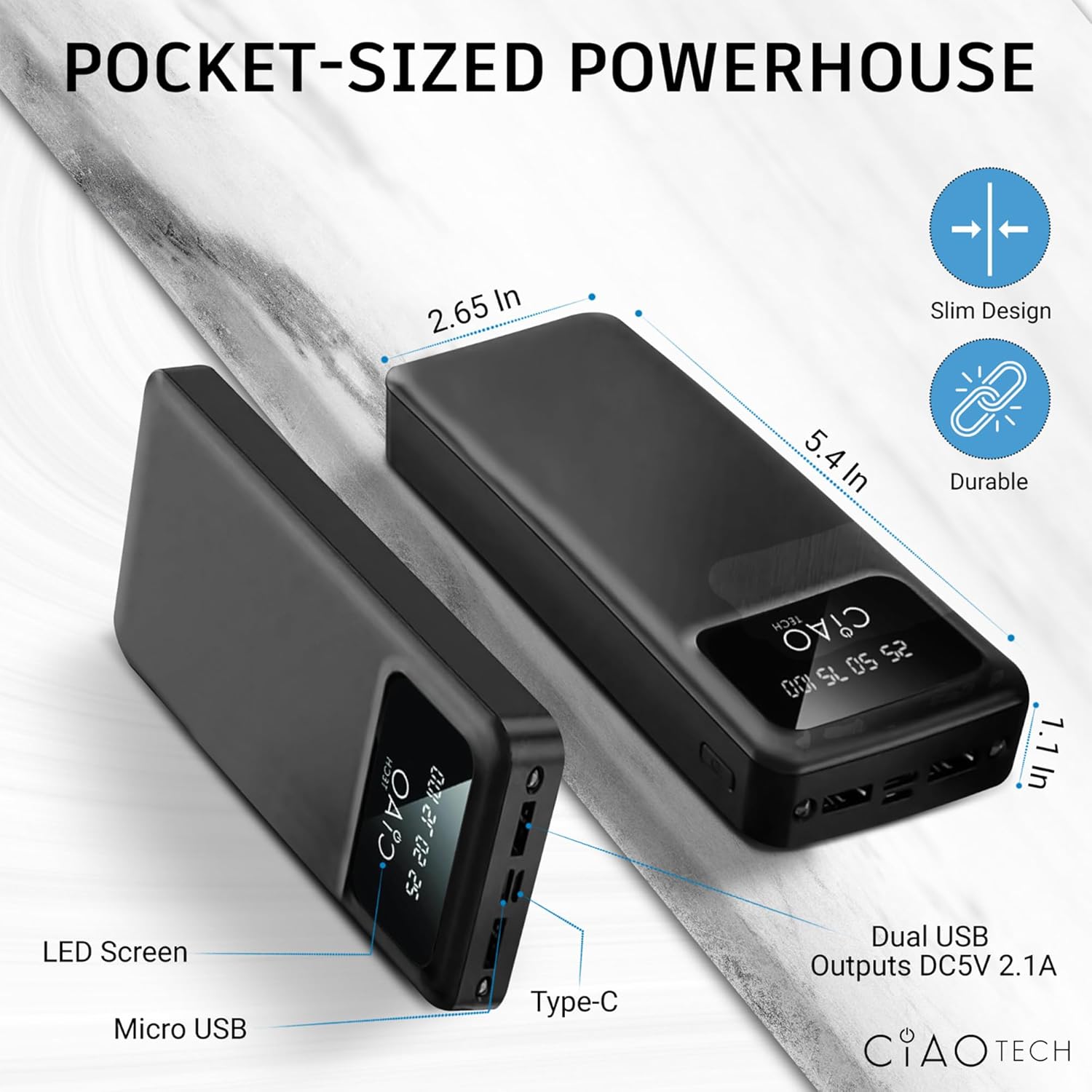
Image: A diagram illustrating the compact dimensions (2.65 in x 5.4 in x 1.1 in) and port locations (Micro USB, Type-C, Dual USB Outputs DC5V 2.1A) of the power bank.
Setup
Initial Charging of the Power Bank
Before first use, it is recommended to fully charge your CIAO TECH Portable Charger Power Bank. This ensures optimal performance and battery longevity.
- Connect a compatible USB cable (Type-C or Micro USB) to the corresponding input port on the power bank.
- Plug the other end of the USB cable into a USB wall adapter (not included) or a computer's USB port.
- The LED display will illuminate, showing the charging progress. The numbers (25, 50, 75, 100) will light up sequentially as the power bank charges.
- Once the display shows "100", the power bank is fully charged and ready for use. Disconnect the charging cable.
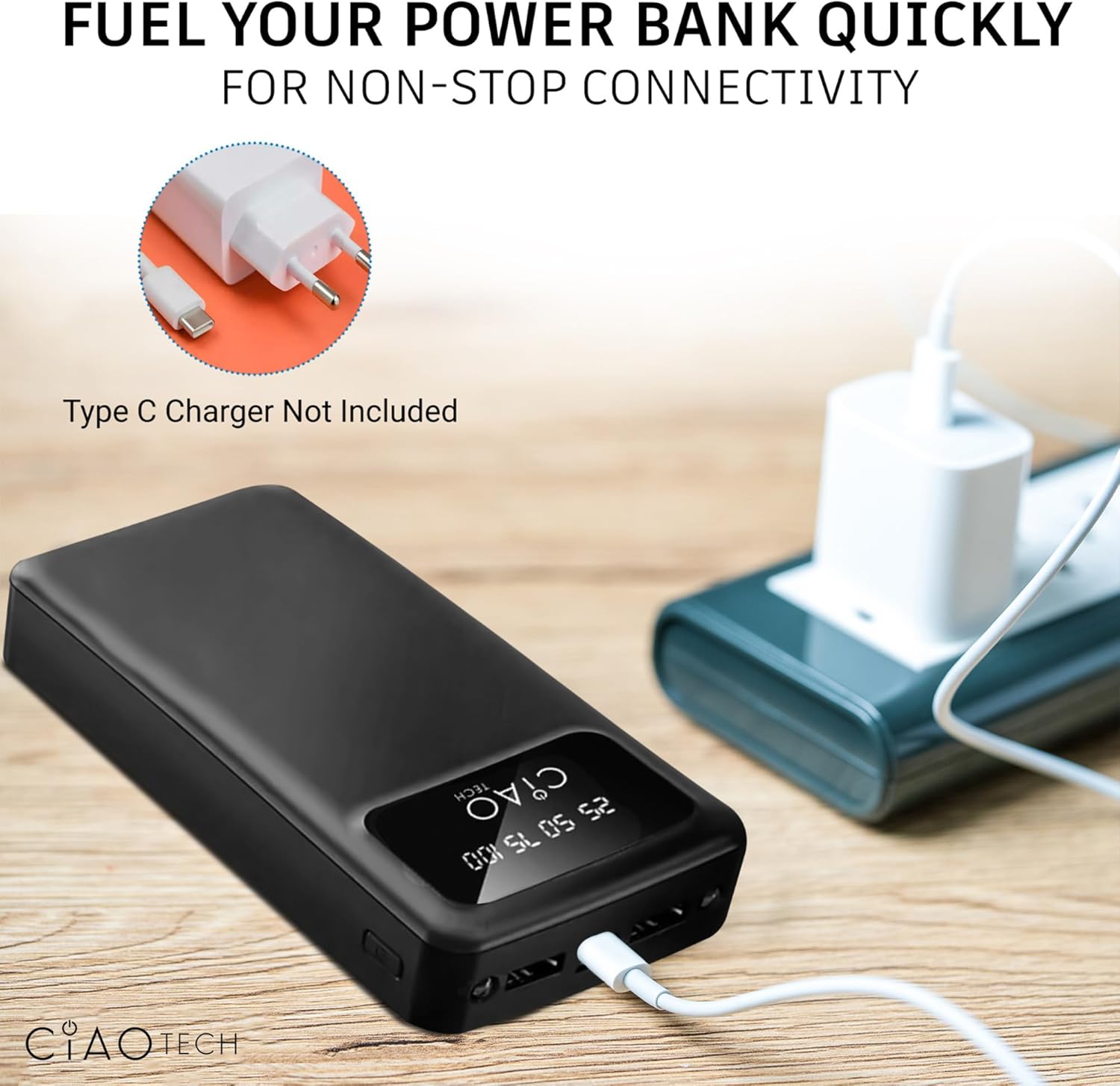
Image: The power bank connected to a wall adapter via a USB cable, illustrating the recharging process. Note: Type-C charger not included.
Operating Instructions
Charging Your Devices
The power bank features dual USB-A output ports for charging your electronic devices.
- Connect your device's USB charging cable to one of the USB-A output ports on the power bank.
- Connect the other end of the cable to your device.
- The power bank will automatically begin charging your device. The LED display will show the current charge level of the power bank.
- You can charge two devices simultaneously using both USB-A output ports.

Image: A person charging a smartphone with the power bank, demonstrating its portability and "on-the-go" design.
Using the Flashlight
The power bank includes a built-in utility flashlight.
- To turn on the flashlight, press and hold the power button located on the side of the power bank for approximately 3 seconds.
- To turn off the flashlight, press and hold the power button again for approximately 3 seconds.
Maintenance
Proper maintenance will extend the lifespan of your power bank.
- Keep the power bank away from extreme temperatures (hot or cold) and direct sunlight.
- Avoid dropping or subjecting the power bank to strong impacts.
- Do not expose the power bank to water or excessive moisture.
- Clean the power bank with a soft, dry cloth. Do not use harsh chemicals or abrasive materials.
- If storing for an extended period, charge the power bank to approximately 50-75% capacity and recharge every 3-6 months to prevent deep discharge.
Troubleshooting
| Problem | Possible Cause | Solution |
|---|---|---|
| Power bank not charging | Cable not properly connected; faulty cable; wall adapter issue; power bank fully discharged. | Ensure cables are securely connected. Try a different charging cable or wall adapter. Allow the power bank to charge for a few minutes, even if the display doesn't immediately light up. |
| Device not charging from power bank | Power bank is out of charge; device cable is faulty; device is not compatible; power bank is in flashlight mode. | Recharge the power bank. Try a different charging cable. Ensure your device is compatible with standard USB charging. Turn off the flashlight if it is on. |
| Flashlight not turning on/off | Incorrect button press; power bank is out of charge. | Press and hold the power button for approximately 3 seconds. Recharge the power bank. |
| Slow charging speed | Using a non-fast charging cable/adapter; charging multiple devices; device's charging input limit. | Ensure you are using appropriate cables and adapters. Charging two devices simultaneously may reduce individual charging speeds. |
Specifications
| Feature | Detail |
|---|---|
| Model Number | CPBTI01-035 |
| Battery Capacity | 20000 mAh |
| Type-C Input | DC5V 2.0A |
| Micro USB Input | DC5V 2.0A |
| USB A Output | DC5V 2.1A (Max) |
| Type-C Output | DC5V 2.1A (Max) |
| Product Dimensions | 2.65 x 5.4 x 1.1 inches |
| Item Weight | 13.1 ounces |
| Color | Black |
| Special Features | LED Indicator Lights, Utility Flashlight |
Warranty and Support
For information regarding product warranty, please refer to the warranty card included with your purchase or contact the manufacturer directly. Keep your proof of purchase for any warranty claims.
For technical support or further inquiries, please visit the official CIAO TECH website or contact their customer service department. Contact details are typically provided on the product packaging or the manufacturer's website.