
Candy CW50-BP12307-S
Candy CW50-BP12307-S Front-Load Washing Machine User Manual
Model: CW50-BP12307-S
1. Introduction and Safety Information
Thank you for choosing the Candy CW50-BP12307-S Front-Load Washing Machine. This manual provides essential information for the safe and efficient use of your appliance. Please read it thoroughly before installation and operation, and keep it for future reference.
1.1 General Safety Warnings
- Always disconnect the appliance from the power supply before cleaning or performing maintenance.
- This appliance is not intended for use by persons (including children) with reduced physical, sensory or mental capabilities, or lack of experience and knowledge, unless they have been given supervision or instruction concerning use of the appliance by a person responsible for their safety.
- Children should be supervised to ensure that they do not play with the appliance.
- Do not install the appliance in a damp place or where it may be exposed to water.
- Ensure all packaging materials are removed before use.
- Do not use extension cords or multiple adapters.
- Do not open the detergent drawer during the wash cycle.
- Do not touch the appliance with wet hands or feet.
2. Product Overview
Familiarize yourself with the main components of your washing machine.
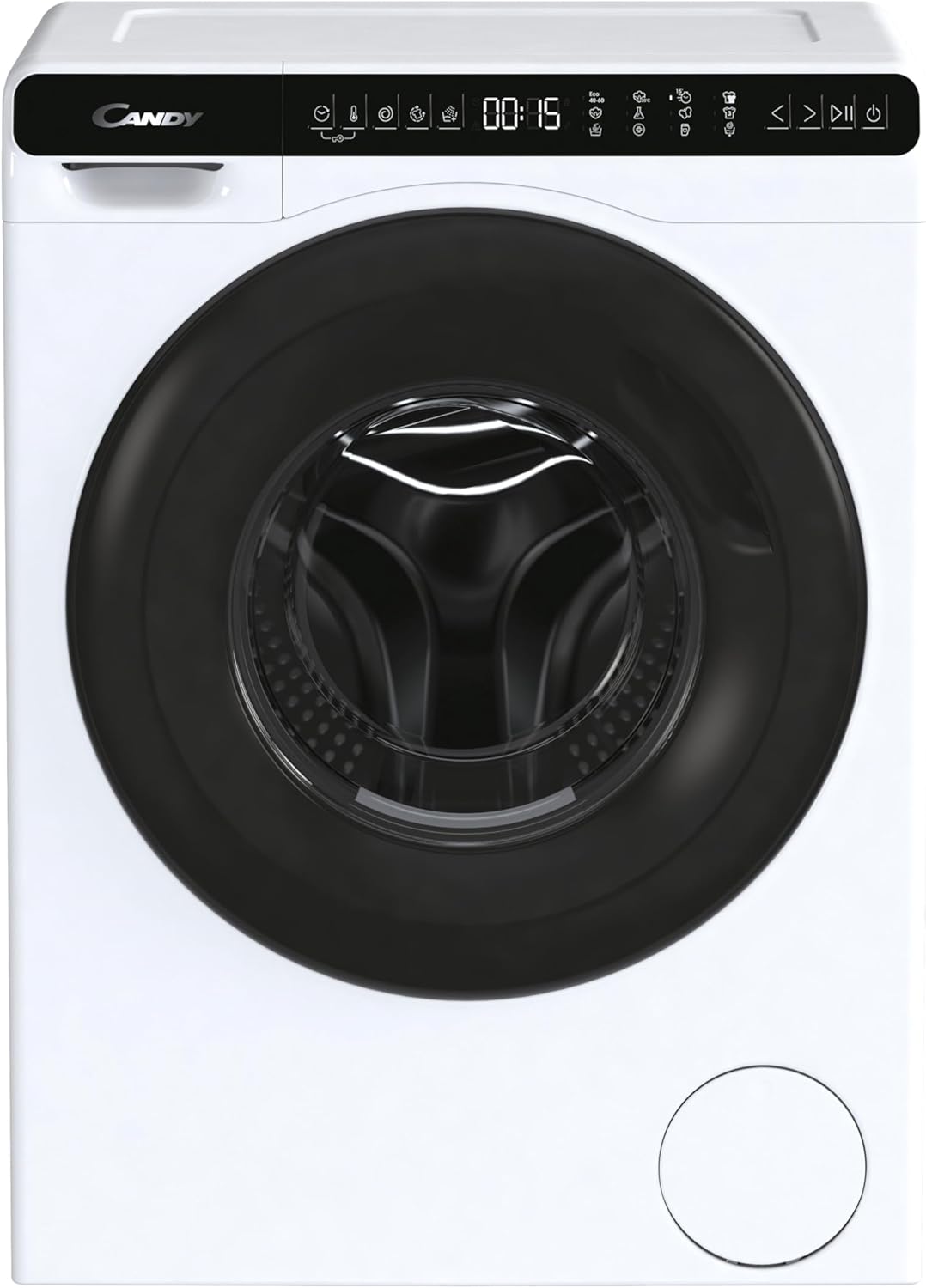
Image 2.1: Front view of the Candy CW50-BP12307-S washing machine. This image displays the appliance with its door closed, showcasing the control panel at the top and the main drum access.

Image 2.2: Close-up of the control panel and door. This image highlights the digital display, program selection buttons, and the ergonomic handle of the washing machine door.
2.1 Control Panel
The control panel allows you to select wash programs, adjust settings, and monitor the wash cycle. Refer to the detailed diagram below for specific button functions.

Image 2.3: Detailed view of the Candy CW50-BP12307-S control panel. This image provides a clear look at the various icons and buttons for program selection, temperature, spin speed, and additional functions.
- Program Selector: Turn to choose your desired wash program.
- Display: Shows remaining time, selected options, and error codes.
- Start/Pause Button: Initiates or pauses the wash cycle.
- Option Buttons: Modify temperature, spin speed, or add extra rinses.
3. Setup and Installation
Proper installation is crucial for the performance and longevity of your washing machine.
3.1 Unpacking
- Remove all packaging materials, including the polystyrene base and any inserts from the drum.
- Remove the transport bolts located at the rear of the machine. These bolts secure the drum during transit and must be removed before use. Keep them for future transport.
3.2 Positioning and Leveling
Place the washing machine on a firm, flat surface. Use the adjustable leveling feet to ensure the appliance is perfectly stable and level. An unlevel machine can cause excessive vibration and noise.
- Loosen the lock nut on each foot.
- Rotate the foot to adjust the height.
- Use a spirit level to check for perfect leveling.
- Tighten the lock nuts against the machine base to secure the feet.
3.3 Water and Drain Connections
- Connect the water inlet hose to a cold water tap with a 3/4" thread. Ensure the connection is tight to prevent leaks.
- Position the drain hose into a standpipe or over the edge of a sink, ensuring it is securely fixed to prevent displacement during draining. The drain hose should be between 60 cm and 100 cm from the floor.
3.4 Electrical Connection
- Connect the power plug to a grounded electrical outlet.
- Ensure the voltage and frequency match the specifications on the appliance rating plate.
4. Operating Instructions
4.1 Preparing the Laundry
- Sort laundry by fabric type, color, and degree of soiling.
- Check garment care labels for washing instructions.
- Empty pockets and close zippers and buttons.
4.2 Loading the Washing Machine

Image 4.1: The washing machine with its door open, ready for loading. This view shows the spacious drum and the door hinge mechanism.
- Open the washing machine door.
- Load the laundry loosely into the drum, ensuring not to overload. The maximum capacity is 5 kg.
- Close the door firmly until it clicks shut.
4.3 Adding Detergent and Additives
Open the detergent drawer and add detergent and fabric softener to the appropriate compartments. Refer to your detergent packaging for recommended dosages.
4.4 Selecting a Wash Program
- Turn the program selector knob to choose the desired wash program (e.g., Cotton, Synthetics, Delicates, Eco 40-60).
- If necessary, adjust the temperature and spin speed using the option buttons.
- Press the Start/Pause button to begin the cycle.
Note: The display will show the estimated remaining time for the cycle.
5. Maintenance and Cleaning
Regular maintenance ensures optimal performance and extends the life of your appliance.
5.1 Cleaning the Detergent Drawer
- Pull out the detergent drawer completely.
- Rinse it under running water to remove any detergent residue.
- Clean the drawer housing with a brush.
- Reinsert the drawer.
5.2 Cleaning the Drain Filter
The drain filter should be cleaned periodically to prevent blockages.
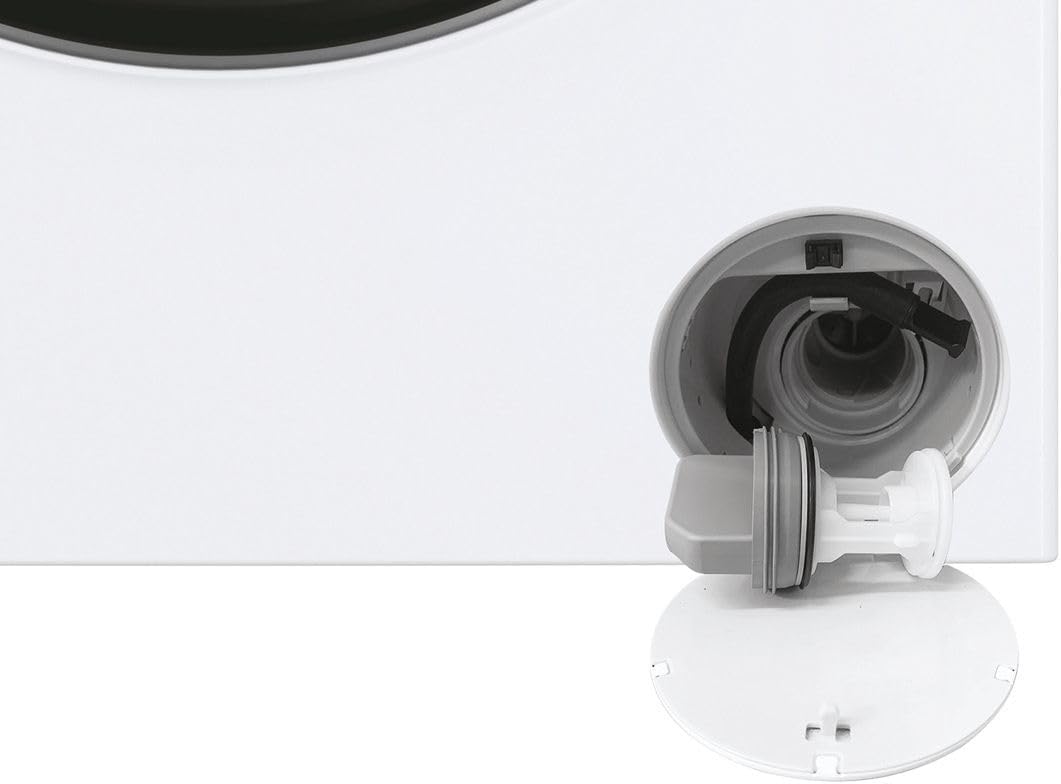
Image 5.1: Close-up view of the drain filter compartment, showing the filter removed for cleaning. This component is essential for preventing blockages.
- Open the small cover at the bottom front of the machine.
- Place a shallow container underneath to collect any residual water.
- Slowly unscrew the filter counter-clockwise and remove it.
- Clean the filter under running water, removing any lint or foreign objects.
- Screw the filter back in clockwise and close the cover.
5.3 Drum Cleaning
Run a maintenance wash (e.g., a hot cycle with no laundry and a descaling agent) periodically to clean the drum and remove detergent residues.
5.4 Exterior Cleaning
Wipe the exterior of the washing machine with a soft, damp cloth. Do not use abrasive cleaners or solvents.
6. Troubleshooting
Before contacting service, please check the following common issues and solutions.
| Problem | Possible Cause | Solution |
|---|---|---|
| Machine does not start | No power; Door not closed; Program not selected; Start/Pause not pressed. | Check power supply; Ensure door is firmly closed; Select a program; Press Start/Pause. |
| Water not filling | Water tap closed; Inlet hose kinked; Water pressure too low. | Open water tap; Straighten hose; Check water supply. |
| Water not draining | Drain hose kinked or blocked; Drain filter blocked. | Straighten or clear drain hose; Clean drain filter (refer to Section 5.2). |
| Excessive vibration/noise | Machine not level; Transport bolts not removed; Overloaded drum. | Adjust leveling feet; Remove transport bolts; Reduce laundry load. |
| Detergent residue in drawer | Insufficient water pressure; Detergent clumping. | Check water pressure; Clean detergent drawer; Use less detergent or liquid detergent. |
If the problem persists after attempting these solutions, please contact customer support.
7. Specifications
| Feature | Detail |
|---|---|
| Model | CW50-BP12307-S |
| Brand | Candy |
| Type | Front-Load Washing Machine |
| Capacity | 5 Kilograms |
| Maximum Spin Speed | 1200 rpm |
| Color | White with Black accents |
| Item Weight | 52 Kilograms |
| Special Feature | Adjustable Leveling Foot |
| Dimensions (H x W x D) | Please refer to the product label or official Candy website for exact dimensions. |
| Power Supply | Refer to the rating plate on the appliance. |
8. Warranty and Customer Support
8.1 Warranty Information
Your Candy CW50-BP12307-S washing machine comes with a manufacturer's warranty. Please refer to the warranty card included with your purchase for specific terms, conditions, and duration. Keep your proof of purchase for warranty claims.
8.2 Customer Support
For technical assistance, spare parts, or warranty service, please contact Candy customer support. Contact details can typically be found on the official Candy website or in your warranty documentation.
When contacting support, please have your model number (CW50-BP12307-S) and serial number ready. The serial number is usually located on a label inside the door or at the back of the appliance.
Related documentsCW50-BP12307-S


Ask a question about this manual
Ask about setup, troubleshooting, compatibility, parts, safety, or missing instructions. Manuals+ will review the question and use this page’s manual context to help answer it.