
Introduction
This manual provides essential instructions for the setup, operation, and maintenance of your Accutime Sanrio Hello Kitty Kids LCD Watch. Please read this guide thoroughly to ensure proper use and longevity of your watch.
Setup
Unboxing and Initial Inspection
Carefully remove the watch from its packaging. Inspect the watch for any visible damage. Ensure all components, including the watch and strap, are present and intact.

Figure 1: Front view of the Accutime Sanrio Hello Kitty Kids LCD Watch, showcasing the Hello Kitty dial, digital display, and pink cityscape strap.
Battery Information
Your watch comes with pre-installed batteries (2 x LR41 1.5V). If the display is dim or not functioning, battery replacement may be required. Refer to the 'Maintenance' section for battery replacement instructions.
Setting the Time
The watch features two visible buttons on the side and one hidden button for time adjustment. The hidden button is typically recessed between the two visible buttons and requires a pointed object (like a pen tip) to press.
- Press the Mode button (usually the top-left visible button) repeatedly until the time display begins to flash.
- Use the Set button (usually the top-right visible button) to adjust the flashing digit (hours or minutes).
- To advance to the next setting (e.g., from hours to minutes), press the hidden black button located between the two visible buttons on the side of the watch.
- Repeat steps 2 and 3 until all desired settings (hours, minutes, AM/PM) are correctly adjusted.
- Press the Mode button again to exit the setting mode and save the changes.
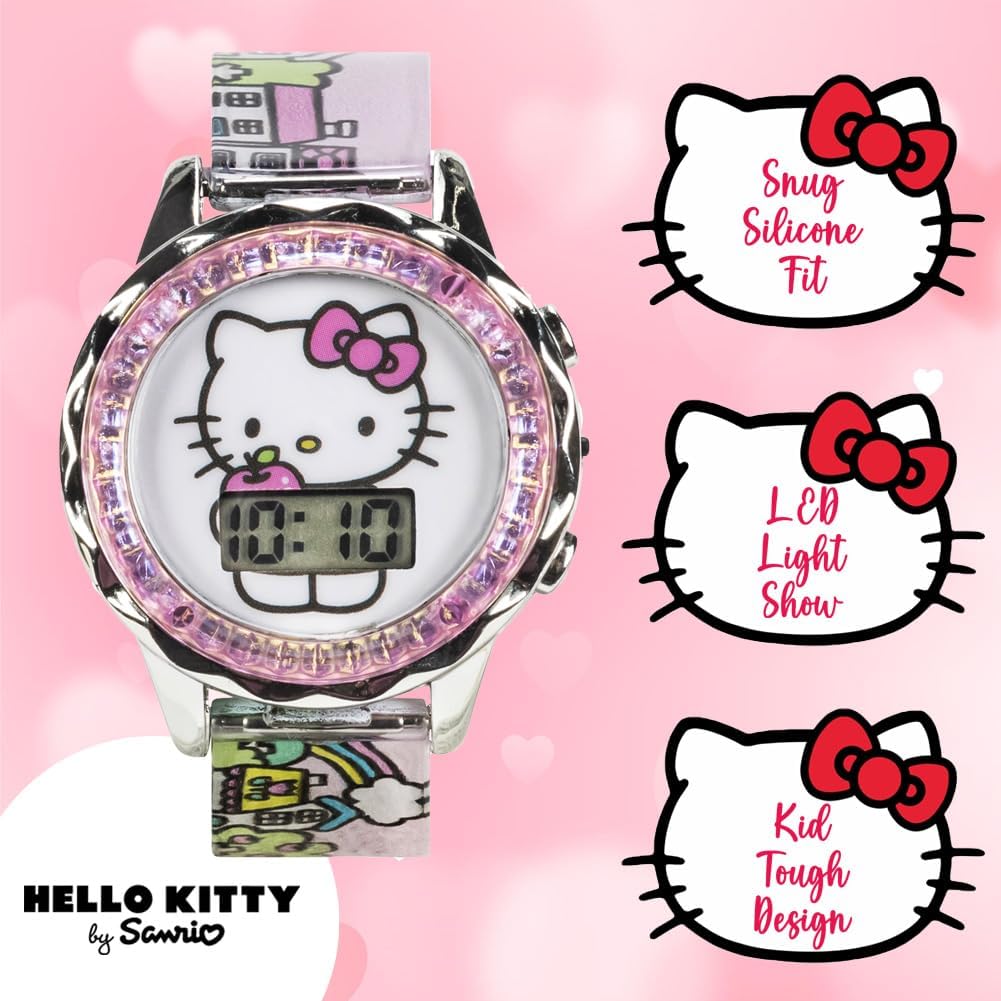
Figure 2: Side view of the watch, indicating the general location of the visible and hidden buttons for time setting.
Operation
Display Modes
Press the Mode button once to display the time. Subsequent presses may cycle through other display modes such as date (month/day) or seconds, depending on the watch's specific functions.
Backlight Function
To activate the LED backlight, press the Set button (typically the top-right visible button). The backlight will illuminate the display for a few seconds, aiding visibility in low-light conditions.

Figure 3: The watch worn on a child's wrist, demonstrating its adjustable fit and clear digital display.
Maintenance
Cleaning
To clean your watch, wipe it gently with a soft, dry cloth. For stubborn dirt, a slightly damp cloth can be used, followed by immediate drying. Avoid using harsh chemicals or abrasive materials, as these can damage the watch's finish or strap.
Battery Replacement
When the display becomes dim or unresponsive, the batteries may need replacement. This watch uses two LR41 (1.5V) button cell batteries. Battery replacement should ideally be performed by a qualified technician to avoid damaging the watch's internal components or compromising its water resistance. If replacing yourself, carefully remove the back plate using a small screwdriver, replace the old batteries with new ones, ensuring correct polarity, and securely reattach the back plate.

Figure 4: Back view of the watch, showing the case back where battery access is located.
Storage
Store the watch in a cool, dry place away from direct sunlight and extreme temperatures. Avoid exposing the watch to strong magnetic fields, as this can affect its accuracy.
Troubleshooting
- Display is blank or dim: Check if the batteries need replacement. Ensure the batteries are inserted with correct polarity.
- Time is incorrect: Follow the 'Setting the Time' instructions to reset the time.
- Buttons are unresponsive: Ensure buttons are not stuck. If the issue persists after battery replacement, contact customer support.
Specifications
| Model Number | HK4203AZ |
| Brand | Accutime |
| Display Type | Digital LCD |
| Strap Material | Silicone (Pink Cityscape) |
| Case Material | Metallic with Iridescent Bezel |
| Wrist Fit Range | 5.5" to 8" |
| Batteries | 2 x LR41 (1.5V) (Included) |
| Manufacturer | Accutime Watch Corp. |
Warranty Information
This product is covered by a manufacturer's warranty. Please refer to the warranty card included with your purchase for specific terms, conditions, and duration. Retain your proof of purchase for any warranty claims.
Support
For further assistance or inquiries regarding your Accutime Sanrio Hello Kitty Kids LCD Watch, please contact Accutime Watch Corp. customer support. Contact details can typically be found on the manufacturer's website or product packaging.