
Introduction
This manual provides essential information for the installation, operation, maintenance, and troubleshooting of your Liftmaster 84505R Secure View UltraQuiet Belt Drive Smart Opener Camera. This unit is designed to provide secure and convenient garage access with integrated smart features.
Important Note: This product is the motor head only and does not include the belt rail. A separate belt rail system is required for complete installation.
Important Note: This unit is not battery backup capable.
What's in the Box
Carefully unpack all components and verify that you have received the following items:
- Liftmaster 84505R Motor Head with Integrated Security Camera and Dual LED Lighting
- 893MAX Universal Remote Control
- Internal Wall Button
- Safety Sensors (Photo Eyes)

Image: The Liftmaster 84505R motor head, featuring the integrated camera and LED lighting. This is the main unit of the garage door opener system.
Setup and Installation
Installation of the Liftmaster 84505R requires a compatible belt rail system (not included). It is recommended that installation be performed by a qualified technician.
Pre-Installation Checks
- Ensure your garage door is in good working condition and properly balanced.
- Verify that you have a suitable power outlet near the installation area.
- Confirm you have a compatible belt rail system ready for attachment to the motor head.
Motor Head Mounting
- Attach the motor head to your existing or new belt rail system according to the rail manufacturer's instructions.
- Securely mount the assembled opener to the garage ceiling or wall, ensuring it is level and stable.
Safety Sensor Installation
- Mount the safety sensors on each side of the garage door opening, approximately 6 inches (15 cm) above the floor.
- Ensure the sensors are aligned so that the infrared beam is unobstructed. Refer to the sensor's specific instructions for wiring and alignment.
Wall Button Installation
Install the internal wall button in a location within sight of the garage door, at least 5 feet (1.5 meters) above the floor to prevent accidental operation by children.
myQ App and Wi-Fi Setup
- Download the myQ app from your device's app store.
- Create an account or log in.
- Follow the in-app instructions to connect your Liftmaster 84505R to your home Wi-Fi network. This enables remote control, monitoring, and access to the integrated camera and two-way audio features.

Image: A direct front view of the Liftmaster 84505R, highlighting the central camera lens and the integrated LED lighting panels on either side.
Operating Instructions
Opening and Closing the Garage Door
- Using the 893MAX Universal Remote: Press the designated button on the remote to open or close the garage door.
- Using the Internal Wall Button: Press the wall button to operate the garage door.
- Using the myQ App: Open the myQ app on your smartphone or compatible device and select the desired action (open/close).
Integrated Camera and Two-Way Audio
Access the live video feed and two-way audio communication through the myQ app. This allows you to monitor your garage and communicate with individuals in the garage remotely.
LED Lighting System
The integrated LED lighting system provides 1500 lumens of light, illuminating the garage area. The lights activate automatically when the door operates and can often be controlled via the myQ app or wall button, depending on settings.
Amazon Key In-Garage Delivery
If you have Amazon Key enabled, the opener facilitates secure in-garage delivery of Amazon packages and groceries. You can monitor these deliveries in real-time through the myQ app's camera feed.
Maintenance
Regular maintenance helps ensure the longevity and proper functioning of your garage door opener.
- myQ Diagnostics: Utilize the myQ app's Diagnostics feature for real-time insights into your garage door's health. The app can provide alerts and error codes if an issue arises.
- Safety Sensor Cleaning: Periodically clean the lenses of the safety sensors with a soft, dry cloth to ensure an unobstructed beam.
- General Cleaning: Wipe down the exterior of the motor head and LED lights with a damp cloth as needed. Avoid using harsh chemicals.
- Professional Inspection: Consider an annual professional inspection of your garage door system, including the opener, springs, cables, and rollers.
Troubleshooting
This section addresses common issues you might encounter with your Liftmaster 84505R.
Opener Not Responding
- Power: Check if the opener is plugged in and if there is power to the outlet.
- Remote/Wall Button: Ensure the remote has fresh batteries and is programmed correctly. Verify the wall button wiring.
- Safety Sensors: Check if the safety sensors are aligned and unobstructed. A blinking LED on a sensor usually indicates misalignment or an obstruction.
myQ App Connectivity Issues
- Wi-Fi Signal: Ensure your home Wi-Fi network is active and the opener is within range.
- App Status: Check the myQ app for any service outages or updates.
- Router: Restart your Wi-Fi router.
Camera or Audio Malfunction
- myQ App: Ensure the myQ app is updated to the latest version.
- Internet Connection: A stable internet connection is required for camera and audio streaming.
- Power Cycle: Disconnect power to the opener for a few minutes, then restore it.
For persistent issues, refer to the myQ app's Health Report or contact LiftMaster customer support.
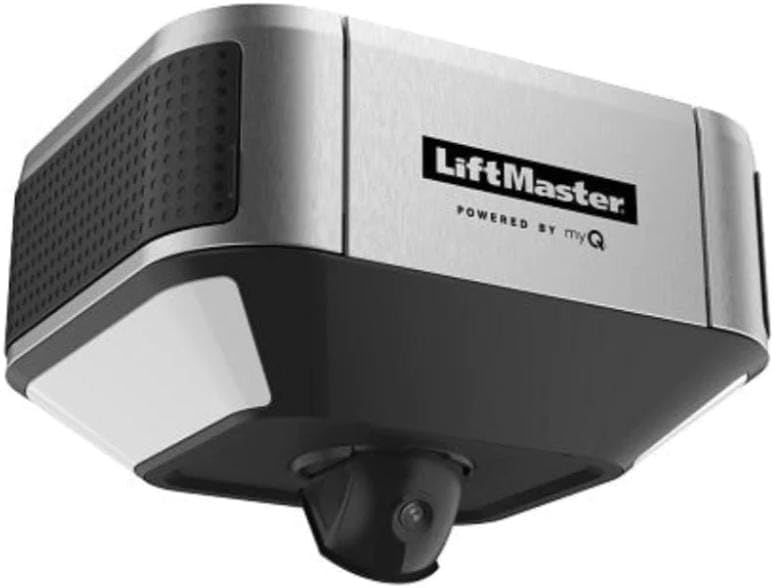
Image: An angled view of the Liftmaster 84505R, providing a perspective of the unit as it would appear when mounted, with the camera and LED lights visible.
Specifications
| Feature | Specification |
|---|---|
| Model Number | 85870 (also referred to as 84505R) |
| Brand | LiftMaster |
| Manufacturer | Chamberlain |
| Mounting Type | Wall Mount |
| Drive Type | Belt Drive (Motor Head Only) |
| Motor Type | DC |
| Integrated Camera | Yes, with 2-Way Audio |
| Video Capture Resolution | 1080p |
| Video Capture Format | MPEG-4 |
| Integrated Lighting | Dual LED, 1500 Lumens |
| Wireless Communication | Wi-Fi |
| Compatible Devices | Smartphone (via myQ app) |
| Controller Type | Amazon Alexa compatible |
| Product Dimensions (L x W x H) | 10 x 12 x 12 inches |
| Item Weight | 17.51 pounds |
| Batteries Required | No (for main unit) |
| UPC | 012381199532 |
Warranty and Support
For specific warranty information, please refer to the documentation provided with your product at the time of purchase or visit the official LiftMaster website. Warranty terms typically cover manufacturing defects for a specified period.
For technical support, product registration, or to find authorized service providers, please visit the LiftMaster Store on Amazon or the official LiftMaster support portal.
Official Product Videos
No official product videos from the seller were provided in the product data. If available, relevant videos demonstrating setup, operation, or specific features would be embedded here, with a maximum width of 420px and a detailed text description for accessibility.


