
1. Introduction
Thank you for choosing the FADAKWALT 3.6V USB Electric Screwdriver Kit. This comprehensive 40-piece tool set is designed for various household repairs, furniture assembly, and DIY projects. This manual provides essential information for safe operation, proper use, and maintenance of your new tool kit. Please read it thoroughly before first use and retain it for future reference.
2. Safety Information
Always observe basic safety precautions when using electric tools to reduce the risk of fire, electric shock, and personal injury.
- Work Area Safety: Keep your work area clean and well-lit. Cluttered or dark areas invite accidents. Do not operate power tools in explosive atmospheres, such as in the presence of flammable liquids, gases, or dust.
- Electrical Safety: Avoid body contact with earthed or grounded surfaces such as pipes, radiators, ranges, and refrigerators. Do not expose power tools to rain or wet conditions. Water entering a power tool will increase the risk of electric shock.
- Personal Safety: Always wear appropriate personal protective equipment, including safety glasses, gloves, and hearing protection when necessary. Dress properly; avoid loose clothing or jewelry that can get caught in moving parts.
- Tool Use and Care: Do not force the tool. Use the correct tool for your application. Disconnect the battery pack from the tool before making any adjustments, changing accessories, or storing power tools. Store idle tools out of the reach of children and do not allow persons unfamiliar with the power tool or these instructions to operate the power tool.
- Battery Safety: Use only the charger specified by the manufacturer. A charger that is suitable for one type of battery pack may create a risk of fire when used with another battery pack. Do not disassemble, crush, or expose the battery to high temperatures or fire.
3. Package Contents
Your FADAKWALT 40-piece Electric Screwdriver Kit includes the following items:
- 1 x Electric Screwdriver (3.6V USB)
- 1 x USB Charging Cable
- 1 x Hammer
- 1 x Portable Toolbox
- 2 x Manual Screwdrivers
- 1 x Tape Measure (10ft)
- 1 x Extension Rod
- 1 x Electrician Pliers
- 1 x Multifunctional Cleaning Shovel
- 1 x Spirit Level
- 30 x Screwdriver Bits (20 short, 10 long)

Image: All components of the FADAKWALT 40-piece Electric Screwdriver Kit, including the electric screwdriver, hammer, pliers, tape measure, level, manual screwdrivers, and various bits, neatly arranged.
4. Setup
4.1 Charging the Electric Screwdriver
Before first use, fully charge the electric screwdriver. The device is powered by a 3.6V Lithium-Ion battery.
- Locate the USB charging port on the electric screwdriver.
- Connect the provided USB charging cable to the screwdriver and to a compatible USB power adapter (not included) or a USB port on a computer.
- Allow the screwdriver to charge until the charging indicator light (if present) indicates a full charge. Charging time may vary.
4.2 Attaching Screwdriver Bits
The electric screwdriver features a 1/4" collect sleeve for quick bit changes.
- Ensure the screwdriver is turned off and the forward/reverse switch is in the neutral (locked) position.
- Select the desired screwdriver bit from the included assortment.
- Fully insert the bit into the collect sleeve until it clicks securely into place.
- To remove a bit, pull the collect sleeve forward and extract the bit.

Image: Visual guide demonstrating the process of inserting a screwdriver bit fully into the 1/4" collect sleeve and releasing it by pulling the sleeve.
4.3 Adjusting Grip Style
The electric screwdriver features a dual-position handle, allowing for both straight and pistol grip configurations.
- To change the grip, locate the pivot point on the handle.
- Gently adjust the handle to your preferred position (straight for extended reach or pistol for compact use). Ensure it locks securely into place before operation.
Image: The electric screwdriver shown in two different grip styles: a straight inline grip for reaching into narrow spaces and a pistol grip for comfortable general use.
5. Operating Instructions
5.1 Electric Screwdriver Operation
- Select Bit: Choose the appropriate screwdriver bit for the fastener.
- Adjust Grip: Set the handle to the desired straight or pistol grip.
- Forward/Reverse Switch: Use the two-side switch to select the rotation direction. Push forward for tightening (clockwise) and backward for loosening (counter-clockwise). The middle position locks the tool.
- Start/Stop: Press the trigger button to start the screwdriver. Release to stop.
- Application: Apply gentle, steady pressure to the fastener while operating the screwdriver. Avoid excessive force.

Image: A person using the FADAKWALT electric screwdriver to perform a home repair task, demonstrating its application.
5.2 Using Other Tools
- Hammer: Use for driving nails or light demolition tasks. Ensure proper grip and strike with controlled force.
- Electrician Pliers: Suitable for gripping, bending, and cutting wires. Always ensure power is off before working with electrical components.
- Tape Measure: For accurate length measurements up to 10 feet.
- Spirit Level: Use to check horizontal and vertical alignment for hanging pictures or installing shelves.
- Multifunctional Cleaning Shovel: Useful for scraping, prying, or cleaning surfaces.
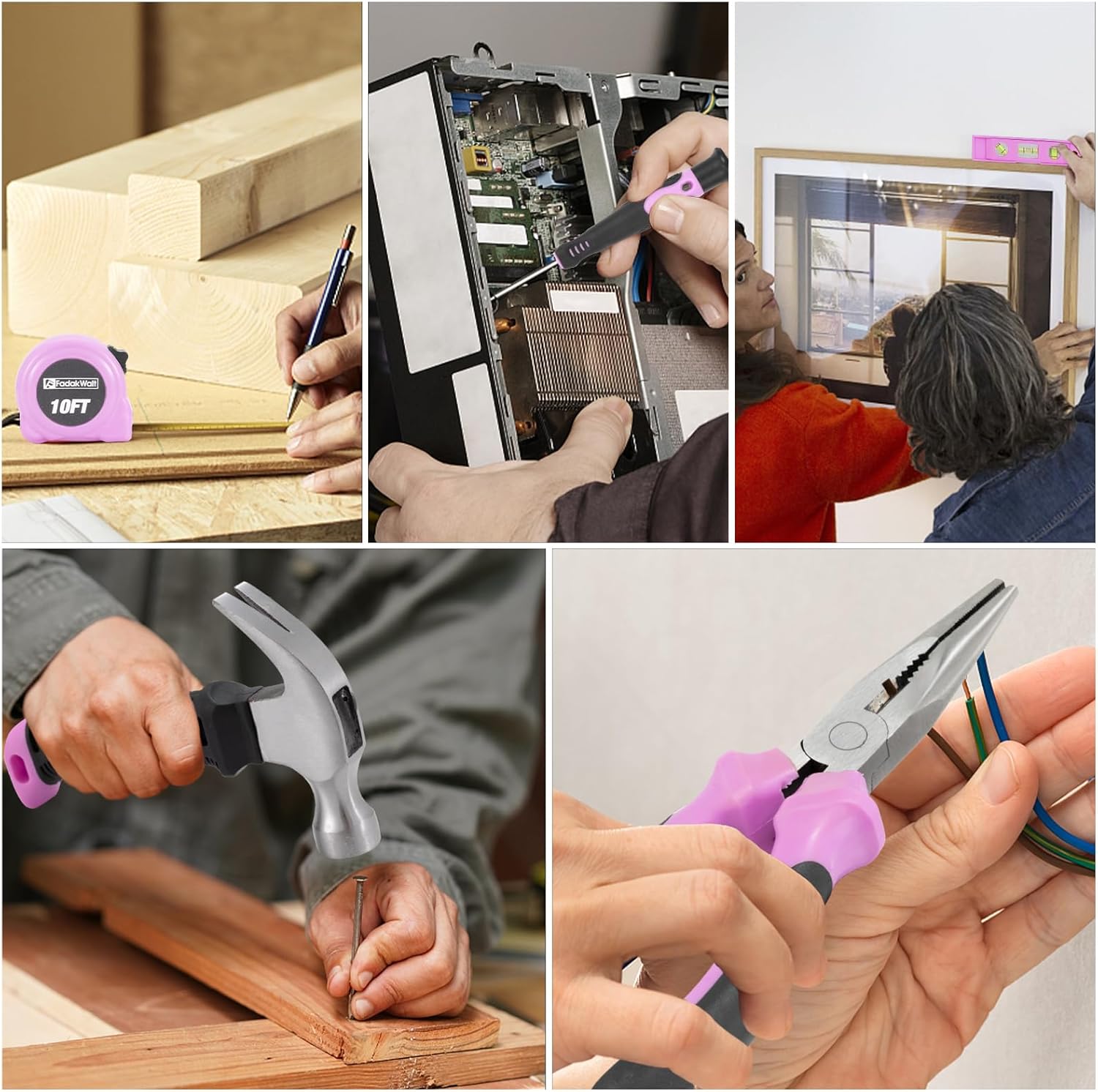
Image: A collage showing the FADAKWALT tape measure being used for marking wood, a manual screwdriver for electronics, a hammer for driving a nail, and pliers for electrical work.
6. Maintenance
Regular maintenance ensures the longevity and optimal performance of your FADAKWALT tool kit.
- Cleaning: After each use, wipe down all tools with a clean, dry cloth. For stubborn dirt, a slightly damp cloth can be used, ensuring no moisture enters electrical components.
- Storage: Store all tools in the provided portable toolbox in a dry, cool place, away from direct sunlight and moisture. Keep out of reach of children.
- Battery Care: Do not store the electric screwdriver with a completely discharged battery for extended periods. Recharge periodically if not in use.
- Bit Inspection: Regularly inspect screwdriver bits for wear or damage. Replace worn bits to ensure effective fastening and prevent damage to fasteners.
7. Troubleshooting
If you encounter issues with your FADAKWALT Electric Screwdriver Kit, refer to the following common problems and solutions:
| Problem | Possible Cause | Solution |
|---|---|---|
| Electric screwdriver does not turn on. | Battery is discharged. Forward/reverse switch is in the locked (middle) position. | Charge the battery fully. Move the forward/reverse switch to either the forward or reverse position. |
| Screwdriver bit falls out or is loose. | Bit not fully inserted. Collect sleeve not properly engaged. | Ensure the bit is pushed all the way into the collect sleeve until it locks. Check if the collect sleeve is damaged. |
| Screwdriver lacks power or stops during use. | Low battery charge. Overload due to excessive force. | Recharge the battery. Reduce pressure and allow the tool to work at its own pace. |
| Charging indicator not working. | Faulty USB cable or adapter. | Try a different USB cable and power adapter to rule out external issues. If the problem persists, contact customer support. |
8. Specifications
Key technical specifications for the FADAKWALT 3.6V USB Electric Screwdriver:
| Feature | Specification |
|---|---|
| Brand | FADAKWALT |
| Model | B0CMQBS7MF |
| Power Source | Battery Powered (Lithium Ion) |
| Voltage | 3.6 Volts |
| Amperage | 1 Amps |
| Maximum Rotational Speed | 200 RPM |
| Maximum Torque | 19 Newton Meters (1.8E+2 Inch Pounds) |
| Maximum Chuck Size | 0.5 Inches |
| Special Feature | Reverse Rotation |
| Product Dimensions | 8.2"L x 7.8"W x 2.3"H |
| Item Weight | 1.98 Kilograms (4.36 pounds) |
| Material | Plastic |
| Included Batteries | 1 Lithium Ion battery (included) |
9. Warranty and Support
FADAKWALT is committed to providing quality products. For any questions, concerns, or warranty claims regarding your Electric Screwdriver Kit, please contact FADAKWALT customer support. Please refer to your purchase documentation for specific warranty terms and contact information.
You can also visit the official FADAKWALT store for more information: FADAKWALT Store