
EBL MP1000 Portable Power Station 1000W User Manual
Model: MP1000
Brand: EBL
1. Introduction
This manual provides essential instructions for the safe and efficient operation, maintenance, and troubleshooting of your EBL MP1000 Portable Power Station. Please read this manual thoroughly before using the device and retain it for future reference.

Figure 1: EBL MP1000 Portable Power Station 1000W, front view with display and various ports.

Figure 2: The EBL MP1000 providing power for outdoor activities and as an indoor emergency backup.
2. Safety Instructions
- Do not disassemble, repair, or modify the unit.
- Do not place the unit near fire or expose it to heat.
- Do not store or use the unit in high-temperature environments or direct sunlight.
- Do not use or store the unit in a bathroom or in areas exposed to water or rain.
- Use only the provided or approved accessories.
- Keep the unit away from children and pets.
- Ensure proper ventilation during use to prevent overheating.
- Avoid dropping, impacting, or subjecting the unit to strong vibrations.
- In case of fire, use a dry powder fire extinguisher.
Integrated Safety Features:
- Over-charge Protection
- Over-current Protection
- Over-voltage Protection
- Short-circuit Protection
- Temperature Protection

Figure 3: Diagram illustrating the internal safety protections of the EBL MP1000 Power Station.
3. Package Contents
Verify that all items are present in the package:
- 1x EBL MP1000 Portable Power Station
- 1x 100-240V AC Wall Adapter
- 1x 12V Car Charger Cable
- 1x MC4 Connector Cable
- 1x User Manual (this document)
4. Setup
4.1 Initial Charge
Before first use, fully charge the power station. This can be done via AC wall outlet, car charger, or solar panels.
4.2 Charging via AC Wall Outlet
- Connect the 100-240V AC Wall Adapter to the power station's input port.
- Plug the adapter into a standard wall outlet.
- The display will indicate charging status. A full charge typically takes 8-12 hours.

Figure 4: Illustration of AC wall charging and car charging methods.
4.3 Charging via Car Outlet
- Connect the 12V Car Charger Cable to the power station's input port.
- Plug the other end into your vehicle's 12V car outlet.
- The display will show charging progress.
4.4 Charging via Solar Panels
The EBL MP1000 supports solar charging. It is recommended to use two EBL 100W solar panels for optimal charging speed.
- Connect the MC4 Connector Cable to the power station's input port.
- Connect the solar panels to the MC4 Connector Cable. A Y-branch cable (not included) may be required for connecting two solar panels.
- Position the solar panels in direct sunlight for maximum efficiency.
- The display will show the input wattage from the solar panels. A full charge can be achieved in approximately 7 hours with sufficient sunlight.

Figure 5: Diagram showing how to connect two solar panels to the power station using an MC4 connector cable and an optional Y-branch cable.

Figure 6: Step-by-step guide for solar panel connection, highlighting included components.
5. Operating Instructions
5.1 Powering On/Off
Press and hold the main "POWER" button to turn the unit on or off. The LCD display will illuminate.
5.2 Using AC Outlets
- Press the "AC OUTPUT" button to activate the 110V AC outlets.
- Plug your devices into the AC outlets. Ensure the total wattage does not exceed 1000W.
- Press the "AC OUTPUT" button again to turn off the AC function when not in use.
5.3 Using DC Outlets
- Press the "DC" button to activate the 14V DC outlets.
- Connect your 14V DC devices.
- Press the "DC" button again to turn off the DC function.
5.4 Using USB Ports
The USB-A (Quick Charge 3.0) and USB-C (PD 60W) ports are typically active when the unit is powered on. Connect your USB-compatible devices for charging.
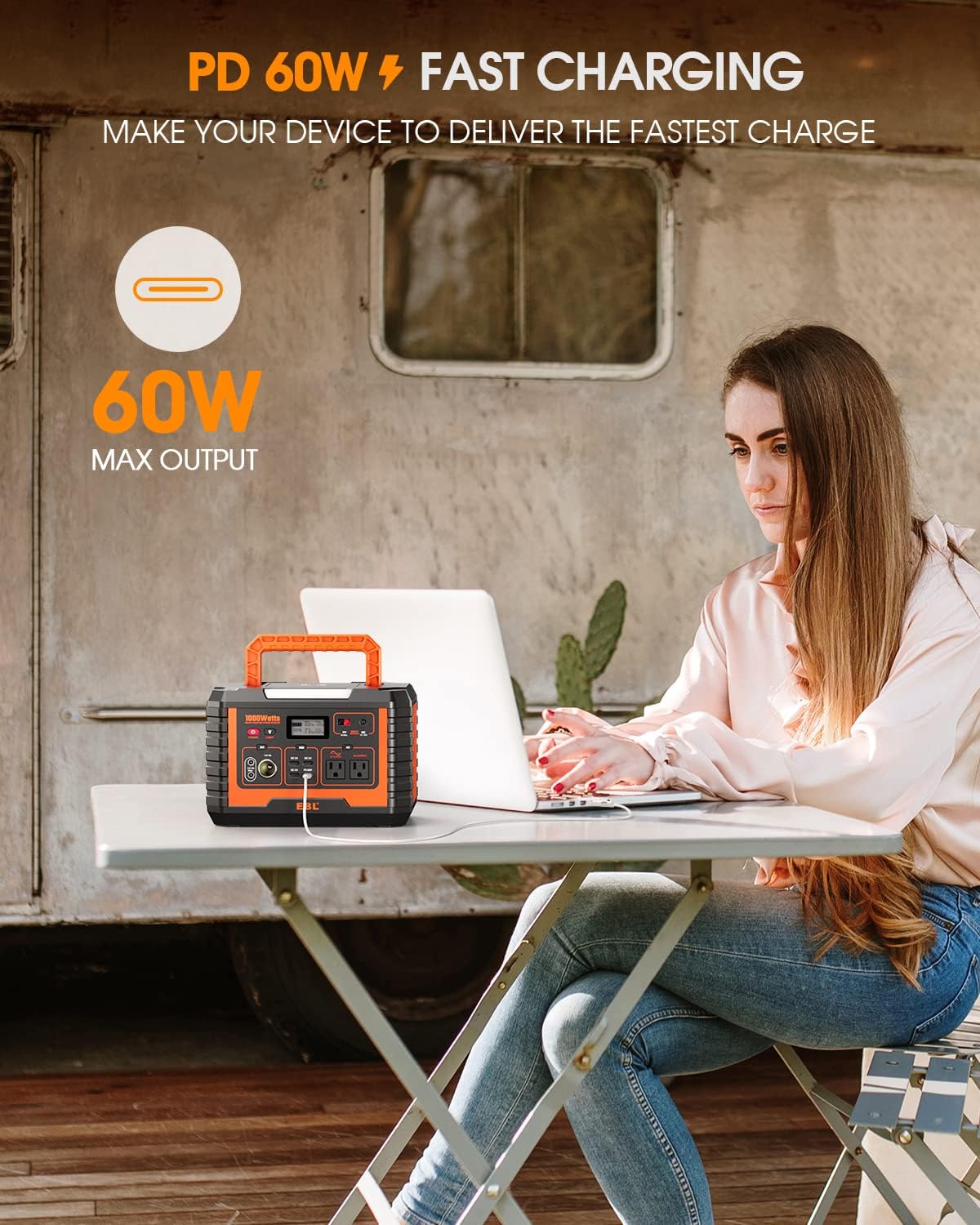
Figure 7: Demonstrating the PD 60W fast charging capability for devices like laptops.
5.5 Wireless Charging
Place your Qi-compatible smartphone on the wireless charging pad located on top of the unit. Ensure the phone is centered for optimal charging.
5.6 Emergency Light
Press the "LIGHT" button to turn on the integrated LED emergency light. Press again to cycle through brightness modes or turn off.

Figure 8: Overview of key features including wireless charging, AC pure sine wave output, emergency light, and foldable handle.
5.7 Simultaneous Device Charging
The EBL MP1000 is designed to power multiple devices concurrently. The unit features:
- 3x 14V DC Outlets
- 2x 110V AC Outlets
- 1x USB-C PD 60W Port
- 3x Quick Charge 3.0 USB Ports
- 1x Wireless Charging Pad
Ensure the total power draw does not exceed the unit's 1000W capacity.
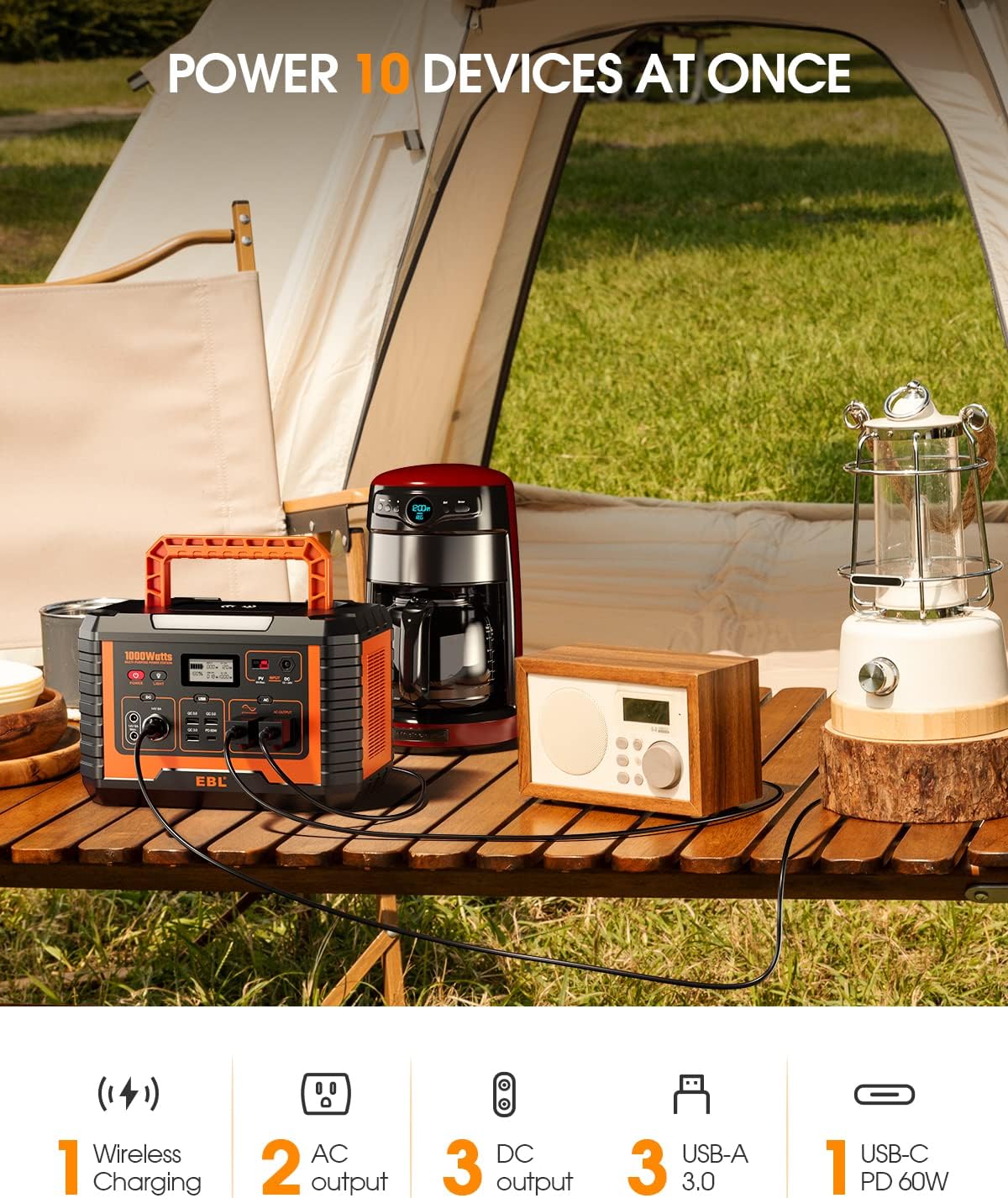
Figure 9: The power station simultaneously charging and powering various devices like a coffee maker, radio, and phone.
6. Maintenance
6.1 Cleaning
Wipe the unit with a dry, soft cloth. Do not use abrasive cleaners or solvents.
6.2 Storage
- Store the power station in a cool, dry place, away from direct sunlight and moisture.
- For long-term storage, charge the unit to approximately 50-80% every 3-6 months to prolong battery life.
- Avoid storing in extreme temperatures (below 0°C or above 40°C).
7. Troubleshooting
| Problem | Possible Cause | Solution |
|---|---|---|
| Unit does not turn on. | Battery is depleted. | Charge the unit using an AC adapter, car charger, or solar panels. |
| AC outlets not working. | AC output not activated. Overload protection triggered. | Press the "AC OUTPUT" button. Reduce the total wattage of connected devices. |
| Device not charging via USB. | USB port not active. Device incompatibility. | Ensure the power station is on. Try a different USB port or cable. |
| Solar charging is slow or not working. | Insufficient sunlight. Incorrect panel connection. | Reposition panels for direct sunlight. Verify all cable connections are secure. |
| Wireless charging not working. | Phone not Qi-compatible. Phone not centered. | Ensure your phone supports Qi wireless charging. Adjust phone position on the pad. |
8. Specifications
| Feature | Detail |
|---|---|
| Model Name | MP1000 |
| Capacity | 1000W / 999Wh (270000mAh) |
| AC Output | 2x 110V AC (Pure Sine Wave), 1000W total |
| DC Output | 3x 14V DC Outlets |
| USB-A Output | 3x Quick Charge 3.0 Ports |
| USB-C Output | 1x PD 60W Port |
| Wireless Charging | Yes (Qi-compatible) |
| Charging Input | AC Wall Adapter, 12V Car Charger, Solar Panels (MC4) |
| Dimensions (L x W x H) | 11.42" x 7.95" x 7.95" |
| Weight | 18.73 lbs (approx. 8.5 kg) |
| Operating Temperature | 0°C to 40°C (32°F to 104°F) |
| Safety Protections | Over-charge, Over-current, Over-voltage, Short-circuit, Temperature |

Figure 10: Dimensions of the EBL MP1000 Portable Power Station.
9. Warranty and Support
9.1 Warranty Information
The EBL MP1000 Portable Power Station comes with a 1-year warranty from the date of purchase. This warranty covers manufacturing defects and workmanship under normal use. It does not cover damage caused by misuse, accidents, unauthorized modifications, or natural disasters.
9.2 Customer Support
For technical assistance, warranty claims, or any questions regarding your EBL product, please contact EBL customer support through their official website or the platform where the product was purchased.
Please have your model number (MP1000) and proof of purchase ready when contacting support.


