
Lamomo 02891
Lamomo Motion Sensor Outdoor Lights User Manual
Model: 02891
Introduction
Thank you for choosing the Lamomo Motion Sensor Outdoor Light. This fixture is designed to provide reliable and efficient outdoor lighting with advanced motion sensing capabilities. Its durable, weather-resistant construction ensures long-lasting performance for various outdoor applications, including porches, patios, garages, and entryways.

Image: The Lamomo Motion Sensor Outdoor Light, showcasing its elegant design and integrated motion sensor, suitable for various outdoor settings.
Safety Information
Please read all instructions carefully before installation and use. Failure to follow these instructions may result in electric shock, fire, or other hazards that could cause personal injury or property damage.
- Always turn off power at the circuit breaker before installing, servicing, or cleaning the fixture.
- Consult a qualified electrician if you are unsure about the installation process.
- Ensure all electrical connections comply with local codes and ordinances.
- Use only incandescent or DIMMABLE LED bulbs to avoid flicker. (Bulb not included)
- Do not exceed the maximum wattage specified for the bulb socket.
- This fixture is designed for outdoor use and is waterproof. However, ensure proper sealing during installation to maintain its weather resistance.
Package Contents
Verify that all components are present before beginning installation:
- Lamomo Motion Sensor Outdoor Light Fixture (1 unit)
- Crossbar-style Mount Plate (1 unit)
- Wire Connectors (3 units)
- Mounting Screws (2 units)
- Instruction Manual (This document)
Note: Bulb is not included and must be purchased separately. Compatible with E26 Medium base bulbs.
Product Overview
The Lamomo Motion Sensor Outdoor Light combines classic design with modern technology. Key components include:
- Fixture Body: Constructed from heavy-duty rugged high-quality aluminum with a classic black and gold finish.
- Clear Seeded Glass Panels: Pre-assembled for convenience, providing a clear view of the bulb and enhancing light dispersion.
- PIR Motion Sensor: Located at the top of the fixture, offering a super wide range of 40ft detection distance and a 220° wide detection angle.
- E26 Medium Base Socket: Compatible with standard E26 bulbs (not included).

Image: Close-up view of the light fixture, highlighting the motion sensor at the top.

Image: Detailed view of the PIR motion sensor, responsible for detecting movement.

Image: Close-up of the E26 medium base socket where the bulb is installed.
Setup and Installation
This fixture is designed for quick installation. Follow these steps carefully:
- Prepare for Installation:
- Turn off power at the main circuit breaker.
- Ensure the mounting surface is clean, dry, and structurally sound.
- Gather necessary tools: screwdriver, wire strippers, electrical tape, safety glasses.
- Attach Mounting Plate:
- Secure the crossbar-style mount plate to the electrical box using the provided mounting screws. Ensure it is firmly attached.
- Make Electrical Connections:
- Connect the fixture's black wire to the house's black (hot) wire using a wire connector.
- Connect the fixture's white wire to the house's white (neutral) wire using a wire connector.
- Connect the fixture's ground wire to the house's ground wire (bare copper or green) using a wire connector.
- Carefully tuck all wires into the electrical box.
- Mount the Fixture:
- Align the fixture with the mounting plate and secure it using the provided screws or nuts. Ensure a tight fit to prevent moisture entry.
- Install Bulb:
- Gently remove the glass panels (if necessary, refer to maintenance section for removal).
- Screw an E26 medium base incandescent or DIMMABLE LED bulb (not included) into the socket.
- Re-secure the glass panels.
- Restore Power:
- Turn on power at the circuit breaker.
- The light will undergo a self-test for approximately 20-30 seconds (100% brightness) and then turn off. This is normal.

Image: Visual representation of the easy installation process.

Image: Detailed information including product dimensions and bulb compatibility (E26, 110-120V, 2700K Warm White).
Operating Instructions
The Lamomo Motion Sensor Outdoor Light features an advanced PIR motion sensor with three selectable lighting modes and adjustable settings.
Adjusting Sensor Settings
The sensor settings are located under the cap of the fixture. To access them, gently unscrew the top cap. You will find three adjustable controls:
- Time: Adjusts the illumination time after motion detection (20s - 180s).
- Sens: Adjusts the sensing distance of the motion sensor (0ft - 40ft).
- Dim Light Brightness: A knob to set the dim light brightness from 0% to 50%.
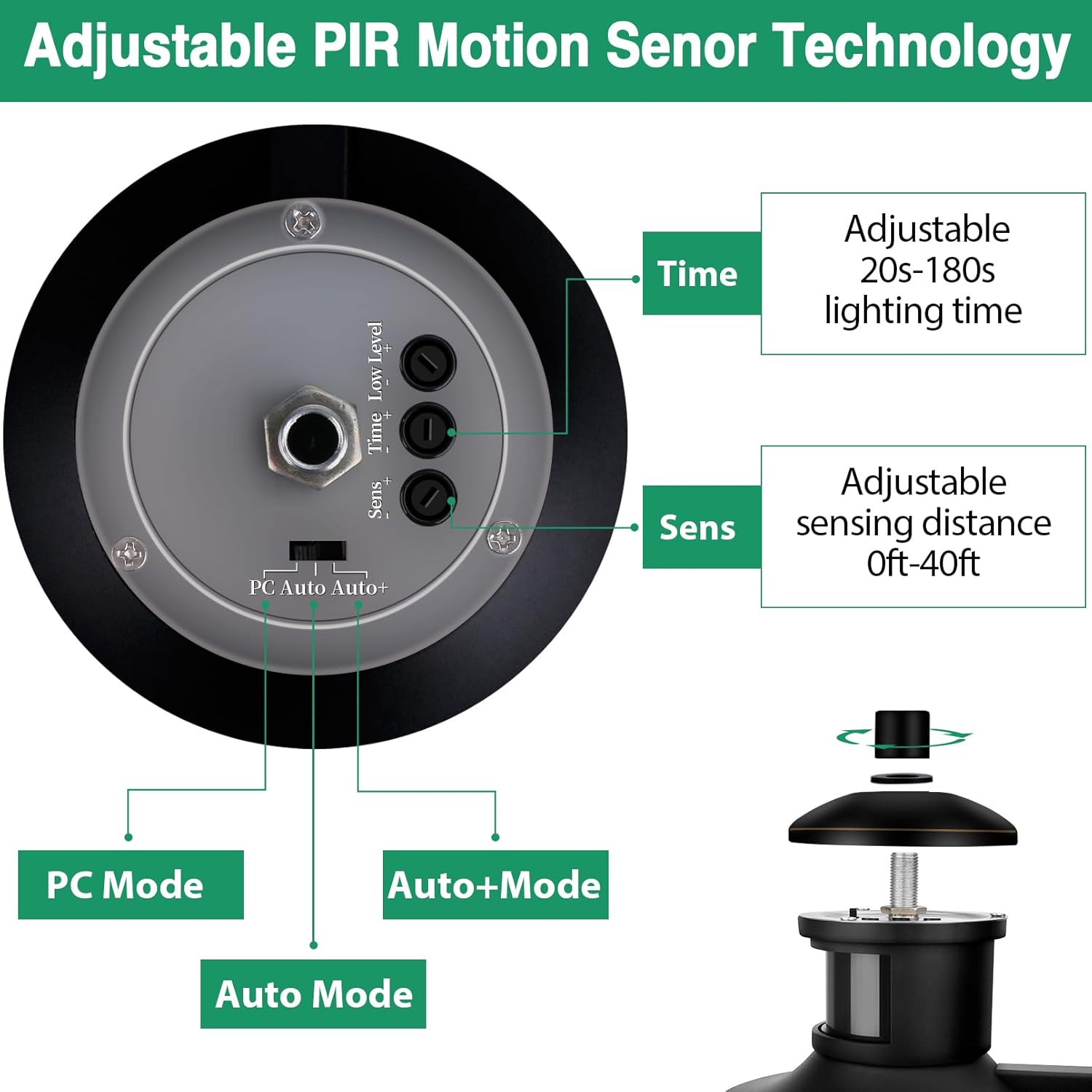
Image: Diagram illustrating the adjustable controls for Time, Sensitivity, and the three operational modes of the PIR motion sensor.
Lighting Modes
Select one of the three modes using the switch located near the adjustable controls:
- PC Mode (Photoelectric Control Mode):
In this mode, the light will turn on when it gets dark and stay on at a dim light brightness (set by the dim light brightness knob). When motion is detected, it will switch to 100% brightness for the set duration (Time setting), then return to dim light. It turns off at dawn.
- Auto+ Mode (Motion Sensor Only Mode):
The light remains off during the day. At night, it will only turn on to 100% brightness when motion is detected, staying on for the set duration (Time setting), then turning off completely until new motion is detected. There is no dim light in this mode.
- Auto Mode (Dusk to Dawn with Motion Override):
The light turns on at dusk and stays on at a dim light brightness (set by the dim light brightness knob). When motion is detected, it brightens to 100% for the set duration (Time setting), then returns to the dim light setting. It turns off at dawn.
Note: For the first use, the light will perform a self-test for 20-30 seconds at 100% brightness before settling into the selected mode. This is normal operation.
Maintenance
Regular maintenance will ensure the longevity and optimal performance of your Lamomo outdoor light.
- Cleaning:
To clean the fixture, ensure power is off at the circuit breaker. Wipe the exterior with a soft, damp cloth. Do not use abrasive cleaners or solvents, as they may damage the finish or glass. For the glass panels, a mild glass cleaner can be used.
- Bulb Replacement:
Turn off power at the circuit breaker. To access the bulb, gently push the glass panels upwards and outwards to release them from the frame. Unscrew the old bulb and screw in a new E26 incandescent or DIMMABLE LED bulb. Re-insert the glass panels by aligning them with the grooves and pushing them down until secure.

Image: Demonstrating how to gently remove the glass panel for bulb replacement or cleaning.
- Weather Resistance:
The fixture is constructed with high-quality aluminum and is designed to be waterproof, sunproof, snowproof, and stormproof. Periodically inspect the fixture for any signs of damage or loose connections, especially after severe weather conditions.
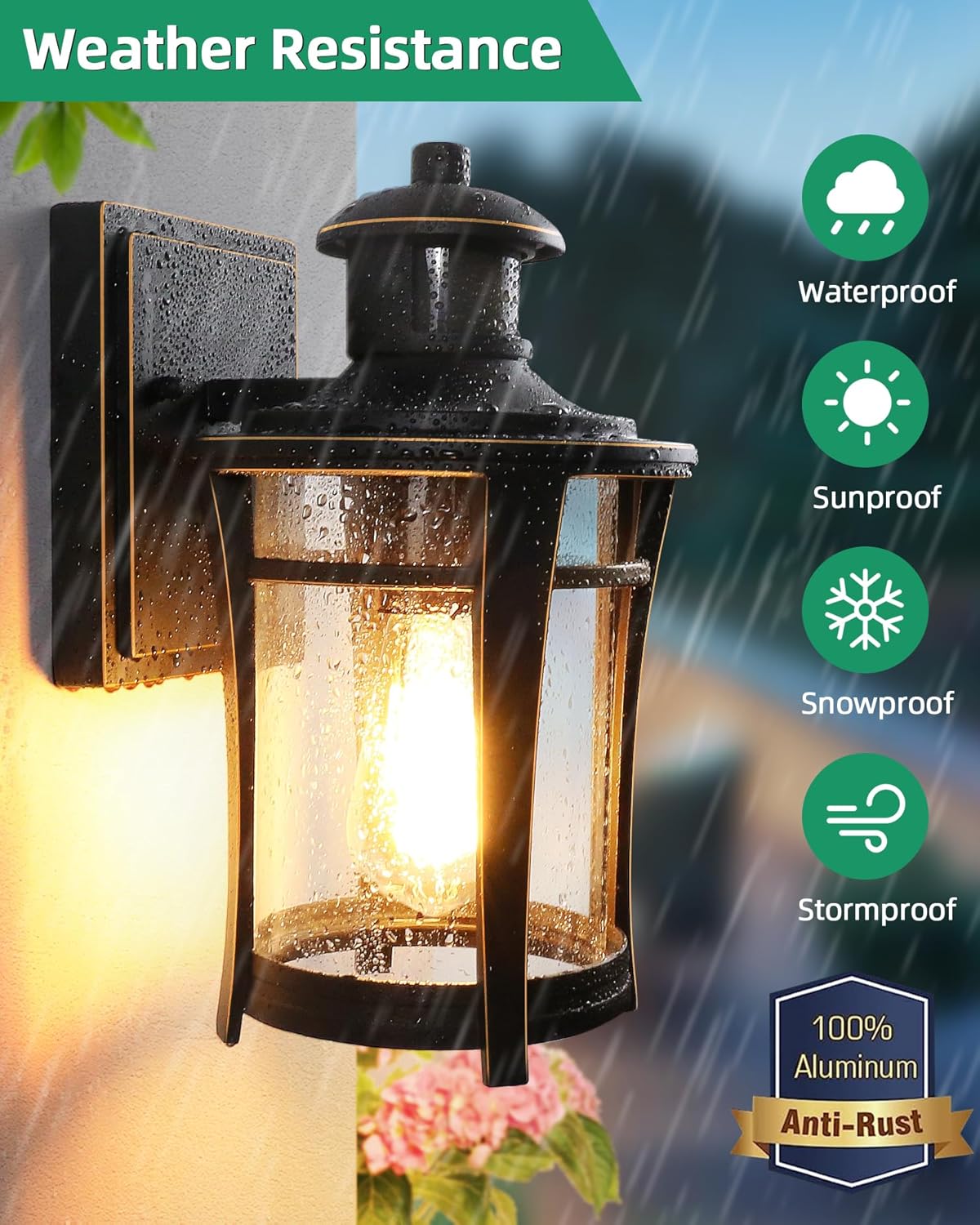
Image: The Lamomo light fixture enduring rain, demonstrating its robust weather resistance.
Troubleshooting
| Problem | Possible Cause | Solution |
|---|---|---|
| Light does not turn on. | No power, loose wiring, faulty bulb, sensor malfunction. | Check circuit breaker. Verify all wire connections are secure. Replace bulb. Ensure sensor is not obstructed. |
| Light flickers. | Non-dimmable LED bulb used, incompatible bulb, loose connection. | Ensure you are using an incandescent or DIMMABLE LED bulb. Check bulb is screwed in tightly. Verify wiring. |
| Motion sensor not detecting. | Sensitivity too low, obstruction, sensor dirty, incorrect mode. | Adjust "Sens" knob to increase sensitivity. Clear any obstructions. Clean sensor lens. Ensure correct operating mode is selected. |
| Light stays on constantly. | Continuous motion, sensor set to always-on mode (if applicable), faulty sensor. | Check for constant motion in detection area. Verify operating mode settings. If problem persists, contact customer support. |
| Light turns on during the day. | Sensor detecting insufficient ambient light, faulty sensor. | Ensure sensor is not in a shaded area. If problem persists, contact customer support. |
Specifications
| Brand | Lamomo |
| Model Name | 02891 |
| Color | Gold and Black |
| Material | Aluminum |
| Style | Retro |
| Product Dimensions | 7.7"L x 7.7"W x 11.8"H |
| Indoor/Outdoor Usage | Outdoor |
| Power Source | Corded Electric |
| Voltage | 120 Volts (AC) |
| Special Features | Dimmable, Waterproof, Motion Sensor |
| Light Source Type | LED, Incandescent |
| Bulb Base | E26 Medium |
| Color Temperature | 2700 Kelvin (Warm White) |
| Water Resistance Level | Waterproof |
| Item Weight | 3.25 pounds |
Warranty and Support
Lamomo stands behind the quality of its products. For warranty information and customer support, please refer to the following:
- Warranty: Please retain your proof of purchase for any warranty claims. Specific warranty terms and duration may vary. Refer to the product packaging or contact Lamomo customer service for details.
- Customer Support: For technical assistance, troubleshooting, or parts replacement, please contact Lamomo customer support through the retailer where the product was purchased or visit the official Lamomo website.
- Online Resources: For additional information, FAQs, and product updates, visit the Lamomo Store on Amazon.
Ask a question about this manual
Ask about setup, troubleshooting, compatibility, parts, safety, or missing instructions. Manuals+ will review the question and use this page’s manual context to help answer it.