
1. Product Overview
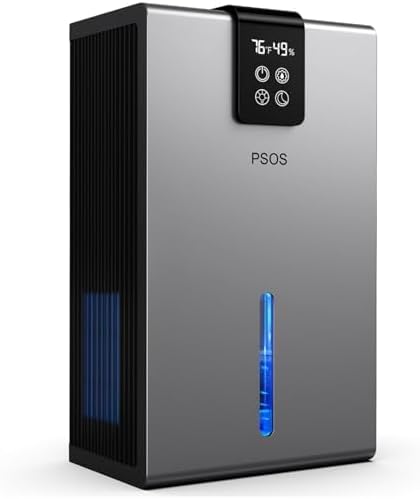
The PSOS Dehumidifier is an advanced appliance designed to effectively remove excess moisture from your indoor environment, creating a healthier and more comfortable living space. Utilizing dual-core semiconductor condensation technology, this unit is ideal for areas up to 900 sq.ft, including basements, bedrooms, and other damp spaces. Its quiet operation, user-friendly features, and portable design make it a reliable solution for humidity control.
2. Safety Instructions
Please read all safety instructions carefully before operating the dehumidifier to prevent injury or damage.
- Always place the dehumidifier on a stable, level surface to prevent tipping and water spillage.
- Ensure adequate air circulation around the unit. Do not block air inlets or outlets. Maintain at least 20 cm (8 inches) clearance from walls and furniture.
- Do not operate the unit with a damaged power cord or plug. If the cord is damaged, it must be replaced by the manufacturer or a qualified service agent.
- Unplug the dehumidifier from the power outlet before cleaning, performing maintenance, or when not in use for extended periods.
- Do not immerse the unit, power cord, or plug in water or other liquids.
- This appliance is not intended for use by persons (including children) with reduced physical, sensory or mental capabilities, or lack of experience and knowledge, unless they have been given supervision or instruction concerning use of the appliance by a person responsible for their safety.
- Do not use the dehumidifier in extremely wet environments, such as bathrooms with direct water spray, or outdoors.
- Empty the water tank regularly to prevent overflow.
3. Package Contents
Verify that all items are present in the package:
- PSOS Dehumidifier Unit
- Power Adapter (with US specifications)
- User Manual (this document)
4. Product Features
The PSOS Dehumidifier is equipped with several features designed for optimal performance and user convenience:
- Highly Efficient Dehumidification: Utilizes dual-core semiconductor condensation technology for powerful moisture removal.
- Large Water Tank Capacity: Features a 99-ounce (approximately 2.81 kg) removable water tank, reducing the frequency of emptying.
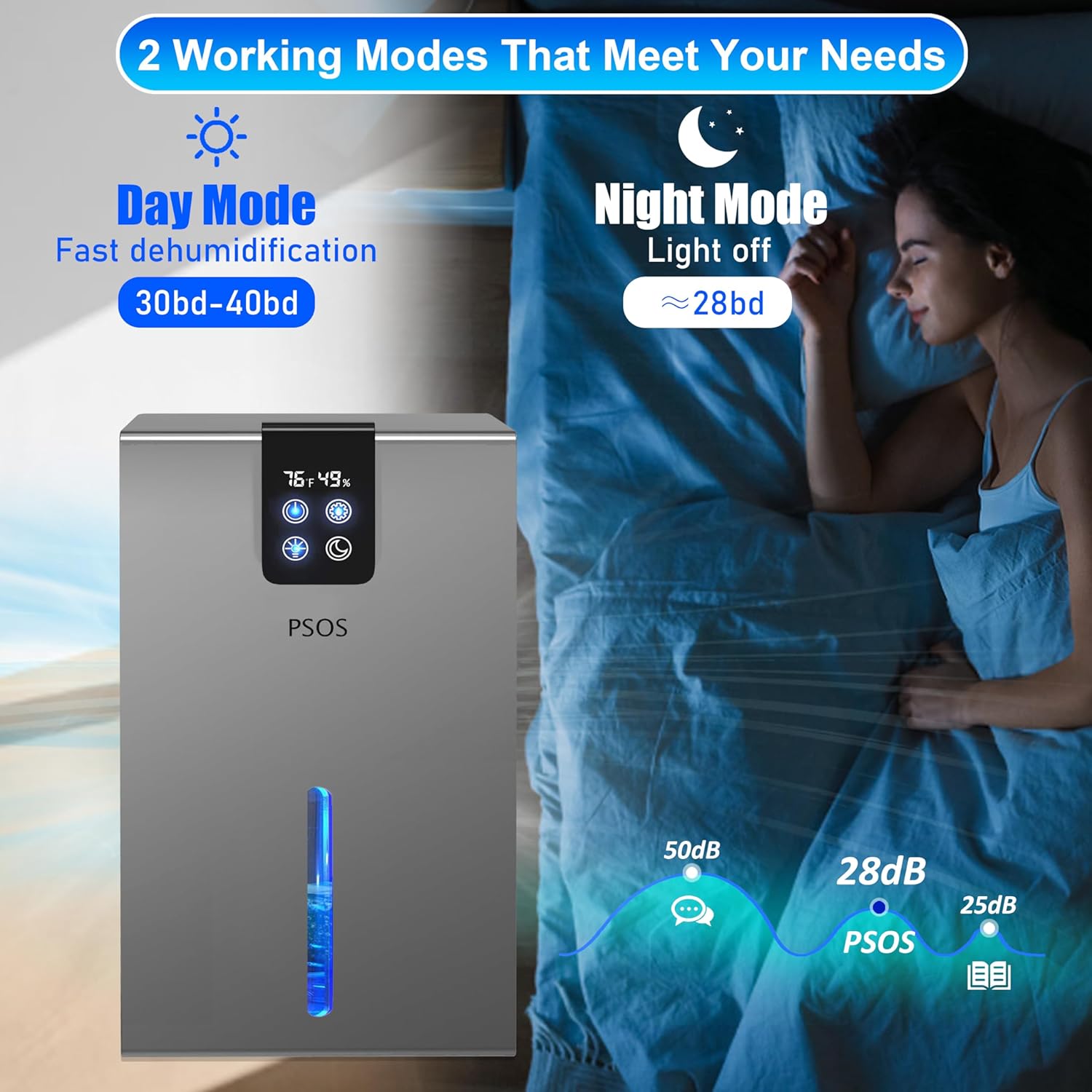
- Quiet Operation: Operates at a low noise level, as quiet as 28dB in Sleep Mode, ensuring minimal disturbance.
- Colorful Night Lights: Includes 7 customizable night light colors to enhance ambiance.
- Automatic Shut-Off: The unit automatically turns off when the water tank is full, preventing overflow.
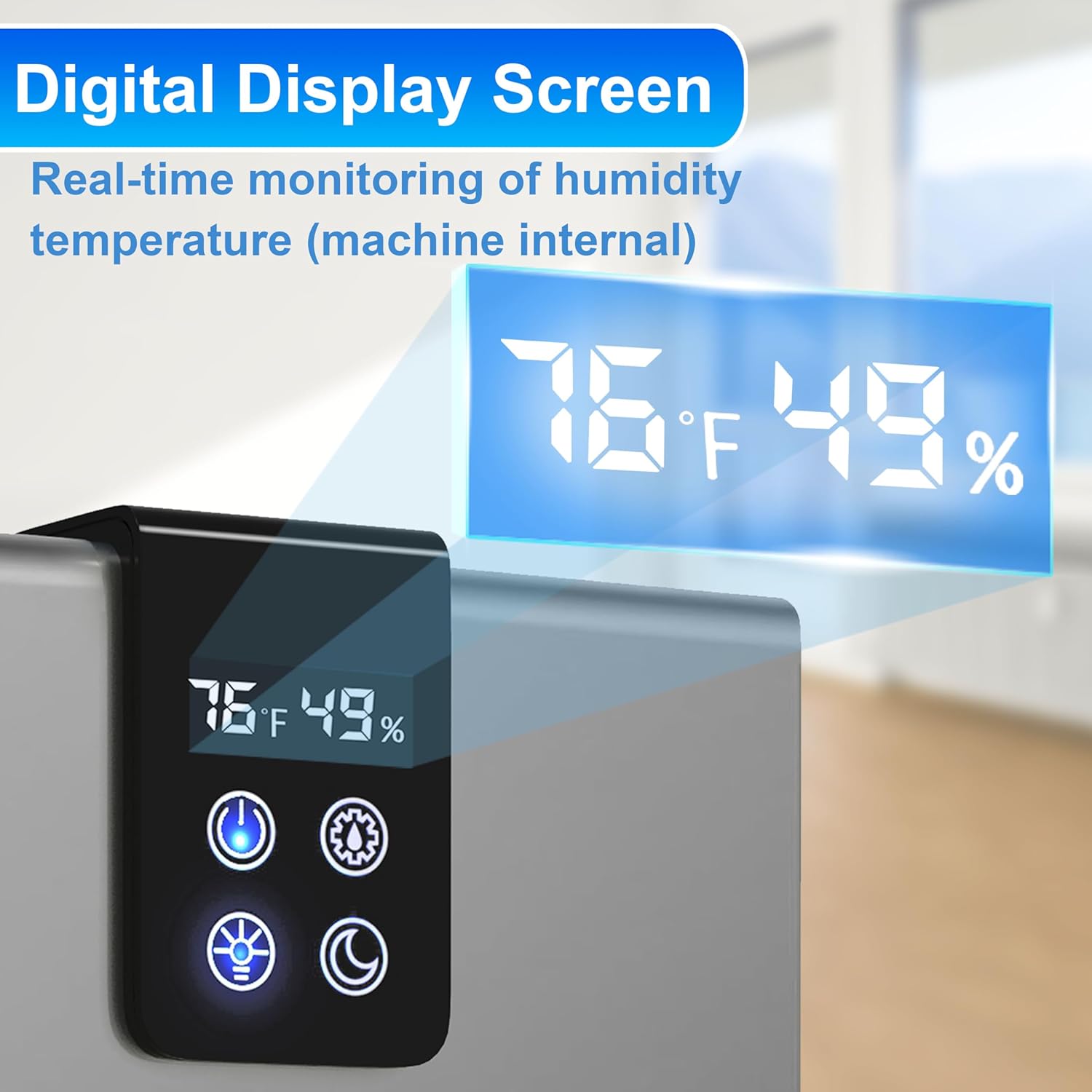
- Digital Display Screen: Provides real-time monitoring of ambient humidity and temperature.
- Two Working Modes: Offers Day Mode for fast dehumidification and Sleep Mode for quiet operation.
- Portable Design: Compact dimensions (9.76x7.48x15.35 inches) and lightweight for easy relocation.
- Full-Sealed Engine: Designed for durability and efficient performance.



5. Setup
Follow these steps to set up your PSOS Dehumidifier:
- Unpack the Unit: Carefully remove the dehumidifier and all accessories from the packaging. Retain the packaging for future storage or transport.
- Choose a Location: Place the dehumidifier on a firm, level surface in the area where you wish to reduce humidity. Ensure there is at least 20 cm (8 inches) of clear space around all sides of the unit for proper airflow. Avoid placing it directly against walls or furniture.
- Check Water Tank: Ensure the water tank is correctly inserted and empty before initial use.
- Connect Power: Plug the power adapter into the dehumidifier's power input port, then plug the other end into a standard electrical outlet (100-240V AC, 50/60Hz). The unit is designed for US specifications.
6. Operating Instructions
Operating your PSOS Dehumidifier is straightforward:
- Power On/Off: Press the power button on the control panel to turn the unit on or off. The digital display will illuminate upon activation.
- Mode Selection: The dehumidifier features two working modes:
- Day Mode: Provides fast and efficient dehumidification. Ideal for active use during the day.
- Sleep Mode: Operates at a lower fan speed for quieter performance (approx. 28dB) and turns off display lights, suitable for nighttime use. Press the mode button to switch between these settings.
- Night Light Control: Press the light button to cycle through the 7 customizable night light colors or to turn the light off.
- Digital Display: The display shows the current ambient temperature (in Fahrenheit) and relative humidity percentage.
- Water Tank Full Indicator: When the water tank is full, the unit will automatically shut off, and the indicator light will change color (e.g., from blue to red), accompanied by an audible sound. Empty the water tank and reinsert it to resume operation.
7. Maintenance
Regular maintenance ensures optimal performance and longevity of your dehumidifier.
7.1 Emptying the Water Tank
- When the water tank is full, the unit will stop operating and indicate the full status.
- Gently pull out the water tank from the front of the unit using the integrated groove.
- Carefully carry the tank to a sink or drain and empty the collected water.
- Rinse the tank with clean water if necessary. Do not use harsh detergents or abrasive cleaners.
- Slide the empty water tank back into the dehumidifier until it clicks securely into place. The unit will resume operation.
7.2 Cleaning the Air Filter
It is recommended to clean the air filter every two weeks or more frequently depending on usage and air quality.
- Turn off the dehumidifier and unplug it from the power outlet.
- Locate the air filter (typically at the back or side intake vent). Gently remove it.
- Use a vacuum cleaner with a brush attachment to remove dust and debris from the filter. For stubborn dirt, rinse the filter under cool running water.
- Allow the filter to air dry completely before reinserting it into the unit. Do not use a dryer or direct heat.
- Once dry, carefully place the filter back into its slot.
7.3 Cleaning the Exterior
Wipe the exterior of the dehumidifier with a soft, damp cloth. Do not use abrasive cleaners, waxes, or solvents as they may damage the surface.
7.4 Storage
If storing the dehumidifier for an extended period:
- Empty and clean the water tank.
- Clean the air filter.
- Ensure the unit is completely dry before storing.
- Store in a cool, dry place, preferably in its original packaging.
8. Troubleshooting
If you encounter issues with your dehumidifier, refer to the following common problems and solutions:
| Problem | Possible Cause | Solution |
|---|---|---|
| Dehumidifier does not turn on. | No power supply; Power cord not securely plugged in; Water tank full or not properly inserted. | Check power outlet and plug connection; Empty and reinsert water tank correctly. |
| Unit is running but not collecting water. | Room humidity is too low; Air filter is clogged; Temperature is too low. | Dehumidifier may not collect water if humidity is below 40%; Clean the air filter; Ensure room temperature is above 5°C (41°F). |
| Unusual noise. | Unit not on a level surface; Obstruction in fan; Internal component issue. | Place on a flat, stable surface; Check for and remove any obstructions; If noise persists, contact customer support. |
| Water leaks from the unit. | Water tank not properly inserted; Unit is tilted. | Ensure water tank is fully and correctly inserted; Place unit on a level surface. |
If the problem persists after attempting these solutions, please contact PSOS customer support for assistance.
9. Specifications
Detailed technical specifications for the PSOS Dehumidifier:
| Attribute | Specification |
|---|---|
| Brand | PSOS |
| Model Number | PS-01SG |
| Dimensions (L x W x H) | 24.49 x 19 x 38.99 cm (9.76 x 7.48 x 15.35 inches) |
| Item Weight | 991 g (2.18 lbs) |
| Water Tank Capacity | 99 ounces (approx. 2.81 kg) |
| Dehumidification Area | Up to 900 sq.ft (8.9E+2 Square Feet) |
| Noise Level (Sleep Mode) | Approximately 28dB |
| Material | Plastic |
| Special Features | Portable, Sleep Mode, Auto Shut-Off, Digital Display, Night Lights |
| Power Supply | Standard AC (Voltage adapted to US specifications) |
10. Warranty and Support
PSOS is committed to providing high-quality products and excellent customer service.
- Free Replacement: Enjoy a 1-year free replacement policy from the date of purchase.
- Maintenance Policy: A 2-year maintenance policy is provided for your peace of mind.
- Technical Support: Benefit from lifelong professional technical support for any questions or concerns you may have.
For any inquiries, technical assistance, or warranty claims, please contact PSOS customer support. Our team is available 24/7 to assist you.