
Introduction
Thank you for choosing the Deaf Bonce Apocalypse AT-32 Tweeters. These 3-inch high-frequency drivers are designed to elevate your car audio experience, delivering crisp, clear, and detailed sound. With a robust 35 watts RMS power capacity and a 4-ohm impedance, they are engineered for optimal performance and versatile integration into various car audio systems. This manual provides essential information for proper installation, operation, and maintenance to ensure you get the best performance from your new tweeters.
What's Included
Please verify that all components are present in the packaging:
- (2) Deaf Bonce Apocalypse AT-32 Tweeters (4 ohm, 35W RMS)
- (2) Capacitors (for passive high-pass filtering)

Image: Contents of the package, showing two Apocalypse AT-32 tweeters. One tweeter is shown from the front, revealing its cone, while the other is flipped to display the rear plate with "APOCALYPSE AT-32 35W RMS SPL 108 DB" markings and the "DB" logo. A white sticker with "AT-32 A202331118004513" is visible on the side of the front-facing tweeter.
Specifications
| Feature | Specification |
|---|---|
| Model Name | APOCALYPSE AT-32 |
| Speaker Type | Tweeter |
| Speaker Size | 3 Inches |
| RMS Power | 35 Watts |
| Maximum Output Power | 70 Watts |
| Impedance | 4 Ohm |
| Frequency Response | 4000 Hz (4 kHz) |
| Product Dimensions (each) | 0.5"D x 3"W x 0.5"H (approximate, based on general product dimensions) |
| Item Weight (pair) | 1.37 pounds (0.62 Kilograms) |
| Material | Plastic (Enclosure), Polypropylene/Silk (Cone/Dome) |
| Connectivity Technology | Wired (aux, RCA compatible) |
Setup and Installation
Proper installation is crucial for optimal performance and safety. If you are unsure about any steps, it is recommended to seek professional installation.
Safety Precautions:
- Disconnect the vehicle's battery before starting any electrical work to prevent short circuits.
- Wear appropriate safety gear, including eye protection.
- Ensure all wiring is properly insulated and secured to prevent damage and short circuits.
- Do not exceed the recommended power handling of the tweeters.
Tools Required:
- Wire strippers/crimpers
- Screwdriver set
- Drill (if custom mounting is required)
- Multimeter (optional, for checking polarity and connections)
- Electrical tape or heat shrink tubing
Mounting Considerations:
The compact size of the AT-32 tweeters allows for versatile installation. Common mounting locations include dashboard corners, A-pillars, or door panels. Ensure the mounting surface is stable and provides adequate clearance for the tweeter's depth. The tweeters are designed for surface or flush mounting, depending on your vehicle's interior and desired aesthetic.
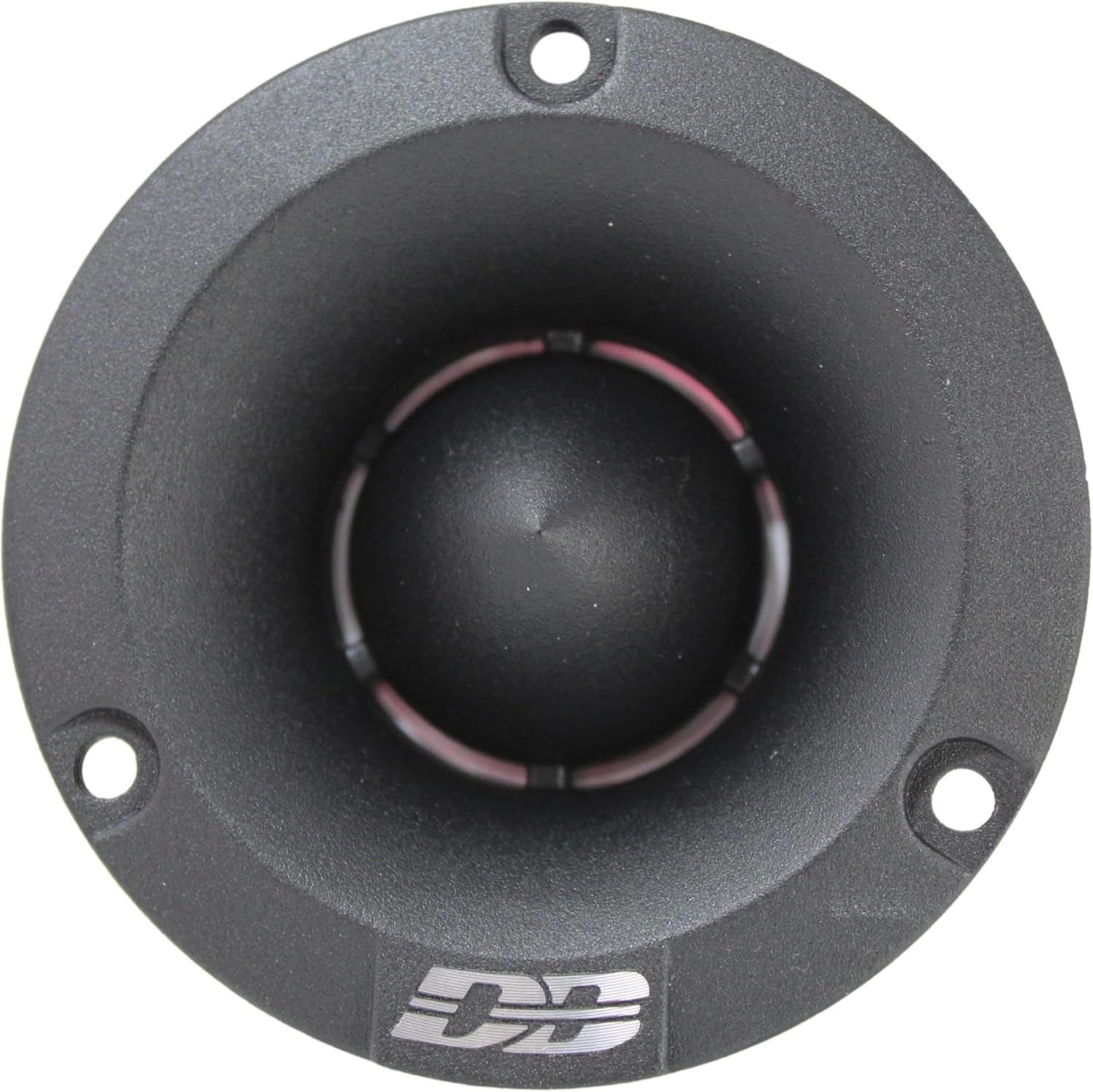
Image: Front view of the Apocalypse AT-32 tweeter, highlighting its conical shape and three mounting holes.

Image: Side profile of the Apocalypse AT-32 tweeter, illustrating its compact design and depth for installation planning.
Wiring Instructions:
- Identify Polarity: The tweeters have clearly marked positive (+) and negative (-) terminals. Ensure correct polarity when connecting to your amplifier or head unit. Incorrect polarity can lead to phase issues and degraded sound quality.
- Connect Capacitors: The included capacitors are essential for protecting the tweeters from low-frequency signals, which can cause damage. Connect one capacitor in series with the positive (+) wire of each tweeter. The capacitor acts as a passive high-pass filter, allowing only high frequencies to reach the tweeter.
- Connect to Amplifier/Head Unit: Connect the positive (+) wire (after the capacitor) from the tweeter to the positive (+) high-frequency output of your amplifier or head unit. Connect the negative (-) wire from the tweeter directly to the negative (-) high-frequency output.
- Secure Connections: Use crimp connectors or solder all connections and insulate them with electrical tape or heat shrink tubing to prevent short circuits and ensure a reliable connection.
- Test System: Before reassembling your vehicle's interior, briefly test the audio system to ensure both tweeters are functioning correctly and producing clear high-frequency sound.

Image: The included 3.3uF 100V capacitors, which must be wired in series with the positive lead of each tweeter to filter out low frequencies.

Image: Rear view of the Apocalypse AT-32 tweeter, displaying the positive and negative terminals for wiring connections.
Operation
Once installed, the Deaf Bonce Apocalypse AT-32 tweeters will integrate with your car's audio system to reproduce high-frequency sounds. For optimal sound quality and tweeter longevity, consider the following:
- Crossover Settings: If your amplifier or head unit has adjustable crossover settings, set a high-pass filter (HPF) for the tweeters. While the included capacitors provide basic protection, an active HPF set around 4 kHz or higher (matching the tweeter's frequency response) can further optimize performance and protect the tweeters from damaging low frequencies.
- Gain Matching: Properly match the gain settings on your amplifier to avoid sending a distorted signal to the tweeters, which can cause damage.
- Volume Control: Avoid prolonged listening at extremely high volumes that cause audible distortion. Distortion, not just volume, is the primary cause of speaker damage.
Maintenance
The Deaf Bonce Apocalypse AT-32 tweeters require minimal maintenance to ensure long-lasting performance:
- Cleaning: Periodically wipe the tweeter's surface with a soft, dry cloth to remove dust and debris. Avoid using harsh chemicals or abrasive cleaners.
- Inspection: Occasionally inspect the wiring connections to ensure they remain secure and free from corrosion.
- Environmental Factors: While designed for car audio, avoid exposing the tweeters to excessive moisture or extreme temperatures.
Troubleshooting
If you experience issues with your tweeters, refer to the following common problems and solutions:
| Problem | Possible Cause | Solution |
|---|---|---|
| No sound from tweeters |
|
|
| Distorted or harsh sound |
|
|
| Weak or muffled sound |
|
|
Warranty and Support
Deaf Bonce products are manufactured to high-quality standards and come with a limited warranty. Please refer to the warranty information provided at the time of purchase or visit the official Deaf Bonce website for details regarding warranty coverage, terms, and conditions.
For technical support, troubleshooting assistance beyond this manual, or warranty claims, please contact Deaf Bonce customer service or your authorized dealer. Keep your purchase receipt as proof of purchase for warranty purposes.
You can find more information and contact details on the official Deaf Bonce store page: Deaf Bonce Store


