
HUAWEI FreeBuds 3
HUAWEI FreeBuds 3 User Manual
Model: FreeBuds 3
Introduction
This manual provides comprehensive instructions for the setup, operation, maintenance, and troubleshooting of your HUAWEI FreeBuds 3 wireless Bluetooth earphones. Please read this manual carefully to ensure optimal performance and longevity of your device.
The HUAWEI FreeBuds 3 feature intelligent noise cancellation, a Kirin A1 chipset for ultra-low latency, fast Bluetooth connection, and a 14mm dynamic speaker for high-quality audio. They also support quick wireless charging.
Setup
1. Unboxing and Initial Charge
Upon opening the package, ensure all components are present:
- HUAWEI FreeBuds 3 Earphones (Left and Right)
- Charging Case
- USB-C Charging Cable
- Quick Start Guide (this manual)
Before first use, place both earbuds into the charging case and connect the case to a power source using the provided USB-C cable. Allow the earbuds and case to fully charge. The indicator light on the case will show charging status.
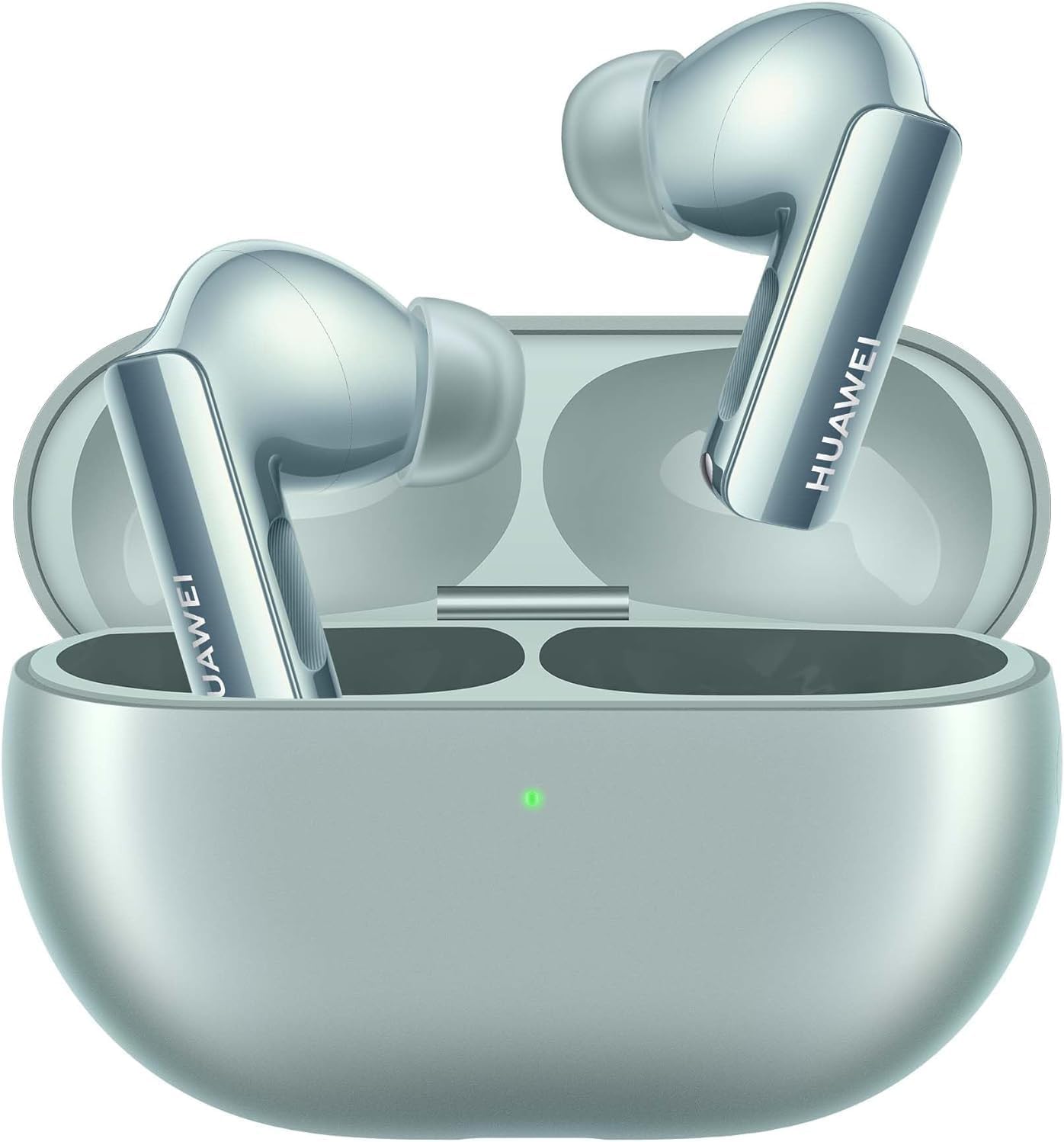
Image: HUAWEI FreeBuds 3 earbuds resting in their open charging case, ready for initial setup or charging.
2. Pairing with Your Device
- Ensure the FreeBuds 3 are charged.
- Open the charging case. The indicator light will flash white, indicating they are in pairing mode.
- On your smartphone, tablet, or laptop, navigate to the Bluetooth settings.
- Select "HUAWEI FreeBuds 3" from the list of available devices.
- Once connected, the indicator light on the case will turn solid white or green (depending on battery level).

Image: The HUAWEI FreeBuds 3 are shown alongside a smartphone and a smartwatch, illustrating their compatibility with both Android and iOS operating systems.
Operating Instructions
1. Wearing the Earbuds
Gently insert each earbud into your ear canal. Adjust them until they feel secure and comfortable. The FreeBuds 3 are designed with an ergonomic shape for a stable fit. Experiment with the different ear tip sizes (XS, S, M, L) to find the best seal for optimal sound quality and noise cancellation.

Image: An illustration of the HUAWEI FreeBuds 3 earbud alongside different sized ear tips (XS, S, M, L), highlighting its stylish ergonomic design for comfort.
2. Touch Controls
The FreeBuds 3 feature intuitive touch controls on the stem of each earbud. Specific functions can be customized via the HUAWEI AI Life app (available on Android and iOS).
- Double-tap Right Earbud: Play/Pause music, Answer/End call.
- Double-tap Left Earbud: Activate/Deactivate Active Noise Cancellation.
- Swipe Up/Down: Adjust volume (requires customization in app).
3. Active Noise Cancellation (ANC)
The Intelligent ANC 3.0 technology significantly reduces ambient noise, allowing for a more immersive listening experience. Double-tap the left earbud to toggle ANC on or off. The effectiveness of ANC can be further optimized through the AI Life app.

Image: A person is shown relaxing outdoors with HUAWEI FreeBuds 3 in their ears, illustrating the effectiveness of Intelligent ANC 3.0 in providing a peaceful listening environment.
4. Crystal Clear Call Quality
The FreeBuds 3 are equipped with advanced voice pickup technology, ensuring your voice is heard clearly during calls, even in noisy environments. This feature provides 2.5x better voice pickup.

Image: A transparent view of a HUAWEI FreeBuds 3 earbud highlighting its internal components responsible for crystal clear call quality and enhanced voice pickup.
5. Hi-Res Dual Driver Sound System
Experience rich and detailed audio with the 14mm dynamic drivers, delivering a frequency range of 20 Hz to 20,000 Hz. The Hi-Res Dual Driver Sound System ensures a premium listening experience.

Image: A diagram illustrating the internal components of the HUAWEI FreeBuds 3, showcasing the Hi-Res Dual Driver Sound System and its audio capabilities.
Maintenance
1. Cleaning Your FreeBuds 3
To maintain optimal performance and hygiene, regularly clean your earbuds and charging case:
- Use a soft, dry, lint-free cloth to wipe the earbuds and charging case.
- For stubborn dirt, slightly dampen the cloth with water or a mild, non-abrasive cleaner.
- Gently clean the speaker mesh and charging contacts with a dry cotton swab or a soft brush.
- Do not use harsh chemicals, aerosols, or abrasive cleaners.
- Ensure earbuds and case are completely dry before placing them back in the case or charging.
2. Charging and Battery Life
The FreeBuds 3 offer up to 6.5 hours of listening on a single charge, with a total of 31 hours of battery life including the charging case. The case supports quick wireless charging.
- Place earbuds in the charging case to charge them.
- Connect the case to a USB-C power adapter or place it on a compatible wireless charging pad to charge the case.
- The indicator light on the case shows the battery level: green for high, yellow for medium, red for low.
Troubleshooting
If you encounter issues with your HUAWEI FreeBuds 3, refer to the following common problems and solutions:
| Problem | Possible Solution |
|---|---|
| Earbuds not pairing |
|
| No sound or low volume |
|
| ANC not working effectively |
|
| Charging issues |
|
For persistent issues, consider performing a factory reset (refer to the HUAWEI AI Life app or official HUAWEI support website for specific instructions) or contact customer support.
Specifications
| Feature | Detail |
|---|---|
| Model Name | FreeBuds 3 |
| Connectivity Technology | Wireless (Bluetooth 5.0) |
| Noise Control | Active Noise Cancellation |
| Audio Driver Type | Dynamic Driver |
| Audio Driver Size | 14 Millimeters |
| Frequency Range | 20 Hz - 20,000 Hz |
| Control Type | Media Control, Remote (via touch) |
| Ear Placement | In Ear |
| Form Factor | In Ear |
| Water Resistance Level | Not Water Resistant |
| Included Components | Earphone |
| Manufacturer | HUAWEI |
Warranty and Support
HUAWEI products typically come with a limited manufacturer's warranty. For detailed information regarding the warranty period, coverage, and terms and conditions for your HUAWEI FreeBuds 3, please refer to the warranty card included in your product packaging or visit the official HUAWEI support website for your region.
If you require technical assistance, troubleshooting beyond this manual, or warranty service, please contact HUAWEI customer support through their official website or designated service centers. Have your product model number (FreeBuds 3) and proof of purchase ready when contacting support.
Related documentsFreeBuds 3


Ask a question about this manual
Ask about setup, troubleshooting, compatibility, parts, safety, or missing instructions. Manuals+ will review the question and use this page’s manual context to help answer it.