
LG F2R3S09NSWB
LG F2R3S09NSWB 9kg AI DD Washing Machine User Manual
Model: F2R3S09NSWB
Introduction
This user manual provides essential information for the safe and efficient operation of your new LG F2R3S09NSWB 9kg AI DD Washing Machine. Please read this manual thoroughly before using the appliance and keep it for future reference.
Your LG washing machine is designed with advanced features such as AI DD™ technology for fabric care, Steam™ wash for hygiene, and an energy efficiency rating of A-10%.
Important Safety Instructions
Always follow basic safety precautions when using electrical appliances to reduce the risk of fire, electric shock, or injury to persons.
- Read all instructions before using the appliance.
- Do not install or store the appliance where it will be exposed to the weather or to temperatures below freezing.
- Do not repair or replace any part of the appliance or attempt any servicing unless specifically recommended in this manual.
- Keep the area around the appliance free from combustible materials.
- Supervise children when they are near the appliance.
Setup and Installation
Unpacking
Carefully remove all packaging materials. Ensure all accessories are present. Remove the transport bolts from the rear of the machine before use. Failure to do so will cause severe vibration and noise.
Location
Place the washing machine on a firm, level surface. Ensure there is adequate space around the machine for ventilation and maintenance. The appliance dimensions are approximately 47.5 cm (depth) x 60 cm (width) x 85 cm (height).

Image: The LG F2R3S09NSWB washing machine neatly installed in a compact laundry space, demonstrating its slim design and integration into a home environment.
Water Supply Connection
Connect the inlet hoses to the hot and cold water taps. Ensure connections are tight to prevent leaks.
Drain Hose Connection
Securely attach the drain hose to a standpipe or laundry tub, ensuring it is not kinked or blocked.
Power Connection
Plug the power cord into a grounded electrical outlet. Do not use extension cords.
Operating Instructions
Control Panel Overview

Image: Front view of the LG F2R3S09NSWB washing machine, highlighting the control panel with its central dial, digital display, and various program options.
The control panel features a program dial, a digital display, and touch buttons for various functions. The program dial allows you to select different wash cycles.
Loading Laundry
Open the door and load laundry into the drum. Do not overload the machine. The maximum capacity is 9 kg.

Image: Close-up view of the washing machine's drum interior, showing the textured surface designed for effective washing and the spacious capacity.
Adding Detergent and Softener
Add appropriate amounts of detergent and fabric softener to their respective compartments in the dispenser drawer.
Selecting a Wash Cycle
Turn the program dial to select the desired wash cycle. Available cycles include:
- AI Wash (AI DD™): Automatically detects fabric type and weight to optimize wash motions, providing 18% more fabric protection.
- Cotton
- Eco 40-60
- Synthetics
- Allergy Care (Steam™): Uses high temperature steam to reduce 99.9% of dust mites and allergens.
- Delicates
- TurboWash
- Speed 14
- And more, as indicated on the control panel.

Image: A close-up of the washing machine's front, prominently displaying the "AI DD" logo, indicating its intelligent fabric detection technology.
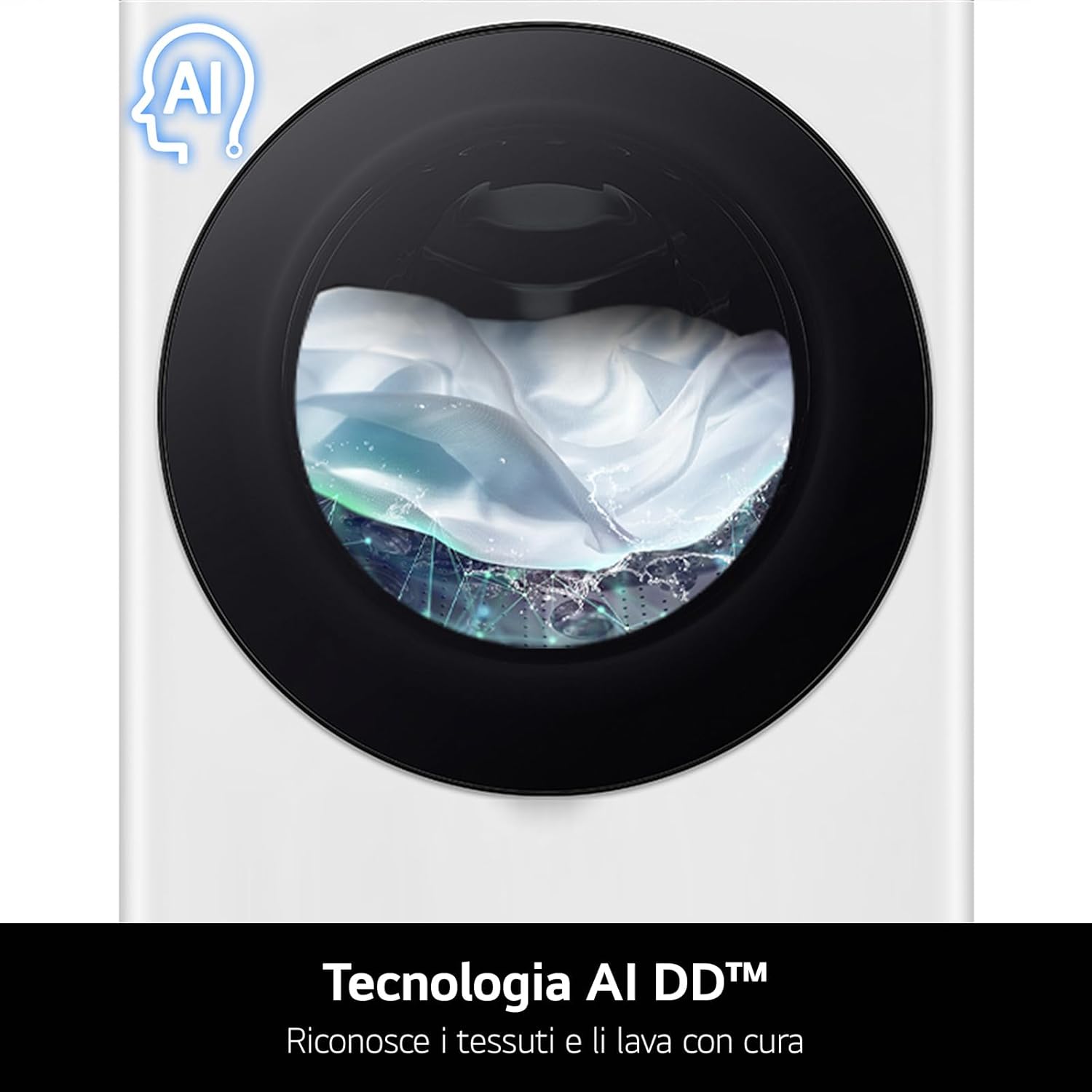
Image: An internal view of the washing machine drum with steam visible, illustrating the Steam™ wash feature for enhanced hygiene and fabric care.
Starting a Wash Cycle
Press the Start/Pause button to begin the selected cycle.
Adding Items During a Cycle
If the 'Add Item' indicator lights up, you can pause the cycle and add forgotten items. Press the Start/Pause button again to resume.
Maintenance and Cleaning
Cleaning the Exterior
Wipe the exterior with a soft, damp cloth. Do not use abrasive cleaners.
Cleaning the Detergent Dispenser
Regularly remove and clean the detergent dispenser drawer to prevent residue buildup.
Cleaning the Drum (Tub Clean)
Run the 'Tub Clean' cycle periodically to remove detergent residue and odors from the drum. This machine features a dedicated 'Tub Clean' program.
Cleaning the Drain Filter
Locate the drain filter at the bottom front of the machine. Open the cover, drain any residual water, and remove the filter to clean out lint and debris. This should be done regularly to ensure efficient drainage.
Troubleshooting Guide
| Problem | Possible Cause | Solution |
|---|---|---|
| Machine does not start | Power cord unplugged; Door not closed properly; Power outage. | Check power connection; Ensure door is securely latched; Check household circuit breaker. |
| Excessive vibration or noise | Transport bolts not removed; Machine not level; Uneven load. | Remove transport bolts; Adjust leveling feet; Redistribute laundry inside the drum. |
| Water not draining | Drain hose kinked or blocked; Drain filter clogged. | Straighten drain hose; Clean drain filter. |
| Detergent residue in dispenser | Low water pressure; Dispenser clogged. | Check water supply; Clean dispenser drawer. |
If the problem persists after attempting these solutions, please contact LG customer support.
Product Specifications
- Brand: LG
- Model Name: F2R3S09NSWB
- Full Model Reference: F2R3S09NSWB.ABWQPIS
- Capacity: 9 Kilograms
- Dimensions (L x W x H): 47.5 x 60 x 85 cm
- Weight: 60 Kilograms
- Material: Stainless Steel (drum), other components as specified by manufacturer
- Control Type: Push Button, Rotary Dial
- Energy Efficiency Rating: A-10% (10% more efficient than minimum standard for Class A)
- Special Features: AI DD™ Technology, Steam™ Wash, Allergy Care Program
- ASIN: B0CMHQR88Y
Warranty and Support
For warranty information, please refer to the warranty card included with your product or visit the official LG website. Keep your proof of purchase for warranty claims.
For technical support, service requests, or to order genuine LG spare parts, please contact LG Customer Service. Contact details can typically be found on the LG website or in the documentation provided with your appliance.
Online Support: www.lg.com/support
Related documentsF2R3S09NSWB


Ask a question about this manual
Ask about setup, troubleshooting, compatibility, parts, safety, or missing instructions. Manuals+ will review the question and use this page’s manual context to help answer it.