
1. Introduction
Welcome to the Qubo Smart Air Purifier Q500 user manual. This guide provides comprehensive instructions for setting up, operating, and maintaining your air purifier to ensure optimal performance and a healthier indoor environment. The Qubo Q500 is designed to effectively remove airborne pollutants and allergens, featuring a 4-layer True HEPA H13 filter, smart app and voice control, and a quiet night mode.
Video: Overview of the Qubo Smart Air Purifier Q500, highlighting its key features and benefits for improving indoor air quality.
2. What's in the Box
Please check the package contents carefully. If any items are missing or damaged, contact customer support.
- Qubo Smart Air Purifier Q500 Unit
- User Manual
3. Product Overview
The Qubo Smart Air Purifier Q500 is designed for efficient air purification in spaces up to 500 sq. ft. It features a sleek design with intuitive controls and advanced filtration technology.

Image: The Qubo Smart Air Purifier Q500 main unit shown with its accompanying smartphone application interface.
Key Features:
- 4-Layer True HEPA H13 Filter: Captures 99.99% of allergens, dust, pollen, pet dander, smoke, and other fine particles as small as PM0.1.
- QSensAI Technology: Automatically detects PM2.5 levels and adjusts operation.
- BLDC Motor: Ensures high energy efficiency, superior performance, and noiseless operation.
- Wide Coverage: Effectively purifies air in rooms up to 500 sq. ft.
- Smart Control: Manage via the Qubo app and voice assistants like Amazon Alexa and Google Assistant.

Image: Visual representation of the air purifier's effectiveness in removing airborne allergens like pollen and dust particles.
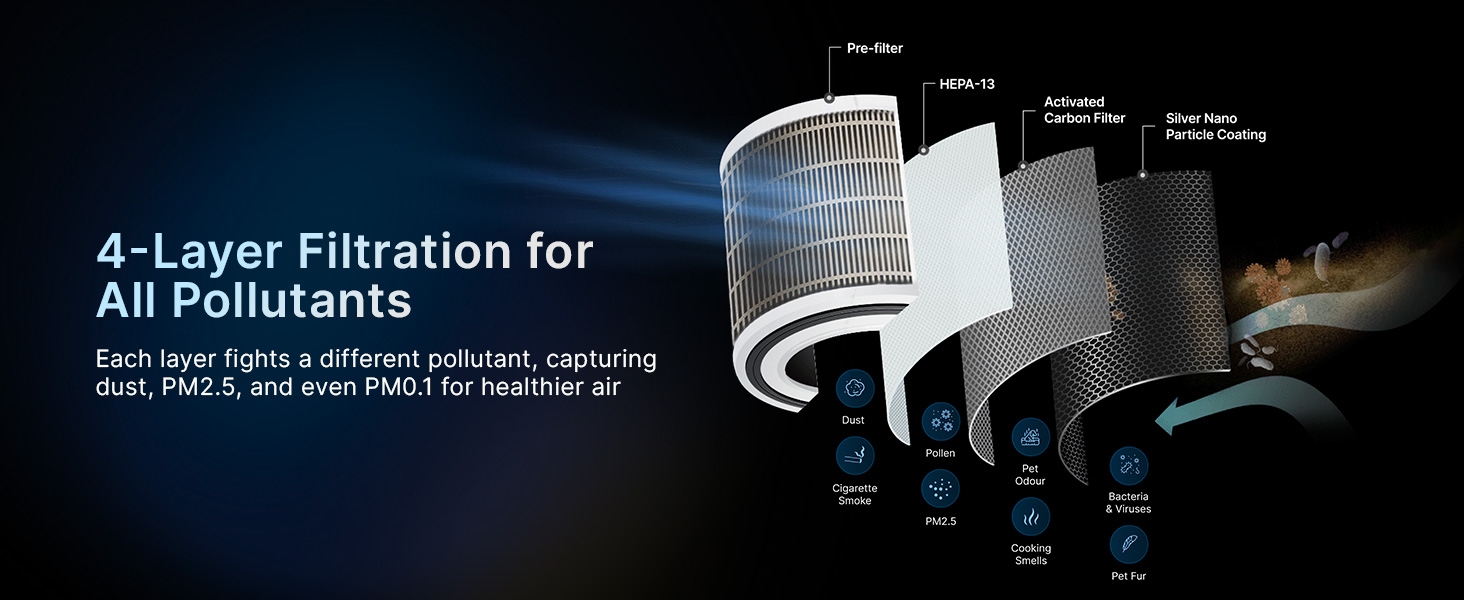
Image: Detailed diagram showcasing the 4-layer filtration system, including pre-filter, HEPA-13, activated carbon, and silver nano coating, and the types of pollutants each layer targets.
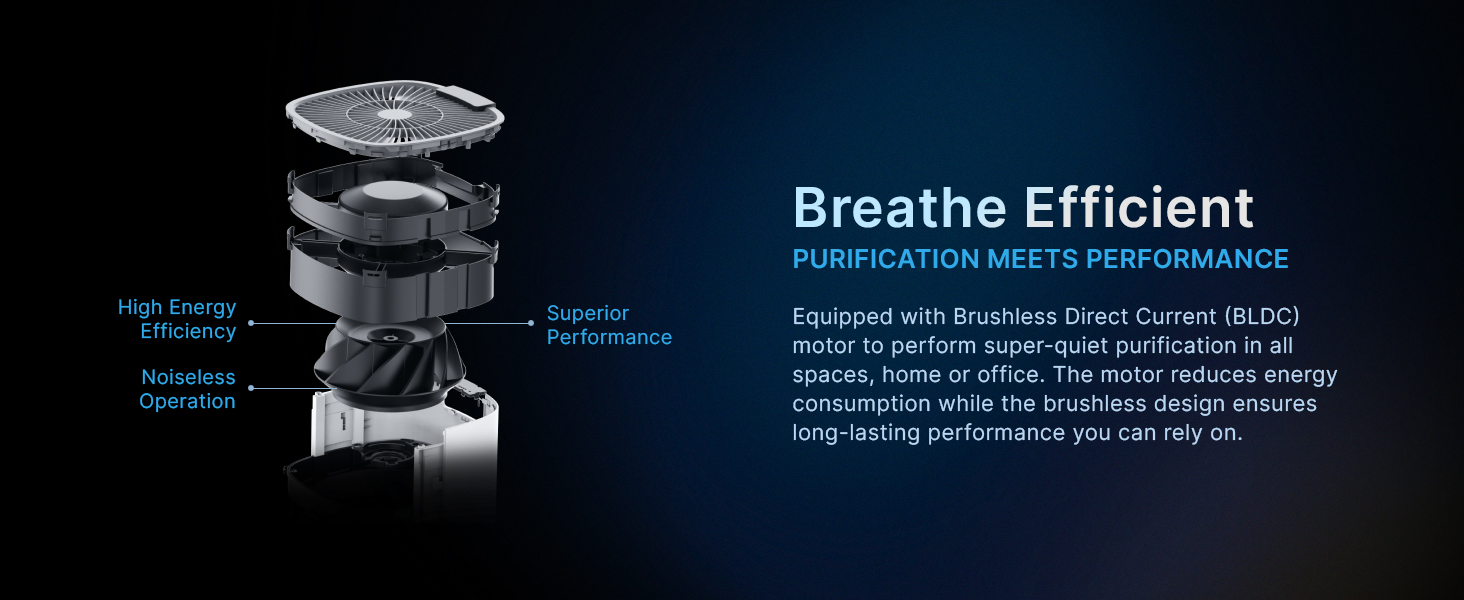
Image: An exploded view illustrating the internal components of the Qubo Air Purifier, highlighting the efficient Brushless Direct Current (BLDC) motor for quiet and powerful operation.
4. Setup Guide
4.1 Unpacking
Carefully remove the air purifier and all packaging materials from the box. Retain packaging for future transport or storage.
4.2 Filter Installation
- Open the filter compartment cover, usually located at the back or bottom of the unit.
- Remove the protective plastic packaging from the 4-layer filter.
- Insert the filter into the unit, ensuring it is seated correctly.
- Close the filter compartment cover securely.
4.3 Placement
Place the air purifier on a flat, stable surface. For optimal air circulation, ensure there is at least 20 cm (8 inches) of clear space around all sides of the unit. The Q500 is effective for rooms up to 500 sq. ft.

Image: The Qubo Air Purifier displaying its physical dimensions and indicating its effective coverage area of 500 square feet.
4.4 Power Connection
Plug the power cord into a suitable electrical outlet. The unit will power on or enter standby mode.
4.5 App Download and Pairing
To unlock smart features, download the Qubo app on your smartphone and follow the on-screen instructions to pair your device. The app allows for remote control, air quality monitoring, and scheduling.

Image: A smartphone screen showing the Qubo app, illustrating various control options and air quality insights for the air purifier.
5. Operating Instructions
5.1 Control Panel
The top panel of the air purifier features touch controls for power, mode selection, fan speed, and display settings. The digital display shows real-time PM2.5 levels and operational status.
5.2 Modes of Operation
The Qubo Q500 offers several operating modes to suit your needs:
- QSensAI Mode: Utilizes built-in AI to detect PM2.5 pollutants and automatically turns the device On/Off as needed, optimizing energy consumption.
- Auto Mode: The purifier automatically adjusts its fan speed based on the detected real-time air quality to maintain a healthy environment.
- Manual Mode: Allows you to manually select fan speeds (High, Medium, Low) for customized purification.
- Sleep Mode: Operates at the lowest fan speed with the display turned off, ensuring super silent air purification for an undisturbed sleep.
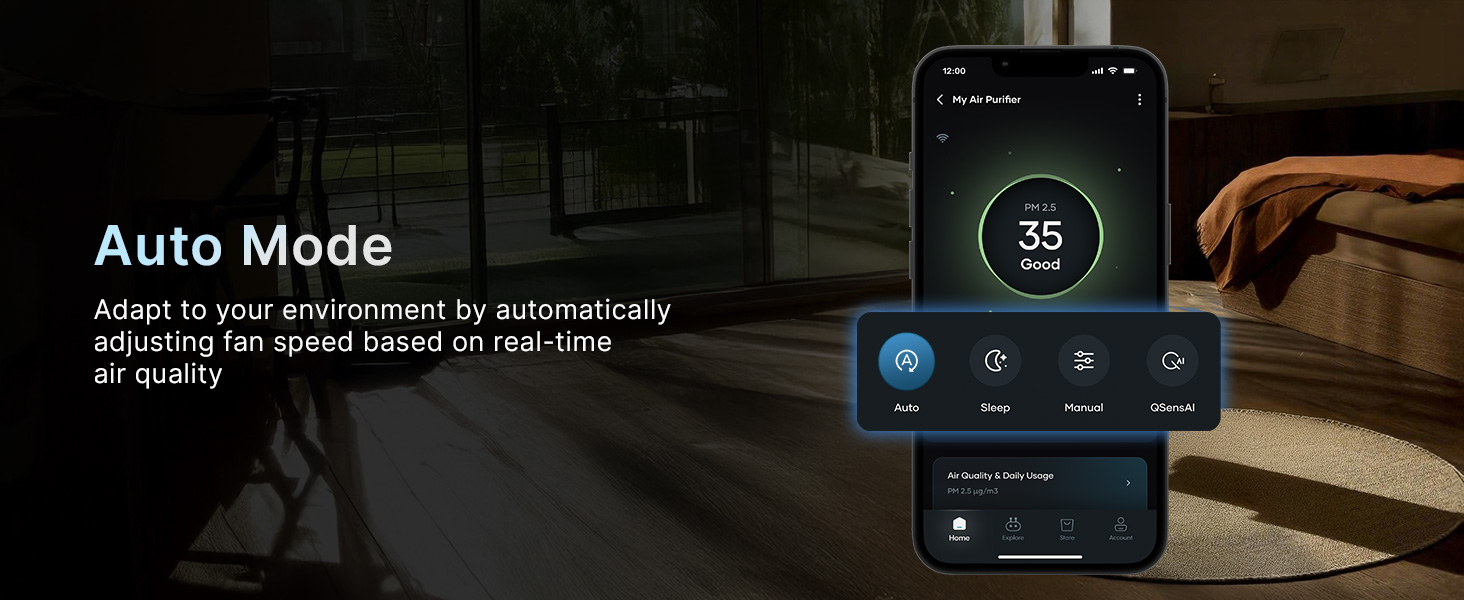
Image: The Qubo Air Purifier in QSensAI mode, demonstrating its ability to sense PM2.5 levels and automatically adjust operation for optimal air quality.
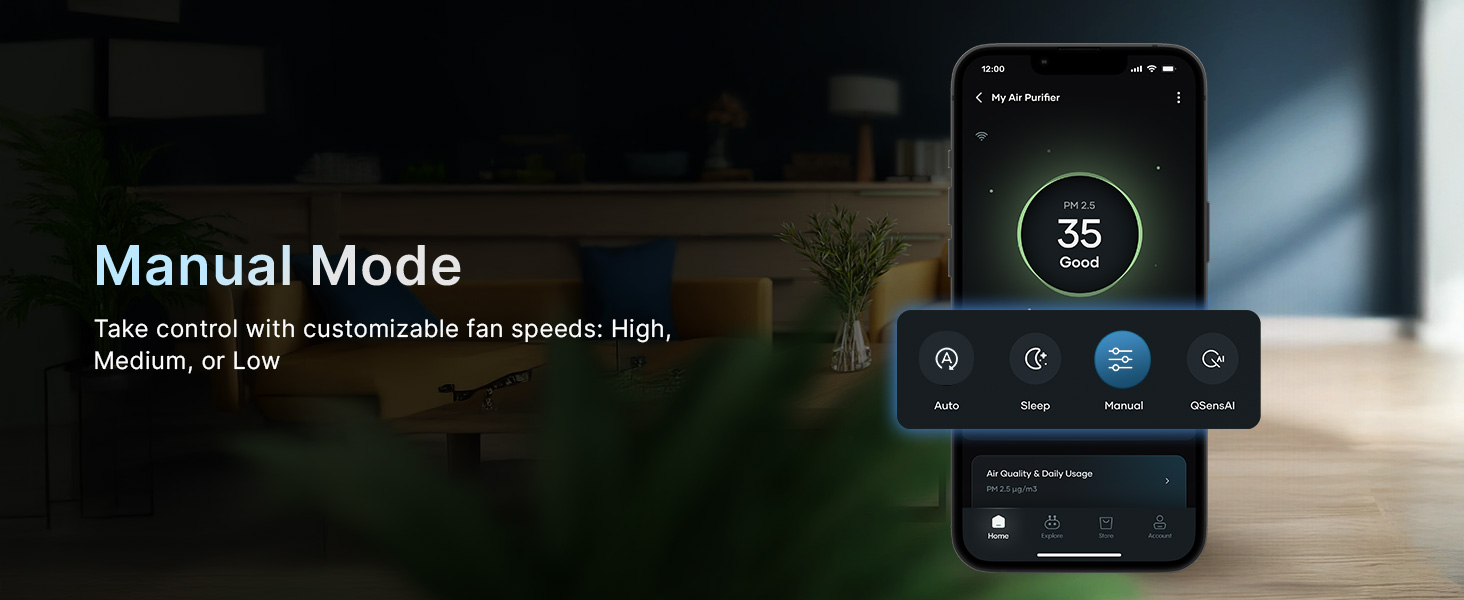
Image: The Qubo Air Purifier operating in Auto Mode, illustrating how it adapts fan speed based on real-time air quality data shown on the app.
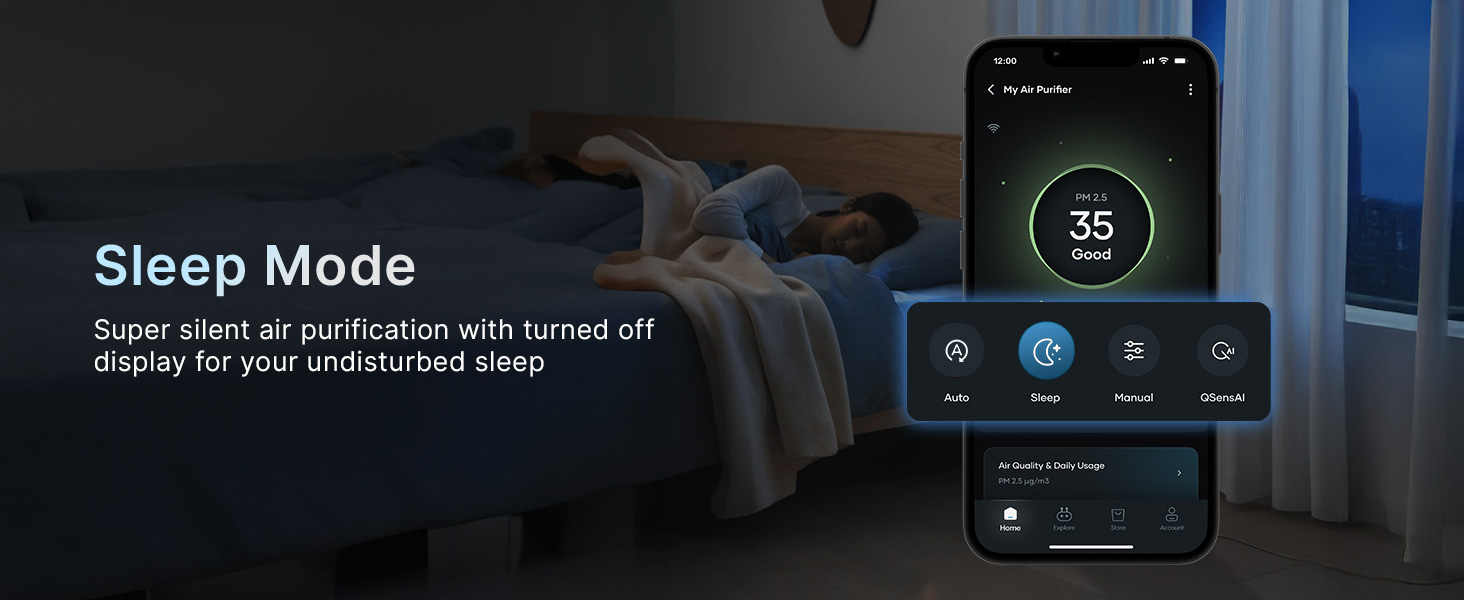
Image: The Qubo Air Purifier in Manual Mode, demonstrating the ability to select custom fan speeds (High, Medium, Low) via the app interface.

Image: The Qubo Air Purifier operating in Sleep Mode, highlighting its super silent purification and turned-off display for an undisturbed environment.
5.3 Voice Control
The Qubo Q500 supports hands-free voice control via Amazon Alexa and Google Assistant devices. Link your air purifier to your smart home ecosystem to control it with simple voice commands.
- Turn the purifier On/Off
- Set a routine or timer
- Select a mode

Image: The Qubo Air Purifier shown with an Amazon Alexa device, illustrating its hands-free voice control capabilities.
5.4 Scheduling
Use the Qubo app to schedule specific operating times for your air purifier. This allows you to ensure clean air is ready when you arrive home or to maintain air quality during specific hours.
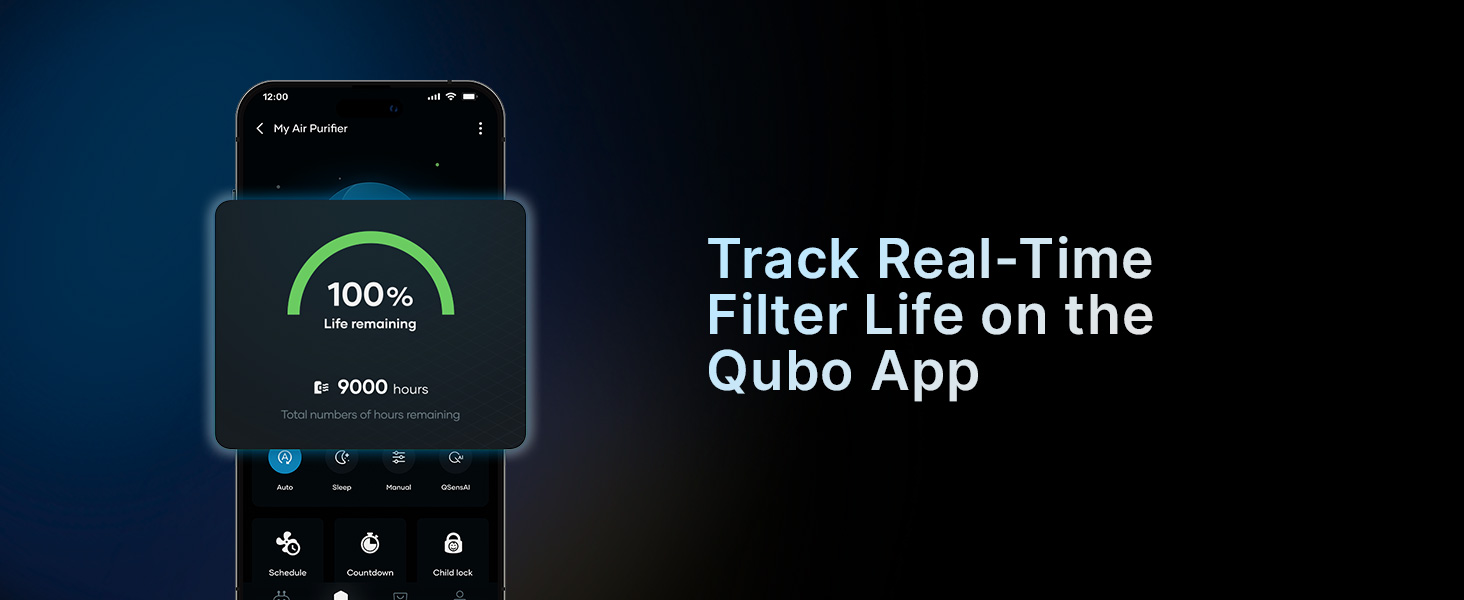
Image: A user interacting with the Qubo app to schedule the air purifier's operation, ensuring clean air at desired times.
6. Maintenance
6.1 Filter Life and Replacement
The Qubo Q500 filter has an estimated life of 9000 hours. The Qubo app will provide real-time tracking of your filter's remaining life and notify you when a replacement is needed. Regular filter replacement is crucial for maintaining purification efficiency.

Image: An illustration demonstrating the process of replacing the 4-layer filter in the Qubo Air Purifier, highlighting its 9000-hour lifespan.
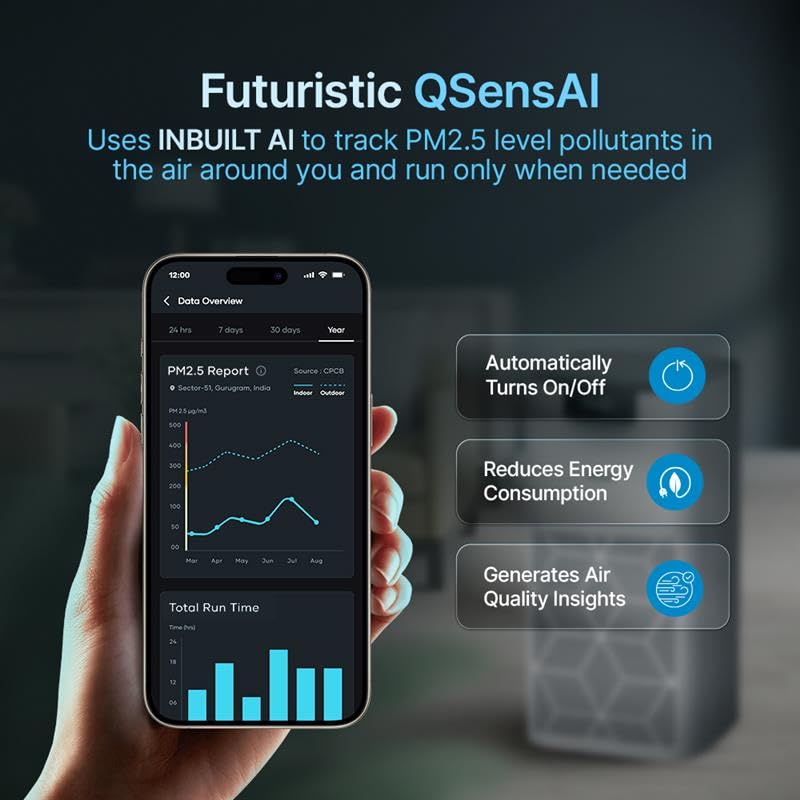
Image: A smartphone displaying the Qubo app interface, showing the real-time filter life percentage and remaining hours for the air purifier.
6.2 Cleaning the Unit
Wipe the exterior of the air purifier with a soft, dry cloth. Do not use abrasive cleaners or solvents. Periodically vacuum the air intake vents to remove accumulated dust.
7. Troubleshooting
If you encounter issues with your Qubo Smart Air Purifier Q500, refer to the following common problems and solutions:
| Problem | Possible Cause | Solution |
|---|---|---|
| Unit does not turn on | No power supply; Power button not pressed; Filter not installed correctly | Check power cord connection; Press power button firmly; Ensure filter is correctly seated and compartment is closed. |
| Poor air quality reading / Ineffective purification | Dirty filter; Unit placed in an obstructed area; Room size exceeds coverage; High pollution source nearby | Check filter life and replace if necessary; Ensure proper clearance around the unit; Verify room size is within 500 sq. ft. capacity; Remove or reduce pollution sources. |
| Unusual noise during operation | Loose filter; Obstruction in fan; Unit not on a stable surface | Check filter installation; Inspect for foreign objects; Place unit on a firm, level surface. |
| App connectivity issues | Wi-Fi signal weak; Incorrect pairing; App outdated | Ensure strong 2.4GHz Wi-Fi signal; Re-pair the device following app instructions; Update Qubo app to the latest version. |
Video: Demonstration of the Qubo Smart Air Purifier's rapid response to pollutants, showing the Air Quality Index (AQI) dropping significantly after exposure to smoke, indicating effective purification.
8. Specifications
| Feature | Detail |
|---|---|
| Brand | Qubo |
| Model Number | Q500 |
| Colour | White |
| Product Dimensions | 20.5D x 20.5W x 31.3H Centimeters |
| Floor Area Coverage | 500 Square Feet |
| Particle Retention Size | 0.1 microns |
| Controller Type | Amazon Alexa, Qubo App |
| Filter Type | 4-Layer True HEPA H13 Filter |
| Filter Life | 9000 Hours |
| Motor Type | BLDC Motor |
| Item Weight | 10 g |
| Manufacturer | Hero Electronix Pvt Ltd |
9. Warranty and Support
9.1 Warranty Information
The Qubo Smart Air Purifier Q500 comes with a 1 Year Warranty from the date of purchase. This warranty covers manufacturing defects under normal use. Please retain your purchase receipt as proof of purchase.
9.2 Customer Support
For any queries, technical assistance, or warranty claims, please contact Qubo customer support:
- Toll-free helpline number: 9319095757
- Manufacturer: Hero Electronix Pvt Ltd


