
Product Overview
The Sofucor 66-inch Smart Ceiling Fan with Lights is designed to provide optimal airflow and lighting for large indoor and outdoor spaces. Featuring an 8-blade modern design, a reversible DC motor, and smart control options, this fan offers comfort and convenience year-round. It is suitable for areas up to 25ft x 25ft with a maximum airflow of 7000 CFM.
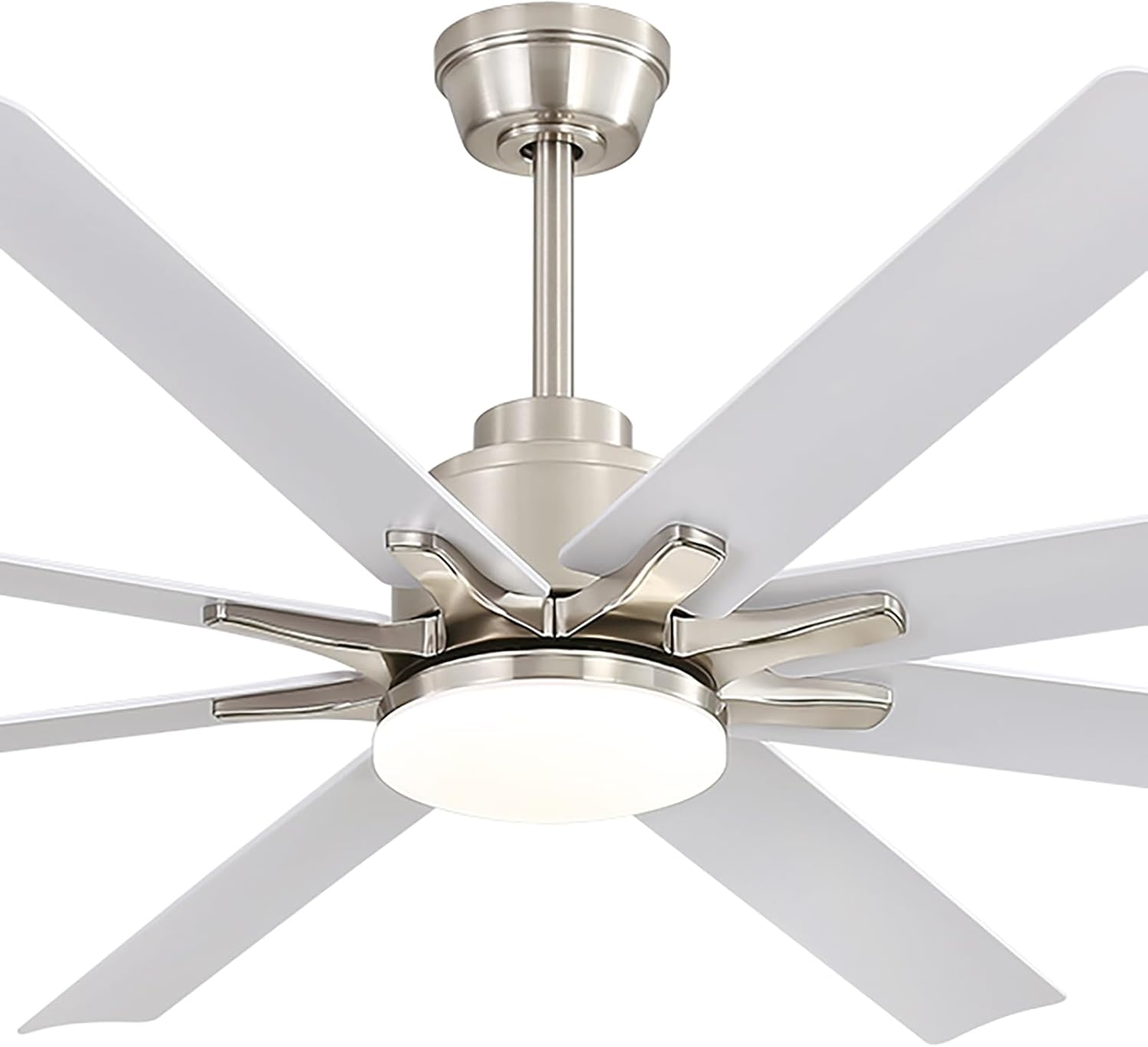
Figure 1: Sofucor 66 Inch Smart Ceiling Fan with Lights (sliver+white variant).
Safety Information
Please read all instructions carefully before beginning installation. Failure to follow these instructions could result in electric shock, fire, or serious personal injury.
- Electrical Safety: Ensure the power is turned off at the circuit breaker before installation or maintenance. All electrical wiring must be in accordance with national and local electrical codes. If you are unfamiliar with electrical wiring, consult a qualified electrician.
- Mounting: The mounting structure must be capable of supporting the weight of the fan (approximately 24.2 pounds) plus the dynamic load of the fan in operation.
- Blade Clearance: Ensure there is adequate clearance between the fan blades and any obstacles, including walls, furniture, and other objects.
- Water Exposure: This fan is suitable for indoor and covered outdoor spaces (patios, breezeways, gazebos, pergolas). It is not designed to be exposed directly to rain.
- Children and Pets: Keep children and pets away from the fan during operation and installation.
What's in the Box
Verify that all components are present and undamaged before beginning installation.
- Fan Blades (8 included)
- Remote Control
- Light Kit (integrated LED)
- Wire Whip
- Downrods (5-inch, 10-inch, and 24-inch options)
- Mounting Bracket and Hardware
- User and Care Guide
Setup and Installation
The Sofucor ceiling fan is designed for easy self-installation. Detailed guides and videos are available to assist you through the process. Ensure all power is disconnected before starting.
- Prepare the Mounting Location: Ensure the electrical box is securely mounted and capable of supporting the fan's weight.
- Assemble the Fan: Attach the fan blades to the motor housing. Select the appropriate downrod (5-inch, 10-inch, or 24-inch) based on your ceiling height and desired fan position. The fan can be installed on ceilings with a tilt up to 15 degrees.
- Wire the Fan: Connect the fan's wiring to your household electrical wiring according to the provided wiring diagram in the manual. Ensure all connections are secure.
- Mount the Fan: Secure the fan assembly to the mounting bracket.
- Install the Light Kit: Attach the integrated LED light kit to the bottom of the fan.
- Restore Power: Once installation is complete and all connections are secure, restore power at the circuit breaker.
For a visual guide, scan the QR code provided in your physical "Use and Care Guide" or visit the Sofucor website for installation videos.

Figure 2: Product dimensions and information on installation options, including a QR code for video guides.

Figure 3: Illustration of the fan installed on both flat and sloped ceilings.
Operating Instructions
Your Sofucor Smart Ceiling Fan offers multiple convenient control methods and features.
Control Methods
The fan can be controlled using the included remote, a dedicated mobile application, or voice commands via Alexa/Google Home devices.
- Remote Control: Use the provided remote to adjust fan speed, light settings, and activate the timer or reverse mode. The remote can be mounted on the wall for easy access.
- Mobile App Control: Download the Sofucor app to control the fan from anywhere in your home. The app provides full functionality, mirroring the remote control.
- Voice Control: Integrate your fan with Amazon Alexa or Google Assistant for hands-free operation.

Figure 4: Overview of the three control methods: voice control (Alexa/Google), smartphone app, and the included remote control with wall bracket.
Fan Speed Settings
The fan features 6-speed settings, allowing you to customize airflow from a gentle breeze to a powerful current. Adjust the speed using the remote or app.

Figure 5: Key features of the quiet DC motor, including 6-speed settings, reverse airflow, energy saving, and timer functionality.
Light Control
The integrated LED light is fully adjustable. You can dim the light from 20% to 100% and choose from three color temperatures:
- 3000K: Warm White
- 4000K: Natural White
- 6000K: Cool White

Figure 6: Visual representation of the dimmable LED light with its three color temperature options.
Reversible DC Motor (Year-Round Comfort)
The reversible DC motor allows you to change the direction of the fan blades for optimal comfort in both summer and winter:
- Summer Downdraft Mode: Air circulates downward to create a cooling effect.
- Winter Updraft Mode: Air circulates upward to redistribute warm air trapped at the ceiling, providing even warmth.

Figure 7: Diagram illustrating the airflow direction for summer downdraft and winter updraft modes.
Timer Setting
Set the fan to automatically turn off after a specified period using the timer function. Options include 2-hour and 4-hour settings, accessible via remote or app.

Figure 8: Image showing the timer settings available through the app and remote control.
Maintenance
Regular maintenance ensures the longevity and optimal performance of your Sofucor ceiling fan.
- Cleaning: Use a soft, damp cloth to clean the fan blades and motor housing. Avoid using abrasive cleaners or solvents that could damage the finish.
- Blade Balance: If the fan wobbles, use the included balancing kit to correct any imbalance.
- Motor: The DC motor is designed for quiet operation (as low as 30 dB) and requires minimal maintenance.

Figure 9: Illustration demonstrating the low noise level of the fan's DC motor compared to typical conversation levels.
Troubleshooting
If you encounter issues with your Sofucor ceiling fan, refer to the following common problems and solutions:
| Problem | Possible Cause | Solution |
|---|---|---|
| Fan does not operate. | No power, loose wiring, remote battery dead. | Check circuit breaker. Ensure all wiring connections are secure. Replace remote batteries. |
| Light does not turn on. | Loose wiring, LED module issue. | Check light kit wiring. If issue persists, contact customer support for assistance. |
| Fan wobbles. | Loose blades, unbalanced blades, improper mounting. | Ensure all blade screws are tightened. Use the balancing kit to correct blade balance. Verify mounting bracket is secure. |
| Remote/App not responding. | Interference, pairing issue, Wi-Fi connectivity. | Ensure remote is paired correctly. Check Wi-Fi connection for app control. Reduce interference from other devices. |
If troubleshooting steps do not resolve the issue, please contact Sofucor customer support.
Specifications
| Feature | Detail |
|---|---|
| Brand | Sofucor |
| Model Name | 66K002SMTY BK DC BK 60 S31 |
| Color | sliver+white |
| Electric Fan Design | Ceiling Fan |
| Power Source | DC |
| Style | Fine |
| Room Type | Farmhouse, Living Room, Patio, Large Bedroom, Dining Room |
| Special Feature | Dimmable LED with adjustable color temperature, high-efficiency and quiet DC motor, smart control remote, mobile app, Amazon Alexa compatibility |
| Recommended Uses | Air Circulation |
| Noise Level | 30 dB |
| Wattage | 18 watts |
| Finish Type | Black |
| Number of Blades | 8 |
| Speed | 6 RPM (settings) |
| Voltage | 1.2E+2 Volts (AC) |
| Switch Type | Remote |
| Included Components | Light Kit, Remote, Wire Whip, Fan Blade included |
| Indoor/Outdoor Usage | Indoor (covered outdoor) |
| Control Method | Remote, App, Voice |
| Efficiency | High |
| Item Weight | 24.2 pounds |
| Product Dimensions | 30.7 x 12.4 x 11 inches |
| Item Package Quantity | 1 |
| Number of Lights | 1 |
| Shade Color | White |
| Shade Material | Plastic |
| Type of Bulb | LED |
| Certifications | ETL/FCC certified |
Warranty & Support
Sofucor is committed to providing high-quality products and excellent customer service.
- Motor Warranty: Lifetime warranty for the motor.
- Parts Protection: 3-year protection for other parts.
- Customer Service: 24/7 technical support is available to assist with installation questions and any issues you may encounter.
For questions or support, please contact:
- Email: sofucor_service@163.com
- Email: sofucorceilingfan@163.com
- Website: www.sofucorfan.com


