
Introduction
Thank you for choosing the Sofucor 76 Inch Large Industrial Ceiling Fan. This smart ceiling fan is designed to provide powerful airflow and versatile lighting for large indoor and outdoor spaces. Featuring a reversible DC motor, smart control options (remote, app, voice), and adjustable LED lighting, it offers comfort and convenience. This manual will guide you through the installation, operation, and maintenance of your new ceiling fan.
Key Features
- 76-Inch Design: Ideal for large rooms up to 32ft x 32ft, providing substantial airflow with its 8 solid wood blades.
- Multiple Control Methods: Seamlessly control your fan via the included remote, a dedicated mobile app, or voice commands through Alexa/Google Home.
- Reversible DC Motor: Enjoy comfortable airflow in summer (downdraft mode) and improved heat circulation in winter (updraft mode). The DC motor offers 6 adjustable speeds and operates quietly.
- Adjustable LED Lighting: Customize your lighting with 3 color temperatures (3000K Warm White, 4000K Natural White, 6000K Cool White) and 20-100% dimmable brightness.
- Quiet Operation: Engineered for minimal noise, operating at a low 35dB, comparable to falling leaves.
- Durable Construction: Features solid wood blades and high-quality components for long-lasting performance.
- Flexible Installation: Includes three down rods (5-inch, 10-inch, and 24-inch) to suit various ceiling heights.
Package Contents
Please ensure all components are present and undamaged before beginning installation.

Figure 1: Overview of the Sofucor 76-inch ceiling fan and its control accessories.

Figure 2: Detailed view of the fan's solid wood blades and motor housing.
The package typically includes:
- Fan Motor Assembly
- 8 Solid Wood Fan Blades
- Mounting Bracket
- Downrods (5-inch, 10-inch, 24-inch)
- LED Light Kit
- Remote Control with Wall Mount
- Receiver
- Hardware Pack (screws, wire nuts, etc.)
- User Manual
Setup and Installation
Installation requires basic electrical knowledge. If you are unsure, consult a qualified electrician. Always turn off power at the circuit breaker before beginning installation.
Installation Steps:
- Prepare Mounting Location: Ensure your ceiling electrical box is securely mounted and capable of supporting the fan's weight.
- Install Mounting Bracket: Attach the mounting bracket to the ceiling electrical box.
- Assemble Fan Blades: Securely attach the solid wood blades to the fan motor assembly using the provided screws.
- Attach Downrod: Select the appropriate downrod length and feed the fan's wires through it. Secure the downrod to the fan motor.
- Wire the Fan: Connect the fan's wiring to your household electrical wiring, ensuring proper grounding. Install the remote control receiver within the canopy.
- Hang the Fan: Carefully lift and hang the fan assembly onto the mounting bracket.
- Install Light Kit: Connect the LED light panel to the fan's wiring and secure the lampshade.
- Restore Power: Once all connections are secure and the fan is fully assembled, restore power at the circuit breaker.
Video: Easy to install for our ceiling fan. This official seller video provides a visual guide to the installation process.

Figure 3: Multiple installation options with varying downrod lengths and ceiling types.
Operating Your Fan
Your Sofucor ceiling fan offers multiple convenient control methods.
Control Methods:
- Remote Control: The included wireless remote allows you to turn the fan and light on/off, adjust fan speed (6 levels), change light color temperature, dim the light, and set timers. The remote can be mounted on the wall for easy access.
- Mobile App Control: Download the compatible app (e.g., Smart Life app) to control your fan from your smartphone or tablet. This offers advanced features like scheduling and more precise control.
- Voice Control: Integrate your fan with smart home assistants like Amazon Alexa or Google Home for hands-free operation.

Figure 4: Three ways to control your Sofucor ceiling fan.
Fan Functions:
- Fan Speed: Choose from 6 speeds, ranging from a gentle breeze (Level 1-2) to a strong wind (Level 5-6).
- Reversible Function: Use the remote or app to switch between downdraft mode (summer) for cooling and updraft mode (winter) to circulate warm air.
- Timer Settings: Set the fan to automatically turn off after 1, 2, or 4 hours using the remote or app.
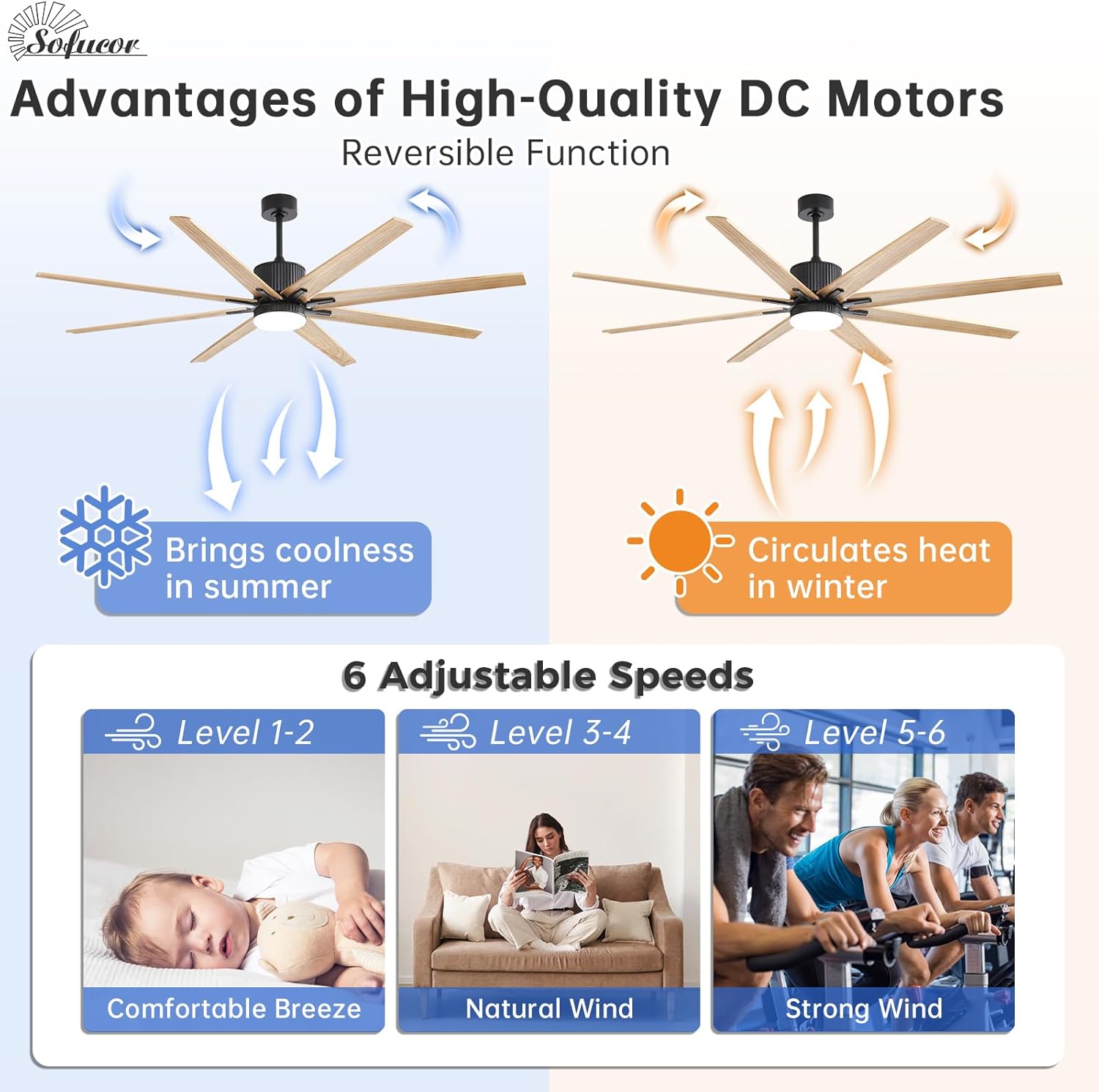
Figure 5: Reversible DC Motor function for year-round comfort.
Light Functions:
- Color Temperature: Select from Warm White (3000K), Natural White (4000K), or Cool White (6000K) to match your ambiance.
- Brightness Adjustment: Dim the light from 20% to 100% to create the perfect atmosphere.

Figure 6: Dimmable LED light with adjustable color temperatures.
Maintenance
Regular maintenance ensures the longevity and optimal performance of your ceiling fan.
- Cleaning: Dust the fan blades and motor housing regularly with a soft, damp cloth. Avoid using harsh chemicals or abrasive cleaners.
- Tighten Screws: Periodically check and tighten all screws on the fan blades and mounting hardware to prevent wobbling or noise.
- Blade Balance: If the fan wobbles, ensure all blades are securely attached and balanced. Balancing kits can be used if necessary.
Troubleshooting
If you encounter issues with your fan, refer to the following common problems and solutions:
- Fan Not Operating: Check the circuit breaker and wall switch to ensure power is supplied. Verify all wire connections are secure.
- Light Not Working: Ensure the light is turned on via the remote or app. Check the light kit's wiring connections.
- Remote Not Responding: Replace the remote control battery. Ensure the receiver is properly installed and not obstructed.
- Excessive Noise/Wobbling: Check that all blade screws and mounting bracket screws are tightened. Ensure blades are not bent or damaged.
- Power Outage Behavior: If power is interrupted and restored, the fan light will typically turn back on, but the fan itself may remain off. Use the remote or app to restart the fan.
Specifications
| Attribute | Value |
|---|---|
| Brand | Sofucor |
| Model Name | 76K001 BK DC THHTM 60 L S31 |
| Color | Black+Burly Wood |
| Product Dimensions | 34.6"D x 11.8"W x 15.2"H |
| Number of Blades | 8 |
| Blade Material | Engineered Wood |
| Motor Type | DC Motor (Reversible) |
| Fan Speeds | 6 |
| Air Flow Capacity | 7300 CMPH (11416 CFM mentioned in feature bullets) |
| Noise Level | 30 dB |
| Light Type | LED (18W, 2100 LM) |
| Color Temperatures | 3000K, 4000K, 6000K |
| Control Method | App, Remote, Voice (Alexa/Google Home) |
| Indoor/Outdoor Usage | Indoor/Outdoor (Not to be exposed directly to rain) |
| Certifications | ETL and FCC-certified |
Warranty and Support
Sofucor stands behind the quality of its products:
- Lifetime Maintenance for Motor: The fan motor is covered by a lifetime maintenance policy.
- 3-Year Protection for Fan Kit: The ceiling fan kit (excluding the motor) is protected for 3 years.
- Customer Service: A dedicated 24-hour technical team is available to assist with any issues or installation questions.
Frequently Asked Questions:
- Why Choose Sofucor? Sofucor aims to make cool comfort effortless and affordable, with rigorous material selection, precision manufacturing, and multi-point performance validation to exceed international safety standards.
- What Can Sofucor Offer? Beyond fan lights, Sofucor provides an exceptional experience built on superior quality, thoughtful design, and reliable support.


