
1. Introduction and Overview
The FitStand Adjustable Electric Standing Desk (Model 272275) is designed to enhance productivity and comfort in your home or office. This desk offers versatile ergonomic adjustment, allowing smooth transitions between sitting and standing positions. It features an adaptable memory mechanism for saving preferred heights and operates with a quiet, durable motor.
Key features include:
- Versatile Ergonomic Adjustment: Smoothly adjusts from 28.7" to 46.5" for comfortable sit-stand transitions.
- Adaptable Memory Mechanism: Controller with 3 preset height settings for quick adjustments.
- Durable & Quiet Stability: Solid industrial-grade alloy steel frame and a motor operating at less than 50 decibels.
- Thoughtful Design: Two spliced panels for easier installation, two hooks on each side, and a cable hole for convenience.
- Effortless Setup: Designed for a straightforward installation process.
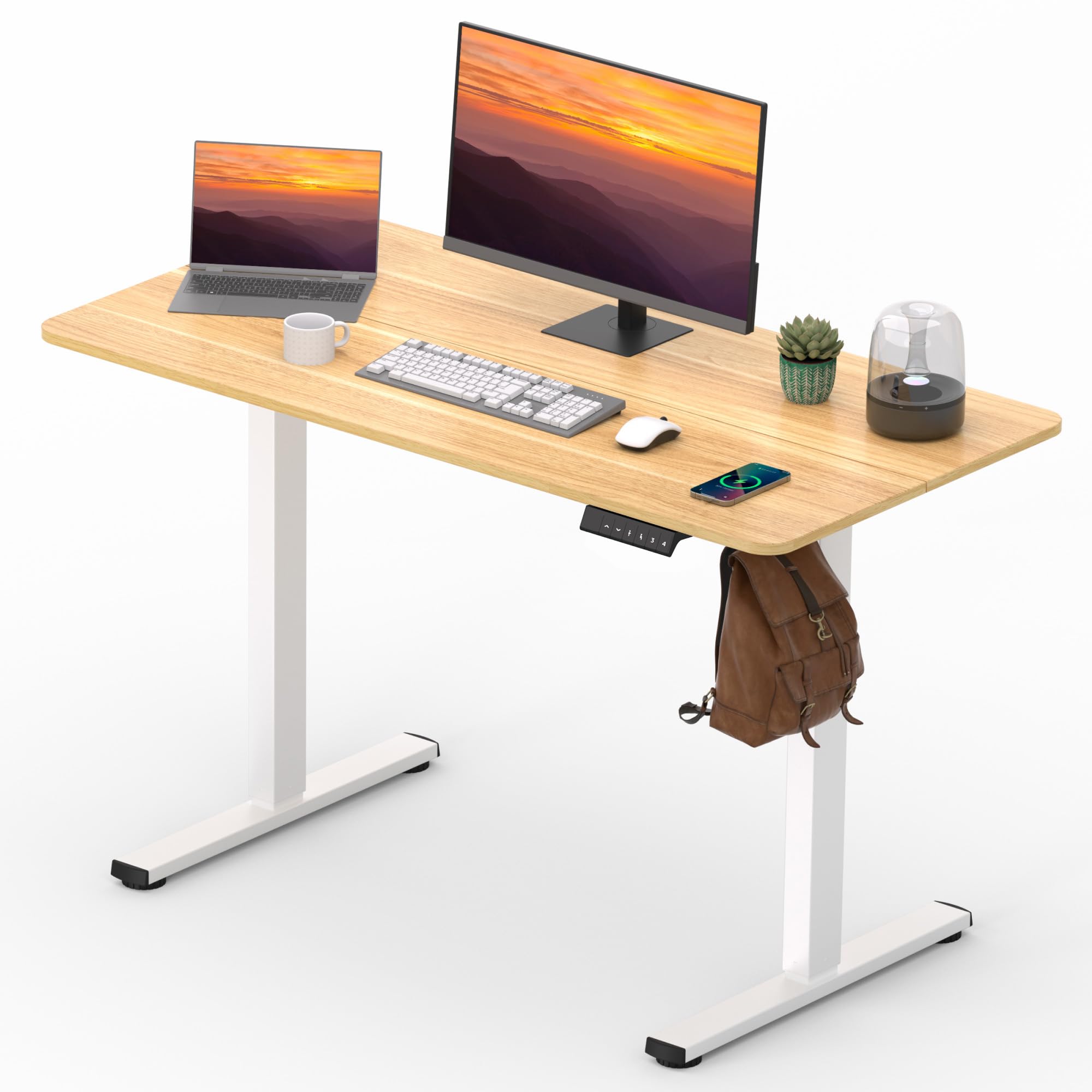
Image: The FitStand Adjustable Electric Standing Desk in a typical home office setup.
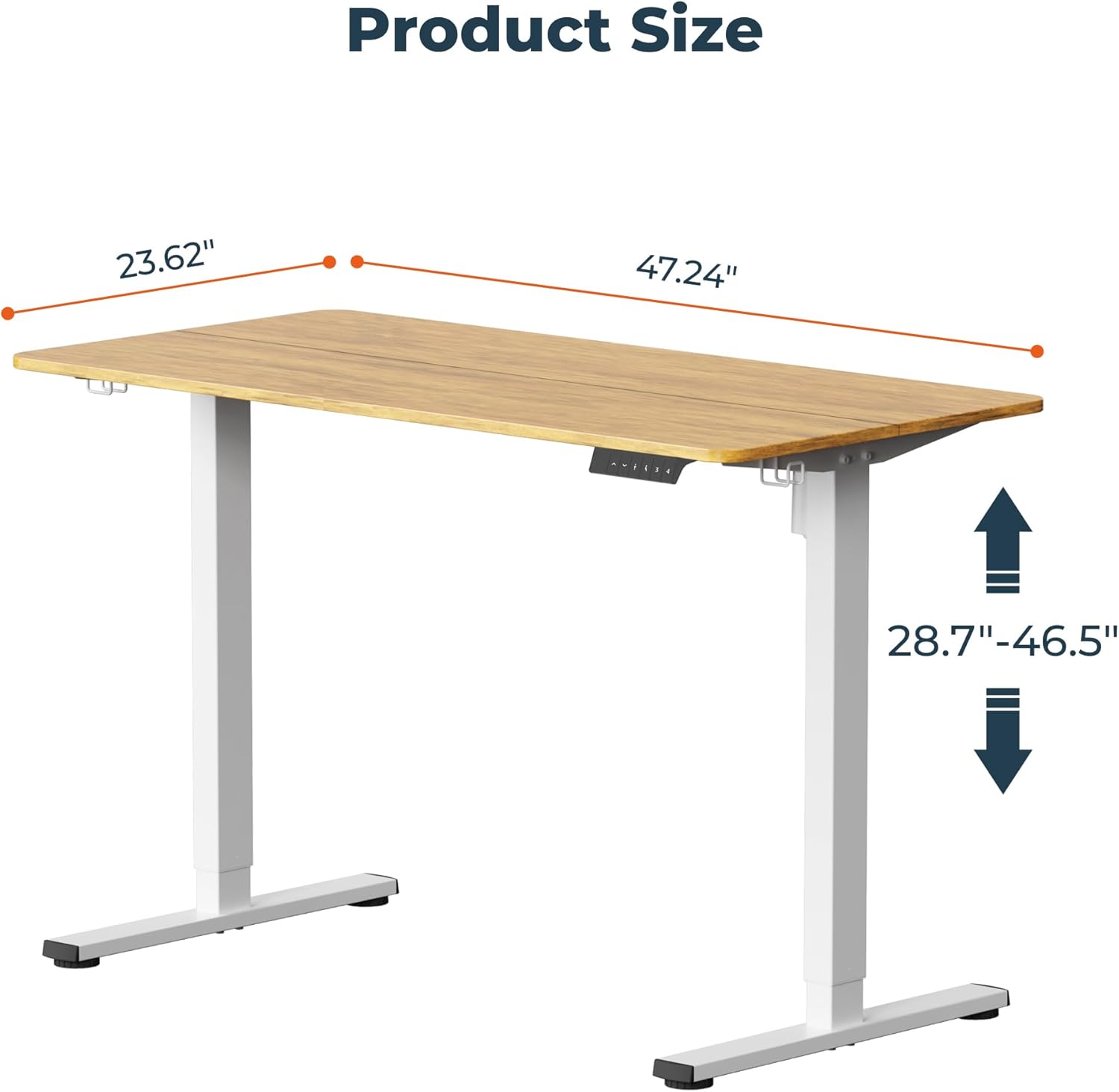
Image: Product dimensions and adjustable height range.

Image: Visual representation of the desk's height adjustment capabilities.
2. Setup and Assembly
The FitStand desk is designed for straightforward assembly. The desktop consists of two spliced panels, which helps reduce the weight during installation. All necessary tools are included.
Assembly Steps Overview:
- Unpack all components and verify against the parts list in the included manual.
- Assemble the desk frame according to the detailed instructions provided in the physical manual.
- Attach the two spliced desktop panels securely.
- Install the control panel and connect the motor.
- Attach the side hooks for accessories.
Video: A detailed guide on the easy setup and versatile modes of the FitStand desk, highlighting its stable build.
Video: An overview of the assembly process for the FitStand desk, demonstrating key steps.
3. Operating Instructions
The electric control panel allows for easy and precise height adjustments. The desk features a digital display and memory presets for convenience.
Control Panel Functions:
- Up/Down Arrows: Manually adjust the desk height.
- Memory Presets (1, 2, 3): Save and recall up to three preferred height settings. To save a height, adjust the desk to the desired level, then press and hold a memory button until the display confirms the setting.
- Anti-Collision System: The desk is equipped with an anti-collision system that automatically stops movement upon detecting an obstruction.

Image: The digital control panel with LED display, up/down controls, memory functions, and anti-collision system.
Video: Demonstration of the desk's height adjustment feature using the control panel.
Video: A user demonstrating the electric standing desk's height adjustment for office work.
4. Maintenance
To ensure the longevity and optimal performance of your FitStand desk, follow these simple maintenance guidelines:
- Cleaning: Wipe the desktop surface with a soft, damp cloth. Avoid abrasive cleaners or harsh chemicals that may damage the lacquered finish. The desktop material is scratch-resistant and waterproof.
- Motor Care: The motor is designed for quiet and reliable operation. No special maintenance is required for the motor itself.
- Cable Management: Regularly check and organize cables to prevent tangling or damage.

Image: High-quality desktop material, scratch-resistant and waterproof for easy cleaning.
5. Troubleshooting
If you encounter any issues with your FitStand desk, please refer to the following common troubleshooting tips:
- Desk Not Moving: Ensure the power cord is securely plugged into both the desk and a working electrical outlet. Check for any obstructions under or around the desk that might trigger the anti-collision system.
- Uneven Movement: Verify that the desk is placed on a level surface. Adjust the leveling feet if necessary.
- Memory Presets Not Working: Re-program the memory presets by adjusting to the desired height and holding the memory button until confirmed.
- Unusual Noises: The motor operates quietly (less than 50 decibels). If you hear unusual or loud noises, discontinue use and contact customer support.
For further assistance, please contact FitStand customer support.
6. Specifications
| Feature | Detail |
|---|---|
| Brand | FitStand |
| Model Number | 272275 |
| Product Dimensions | 24"D x 47"W x 29"H |
| Adjustable Height Range | 28.7" to 46.5" |
| Color | Maple Top + White Frame |
| Top Material Type | Engineered Wood |
| Base Material | Metal (Alloy Steel) |
| Maximum Weight Recommendation | 132 Pounds |
| Number of Height Positions | 3 (Memory Presets) |
| Noise Level | Less than 50 decibels |
| Required Assembly | Yes (Tools Included) |
7. Safety Information
Please read and adhere to the following safety guidelines to prevent injury or damage:
- Do not exceed the maximum weight limit of 132 pounds. Exceeding this limit may cause damage or injury.
- Ensure proper assembly as per the instructions. Improper assembly can lead to instability or malfunction.
- Keep hands and fingers clear of moving parts during height adjustment to avoid injury.
- Place the desk on a stable and level surface.
- Keep children and pets away from the desk during operation.
8. Warranty and Support
Your FitStand Adjustable Electric Standing Desk comes with a manufacturer's warranty. For specific warranty details and duration, please refer to the documentation included with your product or contact FitStand customer service.
Customer Support:
For any questions, technical support, or warranty claims, please contact the seller, FlexiDirect, or visit the official FitStand website. You may also refer to the protection plans available for extended coverage.
- 2-Year Protection Plan: Available for purchase.
- 3-Year Protection Plan: Available for purchase.
- Complete Protect: Monthly plan covering eligible purchases.