
Introduction
This manual provides detailed instructions for the safe and efficient operation of your Dreo Cruiser Pro T1 Tower Fan and Dreo Atom One Space Heater. Please read this manual thoroughly before use and retain it for future reference.

Image: The Dreo Cruiser Pro T1 Tower Fan (left) and the Dreo Atom One Space Heater (right), along with their respective remote controls, showcasing the complete product bundle.
Important Safety Instructions
When using electrical appliances, basic precautions should always be followed to reduce the risk of fire, electric shock, and injury to persons, including the following:
- Read all instructions before using this appliance.
- This appliance is ETL certified, ensuring it meets specific safety standards.
- The bladeless fan design prevents fingers and paws from entering, making it safe for households with children and pets.
- Both units feature multiple safety protections including tip-over protection, overheat protection, and an enhanced fused safety plug to prevent damage from power surges.
- The heater is constructed with UL94 V-0 flame-retardant materials for enhanced safety.
- Always unplug the appliance when not in use or before cleaning.
- Do not operate any appliance with a damaged cord or plug, or after the appliance malfunctions or has been dropped or damaged in any manner.
- Do not use outdoors.
Product Overview: Dreo Cruiser Pro T1 Tower Fan
Components Included:
- 1 × Tower Fan
- 1 × Front Fan Base
- 1 × Rear Fan Base
- 4 × Thumbs Screws
- 1 × Remote Controller (Includes 1 × CR2032 Type Lithium Battery)
Key Features:
- Quiet Operation: An acoustically designed airflow system and hyper-precision bearing reduce noise, providing ultra-quiet cooling at all speeds.
- Powerful Airflow: Draws air from back and sides, with a built-in motor spinning up to 1350 RPM, delivering cooling up to 29.5 feet.
- Multiple Speed & Modes: Offers 6 speed levels and 4 modes (Sleep, Auto, Natural, Normal) for personalized cooling.
- Wide Oscillation: Features a 530mm extended fan wheel and ultra-wide 90° oscillation to cover a large area.
- 12-Hour Timer: Allows automatic shut-off in 1-hour increments.
- MUTE Function: Option to turn the beep sound on or off.
- Portable Design: Includes a built-in carrying handle for easy transport.

Image: The Dreo Cruiser Pro T1 Tower Fan standing upright, with its remote control positioned beside it, illustrating the fan's sleek design and included accessory.
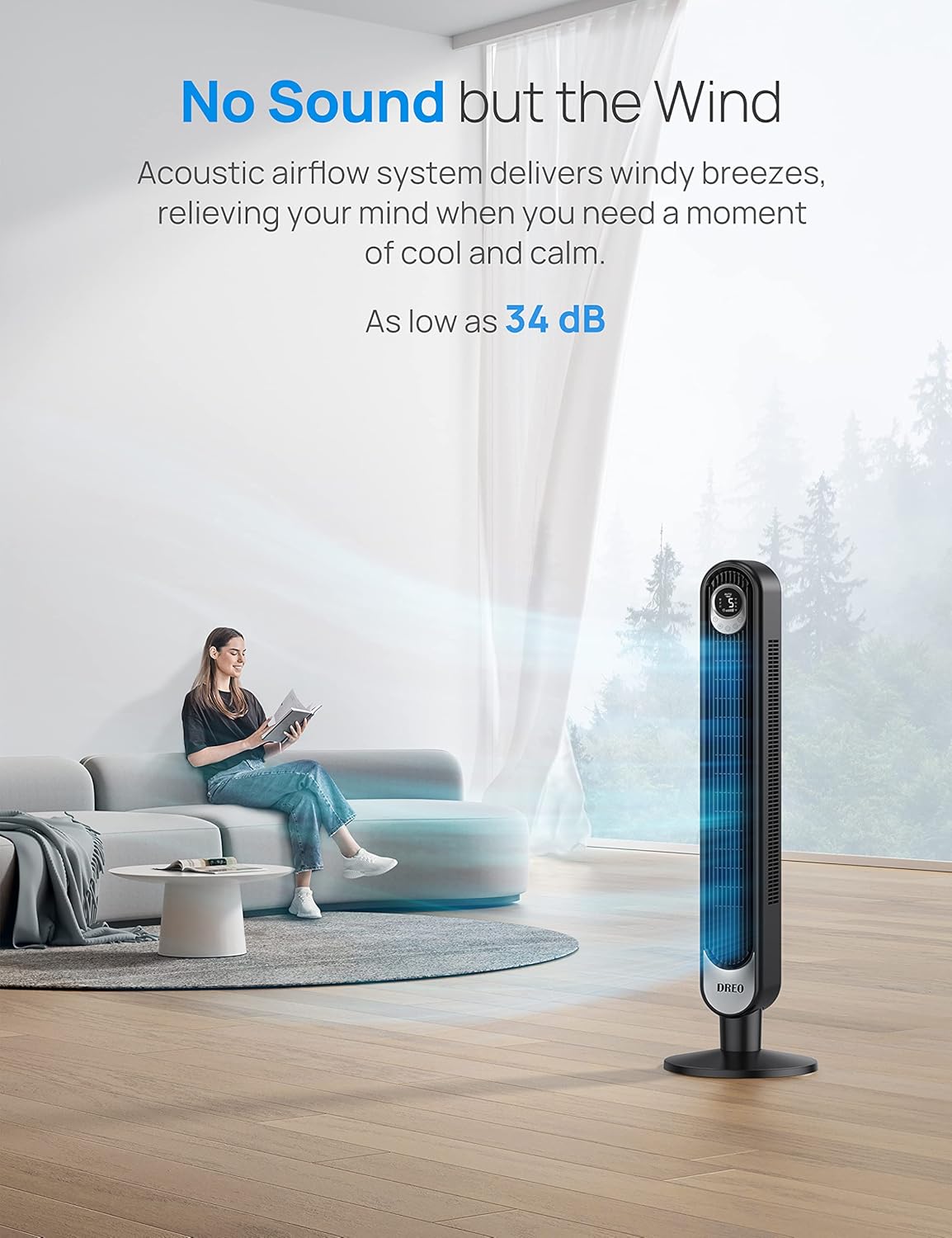
Image: A woman reading on a sofa in a living room, with the Dreo Tower Fan operating quietly in the foreground, emphasizing its low noise level (as low as 34 dB).

Image: The Dreo Tower Fan in a living room, with a visual representation of air extending 29.5 feet, highlighting its powerful air circulation capability.
Product Overview: Dreo Atom One Space Heater
Key Features:
- Rapid Heating: Powered by Dreo PTC Ceramic, this 1500W electric heater heats up efficiently, reaching desired temperatures in seconds.
- Quiet Operation: Features a brushless DC motor and 9 aerodynamic blades for smooth airflow, delivering quiet warmth as low as 37.5 dB.
- Wide Oscillation: 70° wide-angle oscillation provides broad heat distribution.
- Digital Thermostat: Adjustable digital thermostat for precise temperature control.
- 12-Hour Timer: Allows automatic shut-off.
- Easy Maintenance: Equipped with an easy-to-wash filter.
- ECO Mode: Designed for energy savings.

Image: The Dreo Atom One Space Heater, a compact white unit with a digital display, shown with its remote control and indicating a 70-degree oscillation range.

Image: The Dreo Atom One Space Heater on a table, surrounded by icons representing its safety features: V-0 flame retardant materials, enhanced safety plug, tip-over protection, overheat protection, and ETL listing.

Image: The Dreo Atom One Space Heater in a living room setting, with an overlay indicating "Massive savings with ECO Mode" and "Up to 40% energy savings," highlighting its energy-efficient operation.
Setup
Dreo Cruiser Pro T1 Tower Fan Assembly:
- Unpack all components from the box.
- Assemble the Front Fan Base and Rear Fan Base together.
- Align the assembled base with the bottom of the tower fan.
- Secure the base to the fan using the 4 provided Thumbs Screws. Ensure it is stable.
- Insert the CR2032 lithium battery into the remote controller.
- Place the fan on a firm, level surface.
Dreo Atom One Space Heater Setup:
- Unpack the heater from its packaging.
- Place the heater on a firm, level surface, ensuring it is away from walls, furniture, and curtains to allow for proper airflow and oscillation.
- Insert the battery into the remote controller (if not pre-installed).
- Plug the heater into a grounded electrical outlet.
Operating Instructions
Dreo Cruiser Pro T1 Tower Fan Operation:
- Power On/Off: Press the power button on the fan's control panel or remote to turn the fan on or off.
- Speed Adjustment: Use the speed control button to cycle through 6 fan speeds, from gentle breeze to powerful airflow.
- Mode Selection: Select from 4 modes:
- Normal: Constant airflow at selected speed.
- Natural: Simulates natural wind by varying fan speed.
- Sleep: Gradually decreases fan speed and dims the display for quiet operation during sleep.
- Auto: Adjusts fan speed automatically based on ambient temperature.
- Oscillation: Press the oscillation button to activate or deactivate the 90° wide-angle oscillation feature.
- Timer: Set the timer for automatic shut-off in 1-hour increments, up to 12 hours.
- MUTE Function: Press the "MUTE" button on the remote to turn the control panel's beep sounds on or off.
Dreo Atom One Space Heater Operation:
- Power On/Off: Use the power button on the heater's control panel or remote.
- Temperature Setting: Adjust the desired temperature using the digital thermostat controls. The heater will maintain the set temperature.
- Oscillation: Activate the 70° oscillation feature for wider heat distribution.
- Timer: Set the timer for automatic shut-off, up to 12 hours.
- Modes: The heater typically includes various modes such as High Heat, Low Heat, and ECO mode. Refer to the display for current mode.
- ECO Mode: When activated, the heater will automatically adjust its power output to maintain the set temperature while minimizing energy consumption.
Maintenance
General Cleaning:
- Always unplug the appliance before cleaning.
- Use a soft, damp cloth to wipe the exterior surfaces of both the fan and heater.
- Do not use abrasive cleaners or solvents as they may damage the surface.
- Ensure no water or liquids enter the interior of the appliances.
Dreo Atom One Space Heater Filter Cleaning:
- The heater features an easy-to-wash filter. Regularly check and clean the filter to maintain optimal performance and air quality.
- Refer to the heater's specific instructions for removing and cleaning the filter. Typically, it can be rinsed with water and allowed to air dry completely before reinstallation.
Storage:
- If storing the appliances for an extended period, clean them thoroughly.
- Store them in a cool, dry place, preferably in their original packaging, to protect them from dust and damage.
Troubleshooting
If you encounter issues with your Dreo products, please refer to the following common solutions:
| Problem | Possible Cause | Solution |
|---|---|---|
| Appliance does not turn on. | Not plugged in; power outlet not working; power button not pressed; remote battery dead. | Ensure the power cord is securely plugged into a working outlet. Press the power button. Replace remote control battery (CR2032). |
| Fan airflow is weak. | Fan speed set too low; air intake/outlet blocked. | Increase fan speed. Ensure air intake and outlet grilles are not obstructed. |
| Heater not producing heat. | Temperature set too low; overheat protection activated; tip-over switch activated. | Increase the set temperature. Check for obstructions. Ensure the heater is on a flat, stable surface. Unplug and allow to cool for 30 minutes if overheat protection was triggered. |
| Remote control not working. | Battery dead or incorrectly inserted; remote out of range; obstruction between remote and unit. | Replace battery (CR2032) and ensure correct polarity. Point remote directly at the unit within range. Remove any obstructions. |
If the problem persists after trying these solutions, please contact Dreo customer support for assistance.
Specifications
| Feature | Specification |
|---|---|
| Brand | Dreo |
| Model (Fan) | Cruiser Pro T1 (42 Inch Tower Fan) |
| Model (Heater) | Atom One Space Heater |
| Power Source | AC Electric (Battery Powered for Remote) |
| Room Type | Living Room, Bedroom, Office, etc. |
| Special Features | Oscillating, Remote Control, Timer, Quiet Operation, Digital Thermostat, Safety Protections (Tip-over, Overheat) |
| Recommended Uses | Cooling (Fan), Heating (Heater) |
| Indoor/Outdoor Usage | Indoor Only |
| Certifications | ETL Certified |
| ASIN | B0CMH1ZDW9 |
Warranty and Support
For warranty information and customer support, please refer to the documentation included with your product packaging or visit the official Dreo website. You can also contact Dreo customer service directly for assistance with product registration, troubleshooting, or parts replacement.
Dreo Official Store: Visit the Dreo Store on Amazon