User Manual for Xiaomi Mi Robot Vacuum Mop 2 Ultra Replacement Accessories
Model: STYTJ05ZHM - Brand: KarmoP
1. Introduction
This manual provides comprehensive instructions for the installation, maintenance, and optimal use of replacement accessories for the Xiaomi Mi Robot Vacuum Mop 2 Ultra, model STYTJ05ZHM. Regular replacement and proper maintenance of these parts are essential to ensure your robot vacuum cleaner operates at its peak efficiency and extends its lifespan.
2. Product Overview
This product includes two white side brushes designed for the Xiaomi Mi Robot Vacuum Mop 2 Ultra. These brushes are crucial for sweeping debris from edges and corners into the main cleaning path of the vacuum.

Image: Two white side brushes, the primary components of this accessory kit.
Other compatible replacement accessories for your Xiaomi Mi Robot Vacuum Mop 2 Ultra may include:
- Main Roller Brush: Essential for deep cleaning carpets and hard floors.
- HEPA Filters: Capture fine dust and allergens, improving air quality.
- Mop Cloths: For effective wet mopping and stain removal.
- Dust Bags: For convenient collection and disposal of vacuumed debris.

Image: An assortment of compatible replacement parts for the Xiaomi Mi Robot Vacuum Mop 2 Ultra.
3. Installation Guide (Setup)
To replace the side brushes on your Xiaomi Mi Robot Vacuum Mop 2 Ultra, follow these steps:
- Power Off: Ensure your robot vacuum cleaner is powered off and disconnected from its charging dock before beginning any maintenance.
- Flip the Robot: Carefully turn the robot vacuum cleaner upside down to access the underside.
- Locate Side Brushes: Identify the existing side brushes. They are typically located on the front sides of the robot.
- Remove Old Brushes: Depending on your model, the side brushes are usually held in place by a single screw or a snap-on mechanism. Use a screwdriver (if necessary) to loosen the screw and remove the old brush. If it's snap-on, gently pull it off.
- Install New Brushes: Align the new white side brush with the corresponding slot. If there's a screw, secure it firmly. If it's snap-on, push it until it clicks into place. Ensure the brush is properly seated and can rotate freely.
- Repeat for Second Brush: If replacing both, repeat the process for the other side brush.
- Test: Flip the robot back over and power it on to ensure the new brushes are functioning correctly.
4. Maintenance
Regular cleaning and timely replacement of accessories are vital for maintaining the cleaning performance of your robot vacuum.
4.1. Side Brushes
- Cleaning: Periodically check the side brushes for tangled hair or debris. Use scissors or a small brush to remove any obstructions.
- Replacement: Side brushes should be replaced every 3-6 months, or sooner if they become worn, bent, or damaged, as this can affect the robot's ability to sweep effectively.
4.2. Filters
- Cleaning: The HEPA filters are washable. Gently tap them to remove loose dust, or rinse them under running water. Ensure they are completely dry before re-installing to prevent damage to the vacuum.
- Replacement: Filters should be replaced every 1-2 months, depending on usage, to maintain optimal filtration and prevent reduced suction power.
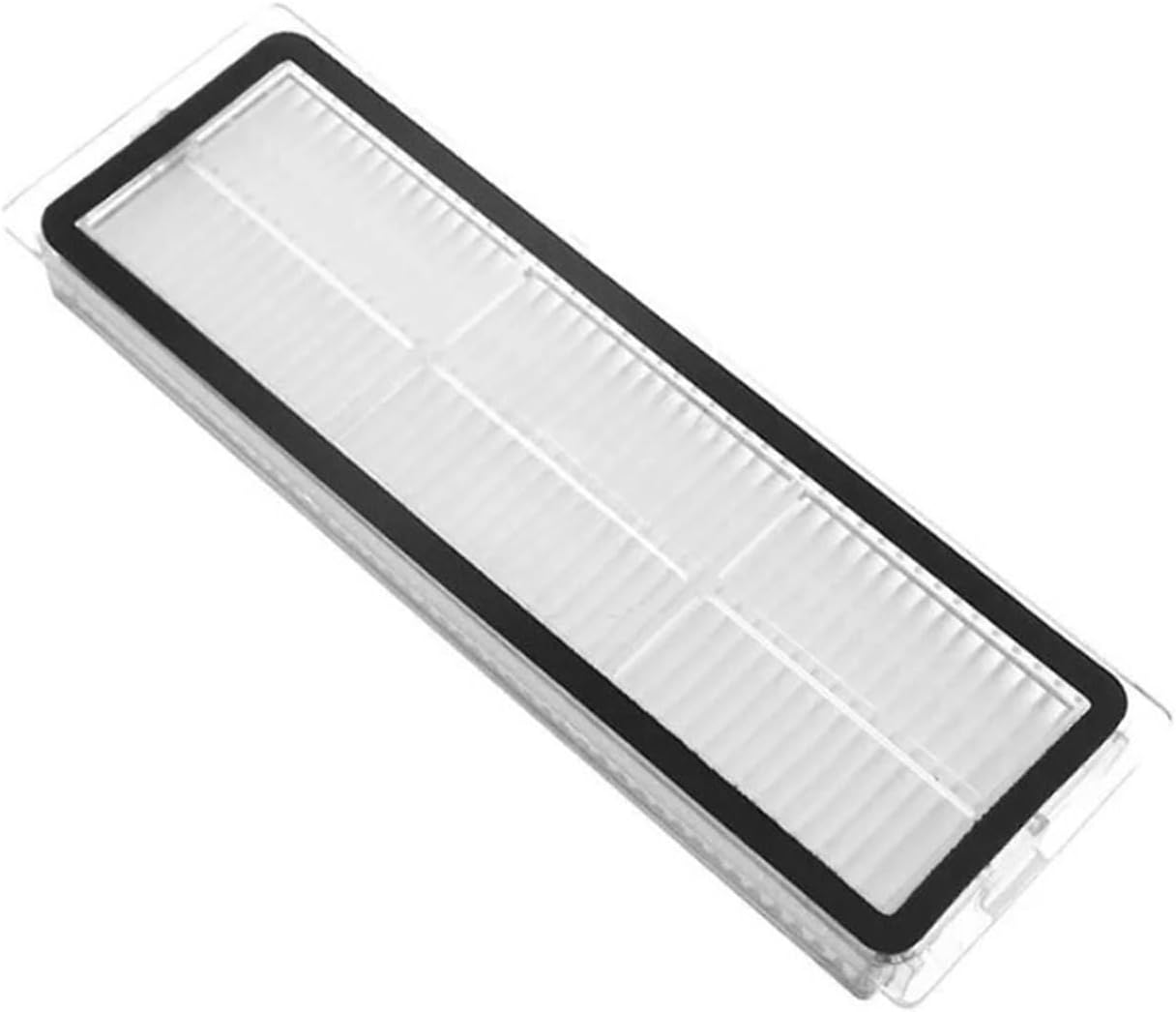
Image: A single HEPA filter, which is washable and helps maintain air quality.
4.3. Mop Cloths
- Cleaning: Mop cloths have strong water absorption and are reusable. After each use, remove the mop cloth and wash it thoroughly with water.
- Replacement: Replace mop cloths every 2-3 months, or when they show signs of wear or reduced cleaning effectiveness.

Image: A white mop cloth, designed for effective floor cleaning.
4.4. Main Roller Brush
- Cleaning: Regularly check the main roller brush for tangled hair or debris. Use the cleaning tool provided with your vacuum (or scissors) to cut and remove any wrapped hair.
- Replacement: The main roller brush should be replaced every 6-12 months, or if bristles are significantly worn, to ensure effective debris pickup.

Image: The main roller brush, crucial for primary cleaning tasks.
5. Troubleshooting
If you encounter issues after replacing accessories, consider the following:
- Brushes Not Spinning: Ensure the side brushes are correctly installed and securely fastened. Check for any hair or debris obstructing their rotation.
- Reduced Cleaning Performance: Verify that filters are clean and properly seated. If the issue persists, consider replacing other worn accessories like the main brush or mop cloth.
- Unusual Noises: Check all installed accessories for proper fit. Remove and re-install them to ensure no parts are loose or misaligned.
6. Specifications
| Brand | KarmoP |
| Model Name | zhangbingz |
| Compatible With | Xiaomi Mi Robot Vacuum Mop 2 Ultra (STYTJ05ZHM) |
| Color | 2 White Brush |
| Item Weight | 1.76 ounces |
| Package Dimensions | 1.18 x 0.79 x 0.39 inches |
7. Warranty and Support
This product is provided without an explicit warranty. For any questions regarding installation or compatibility, please refer to the official Xiaomi Mi Robot Vacuum Mop 2 Ultra user manual or contact the manufacturer of your robot vacuum cleaner.