1. Introduction
This manual provides essential instructions for the proper installation, operation, and maintenance of your FILTER TECH Air Purifier Filter Set. This set is designed as a replacement for Amway Air Purifier models E-2526K, E-2527K, and E-2528K, ensuring continued air purification performance.
Please read this manual thoroughly before use to ensure optimal performance and longevity of your filters.
2. Product Overview
The FILTER TECH Air Purifier Filter Set includes two primary components: a HEPA filter and a Carbon filter. These filters work in conjunction to capture various airborne particles and odors, contributing to cleaner indoor air quality.
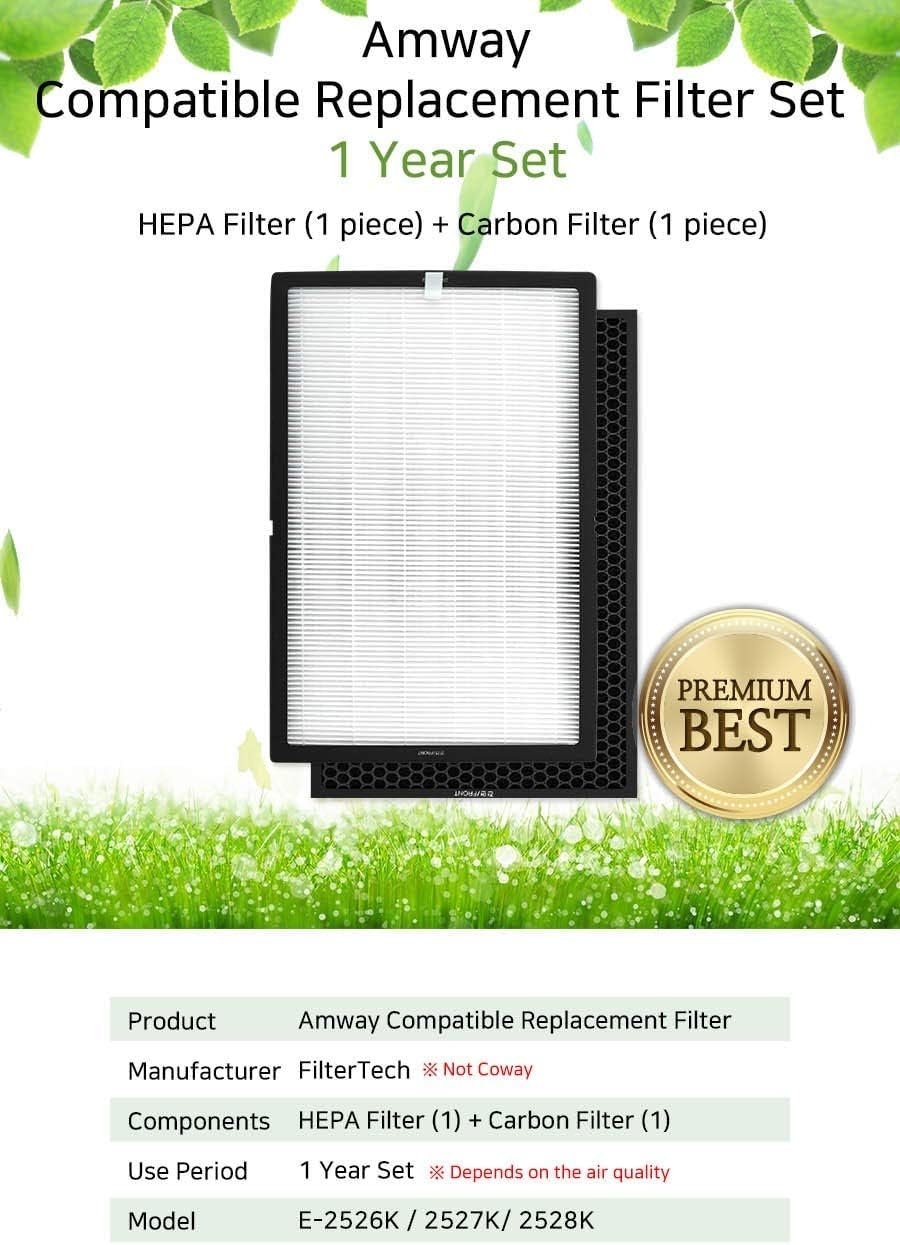
Image 2.1: The FILTER TECH Air Purifier Filter Set, including one HEPA filter and one Carbon filter.
Components:
- HEPA Filter (1 piece): Designed to capture fine particulate matter, including dust, pollen, pet dander, and mold spores.
- Carbon Filter (1 piece): Utilizes activated carbon to absorb odors, volatile organic compounds (VOCs), and other gaseous pollutants.
Materials:
- HEPA Material: True HEPA (H13 grade)
- Carbon Material: Activated Carbon
3. Installation Instructions
Follow these steps to correctly install the FILTER TECH Air Purifier Filter Set into your compatible Amway air purifier.
Video 3.1: Detailed guide on how to install the air purifier filters.
- Power Off and Unplug: Before beginning, ensure your Amway air purifier is turned off and unplugged from the power outlet.
- Open Filter Compartment: Locate and open the filter access panel on your air purifier. Refer to your Amway air purifier's original manual for specific instructions on opening the compartment.
- Remove Old Filters: Carefully remove the used HEPA and Carbon filters. Dispose of them according to local regulations.
- Unpack New Filters: Remove the new FILTER TECH HEPA and Carbon filters from their protective packaging.
- Install Carbon Filter First: Insert the Carbon filter into the air purifier's filter slot. Ensure it is seated correctly and securely.
- Install HEPA Filter: Next, insert the HEPA filter on top of the Carbon filter. Ensure it fits snugly and the 'FRONT' indicator (if present) faces outwards.
- Close Compartment: Close the filter access panel securely.
- Plug In and Power On: Plug the air purifier back into the power outlet and turn it on.
- Reset Filter Indicator: If your air purifier has a filter replacement indicator, follow the manufacturer's instructions to reset it. This typically involves pressing and holding a specific button for a few seconds.

Image 3.1: Correct filter installation order: Carbon filter first, followed by the HEPA filter.
4. Maintenance
Regular filter replacement is crucial for maintaining the efficiency and effectiveness of your air purifier. The FILTER TECH filter set is designed for a specific lifespan under normal operating conditions.
Filter Replacement Cycle:
- Carbon Filter: Replace every 12 months.
- HEPA Filter: Replace every 12 months.
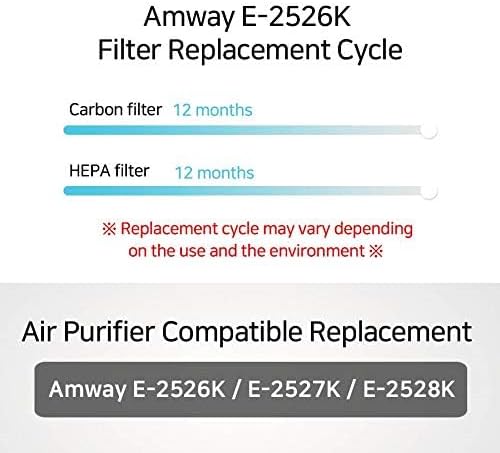
Image 4.1: Recommended filter replacement cycle for optimal performance.
Note: The actual replacement cycle may vary depending on the air quality in your environment, frequency of use, and specific settings of your air purifier. In areas with higher pollution or frequent use, filters may need to be replaced more often.
5. Specifications
| Feature | Detail |
|---|---|
| Brand Name | FILTER TECH |
| Compatible Air Purifier Models | Amway E-2526K, E-2527K, E-2528K |
| Included Components | 1 HEPA filter, 1 Carbon filter |
| HEPA Material Type | True HEPA (H13 Grade) |
| Carbon Material Type | Activated Carbon |
| Recommended Use Period | 1 Year Set (may vary based on air quality) |
| Item Weight | 6 pounds |
| Product Dimensions | 19 x 3.5 x 13 inches |
| Manufacturer | FilterTech |
6. Troubleshooting
If you encounter issues after installing your new filters, consider the following common solutions:
- Air Purifier Not Turning On: Ensure the air purifier is properly plugged into a working power outlet. Check if the filter compartment is securely closed, as some models have safety switches that prevent operation if not closed correctly.
- Filter Indicator Light Remains On: After replacing filters, the filter indicator light often needs to be manually reset. Refer to your Amway air purifier's original manual for specific instructions on how to reset the filter life indicator.
- Reduced Airflow or Odor Persistence: Double-check that both the HEPA and Carbon filters are installed in the correct orientation and are fully seated. Ensure no packaging material was left on the filters. If the issue persists, the filters may be saturated prematurely due to unusually high pollution levels, requiring earlier replacement.
- Unusual Noise: Verify that the filters are installed correctly and are not obstructing any internal components. Ensure the air purifier is placed on a stable, flat surface.
For further assistance, please contact FILTER TECH customer support or refer to your Amway air purifier's original user manual.
7. Warranty & Support
FILTER TECH stands behind the quality of its products. For information regarding warranty coverage, product support, or to purchase additional replacement filters, please visit the official FILTER TECH website or contact our customer service department.
Please retain your proof of purchase for any warranty claims.
8. About FILTER TECH Production
FILTER TECH is committed to producing high-quality air purification accessories. Our manufacturing process involves meticulous care and advanced techniques to ensure each filter meets stringent quality standards.
Video 8.1: A glimpse into the FILTER TECH production workshop and manufacturing process, highlighting the care taken in creating air purification filters.


