
Introduction
This manual provides essential instructions for the safe and efficient operation, maintenance, and care of your OXO Brew Conical Burr Grinder. Please read all instructions thoroughly before first use and retain this manual for future reference.
Important Safety Information
Always follow basic safety precautions when using electrical appliances to reduce the risk of fire, electric shock, and/or injury to persons, including the following:
- Read all instructions.
- Do not touch hot surfaces.
- To protect against fire, electric shock, and injury to persons, do not immerse cord, plugs, or grinder body in water or other liquid.
- Close supervision is necessary when any appliance is used by or near children.
- Unplug from outlet when not in use and before cleaning. Allow to cool before putting on or taking off parts, and before cleaning the appliance.
- Do not operate any appliance with a damaged cord or plug, or after the appliance malfunctions or has been damaged in any manner. Contact OXO Customer Service for examination, repair, or adjustment.
- The use of accessory attachments not recommended by the appliance manufacturer may result in fire, electric shock, or injury to persons.
- Do not use outdoors.
- Do not let cord hang over edge of table or counter, or touch hot surfaces.
- Do not place on or near a hot gas or electric burner, or in a heated oven.
- Always attach plug to appliance first, then plug cord into the wall outlet. To disconnect, turn any control to “off,” then remove plug from wall outlet.
- Do not use appliance for other than intended use.
- Ensure hopper is securely locked in place before operating.
Product Overview
The OXO Brew Conical Burr Grinder is designed to provide consistent, uniform coffee grounds for various brewing methods. It features durable stainless steel conical burrs and multiple grind settings.

Setup
- Unpacking: Carefully remove all components from the packaging. Verify all parts are present: grinder base, bean hopper with lid, and grounds container with lid.
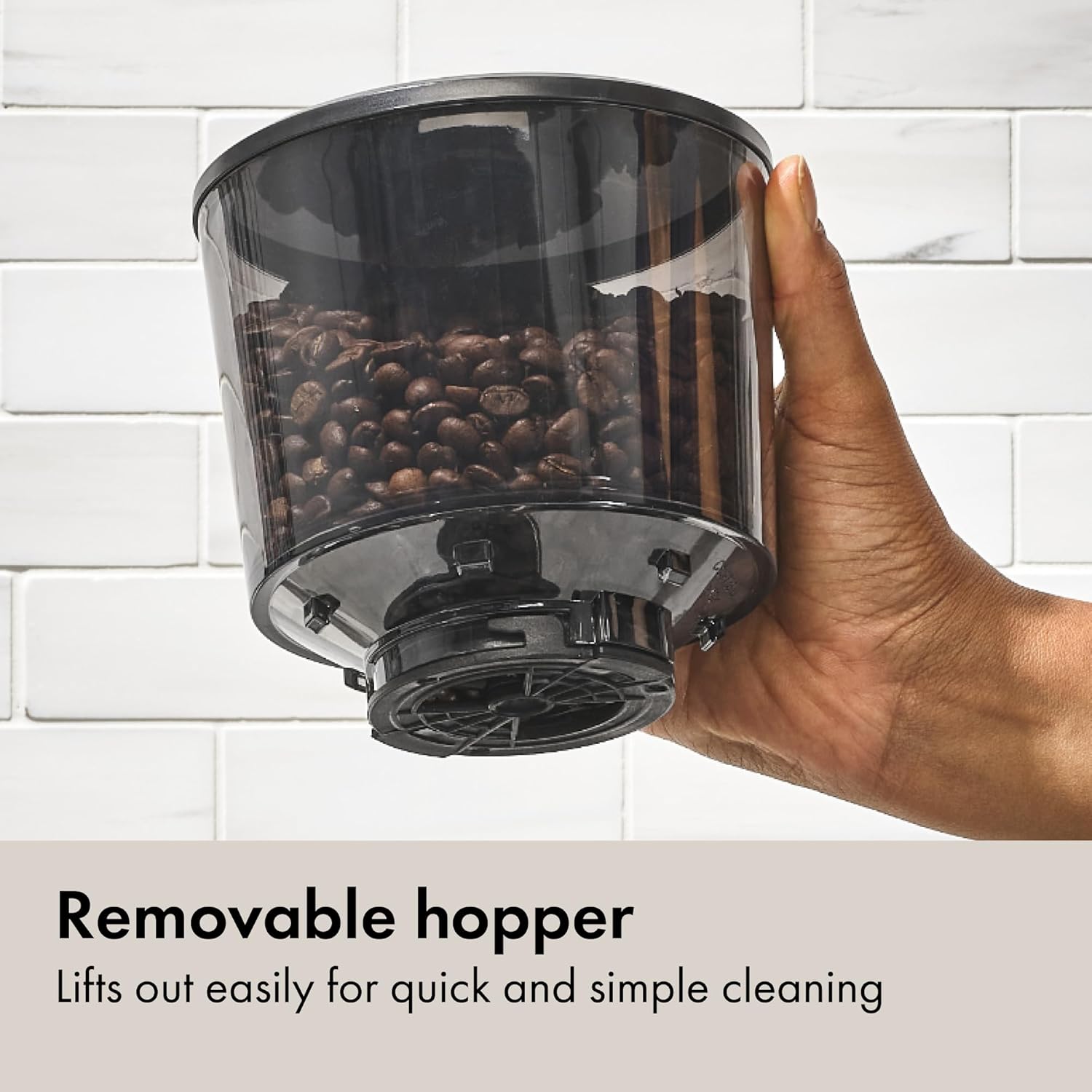
- Positioning the Hopper: Place the bean hopper onto the grinder base. Rotate the hopper clockwise until it locks securely into position. The hopper features a UV-blocking tint to help preserve bean freshness.
- Installing the Grounds Container: Slide the grounds container into its designated slot at the front of the grinder base. Ensure it is seated firmly. The container is designed to reduce static cling.
- Power Connection: Plug the grinder into a standard 120V AC electrical outlet.


Operating Instructions
- Fill the Bean Hopper: Open the hopper lid and pour whole coffee beans into the hopper. The hopper can hold up to 12 ounces of coffee beans. Close the lid securely.
- Select Grind Size: Rotate the bean hopper to adjust the grind size. The grinder offers 15 main settings, from 'Fine' for espresso to 'Coarse' for French press, with additional micro-settings in between. Align the desired setting with the indicator.
- Set Grinding Time: Use the timer dial on the front of the grinder to select the desired grinding duration, from 0 to 30 seconds. The grinder will remember your last setting for convenience.
- Start Grinding: Press the OXO button in the center of the timer dial to begin grinding. The grinder will automatically stop once the set time has elapsed.
- Remove Grounds: Once grinding is complete, carefully remove the grounds container from the grinder. The trap door on the hopper prevents beans from spilling when the hopper is removed.


Maintenance and Cleaning
Regular cleaning ensures optimal performance and extends the life of your grinder.
- Unplug Before Cleaning: Always unplug the grinder from the power outlet before cleaning.
- Empty Grounds Container: Remove the grounds container and discard any remaining coffee grounds. Wash the container and its lid with warm, soapy water, then rinse and dry thoroughly.
- Clean the Burrs:
- Remove the bean hopper by rotating it counter-clockwise and lifting it off.
- Lift the upper burr assembly out by its metal handle.
- Use a brush (a small stiff brush is often included or recommended) to clean any coffee residue from both the upper and lower stainless steel conical burrs.
- Wipe the inside of the grinder where the burrs sit with a dry cloth.
- Reinsert the upper burr assembly, ensuring it clicks into place.
- Replace the bean hopper, rotating it clockwise until it locks.
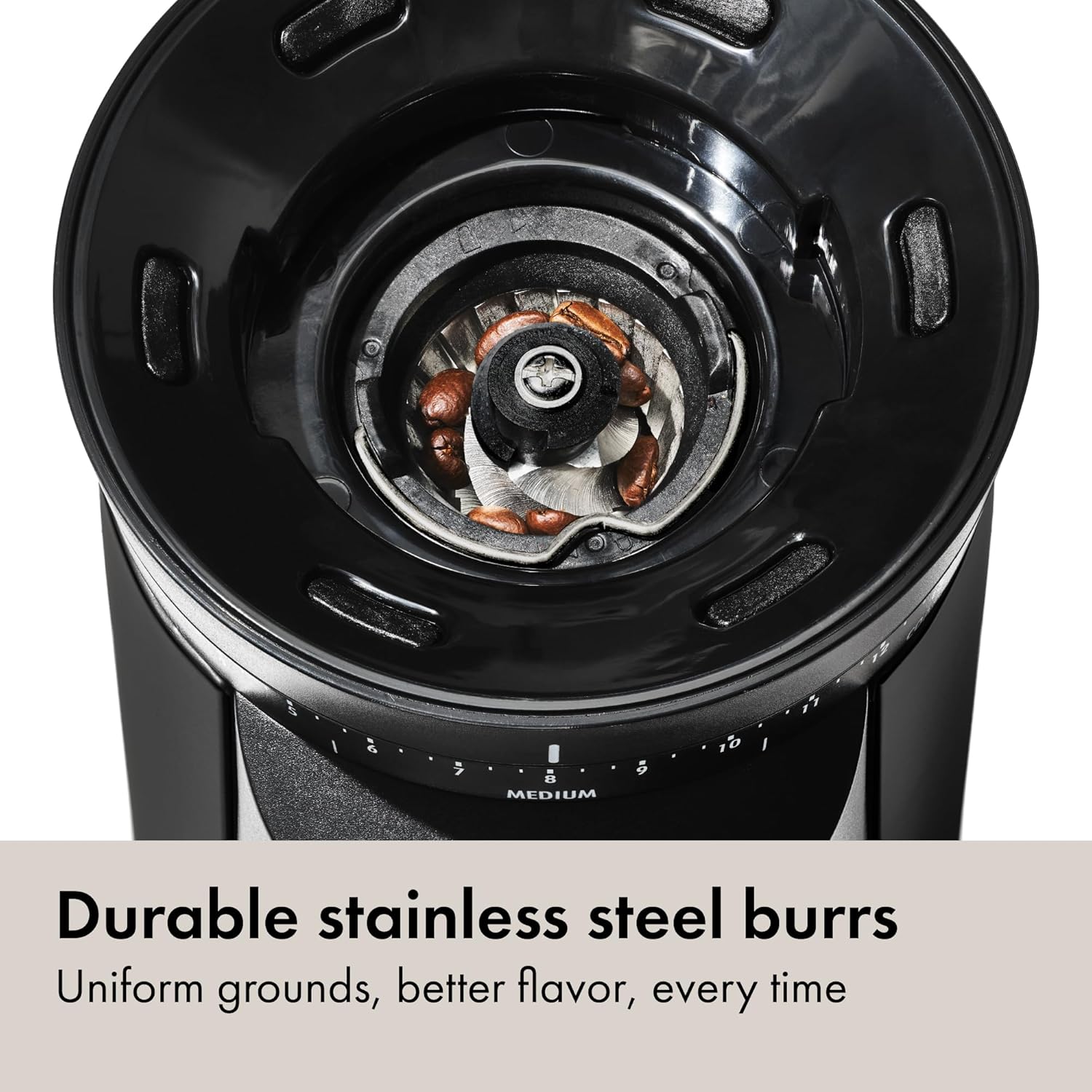
A close-up view of the durable stainless steel conical burrs, essential for consistent grinding. - Clean the Hopper: The bean hopper can be wiped clean with a damp cloth. Ensure it is completely dry before reattaching. The removable design facilitates easy cleaning.
- Exterior Cleaning: Wipe the exterior of the grinder with a damp cloth. Do not use abrasive cleaners or immerse the main unit in water.
Troubleshooting
| Problem | Possible Cause | Solution |
|---|---|---|
| Grinder does not start. | Not plugged in; hopper not locked; power outage. | Ensure power cord is securely plugged in. Rotate hopper clockwise until it locks. Check household circuit breaker. |
| Inconsistent grind. | Burrs are dirty or clogged; incorrect grind setting. | Clean burrs thoroughly as per Maintenance section. Adjust grind setting to a finer or coarser option. |
| Excessive static cling of grounds. | Dry air conditions; very fresh beans. | The grounds container is designed to minimize static. If static persists, try letting the grounds rest in the container for a few minutes before transferring. |
| Grounds container vibrates out during grinding. | Container not properly seated. | Ensure the grounds container is pushed fully back and gently twisted side-to-side to ensure it is securely seated in its position before starting the grinder. |
| Grinder makes unusual noise. | Foreign object in burrs; burrs clogged. | Unplug the grinder. Remove hopper and burrs to inspect for foreign objects. Clean burrs thoroughly. |
| Power plug incompatibility (for international users). | Product purchased in a region with different electrical standards. | This product is designed for 120V outlets. Using adapters or converters not specified for this appliance may void warranty and pose safety risks. Consult a qualified electrician for appropriate solutions if necessary. |
Specifications
- Model: 8722600
- Brand: OXO
- Color: Matte Black
- Burr Type: Stainless Steel Conical Burrs
- Grind Settings: 15 (plus micro-settings)
- Hopper Capacity: 12 ounces (0.75 pounds)
- Voltage: 120 Volts
- Product Dimensions: 7.5"L x 5.3"W x 12.9"H
- Item Weight: 4.47 pounds
- UPC: 840097786193

Warranty and Support
OXO products are designed for durability and performance. For specific warranty details, please refer to the warranty card included with your product or visit the official OXO website. Keep your purchase receipt as proof of purchase.
For customer support, product registration, or to inquire about replacement parts, please visit the OXO Store or contact OXO customer service directly through their official channels.


