
Introduction
The summina TONIVENT Cassette to MP3 Converter is an innovative device designed to digitize your favorite audio cassettes into MP3 files. This manual provides detailed instructions on how to set up, operate, and maintain your converter, ensuring a seamless experience.
Key features include:
- Direct conversion of cassette tapes to MP3 files on a USB flash drive.
- Plug and play functionality, requiring no computer for conversion.
- Automatic reverse function for continuous recording.
- Dual power options: battery or USB.
- Integrated playback function to review recorded files.
- Can also function as a standalone MP3 player from a USB drive.

Image: A person relaxing and listening to music using the TONIVENT Cassette to MP3 Converter with headphones.
Package Contents
Please check the package for the following items:
- 1 x Cassette Recorder (TONIVENT Cassette to MP3 Converter)
- 1 x Earphone
- 1 x USB Cable
- 1 x English Manual

Image: A detailed view of the TONIVENT Cassette to MP3 Converter, showing its white casing and silver trim.
Setup
Powering the Device
The TONIVENT Cassette to MP3 Converter can be powered in two ways:
- Battery Power: Insert two 1.5V AA batteries (not included) into the battery compartment. Ensure correct polarity.
- USB Power: Connect the device to a USB power source (e.g., a computer USB port or a USB wall adapter) using the provided USB cable. The device requires USB 5V/0.5A or 3V DC input.
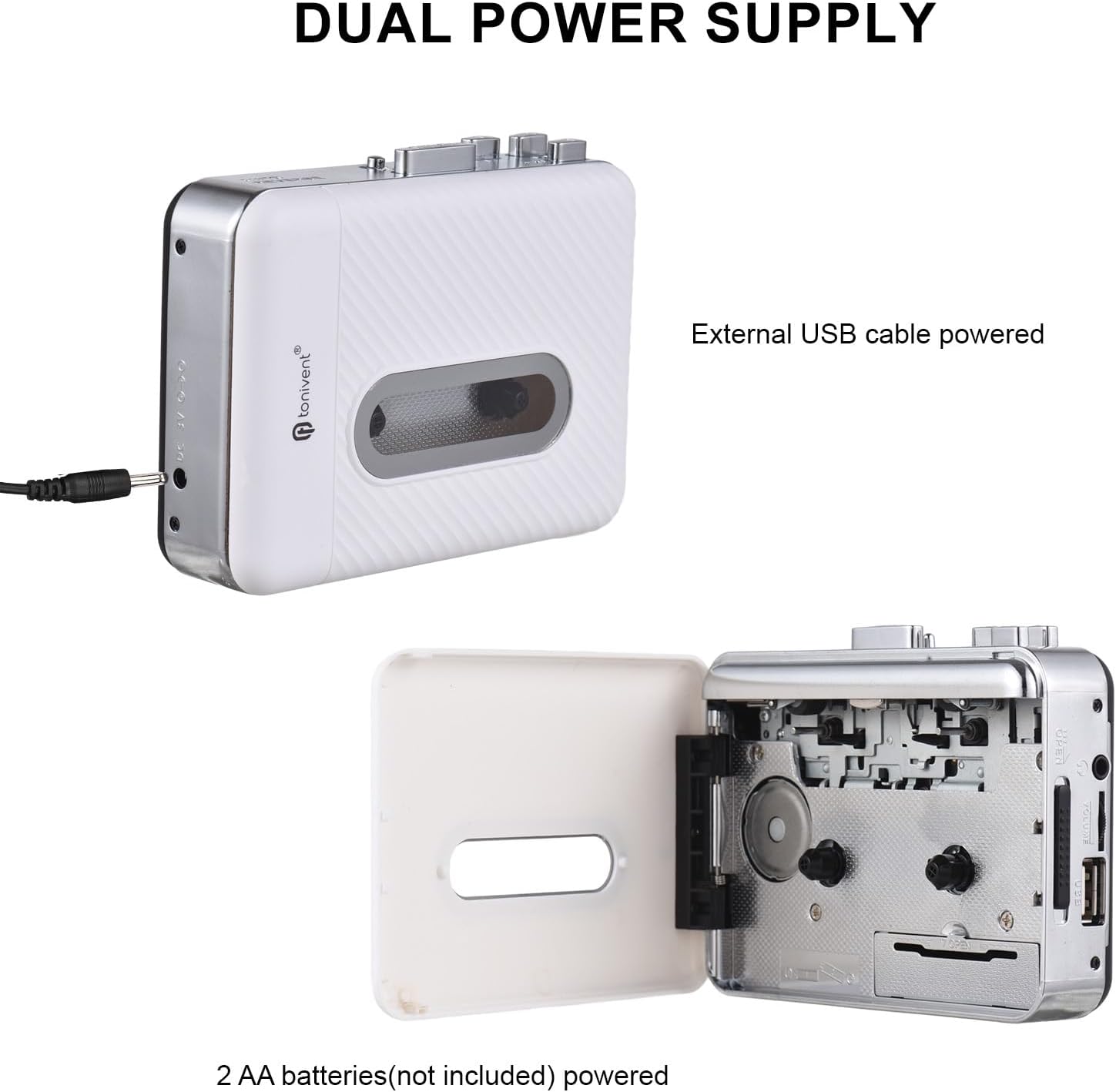
Image: Illustration of the dual power supply options: external USB cable power and 2 AA batteries (not included).
Inserting a Cassette Tape
Open the cassette compartment door and carefully insert your audio cassette. Close the door securely.
Connecting a USB Flash Drive
Insert a USB flash drive into the designated USB port on the device. The USB flash drive should be formatted to FAT, FAT32, or exFAT. NTFS format is not supported. The recommended maximum capacity is 32GB.
Operating Instructions
Converting Cassette to MP3
Follow these steps to convert your cassette tape audio to MP3 files:
- Ensure a cassette tape is inserted and a compatible USB flash drive is connected.
- When the cassette is playing and the USB flash drive is connected, the device will be in standby mode (the blue indicator light will remain on).
- Press the Recording button. The device will begin converting the playing music to MP3 format. The blue indicator light will flash quickly to indicate recording is in progress. If the light does not flash, re-plug your USB flash drive and try again.
- To stop recording, press the Recording button again. The recorded MP3 file will be saved to your USB flash drive.
- The device will create a new folder named "REC-MP3" on your USB disk, and each saved MP3 file will be named sequentially (e.g., "AUX0001" to "AUX9999").

Image: Visual guide detailing the "Convert and Playback" process, showing how to record from cassette to USB.
Playing Back Recorded MP3s or Other MP3s
The device has a playback function, allowing you to listen to the recorded MP3 files or other MP3 files copied to the USB drive.
- Ensure a USB flash drive containing MP3 files is inserted.
- Connect the included earphones to the earphone jack.
- Use the playback controls (e.g., Play/Pause, Next/Previous track) on the device to navigate and listen to your MP3s. Note that only files within the "REC-MP3" folder can be played back directly by the device if you've copied other MP3s to the drive.
Maintenance
To ensure the longevity and optimal performance of your TONIVENT Cassette to MP3 Converter, follow these maintenance guidelines:
- Keep the device clean and free from dust. Use a soft, dry cloth for cleaning.
- Avoid exposing the device to extreme temperatures, humidity, or direct sunlight.
- Do not use abrasive cleaners or solvents.
- When not in use for extended periods, remove the batteries to prevent leakage.
- Handle cassette tapes carefully to prevent damage to the tape and the device's playback mechanism.
Troubleshooting
If you encounter issues with your device, refer to the following common problems and solutions:
- Device does not power on:
- Check if batteries are inserted correctly and are not depleted.
- Ensure the USB cable is securely connected to a working power source.
- Recording does not start or blue indicator light does not flash:
- Verify that a USB flash drive is properly inserted.
- Ensure the USB flash drive is formatted to FAT, FAT32, or exFAT (not NTFS).
- Check if the USB flash drive has sufficient free space.
- Try re-inserting the USB flash drive.
- Poor audio quality during recording or playback:
- Ensure the cassette tape is clean and in good condition.
- Check the earphone connection.
- Clean the tape heads if necessary (refer to general cassette player maintenance).
- Cannot play MP3 files copied to USB drive:
- Ensure the MP3 files are located within the "REC-MP3" folder on the USB drive.
Specifications
| Material | ABS |
| Convert Format | MP3 |
| USB Flash Drive Support | FAT, FAT32, exFAT (NTFS not supported). Max 32GB. |
| Audio Channel | Stereo L/R |
| Bit Rate | 128 Kbps |
| Output Power | 0.15 W |
| USB Output | USB 2.0 |
| Power Source | 2 x 1.5V AA Batteries (not included), USB Port Power (USB 5V/0.5A), 3V DC |
| Item Dimensions | 118 x 88 x 33 mm (4.65 x 3.46 x 1.30 inches) |
| Item Weight | 188 g (6.65 oz) |
| Model Number | GNP0484722486638HF |

Image: Diagram showing the physical dimensions of the TONIVENT Cassette to MP3 Converter.
Warranty and Support
For warranty information or technical support, please refer to the documentation provided with your purchase or contact the manufacturer directly. Keep your purchase receipt as proof of purchase.
Manufacturer: summina
For further assistance, you may visit the summina brand store on Amazon.