
PEAKCOLD IM13MF-IC
PeakCold 13 cu. ft. 1-Door Upright Display Freezer (Model IM13MF-IC) Instruction Manual
Brand: PEAKCOLD | Model: IM13MF-IC
Introduction
This manual provides essential information for the safe and efficient operation, installation, and maintenance of your PeakCold 13 cu. ft. 1-Door Upright Display Freezer. Please read this manual thoroughly before installation and use, and retain it for future reference.
Safety Information
WARNING: To reduce the risk of fire, electric shock, or injury, follow these basic precautions:
- Ensure the unit is properly grounded.
- Do not operate the unit with a damaged power cord or plug.
- Keep ventilation openings clear of obstruction.
- Do not store explosive substances such as aerosol cans with a flammable propellant in this appliance.
- Only qualified personnel should perform repairs.
Setup and Installation
1. Unpacking
Carefully remove all packaging materials from the freezer. Inspect the unit for any shipping damage. Report any damage immediately to the carrier and your dealer.
2. Placement
- Place the freezer on a flat, stable surface capable of supporting its weight (approximately 304 pounds).
- Ensure adequate ventilation around the unit. Maintain a minimum clearance of 4 inches from walls or other obstructions.
- Avoid direct sunlight or heat sources.
- Dimensions: 27.2" W x 26.2" D x 85.3" H (including casters).
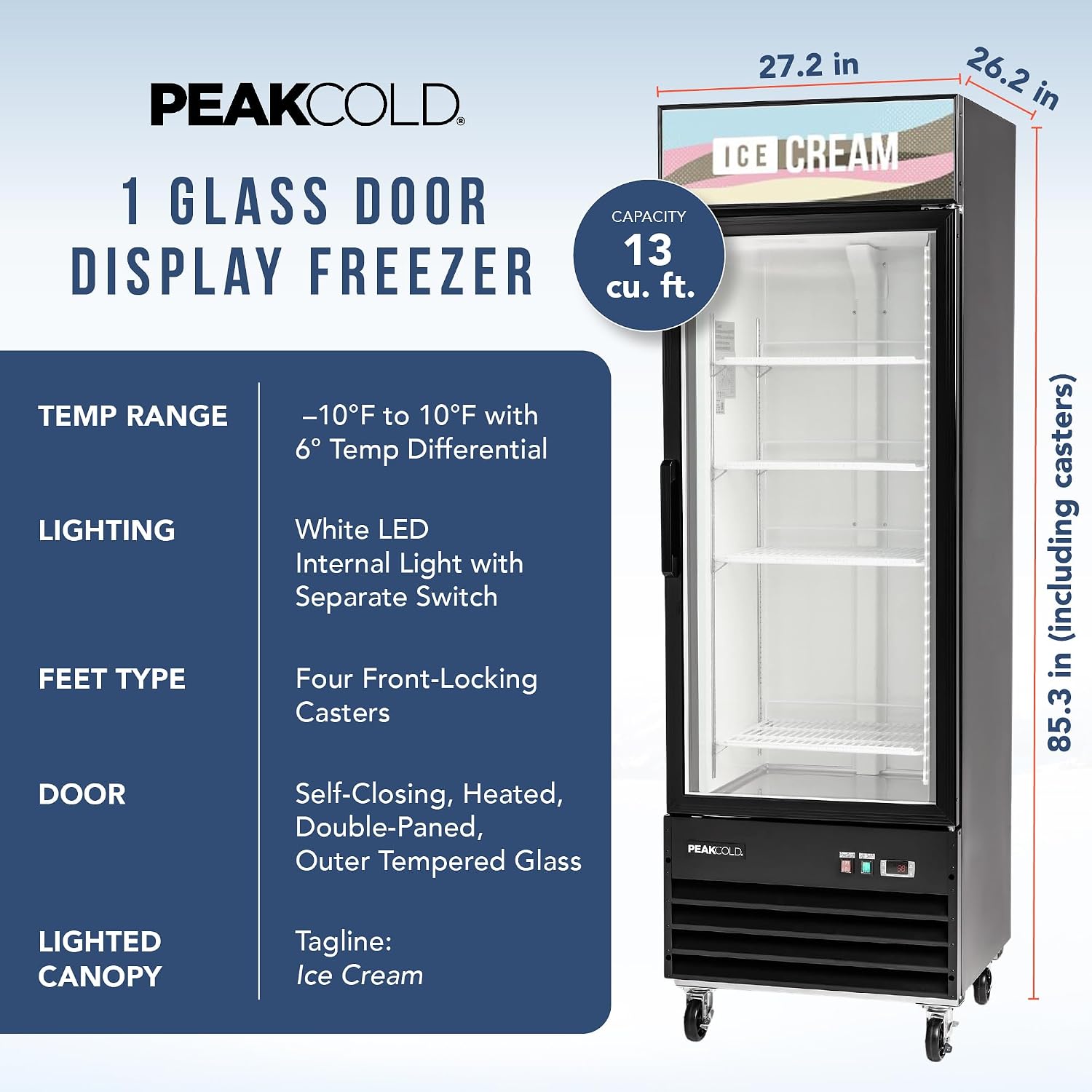
Image: Detailed dimensions of the PeakCold 1-Door Upright Display Freezer, including width, depth, and height with casters.
3. Caster Installation
The freezer comes with 4 pre-installed, front-locking casters for easy mobility. Ensure they are locked once the unit is in its final position.
4. Handle Installation
Attach the door handle using the provided hardware. Refer to the video below for a visual guide on handle installation.
Video: Step-by-step guide on how to install the freezer door handle.
5. Shelf Installation
Install the 4 adjustable shelves into the desired positions. Ensure they are securely seated in the shelf brackets.

Image: View of the adjustable shelves and their mounting brackets inside the freezer.
6. Power Connection
Connect the freezer to a dedicated 115 Volt power outlet. Allow the unit to stand upright for at least 2 hours before plugging it in to allow refrigerants to settle.
Operating Instructions
1. Temperature Control
The freezer is equipped with an easy-to-use Dixell digital controller. The temperature range can be set from -10°F to 10°F, with a temperature differential of 6°F. Refer to the Dixell controller manual for detailed programming instructions.

Image: The Dixell digital controller displaying temperature settings.
2. Lighting
The internal white LED lighting and the Ice Cream lightbox have separate switches for independent control. Use these to enhance product visibility.

Image: The power switch (red) and light switch (green) located on the freezer's control panel.
3. Auto-Defrost Function
This freezer features an automatic defrost system, eliminating the need for manual defrosting. This system helps maintain consistent temperatures and prevents ice buildup.
4. Heated Glass Door
The double-paned, outer tempered glass door is heated to prevent condensation and fogging, ensuring clear visibility of displayed products.
Maintenance
1. Cleaning
- Regularly clean the easy-to-clean aluminum interior with a mild detergent and water.
- Wipe down the exterior steel surfaces with a soft cloth.
- Ensure the condenser coils are free of dust and debris for optimal performance.
2. Door Gasket Inspection
Periodically inspect the door gasket for any tears or damage. A tight seal is crucial for energy efficiency and maintaining proper internal temperatures.
Troubleshooting
If you encounter any issues with your PeakCold freezer, please refer to the following common troubleshooting tips before contacting customer support:
- Unit not powering on: Check power connection, circuit breaker, and ensure the power switch is on.
- Temperature too high: Verify door is fully closed, check for obstructions around the condenser, ensure shelves are not overloaded, and confirm temperature settings.
- Excessive noise: Check if the unit is level and stable. Ensure no objects are vibrating against the unit.
For further assistance, please contact PeakCold customer support.
Specifications
| Feature | Detail |
|---|---|
| Brand | PEAKCOLD |
| Model Number | IM13MF-IC |
| Capacity | 13 Cubic Feet |
| Dimensions (W x D x H) | 27.2" x 26.2" x 85.3" (including casters) |
| Item Weight | 304 pounds |
| Voltage | 115 Volts |
| Defrost Type | Automatic |
| Temperature Range | -10°F to 10°F (6°F differential) |
| Shelves | 4 (Adjustable) |
| Door Type | Heated, Double-Paned Glass, Self-Closing |
| Lighting | Internal White LED, Ice Cream Lightbox |
| Certification | ETL approved, DOE certified, NSF Std7 conforms |
Warranty and Support
PeakCold products are backed by comprehensive warranties and dedicated customer support:
- Labor: 1-year warranty
- Parts: 3-year warranty
- Compressor Part: 5-year warranty
Our US-owned and operated company features a warehouse that handles parts and warranties quickly. Every order is backed by American support that assists through ordering, shipping, set up, and delivery. Reach out anytime for help programming and configuring your equipment!
For support, visit the official PEAKCOLD Store or contact our highly trained, onsite team.
Video: An overview of Iron Mountain Refrigeration & Equipment LLC's customer experience and support.
Product Overview
The PeakCold 1-Door Upright Display Freezer is designed for commercial merchandising, offering efficient freezing and attractive product display. Key features include:
- Bright LED lighting and an Ice Cream lightbox for enhanced visibility.
- 4 adjustable shelves for flexible product arrangement.
- Heated, anti-fog, double-paned glass door.
- 3/4 HP bottom-mounted compressor for stable, commercial-grade freezing.
- Dixell digital controller for precise temperature management (-10°F to 10°F).
- Automatic defrost and R290 refrigerant for low energy consumption.
- Durable steel exterior and easy-to-clean aluminum interior.
- Self-closing door for convenience.
- ETL approved, DOE certified, and conforms to NSF Std7.
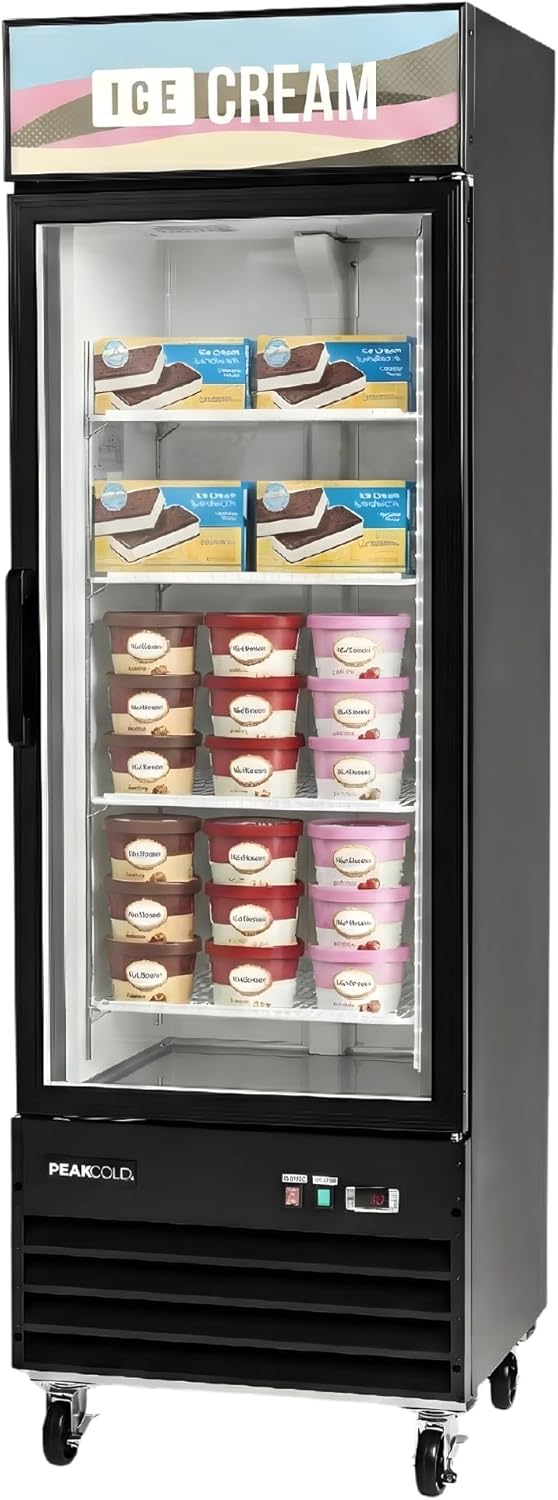
Image: The PeakCold 1-Door Upright Display Freezer, highlighting its illuminated interior and branding.

Image: Infographic showcasing key features like LED lights, heated door, and adjustable shelves.

Image: Infographic illustrating how the freezer is optimized for retail environments.

Image: Infographic highlighting the reliable freezing capabilities and benefits.

Image: Infographic detailing the performance-oriented construction and components of the freezer.

Image: Infographic demonstrating the freezer's suitability for various commercial spaces.

Image: Comparison chart outlining the advantages of PeakCold freezers.

Image: Infographic about PeakCold's company values and support structure.
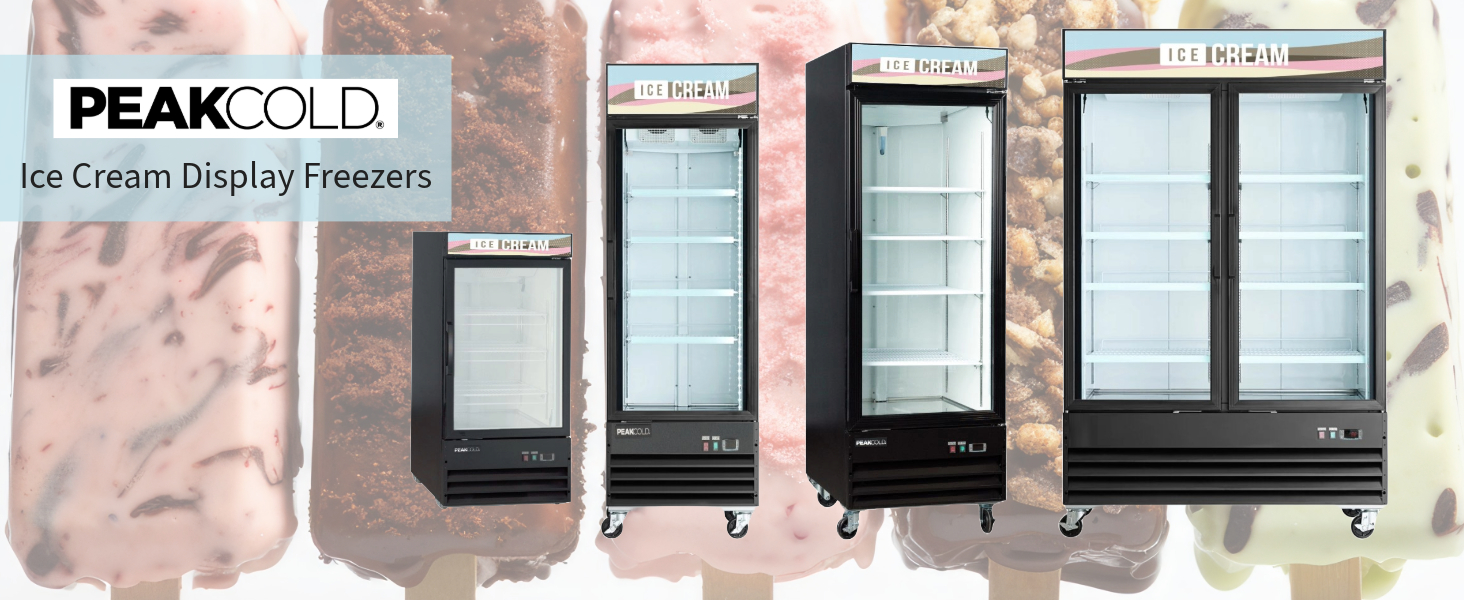
Image: A visual representation of the PeakCold Ice Cream Display Freezers product line.
Additional Product Information
For a general overview of a similar commercial upright display freezer, you may refer to the video below. Note that specific features and dimensions may vary from your PeakCold model.
Video: A general product overview of a commercial upright display freezer, demonstrating its features and functionality.
Ask a question about this manual
Ask about setup, troubleshooting, compatibility, parts, safety, or missing instructions. Manuals+ will review the question and use this page’s manual context to help answer it.