
1. Introduction
Thank you for choosing the Monster Airmars XKT06 Wireless Gaming Headphones. These True Wireless Stereo (TWS) earbuds are designed to provide a high-quality audio experience for both music listening and gaming, featuring low-latency performance and stable Bluetooth 5.2 connectivity. Please read this manual carefully to ensure proper use and maintenance of your new headphones.
2. Package Contents
- Monster Airmars XKT06 Wireless Earbuds (Left and Right)
- Charging Case
- USB Type-C Charging Cable
- User Manual
- Eartips (various sizes)
3. Product Overview
Familiarize yourself with the components of your Monster Airmars XKT06 headphones.

Figure 3.1: Monster Airmars XKT06 Wireless Gaming Headphones in their charging case, showcasing the earbuds and the case with illuminated accents.
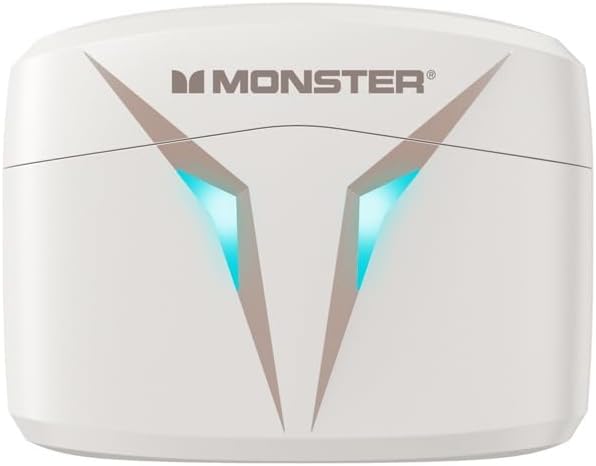
Figure 3.2: Top view of the Monster Airmars XKT06 charging case, highlighting the Monster logo and the distinctive V-shaped light indicators.
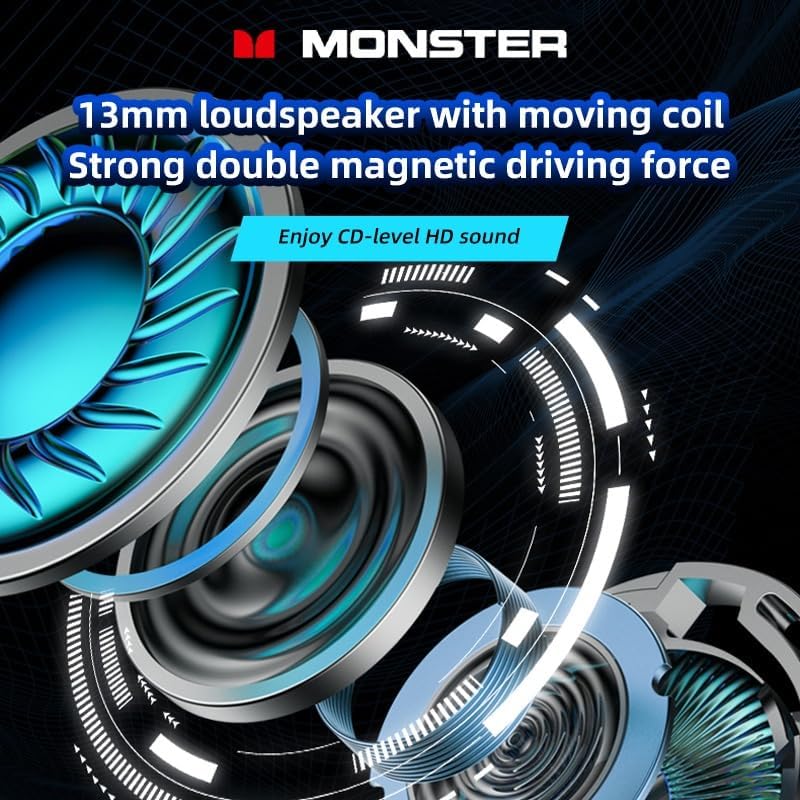
Figure 3.3: An exploded diagram illustrating the internal structure of the 13mm loudspeaker, emphasizing its moving coil and strong double magnetic driving force for enhanced audio quality.
4. Setup
4.1. Charging the Headphones and Case
Before first use, fully charge the headphones and the charging case.
- Connect the provided USB Type-C cable to the charging port on the case.
- Connect the other end of the cable to a USB power adapter (not included) or a computer's USB port.
- The indicator lights on the case will show charging status. Once fully charged, the lights will indicate completion or turn off.
- Place the earbuds into the charging case. They will automatically begin charging. The earbuds' indicators will show charging status and turn off when fully charged.
4.2. Pairing with Your Device
The Monster Airmars XKT06 headphones support Bluetooth 5.2 for a stable connection.
- Open the charging case. The earbuds will automatically enter pairing mode (indicated by flashing lights on the earbuds).
- On your device (smartphone, tablet, computer), go to the Bluetooth settings.
- Turn on Bluetooth.
- Search for available devices and select "MONSTER Airmars XKT06" from the list.
- Once connected, the earbud indicator lights will stop flashing.
Note: The headphones will automatically reconnect to the last paired device when taken out of the case, if Bluetooth is enabled on the device.
5. Operating Instructions
5.1. Touch Controls
The Monster Airmars XKT06 headphones feature intuitive touch controls on each earbud.
| Action | Left Earbud | Right Earbud |
|---|---|---|
| Play/Pause | Single Tap | Single Tap |
| Next Track | Double Tap | |
| Previous Track | Double Tap | |
| Answer/End Call | Single Tap | Single Tap |
| Reject Call | Long Press (2s) | Long Press (2s) |
| Activate Voice Assistant | Triple Tap | Triple Tap |
| Toggle Gaming Mode | Long Press (2s) | Long Press (2s) |
5.2. Gaming Mode
The Monster Airmars XKT06 features a dedicated gaming mode that reduces audio latency for a more immersive gaming experience. To activate or deactivate gaming mode, long press the touch area on either earbud for approximately 2 seconds. You will hear an audio prompt indicating the mode change.

Figure 5.1: The Monster Airmars XKT06 charging case, illustrating the low-latency feature for an immersive experience, ideal for gaming.
5.3. Single Earbud Use
Both earbuds can be used independently. Simply take one earbud out of the case, and it will automatically connect to your device. The other earbud can remain in the case or be used by another person.

Figure 5.2: The Monster Airmars XKT06 headphones demonstrating the free switching capability, allowing either earbud to be used independently.
6. Maintenance
6.1. Cleaning
- Use a soft, dry, lint-free cloth to clean the earbuds and charging case.
- Do not use abrasive cleaners, alcohol, or chemical solvents.
- Gently clean the charging contacts on both the earbuds and the case to ensure proper charging.
6.2. Storage
- Always store the earbuds in their charging case when not in use to protect them and keep them charged.
- Store in a cool, dry place, away from extreme temperatures and direct sunlight.
7. Troubleshooting
If you encounter issues with your Monster Airmars XKT06 headphones, please refer to the following common solutions:
| Problem | Possible Solution |
|---|---|
| Headphones not pairing | Ensure earbuds are charged. Turn off and on Bluetooth on your device. Forget the device in Bluetooth settings and re-pair. |
| No sound from one earbud | Place both earbuds back in the case, close it, then open it again. Ensure both earbuds are charged. |
| Charging issues | Check the USB cable and power adapter. Clean the charging contacts on earbuds and case. Ensure earbuds are correctly seated in the case. |
| Low volume or poor sound quality | Adjust volume on your device. Ensure earbuds are clean and free of debris. Try different sized eartips for a better seal. |
| Intermittent connection | Ensure no obstacles between headphones and device. Stay within the 10-meter Bluetooth range. Avoid strong electromagnetic interference. |
If the problem persists, try resetting the headphones (refer to manufacturer's website for specific reset instructions if not detailed here) or contact customer support.
8. Specifications
- Product Type: TWS Esports Headset
- Model: XKT06
- Brand: Monster
- Color: White
- Bluetooth Version: Bluetooth 5.2
- Bluetooth Transmission Distance: 10 meters
- Horn Size: 13 mm
- Frequency Response Range: 20Hz-20KHz
- Horn Impedance: 32 Ω ±15%
- Sensitivity: 106dB±3dB
- Charging Interface: Type-C
- Ear Placement: In Ear
- Form Factor: In Ear
- Country of Origin: China
9. Warranty and Support
For warranty information and customer support, please refer to the documentation provided with your purchase or visit the official Monster website. Keep your proof of purchase for warranty claims.
For technical assistance or further inquiries, please contact Monster customer service through their official channels.

