
1. Introduction
This manual provides essential information for the safe and effective installation, operation, and maintenance of your PXOEH ELP-LP34 V13H010L34 replacement projector lamp. Please read these instructions carefully before proceeding with installation to ensure optimal performance and longevity of the lamp.

Image 1.1: The PXOEH ELP-LP34 V13H010L34 replacement projector lamp with housing.
2. Compatible Projector Models
The PXOEH ELP-LP34 V13H010L34 replacement projector lamp is compatible with the following Epson projector models:
- Epson EMP-X3
- Epson EMP-82
- Epson PowerLite 76C
- Epson PowerLite 82C
- Epson EMP-62
- Epson EMP-62C
- Epson EMP-63
- Epson EMP-76C
- Epson PowerLite 62C
3. Safety Information
Always observe the following safety precautions when handling or replacing the projector lamp:
- Power Off: Ensure the projector is completely powered off and unplugged from the electrical outlet before attempting any lamp replacement.
- Cool Down: Allow the projector lamp to cool down for at least 60 minutes after use before handling. Hot lamps can cause severe burns.
- Handle with Care: Projector lamps contain mercury and glass. Handle with care to prevent breakage. Do not touch the glass bulb directly with bare hands, as oils can reduce lamp life.
- Ventilation: Ensure adequate ventilation around the projector during operation.
- Disposal: Dispose of old lamps according to local regulations for hazardous waste, as they contain mercury.
4. Installation Instructions
Follow these steps to safely replace the projector lamp:
- Preparation: Ensure the projector is turned off, unplugged, and has cooled down completely.
- Locate Lamp Cover: Identify the lamp cover on your projector. Refer to your projector's specific user manual for the exact location if unsure.
- Remove Lamp Cover: Loosen the screw(s) securing the lamp cover. Gently slide the lamp cover off.
- Remove Old Lamp: Loosen the screws that secure the lamp module to the projector chassis. Carefully pull the old lamp module straight out of the projector. Avoid tilting or forcing it.
- Insert New Lamp: Gently insert the new PXOEH ELP-LP34 V13H010L34 lamp module into the projector slot. Ensure it is seated firmly and correctly. Do not force it.
- Secure New Lamp: Tighten the screws to secure the new lamp module in place.
- Replace Lamp Cover: Reattach the lamp cover and tighten its screw(s). Ensure the cover is securely installed, as the projector may not power on if it detects an open lamp cover.
- Reset Lamp Timer: After replacing the lamp, it is crucial to reset the lamp timer in your projector's menu. Consult your projector's manual for specific instructions on how to reset the lamp timer. This tracks the new lamp's usage accurately.

Image 4.1: Visual guide for replacing the projector lamp. Follow the numbered steps for safe installation.
5. Operating the Lamp
The PXOEH ELP-LP34 V13H010L34 lamp operates as an integral component of your projector. Once installed and the lamp timer is reset, the projector will recognize the new lamp. Refer to your projector's user manual for instructions on operating the projector, adjusting brightness, and selecting display modes. The lamp is designed to provide consistent brightness and color performance throughout its lifespan.

Image 5.1: Close-up view of the A+ wicks, designed for enhanced brightness and longevity.
6. Maintenance
Proper maintenance helps extend the life and maintain the performance of your projector lamp:
- Cool Down Period: Always allow the projector to cool down properly after use. Abrupt power-offs can shorten lamp life.
- Clean Air Filter: Regularly clean or replace your projector's air filter to ensure proper airflow and prevent overheating, which can degrade lamp performance and life.
- Avoid Frequent On/Off Cycles: Turning the projector on and off frequently can reduce lamp life.
- Operating Environment: Use the projector in a clean, dust-free environment with stable temperature and humidity.
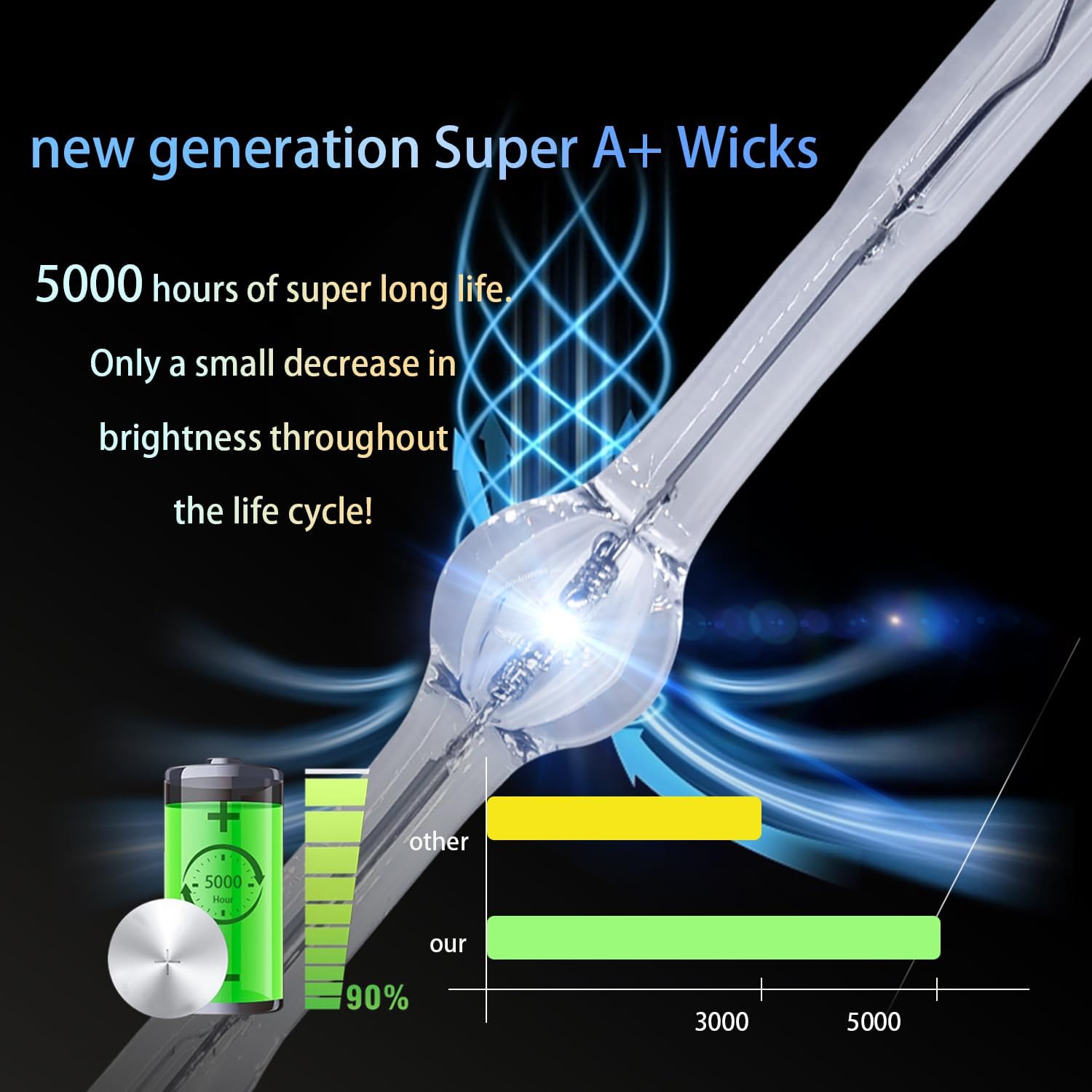
Image 6.1: Illustration of lamp life and brightness performance, indicating a long lifespan with minimal brightness decrease.
7. Troubleshooting
If you encounter issues after installing your new lamp, consider the following:
- Lamp Not Working: If the new bulb does not work, first ensure it is correctly seated and secured in the projector. Verify that the lamp cover is fully closed and secured, as safety interlocks prevent operation if open.
- Inaccurate Matching: Our engineers have addressed common compatibility issues through continuous data collection and testing to ensure accurate matching of production parameters. If issues persist, double-check compatibility with your specific projector model.
- Dim Image: Ensure the lamp timer has been reset. If the image is still dim, check the projector's brightness settings.
- Overheating Warning: If the projector displays an overheating warning, ensure the air filter is clean and the projector has adequate ventilation.
8. Specifications
| Feature | Specification |
|---|---|
| Brand | PXOEH |
| Model Name | ELP-LP34 |
| Light Source Wattage | 170 Watts |
| Average Life | 3500-4500 Hours (Highlight time) |
| Luminance | A new generation of A+ wicks, 50% higher brightness than ordinary wicks |
| Item Weight | 10.6 ounces |
| Package Dimensions | 5.12 x 4.33 x 4.33 inches |
| UPC | 735851398289 |

Image 8.1: Visual comparison highlighting the brighter and more vibrant color output of the PXOEH lamp.
9. Warranty and Support
PXOEH is committed to providing high-quality products and customer satisfaction.
- Warranty: PXOEH offers a 200-day warranty for this projector lamp.
- Replacement/Refund: If the bulb fails within the warranty period, PXOEH will replace it for free or issue a refund.
- Contact Support: For any further information, questions, or warranty claims, please contact PXOEH customer support directly. Refer to your purchase documentation or the seller's information for contact details.