
Monster XKT12
Monster XKT12 Gaming Earphones User Manual
Model: XKT12 | Brand: Monster
1. Introduction
Thank you for choosing the Monster XKT12 Gaming Earphones. These wireless Bluetooth 5.3 headphones are designed to provide a high-fidelity audio experience with clear sound, deep bass, and effective noise reduction, ideal for gaming and everyday listening. This manual will guide you through the setup, operation, and maintenance of your new earphones.
Package Contents:
- Monster XKT12 Wireless Earbuds (Left & Right)
- Charging Case
- USB Charging Cable
- User Manual
2. Safety Guidelines
Please read these safety instructions carefully before using your earphones to ensure proper and safe operation.
- Hearing Protection: Avoid listening at high volume levels for extended periods to prevent hearing damage.
- Driving Safety: Do not use earphones while driving, cycling, or operating machinery where the inability to hear ambient sounds could pose a danger.
- Water and Moisture: Keep the earphones and charging case away from water, rain, or any liquids. They are not waterproof.
- Heat: Do not expose the product to extreme temperatures, direct sunlight, or open flames.
- Disposal: Dispose of the product and its battery responsibly according to local regulations. Do not dispose of with household waste.
3. Getting Started
3.1 Charging the Earbuds and Case
Before first use, fully charge both the earphones and the charging case.
- Place the earbuds into the charging case, ensuring they are correctly seated.
- Connect the USB charging cable to the charging port on the case and the other end to a USB power source (e.g., computer, wall adapter).
- The indicator lights on the case will show the charging status. Once fully charged, the lights will indicate completion or turn off.
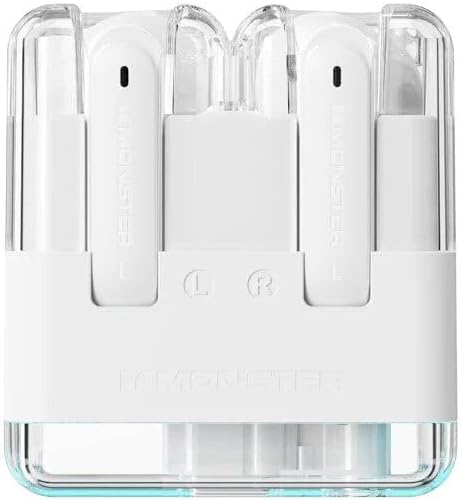
Image: Top view of the Monster XKT12 gaming earphones inside their transparent white charging case, showing the 'L' and 'R' indicators for left and right earbuds. This image illustrates how the earbuds are placed within the charging case for charging.
3.2 Pairing with Your Device
The earphones will automatically enter pairing mode when taken out of the case.
- Ensure the earphones are charged and remove them from the charging case. They will automatically power on and enter pairing mode.
- On your device (smartphone, tablet, computer), enable Bluetooth.
- Search for Bluetooth devices and select "Monster XKT12" from the list.
- Once connected, you will hear a confirmation tone, and the earphones will be ready for use.

Image: A smartphone screen displaying the Bluetooth settings menu, showing the 'Monster XKT12' device connected. Two Monster XKT12 charging cases in beige and purple are visible in the foreground, illustrating the connection process on a mobile device.
4. Operation
4.1 Power On/Off
- Power On: Earbuds automatically power on when removed from the charging case.
- Power Off: Earbuds automatically power off when placed back into the charging case.
4.2 Music Playback
- Play/Pause: Tap either earbud once.
- Next Track: Double-tap the right earbud.
- Previous Track: Double-tap the left earbud.
4.3 Call Management
- Answer/End Call: Tap either earbud once.
- Reject Call: Press and hold either earbud for 2 seconds.
4.4 Voice Assistant
- Activate Voice Assistant: Triple-tap either earbud.
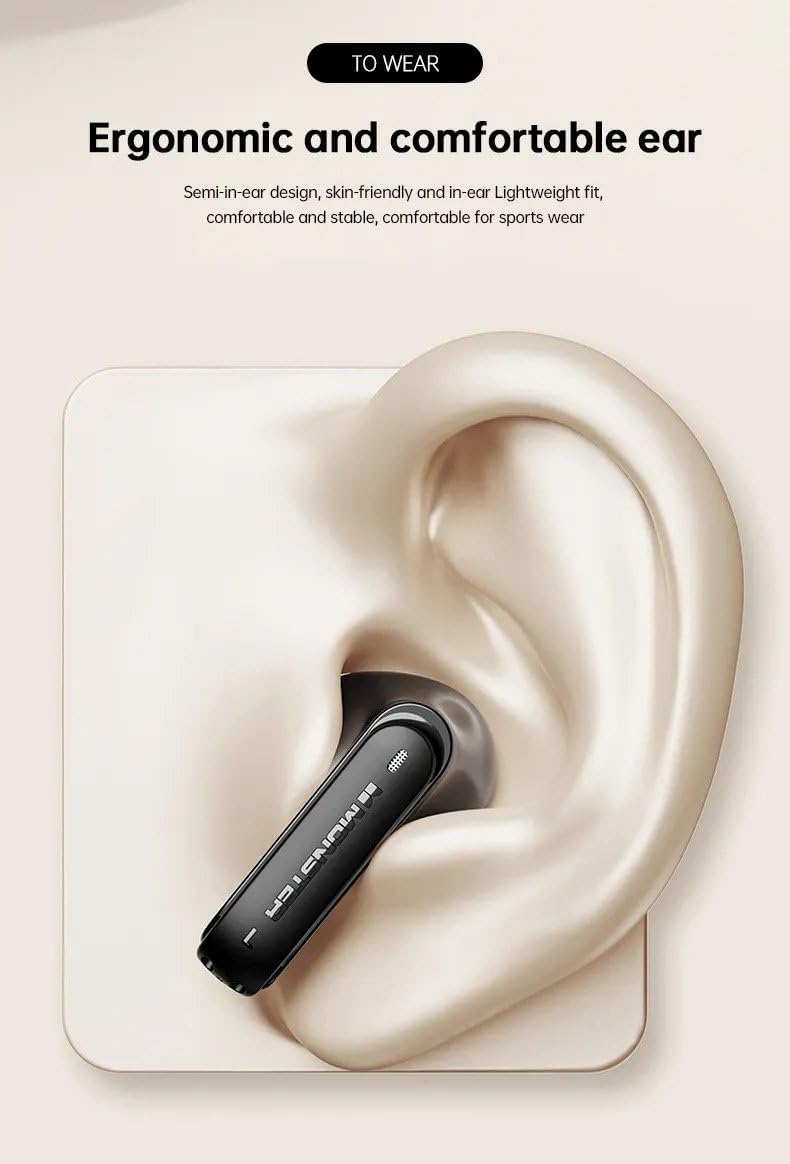
Image: A close-up illustration of a Monster XKT12 earbud comfortably placed within the ear canal, demonstrating its semi-in-ear ergonomic design for a stable and comfortable fit. This image highlights the comfortable and secure fit of the earbud.
5. Care and Maintenance
- Cleaning: Use a soft, dry, lint-free cloth to clean the earbuds and charging case. Do not use harsh chemicals or abrasive materials.
- Storage: When not in use, store the earphones in their charging case to protect them from dust and damage.
- Battery Care: To preserve battery life, avoid fully discharging the battery frequently. Charge the earphones regularly, even if not in constant use.
- Avoid Extreme Conditions: Do not expose the earphones to extreme temperatures, high humidity, or corrosive environments.
6. Troubleshooting
If you encounter issues with your Monster XKT12 earphones, please refer to the following common problems and solutions:
| Problem | Solution |
|---|---|
| Earbuds do not power on. | Ensure the earbuds are charged. Place them in the charging case and connect the case to a power source. |
| Cannot pair with device. | Make sure Bluetooth is enabled on your device. Ensure the earbuds are in pairing mode (out of the case). Try forgetting the device on your phone and re-pairing. |
| No sound from one or both earbuds. | Check the volume level on your device. Ensure earbuds are properly connected. Try resetting the earbuds (refer to manufacturer's specific reset instructions if available). |
| Charging case not charging. | Check the USB cable and power adapter. Try a different cable or power source. |
7. Technical Specifications
| Feature | Specification |
|---|---|
| Model Number | XKT12 |
| Bluetooth Version | V5.3 |
| Transmission Distance | ≥10m |
| Driver Diameter | Ø13mm |
| Driver Impedance | 32Ω ±15% |
| Sensitivity | 109 ±3dB |
| Frequency Response | 20Hz-20kHz |
| Charging Case Battery Capacity | 3.7V 300mAh |
| Headphone Battery Capacity | 3.7V 33mAh |
| Charging Time (Charging Box) | Approx. 1.5 hours |
| Music Playback Time (Headphones) | Approx. 5 hours |
| Color | White |
| Ear Placement | In Ear |
| Form Factor | In Ear |
| Noise Control | None |

Image: A detailed infographic highlighting key features of the Monster XKT12 earphones, including high-fidelity sound quality, sensitive microphone for HD calls, audio and video synchronization, smart compatibility, and Bluetooth 5.3 technology. This image visually summarizes the core technical advantages.

Image: An infographic illustrating the 24-hour long battery life of the Monster XKT12 earphones when used with the charging case, with a large '24' at the center of a circular battery indicator. This image emphasizes the extended usage time.
8. Warranty Information
Monster products are manufactured to the highest quality standards. This product is covered by a limited warranty against defects in materials and workmanship from the date of original purchase. Please retain your proof of purchase for warranty claims. Specific warranty terms and conditions may vary by region. For detailed warranty information, please refer to the official Monster website or contact customer support.
9. Customer Support
If you have any questions, require technical assistance, or need to report an issue with your Monster XKT12 earphones, please contact our customer support team:
- Website: Visit the official Monster website for FAQs and support resources.
- Email: Refer to your product packaging or the official website for customer service email.
- Phone: Refer to your product packaging or the official website for customer service phone numbers.
Please note: Specifications are subject to change without notice.
Related documentsXKT12

Ask a question about this manual
Ask about setup, troubleshooting, compatibility, parts, safety, or missing instructions. Manuals+ will review the question and use this page’s manual context to help answer it.