
1. Introduction
The WASJOYE Fireproof Fingerprint Safe Box Model BXX is designed to provide secure storage for your valuables, documents, and personal items. This safe features advanced biometric fingerprint technology, a digital keypad lock, and emergency key access. It is constructed with fireproof materials and includes an alarm system for enhanced security.
This manual provides detailed instructions for the setup, operation, and maintenance of your safe. Please read it thoroughly before initial use to ensure proper functionality and safety.
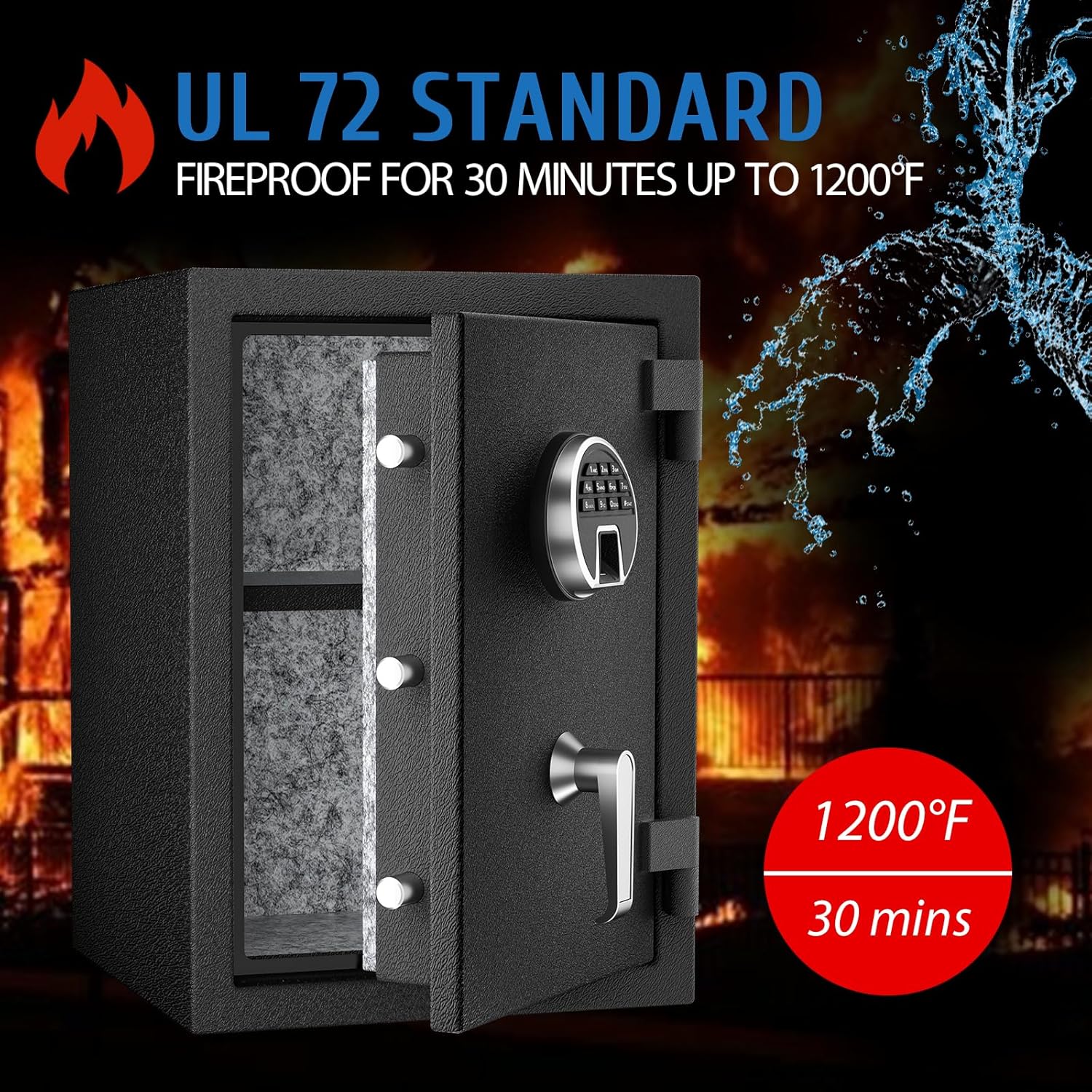
Image 1.1: The WASJOYE safe is certified to UL 72 standard, offering fire protection for 30 minutes up to 1200°F.
2. Setup
2.1 Unboxing and Initial Inspection
Carefully remove the safe from its packaging. Inspect the safe for any signs of damage that may have occurred during transit. Ensure all included components are present:
- Fireproof safe box (1)
- Removable shelf (1)
- Emergency keys (2)
- User Manual (1)
- Mounting screws (1 set)

Image 2.1: Overview of safe dimensions and included accessories.
2.2 Battery Installation
The digital keypad requires batteries (not included) for operation. Locate the battery compartment, typically on the inside of the safe door. Insert the required number of batteries, ensuring correct polarity. Close the compartment securely.
2.3 Mounting the Safe
The safe can be mounted to a floor or wall for added security. Choose a suitable location. Use the provided mounting screws to secure the safe through the pre-drilled holes in the back or bottom of the unit. Ensure the safe is firmly attached to a solid surface to prevent unauthorized removal.
3. Operating Instructions
3.1 Opening the Safe
Your WASJOYE safe offers three methods for access:
- Fingerprint Access: Place a registered finger on the biometric sensor. The safe will unlock if the fingerprint is recognized.
- Digital Keypad Access: Enter your 4-8 digit programmable combination on the digital keypad. The safe will unlock upon correct entry.
- Emergency Key Access: In case of battery failure or forgotten codes, insert the emergency key into the keyhole and turn it to unlock the safe. A TYPE-C interface can also be used for emergency power to operate the digital lock.
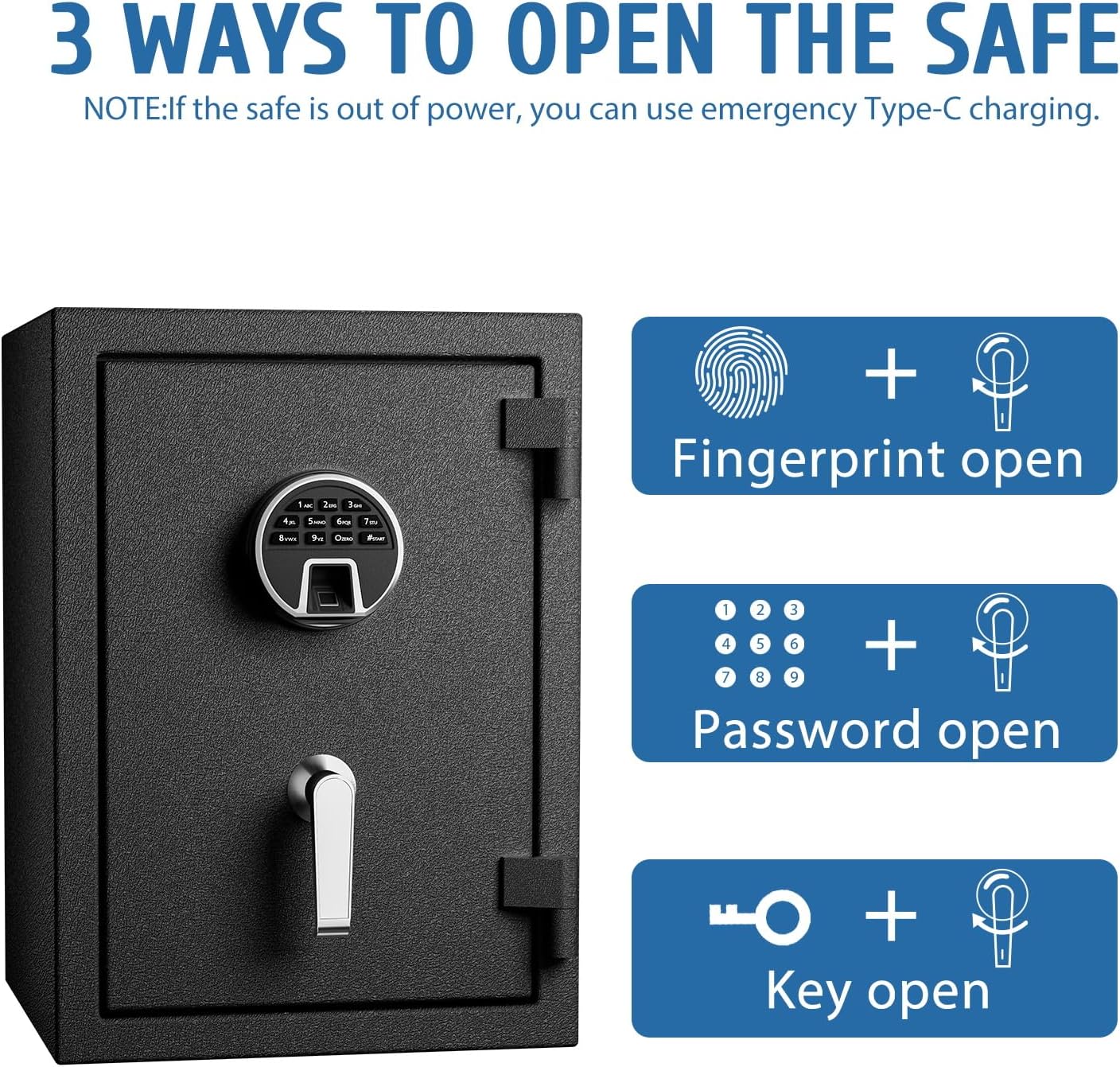
Image 3.1: The safe can be opened using fingerprint, digital password, or emergency key.
3.2 Programming Fingerprints
The safe can store up to 20 unique fingerprints. Refer to the detailed instructions in the included user manual for the specific steps to register and delete fingerprints. The biometric system features a learning function for improved recognition over time.
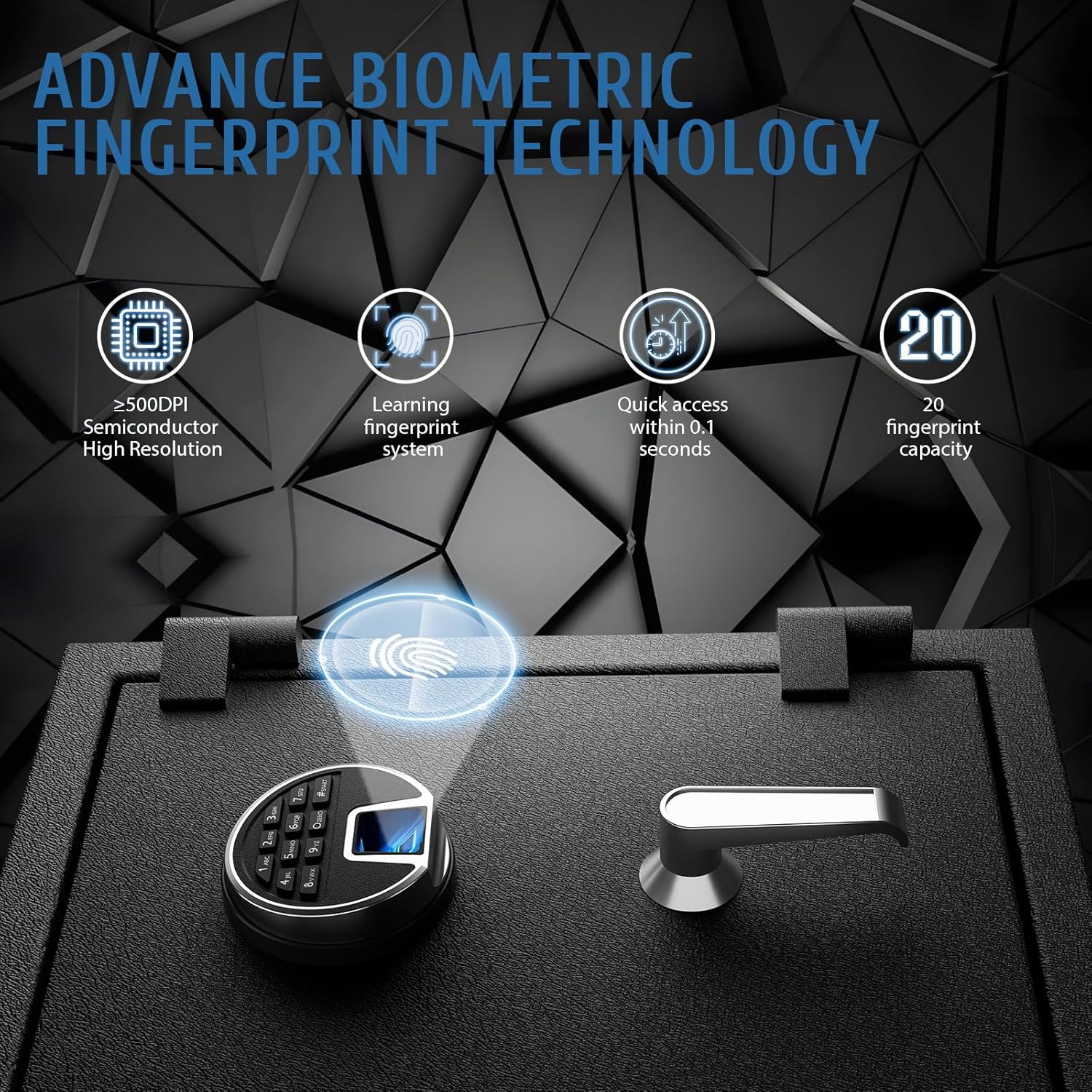
Image 3.2: The safe utilizes advanced biometric fingerprint technology for quick and secure access.
3.3 Setting a Digital Combination
To set or change your digital combination, follow the programming steps outlined in the full user manual. Choose a 4-8 digit code that is easy for you to remember but difficult for others to guess. Avoid simple sequences like '1234' or your birth date.
3.4 Closing and Locking the Safe
After placing items inside, close the safe door firmly. The safe will automatically lock. Always ensure the door is fully closed and secured to maintain its protective features.
4. Maintenance
4.1 Cleaning
To clean the exterior of your safe, use a soft, damp cloth. Avoid abrasive cleaners or solvents that could damage the finish. For the digital keypad and fingerprint sensor, use a dry, lint-free cloth to gently wipe away dust or smudges.
4.2 Battery Replacement
When the batteries are low, the safe's indicator light or sound will alert you. Replace all batteries simultaneously with new, high-quality alkaline batteries to ensure reliable operation. Refer to section 2.2 for battery installation details.
5. Troubleshooting
5.1 Alarm System
The safe is equipped with an alarm system that activates under specific conditions:
- Incorrect Entries: The alarm will trigger if 5 incorrect fingerprints are scanned consecutively or if 3 incorrect digital passwords are entered consecutively.
- Physical Impact: The alarm will also activate if the safe is subjected to a hard impact or violent shaking.
The alarm sound can reach up to 80 decibels. To clear the alarm, enter the correct password or use a valid fingerprint. To activate the vibration mode after an alarm, press "9" again.

Image 5.1: The safe's dual warning system activates upon multiple incorrect entries or violent shaking.
5.2 Safe Not Opening
- Check Batteries: Ensure batteries are correctly installed and have sufficient power. Replace if necessary.
- Correct Entry: Double-check that you are entering the correct digital code or using a registered fingerprint.
- Emergency Access: If digital and biometric methods fail, use the emergency key to open the safe. If the issue is power-related, use the TYPE-C interface for temporary power.
6. Specifications
| Feature | Detail |
|---|---|
| Model Number | BXX |
| Capacity | 2.3 Cubic Feet |
| External Dimensions (H x W x D) | 50.04 x 36.07 x 35.05 cm (20 x 14.2 x 14 inches) |
| Item Weight | 30.2 kg |
| Material | Alloy Steel, Fireproof Gypsum Board, Solid Cement Board |
| Lock Type | Biometric Fingerprint, Digital Keypad, Key |
| Fingerprint Capacity | Up to 20 |
| Digital Code Length | 4-8 Digits |
| Fire Protection | UL 72 Standard (30 minutes at 1200°F) |
| Mounting Type | Floor and Wall Mount |
| Special Features | Alarm System, Anti-Theft, Removable Shelf, TYPE-C Emergency Power |

Image 6.1: The safe features a removable shelf for flexible storage of various valuables.

Image 6.2: The safe is constructed with high-strength alloy steel for professional safety protection.
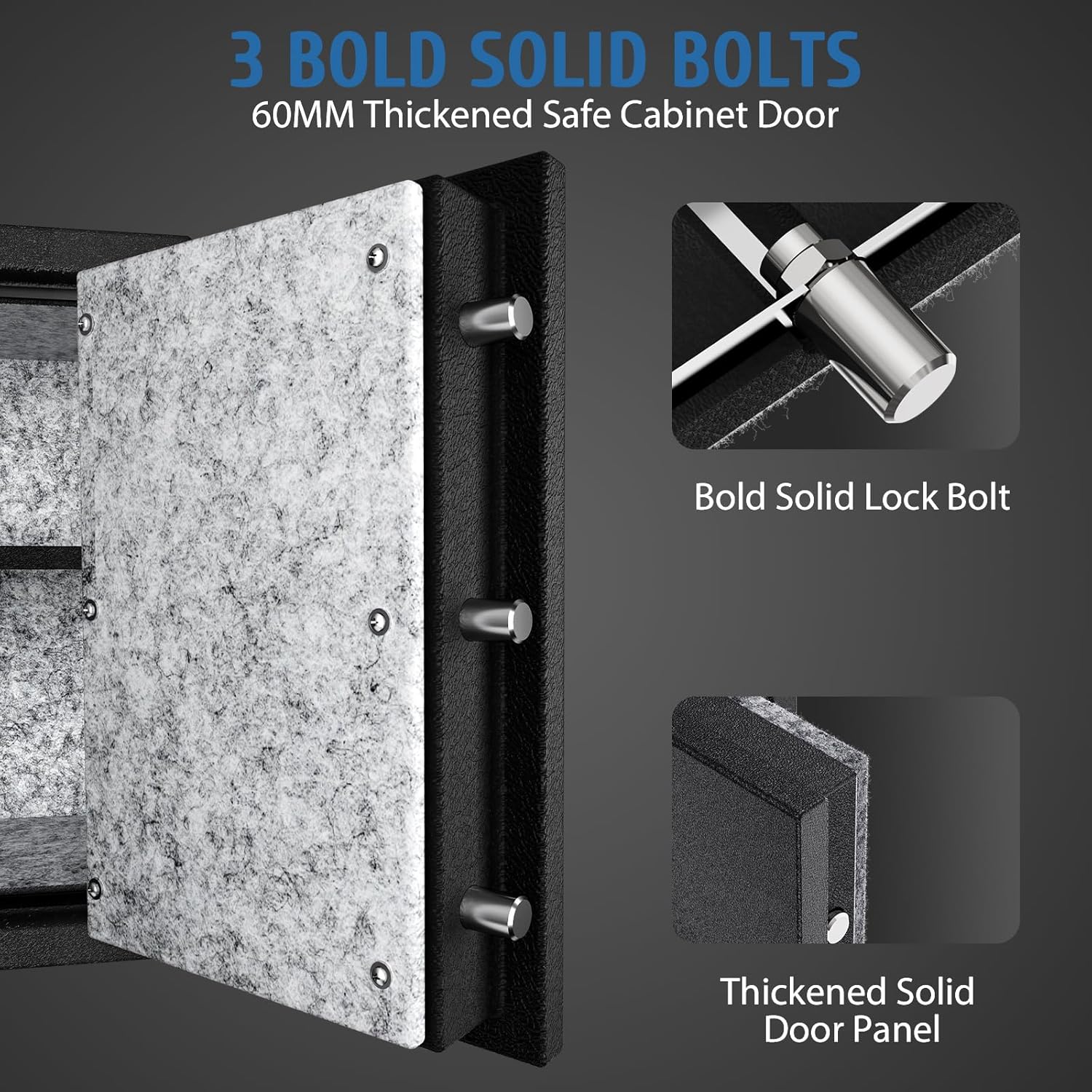
Image 6.3: The safe door features three bold solid bolts and a thickened door panel for enhanced security.
7. Warranty
Please refer to the warranty information provided with your purchase documentation or contact WASJOYE customer service for details regarding the product warranty.
8. Customer Support
If you have any questions, concerns, or require assistance with your WASJOYE Fireproof Fingerprint Safe Box, please contact our customer service team. We offer 24-hour online service to address your inquiries.
Contact Information: Please refer to the contact details provided on the WASJOYE official website or your purchase receipt.