1. Introduction
This manual provides comprehensive instructions for the AULCMEET Replacement Remote Control, model CXW-LED-LP24-RM. This remote is designed as a direct replacement for original remote controls of various United, HKC, and I-JOY television models. It requires no programming and is ready for use upon battery installation.
2. Setup: Battery Installation
The remote control operates on two AAA batteries (not included). Follow these steps to install the batteries:
- Locate the battery compartment cover on the back of the remote control.
- Press down on the tab and slide the cover downwards to open the compartment.
- Insert two new AAA batteries, ensuring the positive (+) and negative (-) terminals align correctly with the markings inside the compartment.
- Slide the battery compartment cover back into place until it clicks securely.

Figure 2.1: Rear view of the remote control with the battery compartment. The compartment is located at the bottom of the remote's back, designed for easy access to insert or replace batteries.
3. Operating Instructions
This replacement remote control is designed for immediate use without any programming. Simply point the remote at your television and press the desired button.
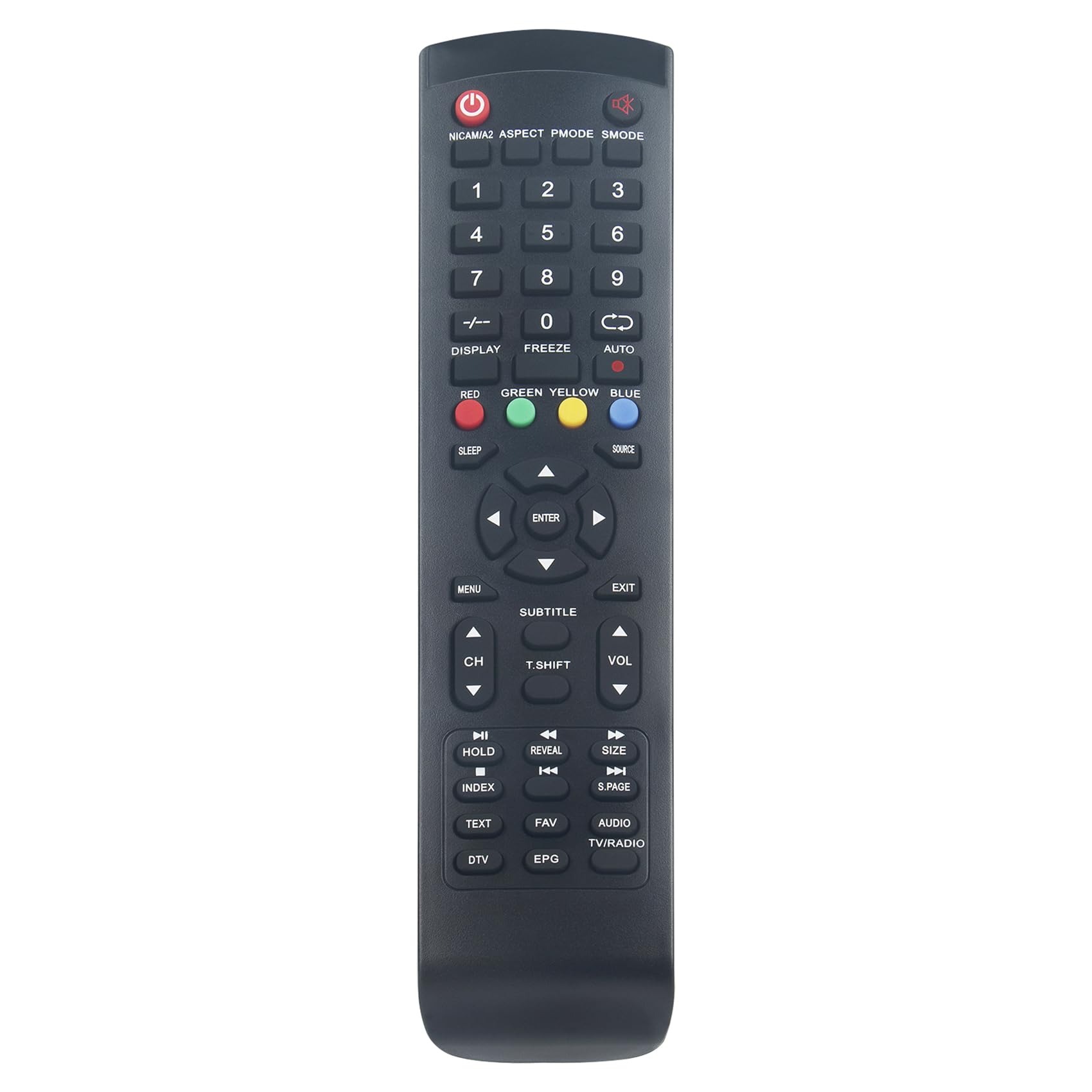
Figure 3.1: Front view of the AULCMEET replacement remote control. This image displays the full button layout, including power, number keys, navigation, volume, channel, and special function buttons.
Key Functions:
- Power Button (ⓘ): Turns the TV on or off.
- Number Keys (0-9): Directly select channels.
- CH+/CH-: Changes channels up or down.
- VOL+/VOL-: Increases or decreases volume.
- Mute: Silences the TV audio.
- Menu: Accesses the TV's main menu.
- Navigation (Up/Down/Left/Right) & Enter: Navigates through menus and confirms selections.
- Source/Input: Selects the input source (HDMI, AV, etc.).
- Exit: Exits the current menu or function.
- Subtitle: Toggles subtitles on/off.
- Text: Accesses teletext functions.
- EPG (Electronic Program Guide): Displays the program guide.
- FAV (Favorites): Accesses favorite channels list.
- DTV/TV/RADIO: Switches between Digital TV, Analog TV, or Radio modes.
- Color Buttons (Red, Green, Yellow, Blue): Used for specific functions within menus or interactive services, as indicated on the TV screen.
4. Compatible Television Models
This AULCMEET replacement remote control is compatible with a wide range of United, HKC, and I-JOY television models. A partial list of compatible models includes:
- LED-LP24
- LEDLP24
- LTW26X96 (V. 2)
- LED32HK62
- LTW32X99
- HT32AT2
- HT19AT2
- HT24AT2
- EH40D4K
- HT4020E32
- HT40AT2
- LED32V1FHD
- EH22F4
- EH24H4
- EH24H4FHD
- 40K7A-A2EU
- 32C1NHD-T2
If your original remote control matches the appearance of this replacement remote, it is likely compatible even if your specific model is not listed above.
5. Maintenance
- Cleaning: Wipe the remote control with a soft, dry cloth. Do not use liquid cleaners or abrasive materials.
- Battery Replacement: Replace batteries when the remote's response becomes sluggish or stops working. Always replace both batteries at the same time with new ones of the same type (AAA).
- Storage: If the remote will not be used for an extended period, remove the batteries to prevent leakage and potential damage.
- Avoid Damage: Do not drop the remote, expose it to extreme temperatures, or immerse it in water.
6. Troubleshooting
| Problem | Possible Cause | Solution |
|---|---|---|
| Remote is not working. |
|
|
| Some buttons are not responding. |
|
|
7. Specifications
- Brand: AULCMEET
- Model Name: CXW-LED-LP24-RM
- Color: Black
- Connectivity Technology: Infrared
- Special Feature: Ergonomic design
- Compatible Devices: United, HKC, I-JOY TVs (e.g., LED-LP24, LEDLP24, LTW26X96 (V. 2), LED32HK62, LTW32X99, HT32AT2, HT19AT2, HT24AT2, EH40D4K, HT4020E32, HT40AT2, LED32V1FHD, EH22F4, EH24H4, 40K7A-A2EU, 32C1NHD-T2)
- Maximum Range: 10 Meters
- Controller Type: Infrared Control
8. Warranty and Support
As a replacement remote control, specific warranty details may vary. Please refer to your purchase documentation or contact the seller directly for information regarding warranty coverage and technical support. Ensure you retain your proof of purchase for any warranty claims.


