
1. Introduction
This manual provides instructions for the AULCMEET RM-C3411 RC159 remote control. This remote is designed as a direct replacement for various JVC JTC TV models, ensuring immediate functionality without complex setup procedures. It operates using infrared technology and offers a full range of controls for your television.
2. Setup
2.1 Battery Installation
The RM-C3411 RC159 remote control requires two AAA alkaline batteries (not included) for operation.
- Locate the battery compartment on the back of the remote control.
- Slide the battery compartment cover downwards to open it.
- Insert two AAA alkaline batteries, ensuring the positive (+) and negative (-) terminals align correctly with the markings inside the compartment.
- Slide the battery compartment cover back into place until it clicks securely.
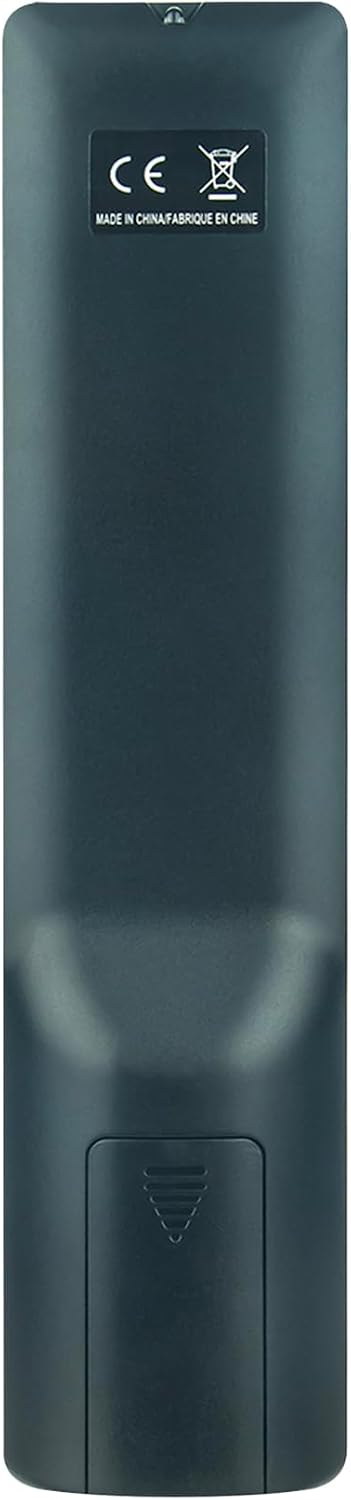
Image: Back view of the remote control, highlighting the battery compartment at the bottom. The compartment cover is visible.
2.2 Initial Use
This remote control is designed for immediate use with compatible JVC JTC TV models. No programming or pairing is required. Once batteries are installed, point the remote control towards your TV and press the desired function button.
3. Operating the Remote Control
The RM-C3411 RC159 remote control features a standard layout for easy navigation and control of your television. Below is a general overview of the buttons and their functions.

Image: Angled view of the remote control, displaying the arrangement and labels of all buttons.
3.1 Button Functions
- POWER: Turns the TV on or off.
- TV/RADIO: Switches between TV and Radio modes.
- FAV: Accesses favorite channels.
- TEXT: Opens or closes Teletext.
- HOLD: Holds the current Teletext page.
- EPG: Displays the Electronic Program Guide.
- SUBTITLE: Toggles subtitles on or off.
- SIZE: Adjusts Teletext display size.
- ASPECT: Changes the screen aspect ratio.
- SUBPAGE: Navigates Teletext subpages.
- MEDIA: Accesses media playback functions.
- Playback Controls (Play, Pause, Stop, Rewind, Fast Forward, Previous, Next): Controls media playback.
- MENU: Opens the TV's main menu.
- OK: Confirms selections in menus.
- Directional Arrows (Up, Down, Left, Right): Navigates through menus and options.
- SLEEP: Sets the sleep timer.
- AUDIO: Selects audio tracks or modes.
- EXIT: Exits the current menu or function.
- MUTE: Mutes or unmutes the TV sound.
- VOL +/-: Adjusts the volume level.
- CH +/-: Changes channels.
- DISPLAY: Shows information about the current program.
- PAGE +/-: Navigates through pages in menus or Teletext.
- Number Buttons (0-9): Directly selects channels or enters numerical values.
- SOURCE: Selects input sources (HDMI, AV, etc.).
- SMART TV: Accesses Smart TV features (if supported by your TV).
- MOUSE: Activates mouse pointer function (if supported by your TV).

Image: Front view of the remote control, providing a clear overview of all buttons and their labels.
4. Maintenance
4.1 Cleaning
To clean the remote control, use a soft, dry cloth. Do not use liquid cleaners, abrasive pads, or chemical solvents, as these can damage the remote's surface or internal components.
4.2 Battery Replacement
Replace batteries when the remote control's response becomes sluggish or stops working. Always replace both batteries at the same time with new AAA alkaline batteries. Do not mix old and new batteries, or different types of batteries.
4.3 Storage
If the remote control will not be used for an extended period, remove the batteries to prevent leakage and potential damage to the device.
5. Troubleshooting
- Remote control is not working:
- Check if the batteries are inserted correctly with the correct polarity (+/-).
- Replace the batteries with new ones.
- Ensure there are no obstructions between the remote control and the TV's infrared sensor.
- Make sure you are within the effective operating range (up to 10 meters) and pointing the remote directly at the TV.
- Specific buttons are not responding:
- This could indicate a faulty button or low battery power. Try replacing the batteries.
- If the issue persists, the remote control may be damaged.
- Remote control has a short lifespan:
- Ensure you are using high-quality alkaline batteries.
- Avoid dropping the remote or exposing it to extreme temperatures or moisture.
6. Specifications
| Model Number | RM-C3411 (CXW-RM-C3411-RM) |
| Brand | AULCMEET |
| Compatible Devices | JVC JTC TV models: LT-24FD100, LT-32FD100, LT-32FD110, LT-24FD120, LT-24FD110 |
| Connectivity Technology | Infrared |
| Number of Buttons | 20 |
| Maximum Range | 10 Meters |
| Battery Type | AAA Alkaline (2 required) |
| Item Weight | 58 Grams |
| Special Feature | Ergonomic design |
7. Warranty and Support
7.1 Warranty Information
Specific warranty details for the AULCMEET RM-C3411 RC159 remote control may vary depending on your region and the retailer from whom you purchased the product. Please refer to your purchase documentation or contact your retailer for precise warranty terms and conditions.
7.2 Customer Support
For technical assistance, troubleshooting beyond this manual, or inquiries regarding your product, please contact the seller or manufacturer directly. Their contact information can typically be found on your purchase receipt or the product packaging.