
1. Introduction
The ViATOM PO6B Bluetooth Pulse Oximeter is a professional finger-tip device designed for accurate and rapid measurement of blood oxygen saturation (SpO2), pulse rate (PR), and perfusion index (PI). It features an advanced finger sensor and utilizes infrared light for precise health monitoring. This device connects to a free mobile application for iOS and Android, allowing real-time data viewing, graphical reports, and historical data storage.

Image: The ViATOM PO6B Pulse Oximeter is designed for intelligent and healthy life monitoring, as shown with an elderly couple.
2. Safety Information
Please read all safety information carefully before using the device. This device is intended for general wellness and health management. It is not intended to diagnose, treat, cure, or prevent any disease. Consult your physician for medical advice.
- Do not use the device in an MRI or CT environment.
- Do not use the device in situations requiring continuous monitoring.
- Keep the device away from children and pets.
- Do not use the device if it is damaged.
- Ensure proper battery installation and disposal.
3. Package Contents
Verify that all items are present in the package:
- 1x ViATOM PO6B Finger Pulse Oximeter
- 1x User Manual
- 1x Lanyard
- 2x AAA Batteries
- 1x Storage Pouch

Image: The package includes the pulse oximeter, user manual, lanyard, and two AAA batteries.
4. Product Overview
The ViATOM PO6B Pulse Oximeter features a clear OLED display and a compact design for easy use. It automatically turns on and off for convenience.

Image: Labeled components of the ViATOM PO6B Pulse Oximeter, showing the display, function button, and battery compartment.
Key Components:
- OLED Display: Shows SpO2, PR, PI, and pulse waveform.
- Function Button: For operating the device.
- Finger Chamber: Where the finger is inserted for measurement.
- Battery Compartment: For AAA batteries.

Image: The device features a clear OLED display for easy reading of SpO2 and pulse rate.
5. Setup
5.1 Battery Installation
- Open the battery compartment cover on the back of the device.
- Insert two AAA batteries, ensuring correct polarity (+/-).
- Close the battery compartment cover securely.
5.2 App Download and Connection
The ViATOM PO6B connects to a free mobile application for iOS and Android devices.
- Download the "ViHealth" app from the App Store (iOS) or Google Play Store (Android).
- Enable Bluetooth on your smartphone.
- Open the ViHealth app and follow the on-screen instructions to pair your PO6B device.
- Ensure the oximeter is turned on and within Bluetooth range during pairing.
6. Operating Instructions
6.1 Taking a Measurement
- Ensure your finger is clean and dry.
- Open the clamp of the oximeter and insert one finger (preferably the index finger) into the rubber opening.
- Ensure the finger is placed correctly, covering the sensor.
- Release the clamp. The device will automatically turn on and begin measurement.
- Keep your hand still during the measurement.
- Read the SpO2, PR, and PI values displayed on the OLED screen.
- The device will automatically turn off after a few seconds of inactivity once the finger is removed.

Image: Insert your finger into the oximeter to begin measurement.
6.2 Measurement Modes: Spot Check vs. Continuous
The device supports both spot check and continuous monitoring modes. In continuous mode, data is recorded automatically when the app is running.

Image: The device supports both spot check and continuous measurement modes.
6.3 Automatic On/Off
The oximeter features an automatic on/off function. It powers on when a finger is inserted and powers off after a period of inactivity.
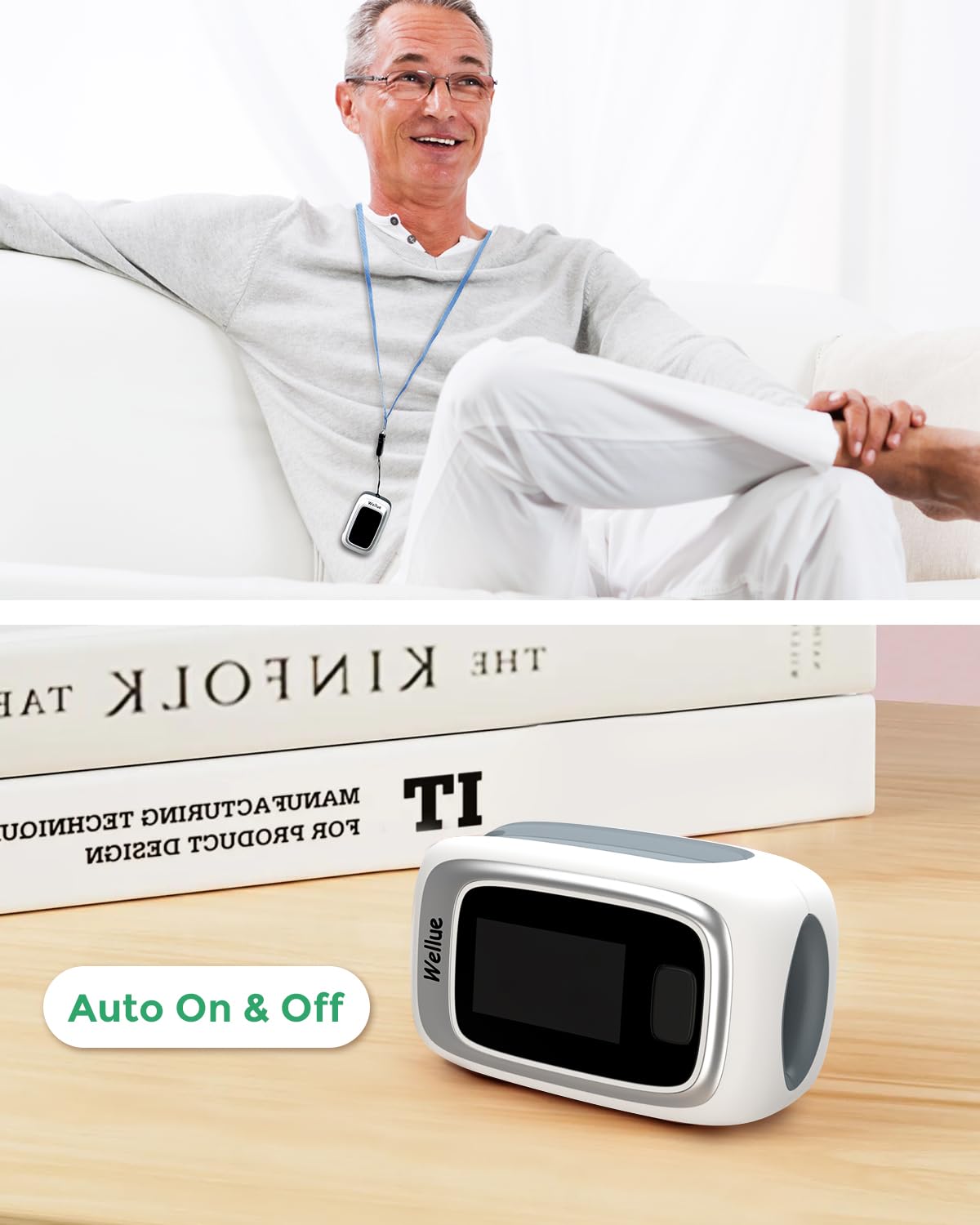
Image: The device automatically turns on when a finger is inserted and off when removed.
7. App Usage (ViHealth)
The ViHealth app provides comprehensive data management and analysis for your pulse oximeter readings.
7.1 Real-time Monitoring
When connected via Bluetooth, the app displays real-time SpO2, PR, and PI data. Data is recorded only when the app is active.

Image: Real-time monitoring of oxygen levels and pulse rate via the ViHealth app.
7.2 Data Storage and Reports
- The device has built-in memory for up to 12 groups of records.
- The app allows for unlimited historical data storage.
- View graphical reports and trends for SpO2 and PR over time.
- Share graphical reports directly from the app.

Image: The ViHealth app provides detailed graphs and historical data for comprehensive health tracking.
8. Anomaly Alarm
The device features an anomaly alarm. If your blood oxygen, pulse rate, or perfusion index values fall below or rise above preset thresholds, the oximeter screen will flash to alert the user. These thresholds can typically be adjusted within the connected mobile application.

Image: The oximeter provides visual alerts for abnormal readings.
9. Maintenance
9.1 Cleaning
- Clean the device surface with a soft cloth dampened with medical alcohol (70% ethanol or isopropanol).
- Do not immerse the device in water or other cleaning solutions.
- Ensure the device is dry before reuse.
9.2 Storage
- Store the device in a cool, dry place, away from direct sunlight and extreme temperatures.
- Remove batteries if the device will not be used for an extended period.
10. Troubleshooting
| Problem | Possible Cause | Solution |
|---|---|---|
| Device does not turn on. | Batteries are low or incorrectly inserted. | Replace batteries or ensure correct polarity. |
| Inaccurate readings. | Finger not properly inserted; excessive movement; cold fingers; nail polish. | Reinsert finger correctly; remain still; warm hands; remove nail polish. |
| Bluetooth connection failure. | Bluetooth off on phone; device out of range; app not open. | Ensure Bluetooth is on; bring device closer; open ViHealth app. |
| Screen flashes (anomaly alarm). | SpO2, PR, or PI values are outside preset limits. | Check your condition; consult a medical professional if concerned. |
11. Specifications
- Brand: ViATOM
- Model Name: PO6B (Checkme O2)
- Color: White
- Measurement Range: SpO2: 35-100%, Pulse Rate: 25-250 bpm
- Batteries: 2x AAA batteries (included)
- Battery Life: Approximately 20 hours
- Memory: Up to 12 groups of records on device, unlimited via app.
- Connectivity: Bluetooth
- Manufacturer: ViATOM
- Country of Origin: China
12. Warranty and Support
The ViATOM PO6B Pulse Oximeter comes with a 24-month worry-free warranty and lifetime technical support. For any questions, issues, or warranty claims, please contact ViATOM customer service through the official website or your purchase platform.
Please retain your proof of purchase for warranty purposes.


