
1. Introduction
The BN-LINK Bluetooth Hygrometer Thermometer (Model CP-T12-2P) is an advanced device designed for accurate indoor temperature and humidity monitoring. Equipped with high-precision sensors, it provides real-time data and historical trends, making it ideal for various environments such as homes, offices, baby rooms, terrariums, incubators, and greenhouses. Its smart features allow for convenient monitoring and analysis via a dedicated mobile application.
Key Features:
- Comfort Indication: Displays air conditions (Dry/Comfort/Wet) with intuitive icons.
- Convenient Design: Features a desktop stand, magnetic back, and hanging hole for versatile placement.
- Accurate Monitoring: High-precision sensors provide data every 2 seconds with accuracy of ±3%RH and ±0.54°F.
- Smart Recording & Analysis: Connects via Bluetooth to the BN-LINK Smart app for real-time data, trend charts, and historical data export.
- Versatile Applications: Suitable for monitoring environmental conditions in a wide range of settings.
2. Package Contents
- Bluetooth Thermometer (2 units for 2-pack)
- Instruction Manual
3. Product Overview
The BN-LINK Hygrometer Thermometer is a compact device with a clear LCD display and multiple mounting options. It is designed for ease of use and accurate environmental monitoring.

Figure 3.1: BN-LINK Bluetooth Hygrometer Thermometer and its accompanying mobile app interface.
3.1. Device Components
- LCD Display: Shows current temperature, humidity, and comfort level.
- °F/°C Button: Located on the top of the device, used to switch between Fahrenheit and Celsius.
- Battery Compartment: Located on the back, holds two AAA batteries.
- Mounting Options: Includes a foldable stand, two built-in magnets, and a hang hole.

Figure 3.2: The clear LCD display provides real-time temperature and humidity readings, along with a comfort indicator.

Figure 3.3: Physical dimensions of the device, approximately 3.2 inches tall by 2.5 inches wide and 0.78 inches deep.
4. Setup
4.1. Battery Installation
The device requires two AAA batteries (not included in all packages, please check your specific product contents). To install:
- Open the battery compartment cover on the back of the device.
- Insert two AAA batteries, ensuring correct polarity (+/-).
- Close the battery compartment cover securely.

Figure 4.1: The device is powered by two AAA batteries, offering ultra-low power consumption for extended use.
4.2. App Download and Pairing
To unlock smart features and remote monitoring, download the BN-LINK Smart app and pair your device:
- Download App: Search for "BN-LINK Smart" in the App Store (iOS) or Google Play (Android) and download the app. Ensure the app name includes "Smart".
- Enable Bluetooth: Ensure Bluetooth is active on your smartphone or tablet.
- Sign In/Up: Open the BN-LINK Smart app and log in or sign up for an account.
- Grant Permissions: Allow the app to use Bluetooth and send notifications when prompted.
- Add Device: In the app, tap the green "+" button (or "Add Device") to begin the pairing process.
- Enter Pairing Mode: On the hygrometer, press and hold the button on the top for 5 seconds until the display indicates pairing mode (e.g., flashing indicators).
- Connect: The app will discover the device. Tap "Add" next to the discovered device (e.g., "Temperature Humidity Sensor"), then tap the blue plus button to confirm.
- Rename (Optional): You can rename the device for easier identification (e.g., "Living Room Sensor"). Tap "Done" to complete.
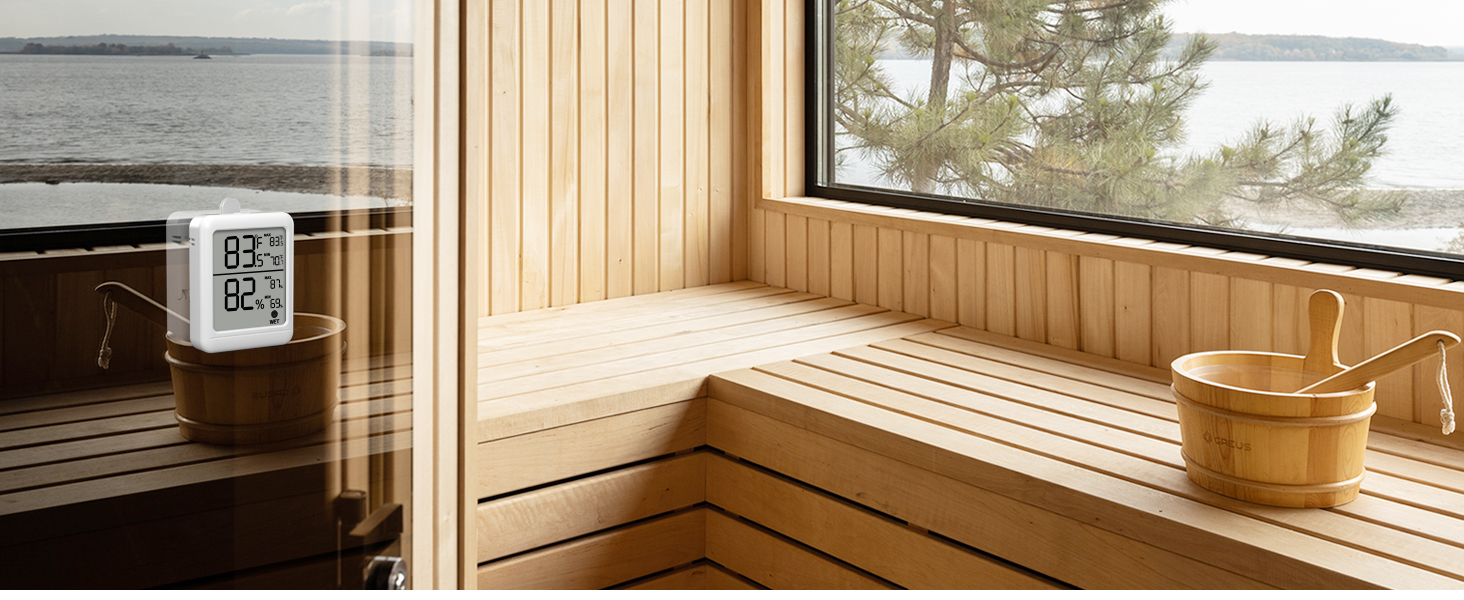
Figure 4.2: Step-by-step guide for connecting the device to the BN-LINK Smart app.
5. Operation
5.1. Reading the Display
The device's LCD display provides comprehensive information:
- Current Temperature: Large number in the top half.
- Max/Min Temperature: Smaller numbers in the top right, showing the highest (MAX) and lowest (MIN) temperatures recorded in the last 24 hours.
- Current Humidity: Large number in the bottom half.
- Max/Min Humidity: Smaller numbers in the bottom right, showing the highest (MAX) and lowest (MIN) humidity levels recorded in the last 24 hours.
- Comfort Indicator: An icon at the bottom of the display indicates the comfort level (Dry, Comfort, Wet) based on current humidity.
5.2. Toggling Temperature Units
To switch between Fahrenheit (°F) and Celsius (°C), simply press the button located on the top of the hygrometer.
5.3. App Functionalities
Once connected to the BN-LINK Smart app, you can access:
- Real-time Data: View live temperature and humidity readings on your smartphone.
- Historical Data: Access charts showing temperature and humidity trends by hour, day, or month. This allows for better insight into environmental changes.
- Data Export: Export historical data to your email for further analysis.
- Settings: Change temperature units (°F/°C) directly from the app's settings.

Figure 5.1: The BN-LINK Smart app provides smart remote monitoring capabilities via Bluetooth connectivity.
6. Mounting Options
The BN-LINK Hygrometer Thermometer offers flexible placement options to suit your needs:
- Desktop Stand: A foldable stand on the back allows the device to be placed upright on any flat surface, such as a desk, shelf, or nightstand.
- Magnetic Mounting: Two strong magnets on the back enable secure attachment to metal surfaces like refrigerators or magnetic boards.
- Hanging Hole: A built-in hole allows the device to be hung on a screw or hook on a wall.

Figure 6.1: The device supports multiple mounting methods for convenience.
7. Maintenance
7.1. Battery Replacement
When the battery indicator on the display or in the app shows low power, replace the two AAA batteries to ensure continuous and accurate readings. Refer to Section 4.1 for installation steps.
7.2. Cleaning
To clean the device, gently wipe it with a soft, dry cloth. Do not use abrasive cleaners or immerse the device in water.
8. Troubleshooting
If you encounter issues with your BN-LINK Bluetooth Hygrometer Thermometer, consider the following common solutions:
- No Display/Low Power: Check and replace batteries if necessary.
- Bluetooth Connection Issues: Ensure Bluetooth is enabled on your phone and the device is within range (up to 65 feet without obstructions). Restart both the device (by reinserting batteries) and the app.
- Inaccurate Readings: Ensure the device is placed in a stable environment away from direct sunlight, heat sources, or extreme drafts. Allow a few minutes for readings to stabilize after placement or battery change.
- App Not Displaying Data: Verify the device is successfully paired in the app. Check app permissions for Bluetooth access.
For more detailed troubleshooting or specific technical support, please refer to the comprehensive User Manual (PDF) provided with your product or contact BN-LINK customer support.
9. Specifications
| Feature | Specification |
|---|---|
| Model Number | CP-T12-2P |
| Temperature Range | -20°C to 60°C / -4°F to 140°F |
| Temperature Accuracy | ±0.54°F |
| Humidity Accuracy | ±3%RH |
| Refresh Frequency | 2 Seconds |
| Max/Min Records | 24 Hours |
| Dimensions | 2.56 x 3.15 x 0.78 inches |
| Battery Type | 2*AAA |
| Mounting Type | Tabletop, Magnetic, Wall-mount |
| Connectivity | Bluetooth |
10. Versatile Applications
The BN-LINK Bluetooth Hygrometer Thermometer is suitable for a wide range of indoor environments where precise temperature and humidity monitoring is crucial:
- Homes & Offices: Maintain optimal comfort and air quality.
- Baby Rooms: Ensure a healthy and comfortable environment for infants.
- Greenhouses & Plant Cultivation: Monitor conditions for plant growth and health.
- Terrariums & Reptile Habitats: Maintain specific climate requirements for pets.
- Warehouses & Storage: Protect goods sensitive to temperature and humidity fluctuations.
- Incubators: Monitor precise conditions for hatching or culturing.

Figure 10.1: The hygrometer is versatile for use in many indoor environments.
11. Official Product Video Guide
Video 11.1: Official BN-LINK Bluetooth Hygrometer Thermometer Overview. This video provides a visual guide to the product's features, setup, and app connectivity.
12. Warranty and Support
For warranty information, product registration, or further assistance, please visit the official BN-LINK website or refer to the contact details provided in your product packaging. You can also find additional support and resources in the User Manual (PDF).