
1. Introduction
This manual provides detailed instructions for the proper setup, operation, and maintenance of your TYT MD-UV390 Plus 10-watt DMR UHF VHF IP67 Waterproof Two-Way Radio. Please read this manual thoroughly before using the device to ensure optimal performance and safety.
2. Product Overview
The TYT MD-UV390 Plus is a robust digital mobile radio (DMR) designed for reliable communication. It features high power output, AES256 encryption capabilities, and an IP67 waterproof rating, making it suitable for various demanding environments.
2.1. Components and Controls
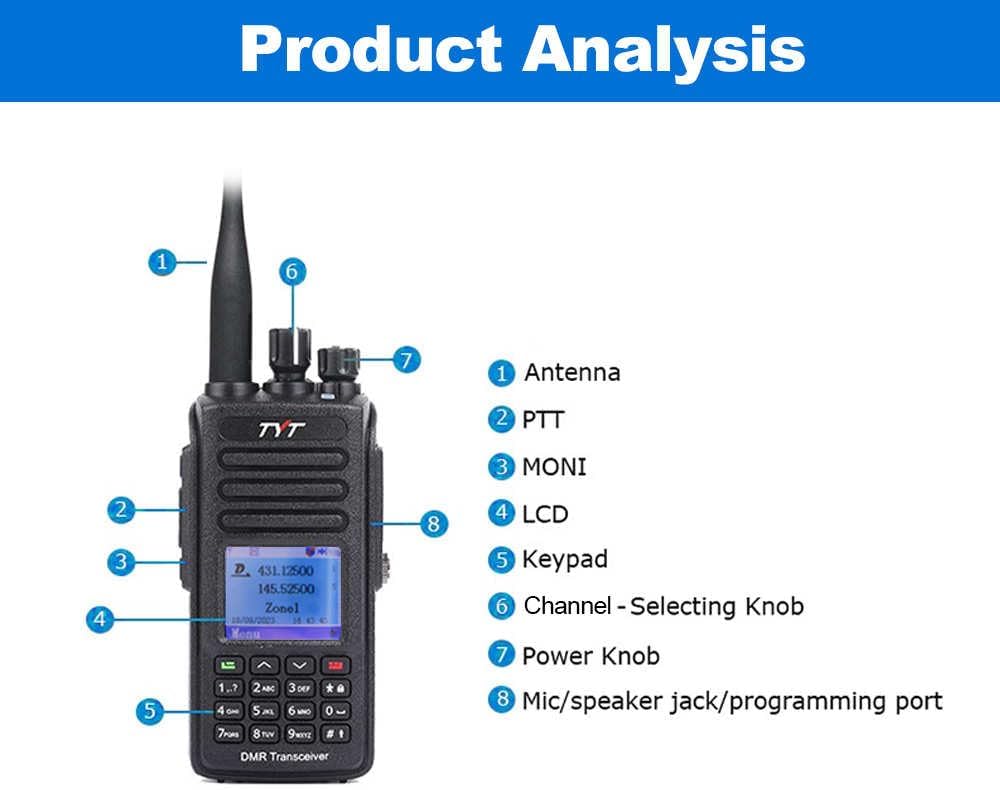
Figure 1: Product Analysis Diagram showing key components.
- Antenna: For transmitting and receiving radio signals.
- PTT (Push-to-Talk) Button: Press and hold to transmit, release to receive.
- MONI Button: For monitoring weak signals.
- LCD: Displays operational information.
- Keypad: For manual frequency input, menu navigation, and function selection.
- Channel-Selecting Knob: Rotates to select channels.
- Power Knob: Turns the radio on/off and adjusts volume.
- Mic/Speaker Jack/Programming Port: Connects accessories like microphones, earphones, and programming cables.
2.2. Included Components

Figure 2: Standard package contents including radio, battery, adapter, antenna, desktop charger, belt clip, and instruction manual.
The standard package includes the MD-UV390 PLUS Radio, Battery, Adaptor, Antenna, Desktop Charger, Belt clip, and this Instruction Manual. A programming cable is also included for software configuration.
3. Setup
3.1. Battery Installation and Charging
Align the battery pack with the grooves on the back of the radio and slide it upwards until it clicks into place. To remove, press the battery release button and slide the battery downwards. Charge the battery using the provided desktop charger or via the Type-C USB port on the battery itself.
3.2. Antenna Attachment
Screw the antenna clockwise into the connector on the top of the radio until it is firmly seated. Do not overtighten.
3.3. Programming the Radio
The TYT MD-UV390 Plus requires programming software (CPS) for advanced configuration, including channel frequencies, talk groups, and encryption settings. The programming cable is compatible with MD-UV380/MD-UV390 models.
Download the latest software from the official website: https://www.szanysecu.com/en/h-col-120.html
Video 1: Overview of the TYT UV-390 10W+usb radio, demonstrating basic functions and physical features.
Video 2: An introductory guide to creating DMR codeplugs, providing foundational knowledge for radio programming.
4. Operating Instructions
4.1. Power On/Off and Volume Control
Rotate the Power Knob clockwise to turn the radio on. Continue rotating to increase the volume. Rotate counter-clockwise to decrease volume and turn the radio off.
4.2. Menu Navigation
Use the keypad and navigation buttons (up/down arrows, green/red buttons) to access and navigate the radio's menu system. The green button typically confirms selections, while the red button acts as a back/exit function.
4.3. Channel and Zone Selection
Rotate the Channel-Selecting Knob to cycle through programmed channels within the current zone. Use the menu to select different zones.
Video 3: A demonstration of the TYT MD-UV390 radio's general operation, including button functions and menu navigation.
4.4. DMR and Analog Modes
The radio supports both Digital Mobile Radio (DMR) and Analog communication modes. The mode is typically configured per channel via the programming software. Ensure the correct mode is selected for your intended communication.
Video 4: An introduction to the functions of a dual-band DMR radio, providing context for digital radio operation.
5. Features
5.1. 10 Watts High Power Output
The MD-UV390 Plus offers a high power output of 10 watts, enhancing communication range and signal penetration. This feature is particularly beneficial in challenging environments or over longer distances.

Figure 3: The radio highlighting its 10-watt strong coverage capability.
5.2. AES256 Encryption
For secure communications, the radio supports AES256 encryption. This feature can be configured via the programming software to protect your conversations from unauthorized interception.
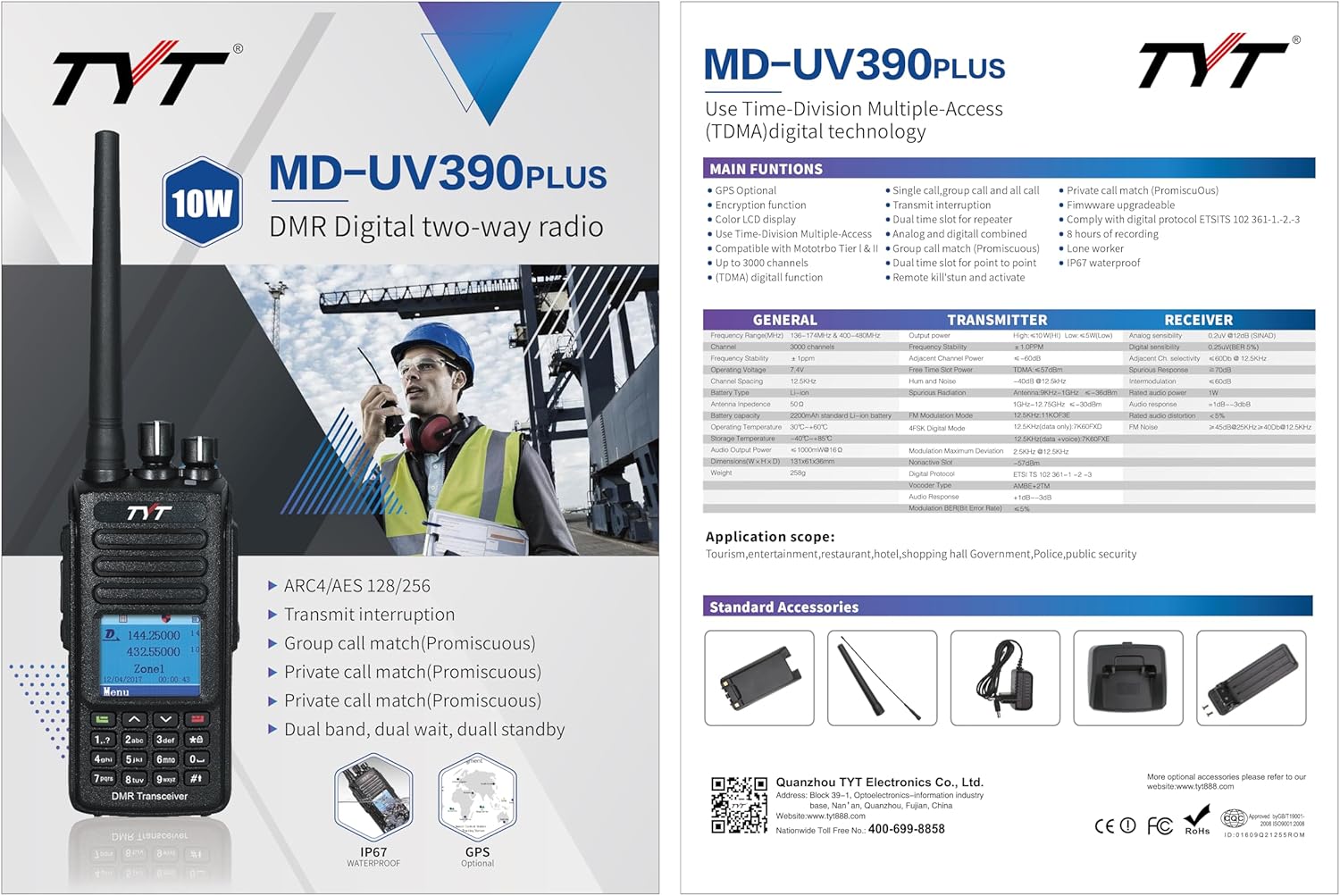
Figure 4: Visual representation of the AES256 encryption function.
5.3. IP67 Waterproof Rating
The IP67 rating ensures the radio is protected against dust ingress and can withstand immersion in water up to 1 meter for 30 minutes. This makes it highly durable for outdoor and harsh conditions.
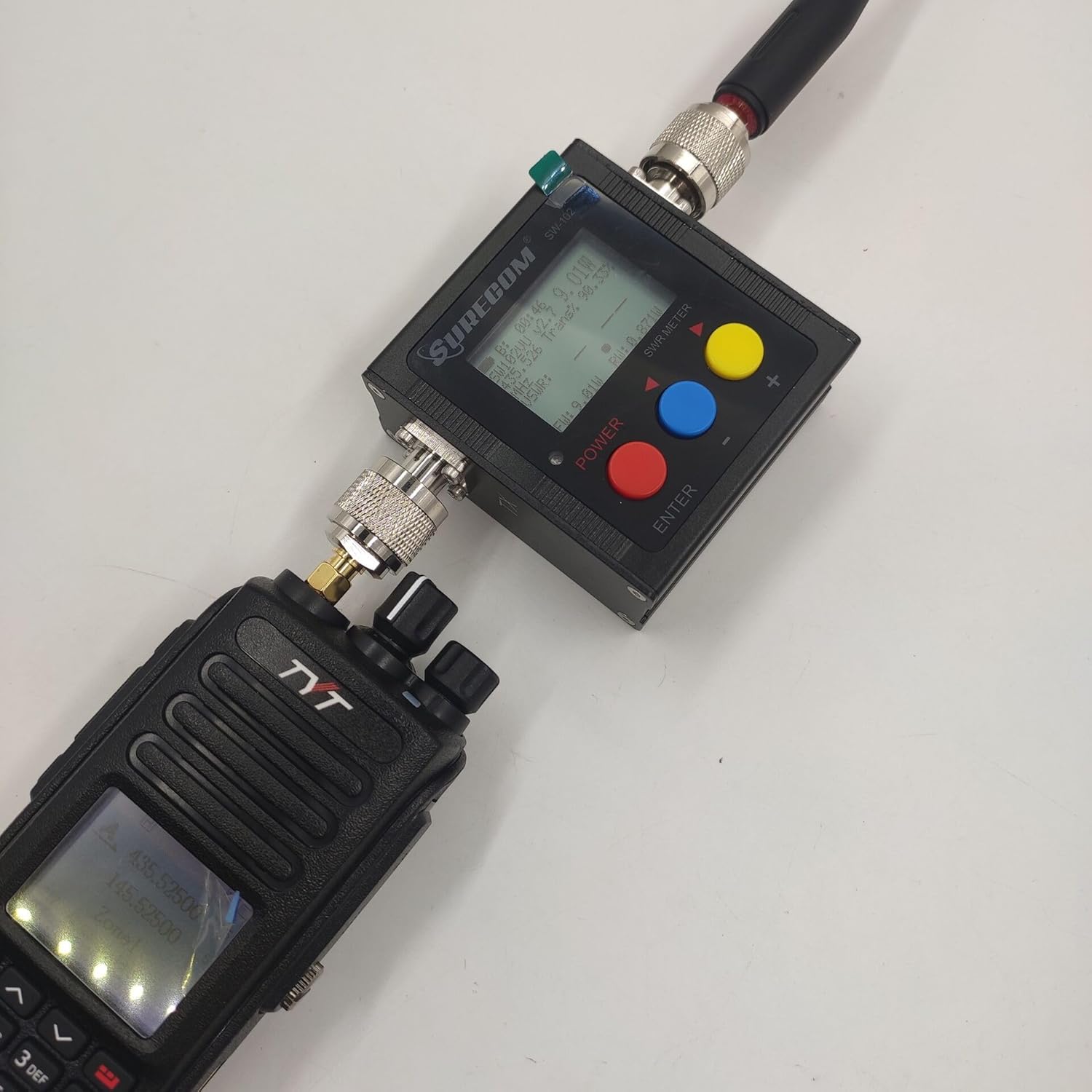
Figure 5: The radio demonstrating its IP67 waterproof and 10W power features.
6. Maintenance
To ensure the longevity and optimal performance of your radio, regularly clean the exterior with a soft, damp cloth. Avoid using harsh chemicals. Ensure the battery contacts are clean and dry. Store the radio in a cool, dry place when not in use.
7. Troubleshooting
- Radio does not power on: Ensure the battery is fully charged and correctly installed. Check the power knob.
- No transmission/reception: Verify the antenna is securely attached. Check channel and zone settings. Ensure you are in the correct DMR or Analog mode. Confirm power output settings.
- Poor audio quality: Check microphone and speaker connections. Adjust volume and squelch levels.
- Programming issues: Ensure the correct programming software version is used and the programming cable is properly connected. Refer to the software's specific instructions.
8. Specifications
| Feature | Specification |
|---|---|
| Item Weight | 1.65 pounds |
| Package Dimensions | 9.49 x 7.05 x 3.58 inches |
| Model Number | MD-UV390 PLUS |
| Brand | ANYSECU (Manufactured by TYT ELECTRONICS CO., LTD) |
| Color | Black |
| Number of Channels | 3000 |
| Special Feature | Waterproof |
| Frequency Range | 30 MHz - 3 GHz |
| Talking Range Maximum | 10 Kilometer |
| Voltage | 7.4 Volts |
| Water Resistance Level | Waterproof (IP67) |
| Included Components | Programming cable, radio and standard accessories |
| Compatible Devices | Other brand Tier I and II devices |
9. Warranty & Support
9.1. Warranty Information
The TYT MD-UV390 Plus radio body comes with a 1-year warranty from the manufacturer.
9.2. Support Resources
For further assistance, software downloads, and product information, please visit the official TYT website: http://www.tyt888.com
Specific software downloads for the MD-UV390 Plus can be found at: https://www.szanysecu.com/en/h-col-120.html