
Introduction
The Fockety Electric Strip Cut Paper Shredder is designed for efficient and secure disposal of sensitive documents and credit cards. Its strip-cut design ensures quick shredding, making it ideal for home, school, and office environments. This shredder features low-noise operation and built-in overload protection for safe and reliable use.
Product Overview
This compact electric paper shredder is engineered for convenience and security. It can shred up to 6 sheets of 20 lb paper simultaneously, providing effective protection against identity theft by rendering documents unreadable. The device is also capable of shredding credit cards. Its durable ABS housing ensures a long service life, while its low-noise design allows for discreet operation.
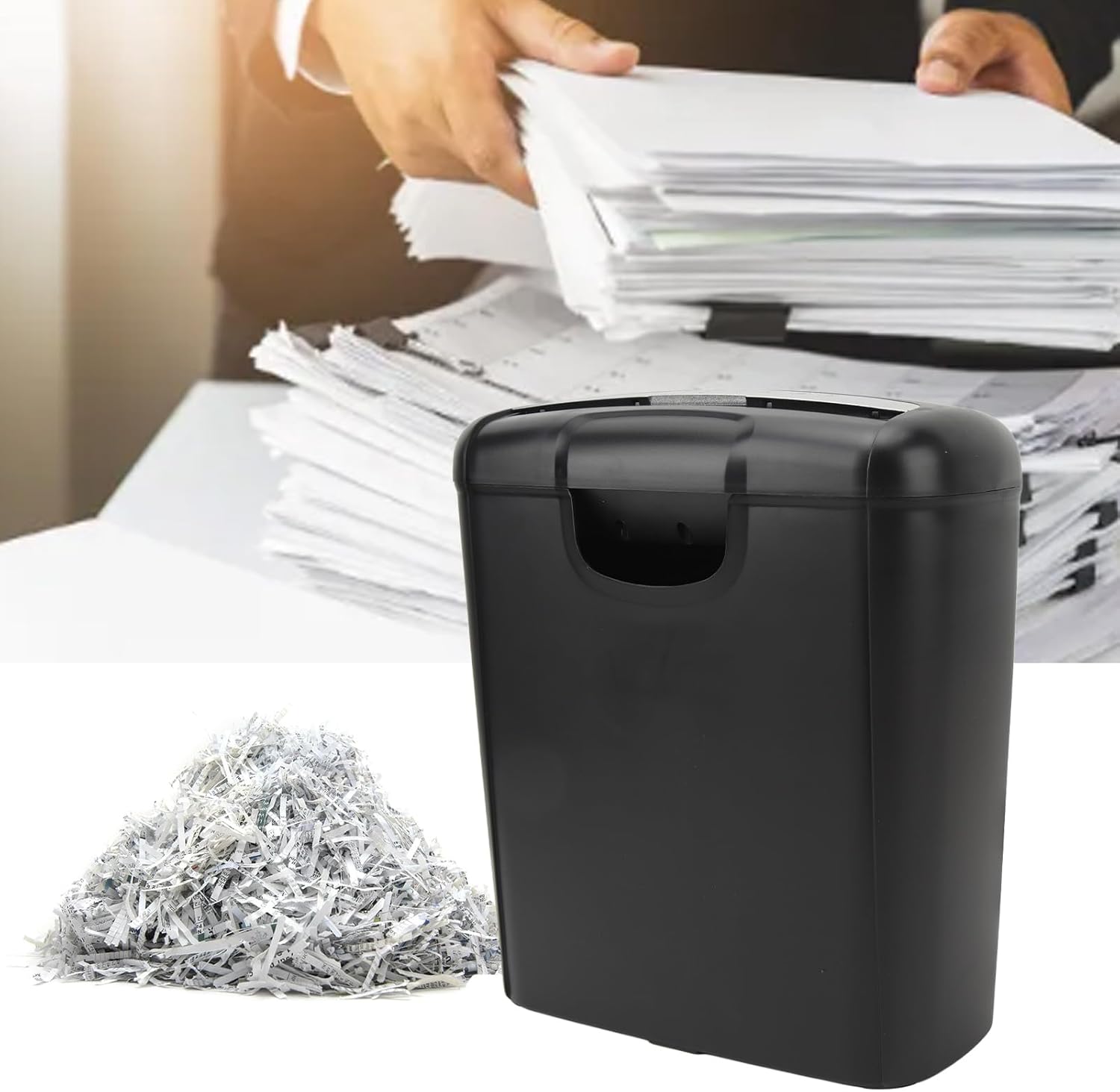
Image: The Fockety Electric Strip Cut Paper Shredder shown in operation, with a pile of finely shredded paper next to it, illustrating its strip-cut capability.

Image: A close-up of the Fockety Electric Strip Cut Paper Shredder, highlighting its design and emphasizing its efficiency with the text 'Safe shredding, saving time'.
What's in the Box
- 1 x Shredder Body
- 1 x Shredder Cover (Shredder Head)
- 1 x User Manual
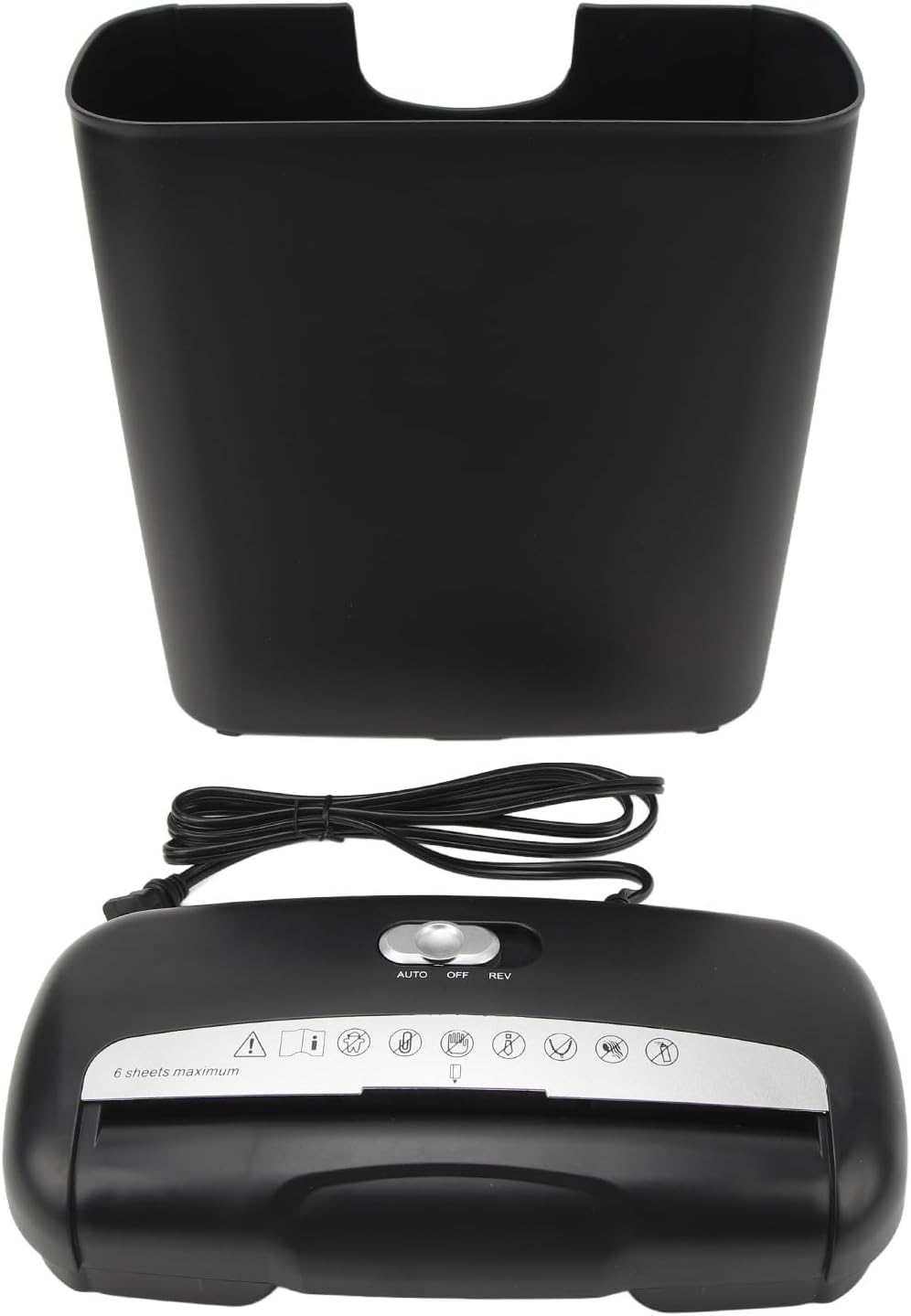
Image: The disassembled components of the shredder, including the shredder head, the waste bin, and the power cord, ready for assembly.
Safety Information
- Keep fingers, loose clothing, hair, and jewelry away from the paper entry slot.
- Keep children and pets away from the shredder at all times.
- Do not spray any flammable products or place any liquids near the shredder.
- Unplug the shredder when not in use or before cleaning.
- Do not shred more than the maximum sheet capacity (6 sheets) to prevent jams and overheating.
- If the shredder overheats, it will automatically stop. Allow it to cool down before resuming operation.
Setup
- Carefully remove all components from the packaging.
- Place the shredder body (waste bin) on a flat, stable surface.
- Align the shredder cover (head) with the top of the waste bin and gently lower it into place, ensuring it sits securely.
- Plug the power cord into a standard US 110V electrical outlet.

Image: The rear of the shredder with the power cord connected, indicating it's ready for use.
Operating Instructions
Control Switch Functions:
- AUTO: The shredder is in standby mode. It will automatically start when paper is inserted and stop once shredding is complete.
- OFF: The shredder is completely powered off.
- REV (Reverse): Activates the reverse function to clear paper jams.
Shredding Paper:
- Set the control switch to the AUTO position.
- Insert up to 6 sheets of paper (20 lb bond) into the paper entry slot. The shredder will automatically begin shredding.
- Once the paper has passed through, the shredder will stop automatically.
Shredding Credit Cards:
- Set the control switch to the AUTO position.
- Insert one credit card at a time into the designated credit card entry slot.
- The shredder will automatically begin shredding and stop once complete.

Image: A detailed view of the shredder's control panel, showing the slider switch for AUTO, OFF, and REV functions, along with various safety icons.
Maintenance
Emptying the Waste Bin:
- Set the control switch to OFF and unplug the shredder.
- Lift the shredder head off the waste bin.
- Dispose of the shredded paper from the bin.
- Place the shredder head back onto the bin and plug in the power cord.

Image: The empty waste bin of the shredder, ready to collect shredded materials.
Cleaning the Shredder:
- Always unplug the shredder before cleaning.
- Wipe the exterior with a soft, dry cloth. Do not use abrasive cleaners or solvents.
- Regularly oil the shredder blades with shredder oil to maintain optimal performance and prevent jams. Follow the oil manufacturer's instructions.
Troubleshooting
Paper Jam:
- If paper jams, set the control switch to REV to reverse the blades and clear the jam.
- If the jam persists, unplug the shredder, carefully remove the shredder head, and manually clear any visible paper. Reassemble and try again.
Overheating:
- The shredder has an automatic overload protection function. If it overheats, it will shut off.
- Allow the shredder to cool down for approximately 30 minutes before resuming operation.
Specifications
| Feature | Specification |
|---|---|
| Brand | Fockety |
| Model | Fockety94x2c5sw3b |
| Cut Type | Strip Cut |
| Max Sheet Capacity | 6 sheets (20 lb paper) |
| Special Features | Automatic Start/Stop, Quiet Operation, Overload Protection |
| Material | ABS |
| Plug Type | US Plug 110V |
| Color | Black |
Warranty and Support
The Fockety Electric Strip Cut Paper Shredder comes with a 1-year protection plan. If you encounter any issues or have questions regarding your product, please contact our customer support team. We are committed to providing a satisfactory solution and will respond within 24 hours.
For support, please refer to the contact information provided with your purchase documentation.
Additional Resources
No official seller videos are available for this product at this time. Please refer to the written instructions and images for guidance.