
Product Overview
The Spigen Rugged Armor case is designed to provide robust protection for your Samsung Galaxy S24. It features a durable Thermoplastic Polyurethane (TPU) construction with carbon fiber accents, offering a sleek look while ensuring military-grade protection.
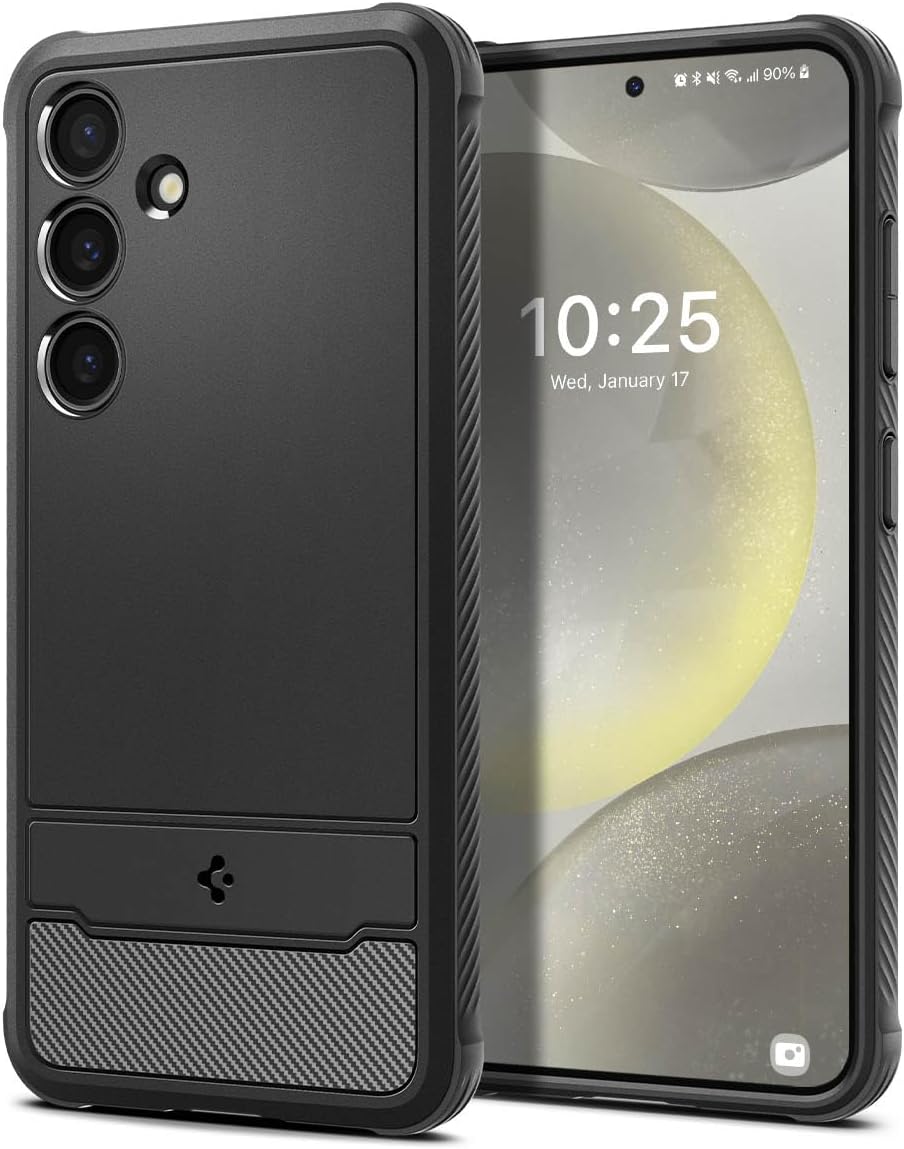
Image: Front and back view of the Spigen Rugged Armor case on a Samsung Galaxy S24.
Key Features
- Durable Material: Constructed from flexible and durable Thermoplastic Polyurethane (TPU).
- Enhanced Protection: Features extra corner protection through a bumper design and raised edges to safeguard the screen and camera from daily scratches.
- Sleek Design: Incorporates carbon fiber accents for a modern and stylish appearance.
- Wireless Charging Compatible: Designed to work seamlessly with wireless charging and PowerShare functionalities.
- Precise Fit: Specifically engineered for the Samsung Galaxy S24, ensuring full compatibility.

Image: Detail of Air Cushion Technology and raised edges for protection.

Image: Wireless charging compatibility with the case installed.
Setup and Installation
- Prepare Your Device: Ensure your Samsung Galaxy S24 is clean and free of dust or debris.
- Align the Case: Start by aligning the top edge of your phone with the top edge of the case.
- Insert the Phone: Gently push your phone into the case, ensuring all corners snap securely into place. Apply even pressure around the edges until the phone is fully seated.
- Check Fit: Verify that all buttons (power, volume) are accessible and functional, and that the charging port and speaker cutouts align correctly.
Important Note:
This case is specifically designed for the Samsung Galaxy S24. It is not compatible with the Galaxy S24+ or S24 Ultra models.

Image: Compatibility information for the Spigen Rugged Armor case.
Operating Instructions
Once installed, the Spigen Rugged Armor case allows full functionality of your Samsung Galaxy S24.
- Button Access: The case features precise cutouts and responsive button covers for easy access to power and volume controls.
- Port Access: All ports, including the USB-C charging port, are easily accessible without removing the case.
- Wireless Charging: The case is thin enough to support wireless charging and PowerShare without interference. Simply place your phone with the case on a compatible wireless charger.
Maintenance and Care
To ensure the longevity and appearance of your Spigen Rugged Armor case, follow these simple care instructions:
- Cleaning: Wipe the case regularly with a soft, damp cloth. For stubborn dirt, a mild soap solution can be used. Avoid harsh chemicals or abrasive cleaners.
- Drying: Allow the case to air dry completely before re-installing your phone.
- Storage: When not in use, store the case in a cool, dry place away from direct sunlight to prevent material degradation.
Troubleshooting
- Issue: Case does not fit correctly.
- Solution: Ensure you have the correct model case for your phone. This case is designed specifically for the Samsung Galaxy S24 (Model: ACS07346). Double-check that the phone is fully seated within the case, applying gentle, even pressure around all edges.
- Issue: Wireless charging is not working.
- Solution: Verify that your wireless charger is compatible with the Samsung Galaxy S24. Ensure the phone is properly centered on the charging pad. If the issue persists, try removing the case to confirm it is not the cause. The Spigen Rugged Armor case is designed to be wireless charging compatible.
- Issue: Buttons are stiff or unresponsive.
- Solution: Re-seat the phone in the case to ensure proper alignment. The case's button covers are designed to be responsive; if they feel stiff, it might indicate a slight misalignment.
Specifications
| Attribute | Detail |
|---|---|
| Brand | Spigen |
| Model Number | ACS07346 |
| Compatible Phone Models | Samsung Galaxy S24 |
| Material | Thermoplastic Polyurethane (TPU) |
| Color | Matte Black |
| Product Dimensions | 3 x 0.4 x 6 inches |
| Item Weight | 1.23 ounces |
| Special Features | Slim Fit, Military-Grade Protection, Carbon Fiber Accents, Wireless Charging Compatible |
Warranty Information
Spigen products typically come with a manufacturer's warranty covering defects in materials and workmanship. For specific warranty terms and conditions, please refer to the official Spigen website or the warranty card included with your purchase.
Keep your proof of purchase for any warranty claims.
Customer Support
For further assistance, technical support, or inquiries regarding your Spigen Rugged Armor case, please contact Spigen customer service.
- Online Support: Visit the official Spigen website for FAQs, support articles, and contact forms. Spigen Contact Us
- Amazon Support: For order-related issues, you may contact Amazon customer service or the seller directly through your Amazon order history.


