
Lloyd's LC-1370
Lloyd's LC-1370 Smart Aroma Diffuser User Manual
Model: LC-1370
Introduction
This manual provides detailed instructions for the safe and efficient use of your Lloyd's LC-1370 Smart Aroma Diffuser. Please read this manual thoroughly before operating the device and retain it for future reference.
The Lloyd's LC-1370 is an intelligent aroma diffuser designed to create a relaxing and aromatic environment. It combines aromatherapy, humidification, and ambient sound features, controllable via smartphone and compatible with smart assistants like Alexa and Google Assistant.
Product Overview
The LC-1370 features ultrasonic technology for efficient vapor dispersion, a 240 ml water tank (200 ml recommended fill), LED lighting with color adjustment, and 6 built-in relaxing sounds. Its compact design includes a flame simulation effect.

Image 1: Lloyd's LC-1370 Smart Aroma Diffuser and its retail packaging. The packaging highlights key features such as smart control, 3-in-1 functionality (diffuser, night light, relaxing sounds), flame simulation, 12-18 hours of vapor, and 200ml capacity. It also shows compatibility with Alexa and Google Assistant.

Image 2: Front and back views of the Lloyd's LC-1370 Smart Aroma Diffuser. The front shows the vapor outlet and LED light strip, while the back shows the smooth, unadorned surface.

Image 3: Top-down view of the Lloyd's LC-1370 Smart Aroma Diffuser, showing the opening for water and essential oils, and the sleek design of the device.
Package Contents
- Lloyd's LC-1370 Smart Aroma Diffuser
- Power Adapter (140 cm cable)
- User Guide (this manual)
Setup
- Placement: Place the diffuser on a flat, stable surface away from direct sunlight, heat sources, and air vents. Ensure it is not placed on or near electronic devices that may be sensitive to moisture.
- Power Connection: Connect the power adapter to the diffuser's power input port. Plug the adapter into a standard electrical outlet.
- Filling the Water Tank:
- Remove the top cover of the diffuser.
- Fill the water tank with clean tap water up to the 200 ml mark. Do not exceed the maximum fill line (240 ml capacity, 200 ml recommended).
- Add 2-3 drops of your preferred essential oil directly into the water tank. Adjust quantity based on desired aroma intensity.
- Replace the top cover securely.
- App Installation (Optional for Smart Features):
- Download the Lloyd's Smart App from the App Store (iOS) or Google Play Store (Android).
- Register or log in to your account.
- Follow the in-app instructions to add your LC-1370 diffuser. This typically involves putting the device in pairing mode (refer to operating instructions for pairing mode activation).
Operating Instructions
Physical Button Controls:
- Power Button: Press once to turn on/off the diffuser.
- Mist Intensity Button: Press to cycle between high and low mist intensity.
- Light Button: Press to change LED light color or turn off the light.
- Sound Button: Press to cycle through the 6 relaxing sounds (river, waves, ocean, rain, forest, melody) or turn off the sound.
Smartphone App Control:
The Lloyd's Smart App provides comprehensive control over your diffuser's functions:
- Power On/Off: Remotely control the diffuser's power.
- Mist Intensity: Adjust vapor output (high/low).
- LED Light Control: Select from a wide range of colors, adjust brightness, or set lighting modes.
- Timer Function: Program the diffuser to operate for 1 to 6 hours.
- Sound Selection: Choose from the 6 relaxing sounds.
- Scheduling: Set schedules for automatic operation.
- Scene Creation: Create custom scenes combining mist, light, and sound settings.

Image 4: A man using his smartphone to control the LED light color of the Lloyd's LC-1370 diffuser, which is emitting blue light. This demonstrates the wide color range available via the app.

Image 5: A woman relaxing while the Lloyd's LC-1370 diffuser creates a calming atmosphere with a yellow light and flame simulation effect. This illustrates the device's ability to create a relaxing and aromatic space.

Image 6: A couple enjoying the relaxing sounds emitted by the Lloyd's LC-1370 diffuser, indicated by sound waves emanating from the device. The diffuser offers six soothing sounds selectable via the app or physical button.
Smart Assistant Integration:
The LC-1370 is compatible with Google Assistant, Amazon Alexa, and Siri Shortcuts. No additional HUB is required. You can integrate the diffuser into your smart home ecosystem to control it with voice commands and create automated routines with other Lloyd's smart products.
Example Voice Commands:
- "Alexa, turn on the aroma diffuser."
- "Hey Google, set diffuser light to blue."
- "Siri, turn off the aroma diffuser."
Maintenance
Regular cleaning is essential to ensure optimal performance and longevity of your diffuser.
- Daily Maintenance:
- Empty any remaining water from the tank after each use.
- Wipe the inside of the water tank with a clean, soft cloth.
- Weekly Cleaning:
- Unplug the diffuser from the power outlet.
- Pour out any remaining water.
- Add a small amount of white vinegar (about 10 ml) to the water tank and let it sit for 5-10 minutes to dissolve mineral buildup.
- Gently wipe the inside of the tank and the ultrasonic disc with a soft brush or cotton swab. Do not scrub forcefully.
- Rinse the tank thoroughly with clean water, ensuring no vinegar residue remains.
- Wipe the exterior of the diffuser with a soft, damp cloth.
- Allow all parts to air dry completely before reassembling or storing.
Important: Do not immerse the diffuser base in water. Do not use harsh detergents, abrasive cleaners, or solvents.
Troubleshooting
| Problem | Possible Cause | Solution |
|---|---|---|
| Diffuser does not turn on. | No power connection. | Ensure the power adapter is securely plugged into the diffuser and the wall outlet. |
| No mist or weak mist. | Insufficient water in tank. Water level too high. Ultrasonic disc dirty. Ventilation blocked. | Add water to the recommended level (200 ml). Do not exceed the MAX line. Clean the ultrasonic disc as per maintenance instructions. Ensure air inlet/outlet are not blocked. |
| Unpleasant odor from diffuser. | Dirty water tank or old essential oil residue. | Clean the water tank thoroughly. Use fresh, clean water and essential oils. |
| App cannot connect to diffuser. | Diffuser not in pairing mode. Wi-Fi issues. Incorrect network. | Refer to app instructions for pairing mode activation. Ensure your Wi-Fi network is 2.4GHz. Restart your router and the diffuser. |
Specifications
| Feature | Detail |
|---|---|
| Model | LC-1370 |
| Brand | Lloyd's |
| Water Tank Capacity | 240 ml (200 ml recommended fill) |
| Dimensions (L x W x H) | 20 x 8.1 x 12.8 cm (approx. 7.87 x 3.19 x 5.04 inches) |
| Material | PP/ABS (Acrilonitrilo butadieno estireno) |
| Power Consumption | 12W |
| Ultrasonic Frequency | 2.45 MHz |
| Sound Modes | 6 relaxing sounds (river, waves, ocean, rain, forest, melody) |
| Smart Compatibility | Google Assistant, Amazon Alexa, Siri Shortcuts |
| Connectivity | Wi-Fi (2.4GHz) |
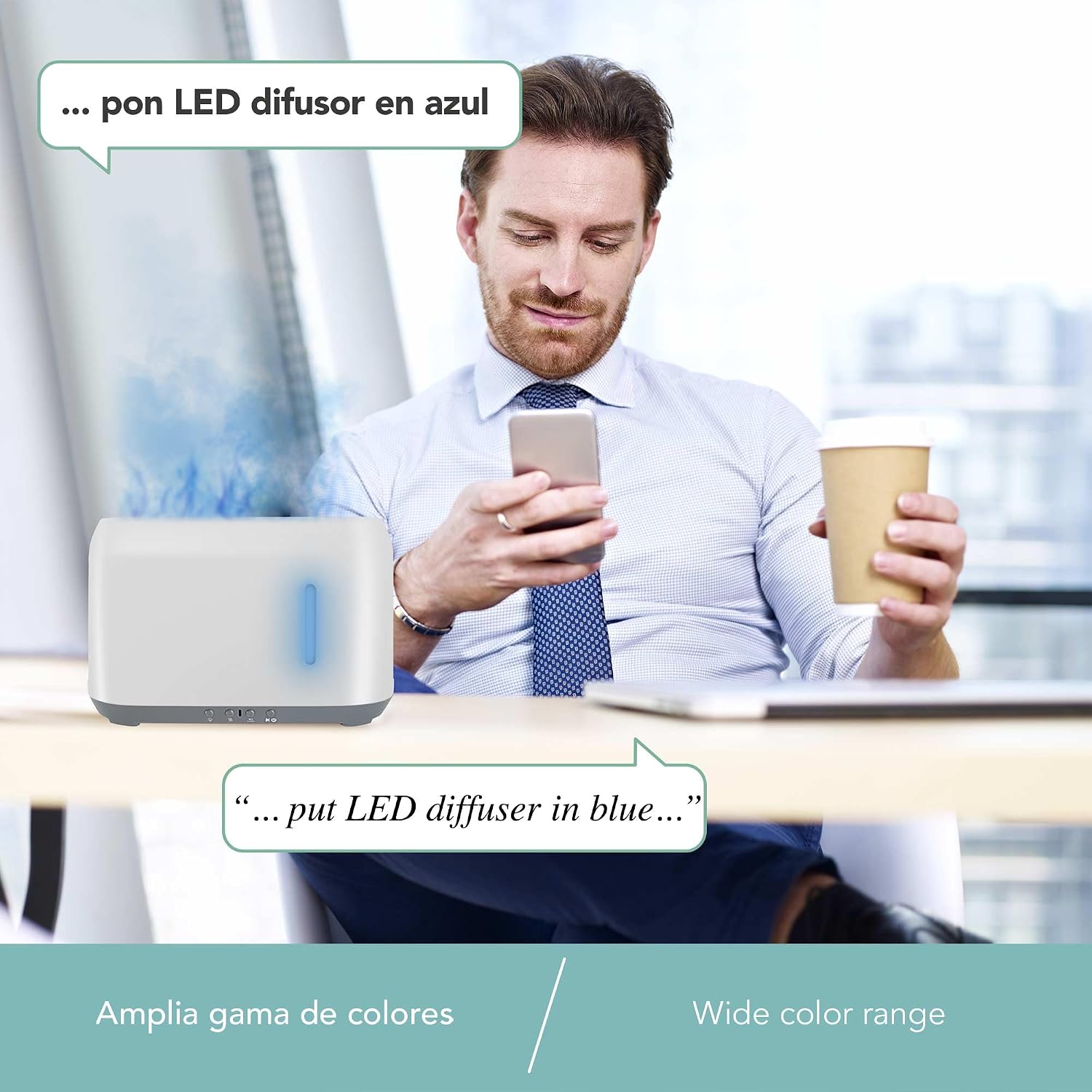
Image 7: Diagram showing the approximate dimensions of the Lloyd's LC-1370 Smart Aroma Diffuser: 21cm length, 8cm width, and 18cm height.
Warranty and Support
For warranty information and technical support, please refer to the official Lloyd's website or contact their customer service. Keep your purchase receipt as proof of purchase for warranty claims.
Lloyd's Customer Service: Please visit Lloyd's Brand Store on Amazon for contact details or further information.
Ask a question about this manual
Ask about setup, troubleshooting, compatibility, parts, safety, or missing instructions. Manuals+ will review the question and use this page’s manual context to help answer it.