
Introduction
This manual provides essential instructions for the safe and efficient use of your Genesis 80GMSI Mega Steam Iron. Please read all instructions carefully before operating the appliance and retain this manual for future reference. Proper use and maintenance will ensure optimal performance and extend the lifespan of your iron.
Important Safety Instructions
When using electrical appliances, basic safety precautions should always be followed to reduce the risk of fire, electric shock, and personal injury. Please observe the following:
- Read all instructions thoroughly before using the iron.
- Do not leave the iron unattended while it is switched on or connected to the power supply.
- Keep the iron and its cord out of reach of children and individuals with reduced physical, sensory, or mental capabilities.
- To protect against the risk of electric shock, do not immerse the iron in water or other liquids.
- Always place the iron on a stable, heat-resistant surface when not in use or when filling the water tank.
- Unplug the iron from the electrical outlet before filling with water, emptying, or when not in use.
- Do not touch the hot soleplate. Use the handle only.
- Inspect the power cord for any damage before each use. Do not operate the iron if the cord is damaged.
- Use the iron only for its intended purpose as described in this manual.
Product Overview
Familiarize yourself with the components of your Genesis 80GMSI Mega Steam Iron:

Image: Angled view of the Genesis 80GMSI Mega Steam Iron, showcasing its ergonomic design and controls.
- Water Tank: Transparent reservoir for water.
- Spray Nozzle: Emits a fine mist of water.
- Steam Control Dial: Adjusts steam output or selects dry ironing.
- Temperature Control Dial: Sets the soleplate temperature according to fabric type.
- Self-Clean Button: Activates the self-cleaning function.
- Steam Burst Button: Delivers an extra powerful shot of steam.
- Ceramic Soleplate: Smooth, scratch-resistant surface for efficient gliding.
- Power Cord: Connects the iron to the electrical outlet.

Image: The underside of the iron, highlighting the ceramic soleplate with evenly distributed steam holes. Icons for Anti-Drip, Anti-Scale, Self Clean, and Super Burst are visible.
Setup
- Unpack the Iron: Carefully remove the iron and all accessories from the packaging. Retain packaging for storage or return if necessary.
- Remove Protective Film: Ensure all protective films or stickers are removed from the soleplate and body of the iron.
- Fill Water Tank: Ensure the iron is unplugged. Open the water tank inlet cover and fill the tank with clean tap water up to the 'MAX' level indicator. For optimal performance and to prevent mineral buildup, distilled or demineralized water is recommended, especially in hard water areas. Close the inlet cover securely.
- Initial Heating: Place the iron upright on a stable, heat-resistant surface. Plug the power cord into a suitable electrical outlet. The indicator light will illuminate, signaling that the iron is heating.
Operating Instructions
Your Genesis 80GMSI Mega Steam Iron offers versatile ironing options:

Image: A collage illustrating key features: a close-up of the ceramic soleplate, a powerful steam burst from the iron, and a person ironing, demonstrating its safe use on various fabrics.
- Temperature Selection: Turn the Temperature Control Dial to the setting appropriate for your fabric type (e.g., silk, wool, cotton, linen). Refer to garment care labels. The indicator light will turn off when the selected temperature is reached.
- Dry Ironing: For dry ironing, ensure the water tank is empty or the Steam Control Dial is set to the '0' (no steam) position. Allow the iron to heat to the desired temperature.
- Steam Ironing: For steam ironing, ensure the water tank is filled. Set the Temperature Control Dial to a steam-appropriate setting (usually cotton, linen, or max). Once the iron reaches temperature, adjust the Steam Control Dial to your desired steam level.
- Steam Burst Function: For stubborn creases, press the Steam Burst Button. This delivers a powerful shot of steam (up to 100g/min). Wait a few seconds between bursts to allow the steam to regenerate.
- Spray Function: Press the Spray Button to emit a fine mist of water, which can help dampen fabrics for easier ironing.
- Vertical Steaming: The steam burst function can be used for vertical steaming of hanging garments or drapes. Hold the iron vertically a few inches from the fabric and press the Steam Burst Button.
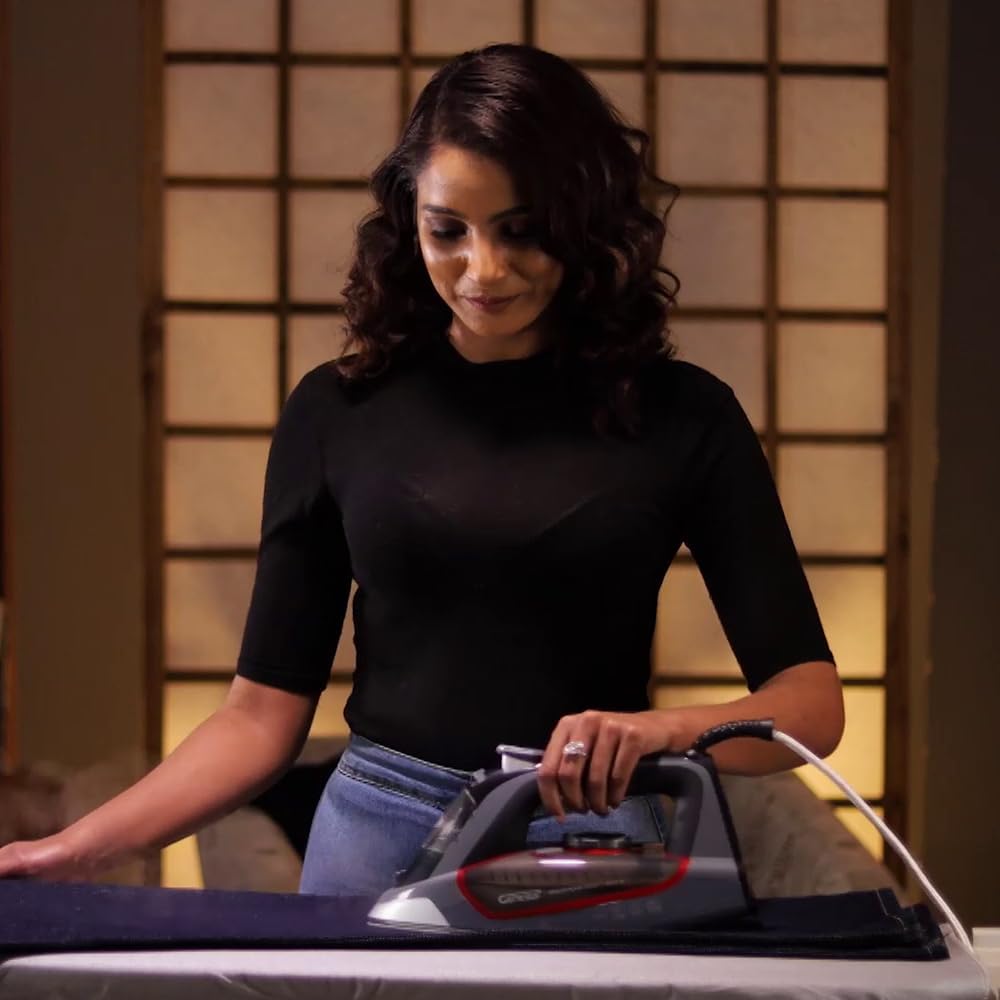
Image: A person demonstrating the use of the Genesis 80GMSI Mega Steam Iron to smooth out wrinkles on clothing.
Maintenance and Care
Regular maintenance ensures the longevity and performance of your iron:
- Self-Cleaning Function: Your iron features a self-cleaning function for enhanced durability. To use:
- Fill the water tank to the 'MAX' level.
- Set the Steam Control Dial to '0' (dry) and the Temperature Control Dial to 'MAX'.
- Plug in the iron and wait for the indicator light to turn off, signaling it has reached maximum temperature.
- Unplug the iron. Hold it horizontally over a sink.
- Press and hold the Self-Clean Button. Hot water and steam will be expelled from the soleplate, flushing out mineral deposits. Gently rock the iron back and forth.
- Release the button when the water tank is empty.
- Allow the iron to cool completely before storing.
- Soleplate Cleaning: When the iron is cool, wipe the ceramic soleplate with a damp cloth. For stubborn stains, a mild, non-abrasive cleaner specifically designed for iron soleplates can be used. Never use abrasive scouring pads or metallic cleaners.
- Exterior Cleaning: Wipe the exterior of the iron with a soft, damp cloth. Do not use harsh chemicals or abrasive cleaners.
- Storage: After each use, ensure the water tank is empty. Allow the iron to cool completely. Wrap the power cord neatly around the cord wrap area (if available) or secure it with a tie. Store the iron upright in a safe, dry place.
Troubleshooting
If you encounter issues with your iron, refer to the following common problems and solutions:
| Problem | Possible Cause | Solution |
|---|---|---|
| Iron not heating | Not plugged in; power outlet fault; temperature dial set to minimum. | Check power connection; test outlet with another appliance; turn temperature dial to a higher setting. |
| No steam or insufficient steam | Water tank empty; temperature too low for steam; steam control set to '0'. | Fill water tank; set temperature to a steam-appropriate level (e.g., cotton/linen); adjust steam control dial. |
| Water leaking from soleplate | Water tank overfilled; iron not hot enough for steam; self-clean valve partially open. | Do not overfill; allow iron to reach full temperature before using steam; perform self-clean cycle. |
| Soleplate sticking to fabric | Temperature too high for fabric; soleplate dirty. | Adjust temperature according to fabric type; clean the soleplate when cool. |
Specifications
- Brand: Genesis
- Model Number: 80GMSI
- Power/Wattage: 2600 watts
- Soleplate Type: Ceramic
- Special Features: Anti-Drip, Self-Cleaning, Steam Burst (up to 100g/min)
- Item Weight: Approximately 1 kg
- Product Dimensions: 31.5L x 16.5W centimetres
Warranty and Support
For warranty information, please refer to the documentation provided at the time of purchase or contact your retailer. For technical support or service inquiries, please contact Genesis customer service through their official channels.