
1. Introduction
Thank you for choosing the Spider Farmer 16L Humidifier. This device is designed to provide efficient and precise humidity control for various environments, including large grow tents, greenhouses, bedrooms, and offices. With its 16-liter capacity and high mist output, it ensures consistent humidity levels for optimal plant growth or personal comfort.
2. Safety Information
- Always place the humidifier on a stable, flat surface.
- Do not immerse the unit in water or spray water directly onto the control panel.
- Unplug the humidifier from the power outlet before filling, cleaning, or performing any maintenance.
- Keep the humidifier out of reach of children and pets.
- Use only clean, preferably distilled, water to prevent mineral buildup and ensure optimal performance.
- Ensure proper ventilation around the unit.
- The unit features an automatic shut-off when the water level is low. Do not attempt to operate without sufficient water.
3. Package Contents
Please verify that all items are present in your package:
- Spider Farmer 16L Humidifier Unit
- Detachable Wired Sensor Probe
- Telescopic Tube Kit (includes Two-way, Three-way, Four-way Conversion Adapters, Quad Directional Nozzle, Flexible Short Hoses, Flexible Long Hoses, Short Straight Pipes, Long Straight Pipes, Hanging Ropes)
- Power Cord
- Tool Bag
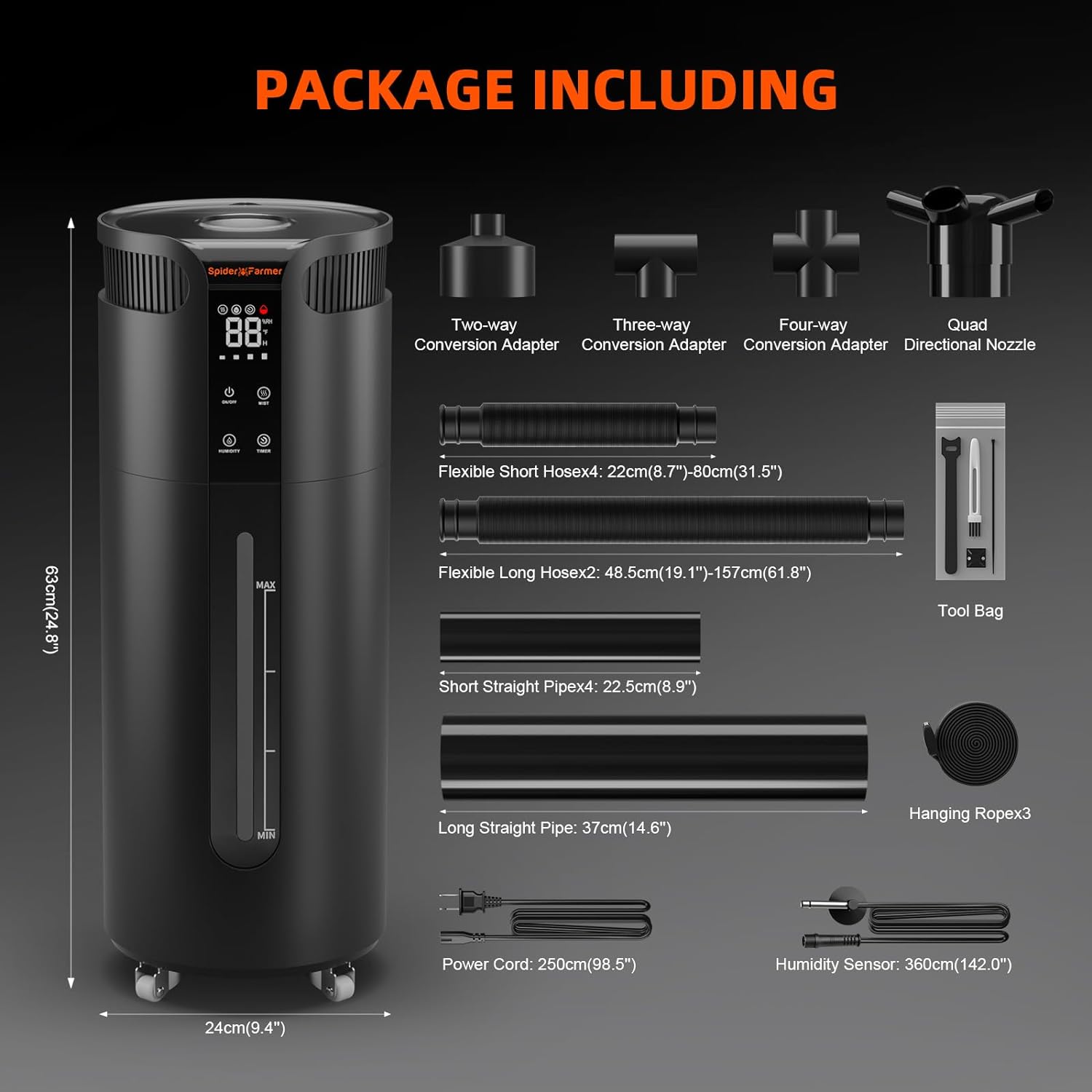
Image: All components included in the Spider Farmer 16L Humidifier package.
4. Product Overview
The Spider Farmer 16L Humidifier features a robust design with a large water tank and intuitive controls. Key components include:
- Main Unit: Houses the 16L water tank, ultrasonic mist generator, and control electronics. Equipped with wheels for easy mobility.
- LED Digital Control Panel: Displays current humidity and temperature, and provides buttons for On/Off, Mist level adjustment, Humidity setting, and Timer.
- Water Level Window: Allows for easy monitoring of the water level in the tank.
- Detachable Wired Sensor Probe: Measures ambient temperature and humidity for accurate control.
- Extendable Hoses and Nozzles: Multiple flexible hoses and adapters allow for targeted and widespread mist distribution.
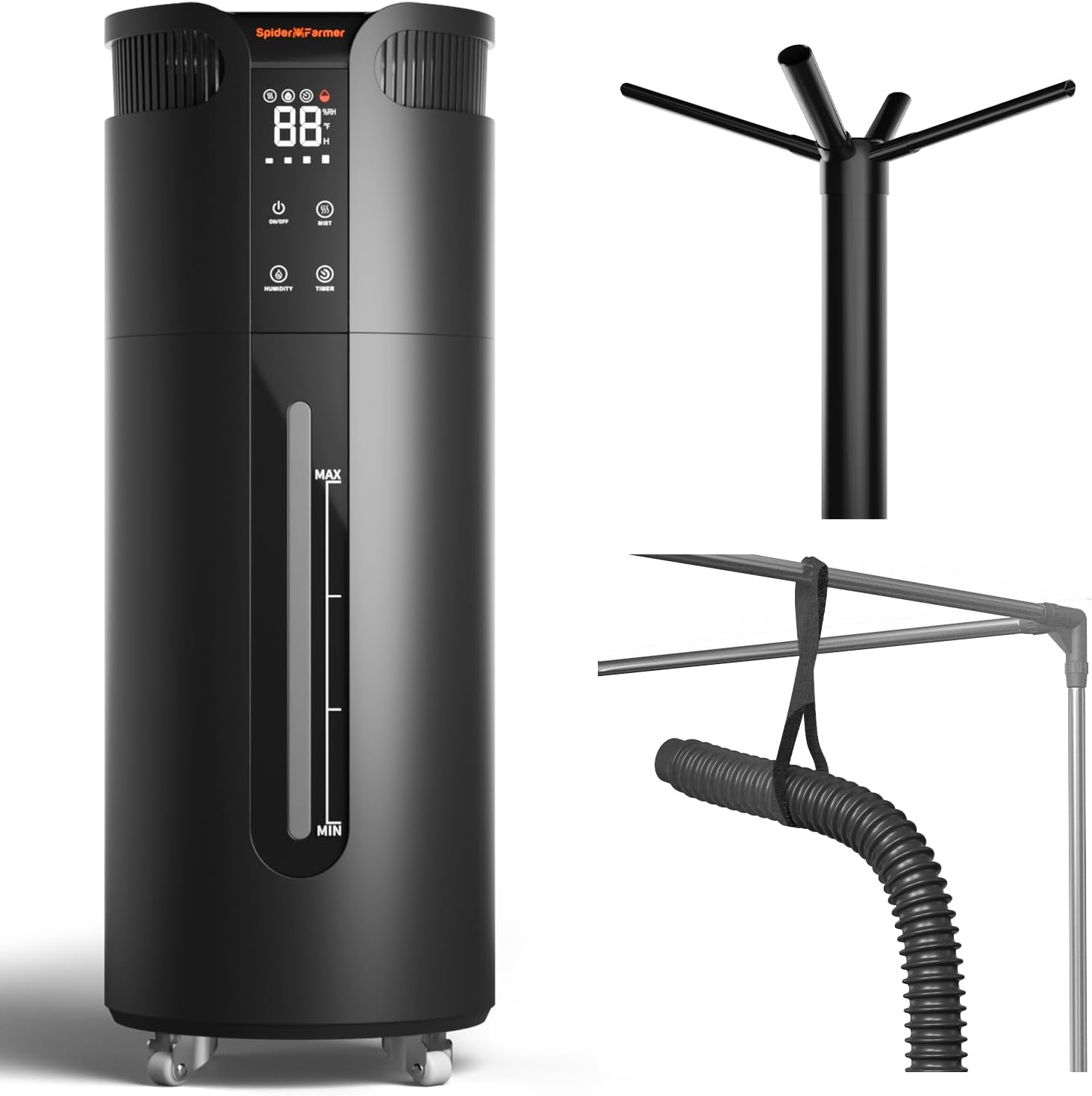
Image: Main unit of the Spider Farmer 16L Humidifier.

Image: Detailed view of the LED digital control panel.

Image: Humidifier base with wheels and external sensor probe.
5. Setup
- Unpack: Carefully remove all components from the packaging.
- Placement: Position the humidifier on a level surface in your desired location. The integrated wheels allow for easy repositioning.
- Fill Water Tank: The humidifier features a split design for easy filling. Remove the top section to access the water reservoir. Fill the 16L tank with clean water. Distilled water is recommended to minimize mineral buildup. Do not exceed the 'MAX' fill line.
- Assemble Hoses: Connect the desired flexible hoses and nozzles to the mist outlets on the top of the unit. Use the various adapters to customize the mist distribution for your specific setup (e.g., grow tent, large room).
- Connect Sensor Probe: Plug the detachable wired sensor probe into its designated port on the unit. Place the probe in the area where you want to measure and control humidity.
- Power On: Plug the power cord into a standard 120V electrical outlet.
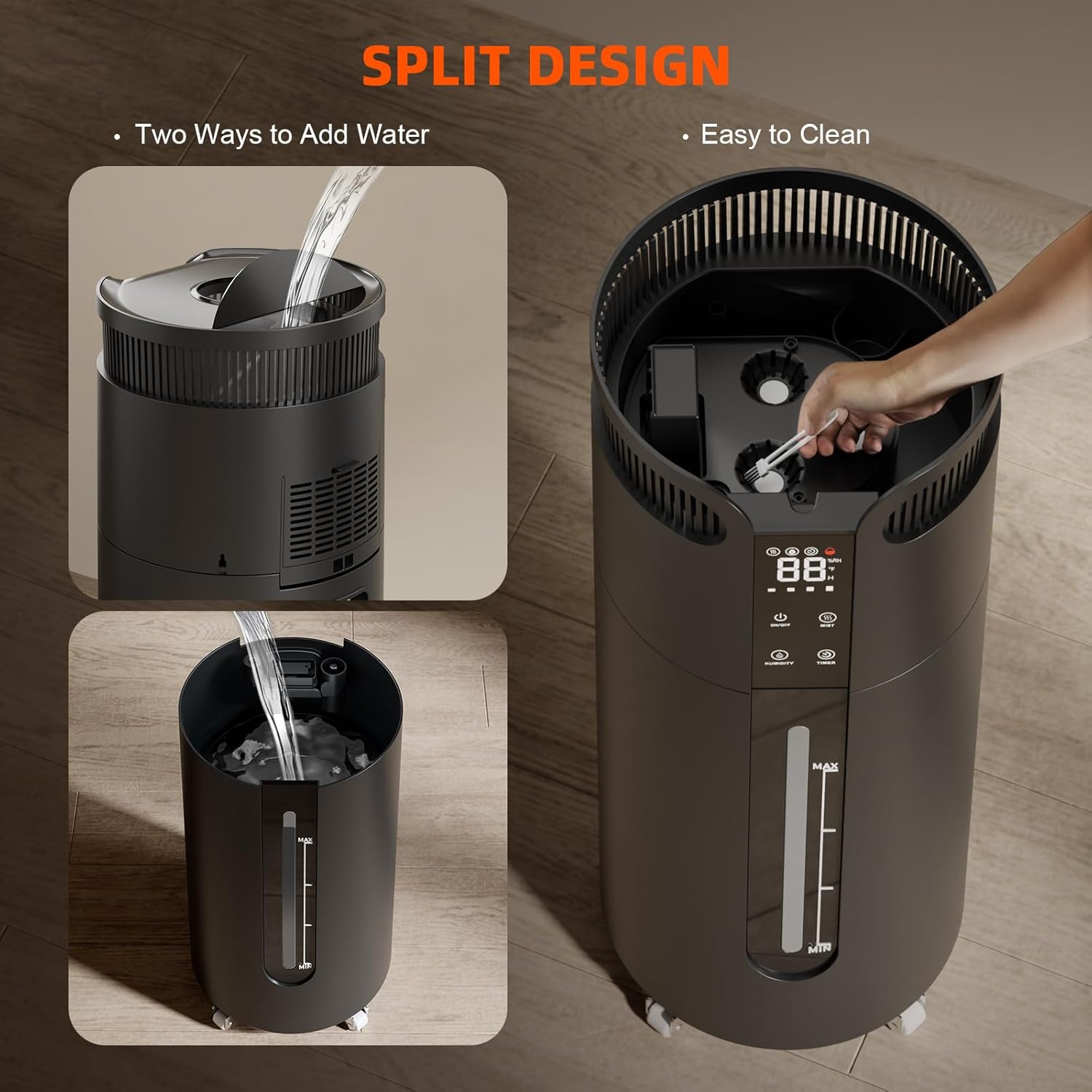
Image: Two ways to add water and the split design for cleaning.
6. Operation
- Power On/Off: Press the On/Off button to turn the unit on or off. The digital display will illuminate.
- Adjust Mist Level: Press the Mist button to cycle through the 4 available mist output levels. The maximum output is 1400ml/h.
- Set Target Humidity: Press the Humidity button to adjust the desired humidity level. The range is 35% to 95% Relative Humidity (RH) in 5% increments. The humidifier will automatically operate to maintain this set humidity.
- Set Timer: Press the Timer button to set an operating duration from 1 to 12 hours. If you desire continuous operation, do not set the timer.
- Hose Direction: When using the extendable hoses, ensure the mist outlet is hung diagonally upwards. Directing the mist outlet downwards may cause water to accumulate in the pipeline and drip.
- Low Water Indicator: The unit will automatically shut off and display a low water indicator when the tank needs refilling.

Image: Humidifier in a grow tent, demonstrating mist distribution.
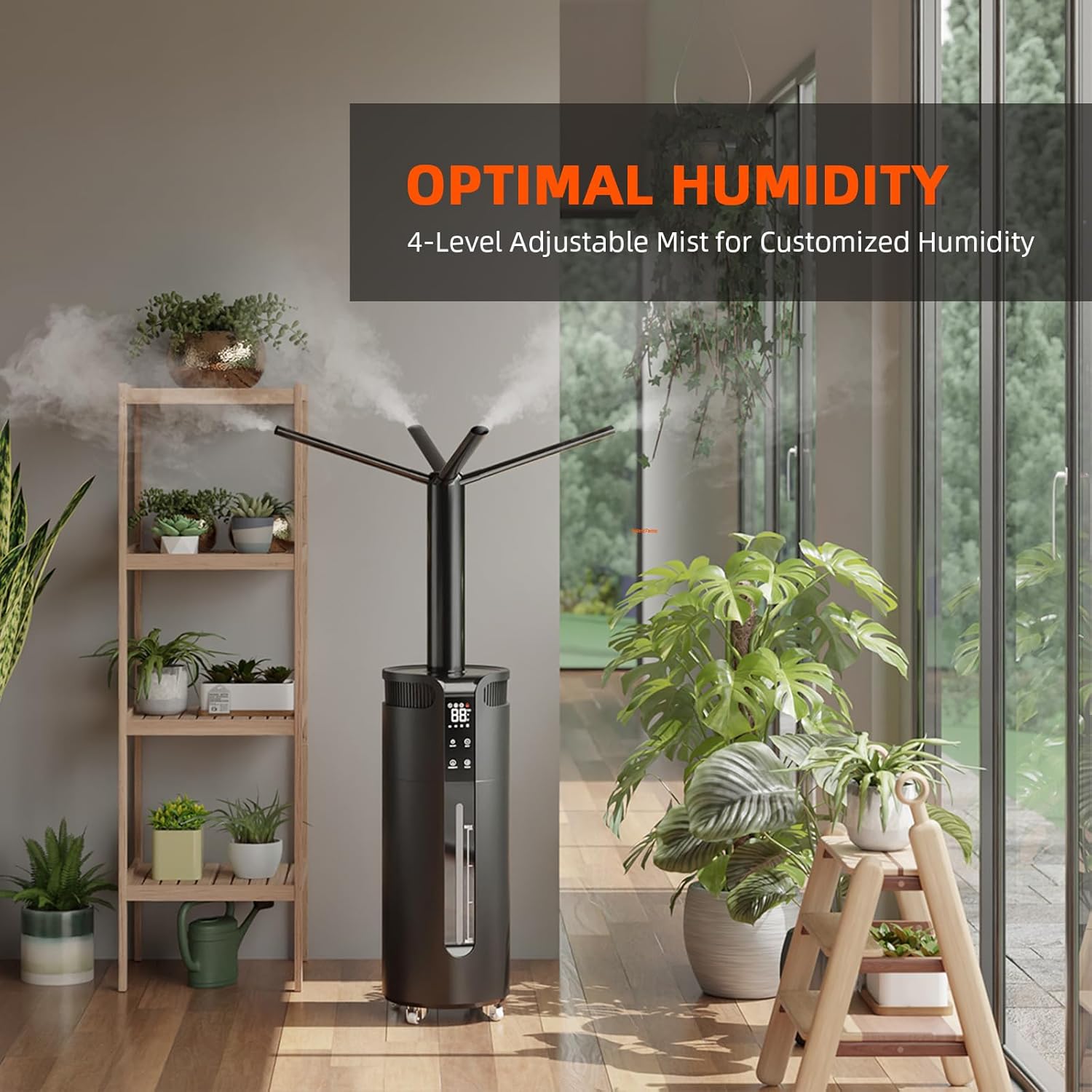
Image: Humidifier providing optimal humidity in a large room setting.

Image: Proper hose installation for grow tents.
7. Maintenance
Regular maintenance ensures the longevity and efficient operation of your humidifier.
- Cleaning the Water Tank: The split design allows for easy access to the water tank for cleaning. Regularly clean the tank to prevent mold, mildew, and mineral buildup. Use a soft brush or cloth and a mild cleaning solution if necessary. Rinse thoroughly.
- Cleaning the Mist Outlet/Hoses: Periodically check the mist outlets and hoses for any blockages or mineral deposits. Clean as needed to ensure unobstructed mist flow.
- Water Quality: Using distilled or demineralized water is highly recommended to prevent white dust (mineral residue) and extend the life of the ultrasonic transducer.
- Storage: If storing the humidifier for an extended period, ensure the unit is thoroughly cleaned and dried. Store in a cool, dry place.
8. Troubleshooting
- No Mist Output:
- Check if the water tank is empty. Refill if necessary.
- Ensure the unit is properly plugged in and powered on.
- Verify that the mist outlets and hoses are not blocked.
- Water Accumulation/Dripping from Hoses:
- Ensure the mist outlet of the hose is hung diagonally upwards. Water can accumulate if the hose is directed downwards.
- Inaccurate Humidity Readings:
- Ensure the sensor probe is placed correctly and is not obstructed or wet.
- Allow time for the sensor to stabilize in the environment.
- Unit Not Responding:
- Unplug the unit, wait for a few minutes, and then plug it back in.
- Ensure the power outlet is functional.
9. Specifications
| Model Name | SF-Humidifier16 |
| Water Tank Capacity | 16 Liters (4.2 Gallons) |
| Max Humidification Output | 1400 ml/h |
| Max Runtime | Up to 22 hours |
| Timer Setting | 1-12 hours |
| Power Draw | 90 Watts |
| Voltage | 120 Volts |
| Recommended Floor Area | Up to 2000 Square Feet |
| Product Dimensions | 9"D x 9"W x 24.3"H |
| Item Weight | 10.5 Pounds |
| Special Features | Adjustable Humidity Control, Auto Shut Off, Quiet Operation, Removable Tank, Timer, Low Water Indicator, Water Level Window |
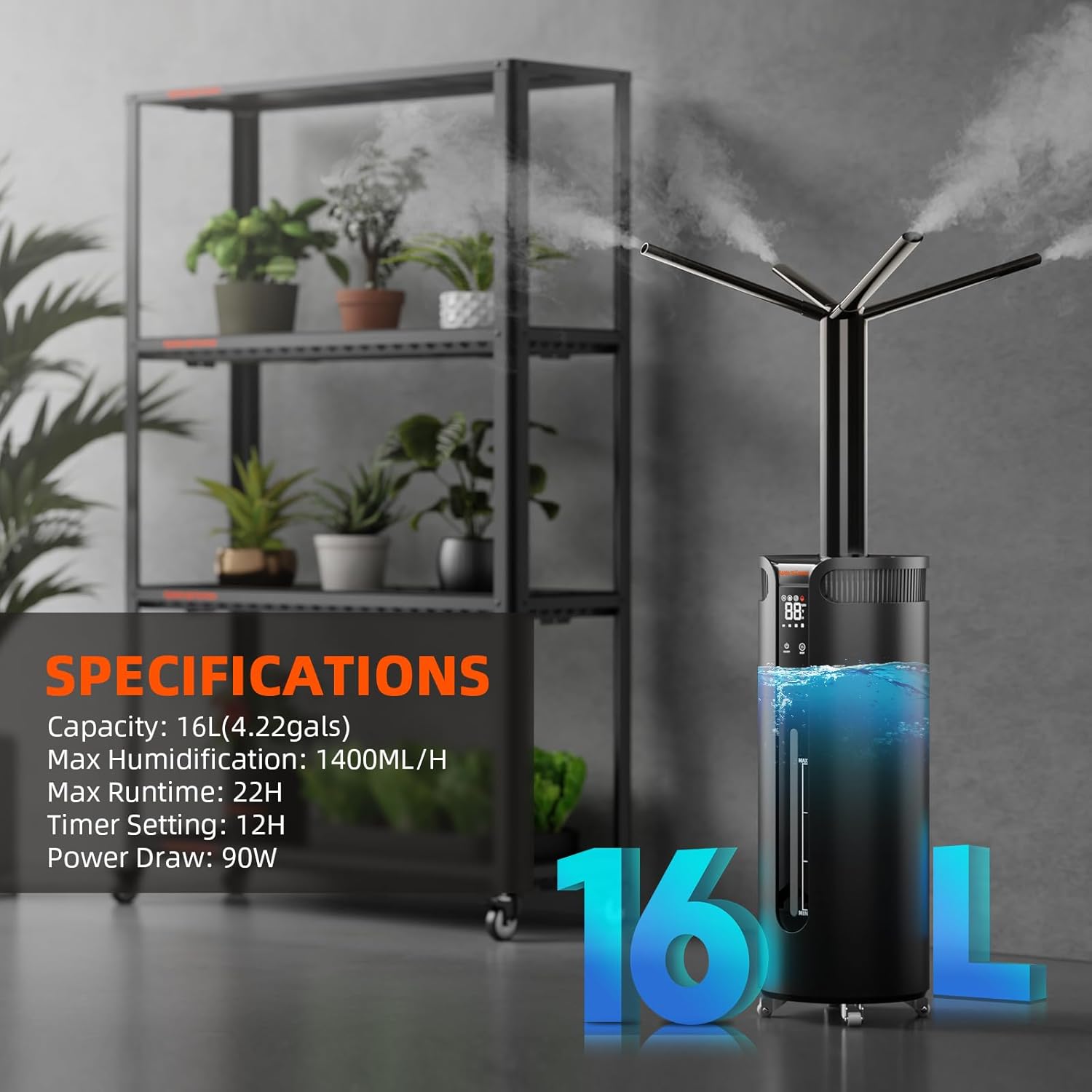
Image: Visual representation of product specifications.
10. Warranty and Support
Spider Farmer provides a 2-year quality assurance and a 3-month exchange policy for this product. If you encounter any issues or require assistance, please contact our customer support team. We are committed to resolving any concerns within 24 hours.
For support, please visit the official Spider Farmer website or refer to your purchase documentation for contact details.