Introduction
This manual provides comprehensive instructions for the Newmowa Magnetic Phone Selfie Light. Please read it carefully to ensure proper use, maintenance, and to maximize the product's functionality. This versatile light is designed to enhance your photos and videos, providing optimal illumination for various scenarios including selfies, makeup application, video conferences, and live streaming.
Product Overview
The Newmowa Magnetic Phone Selfie Light is a compact and portable lighting solution. It features both magnetic and clip-on attachment options, a built-in rechargeable battery, and adjustable light modes and brightness levels.
Components Included:
- 1 x Magnetic Fill Light
- 1 x Metal Ring
- 1 x Phone Clip
- 1 x Type-C Cable
- 1 x Instruction Manual
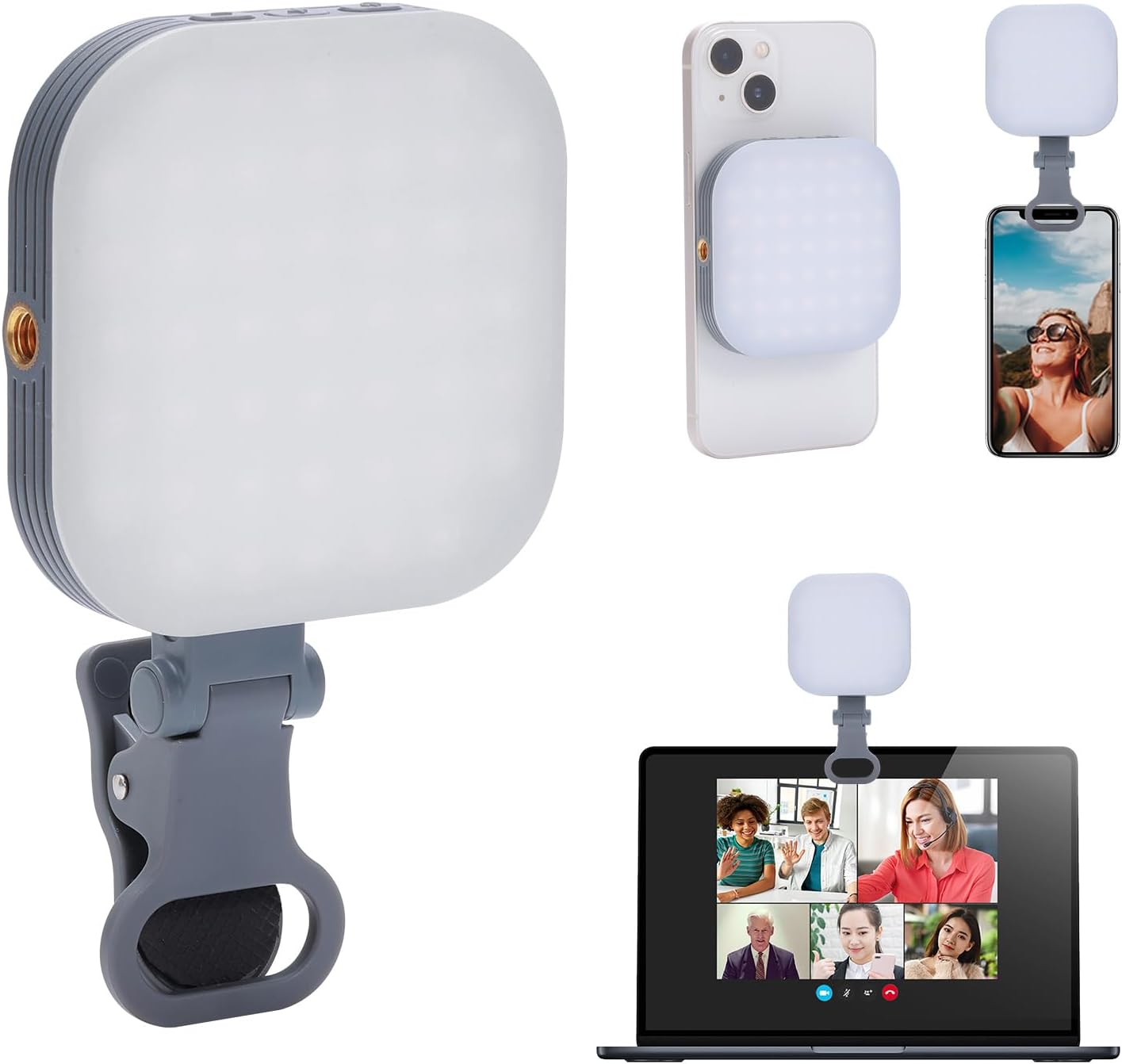
Image: The Newmowa Magnetic Phone Selfie Light shown with its clip attachment and magnetic attachment to a phone, also demonstrating its use with a laptop for video conferencing.
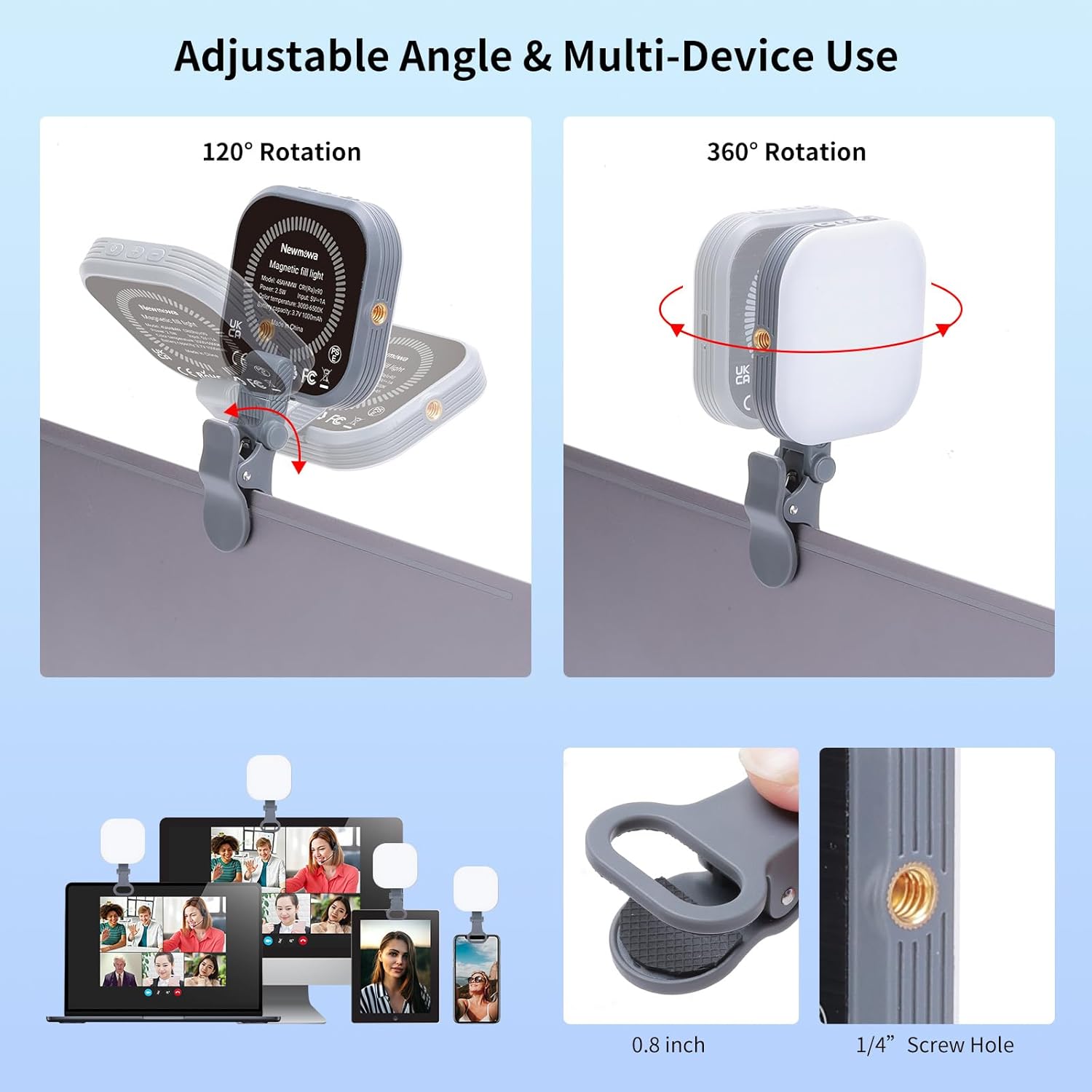
Image: Detailed view of the Newmowa Magnetic Fill Light, highlighting the power/mode switch, brightness adjustment buttons, 1/4" screw hole, phone clip interface, and Type-C charging port.
Key Features:
- Magnetic Attachment: Securely attaches to iPhone 12/13/14/15 series directly, or to other phones (Android, iPhone 11 and older) using the included metal ring.
- Multi-Function Design: Features a clip for attachment to phones, tablets, laptops, and a 1/4" screw hole for cameras, tripods, and selfie sticks.
- Adjustable Angle: The clip allows for 360° horizontal and 120° vertical rotation.
- Rechargeable Battery: Built-in 1000mAh Li-ion battery, rechargeable via Type-C USB.
- Portable Design: Compact and lightweight (2.8x2.8x0.6 inches, 0.2lb) for easy transport.
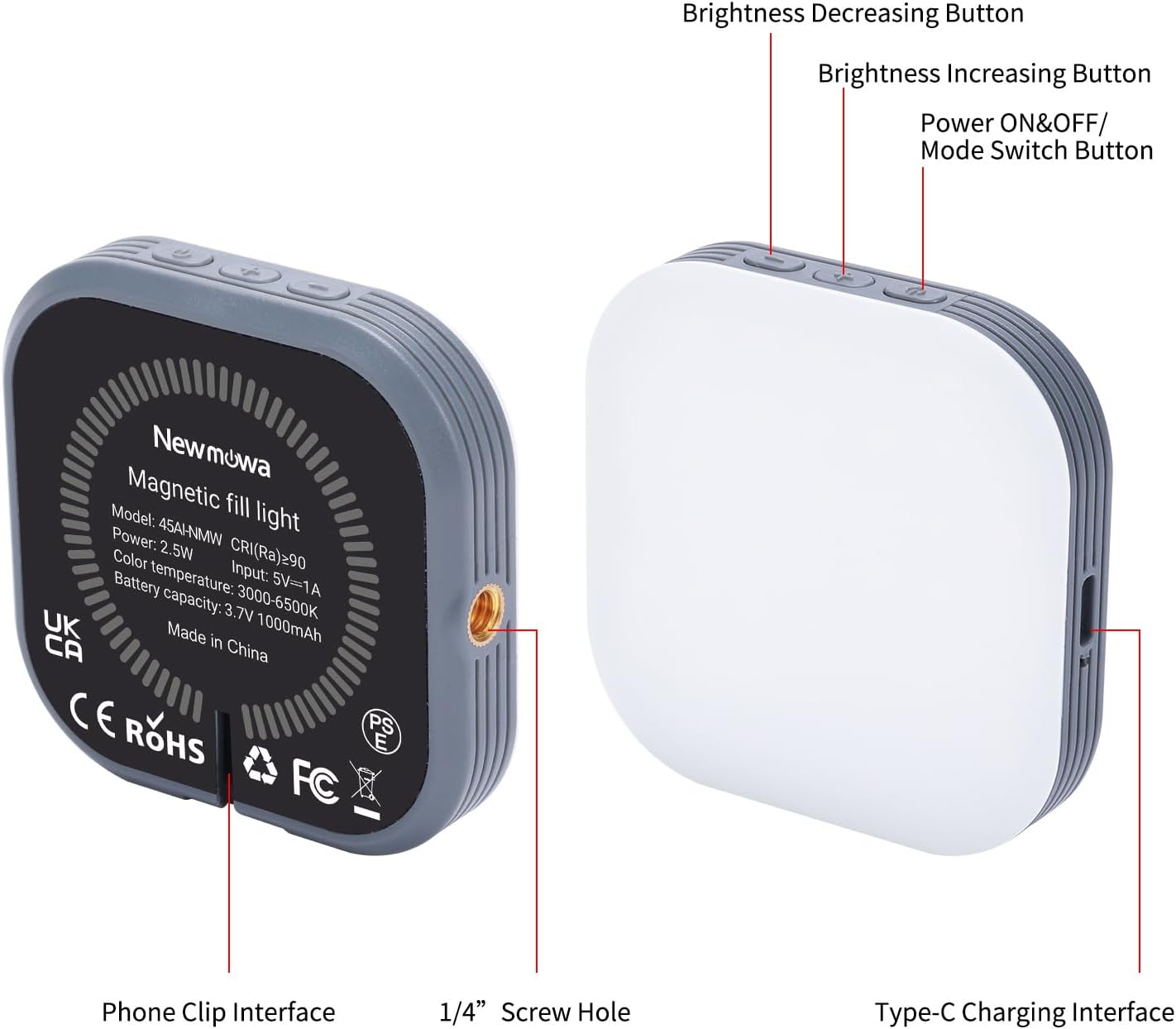
Image: The compact Newmowa Magnetic Phone Selfie Light being slipped into a jeans pocket, illustrating its small size and portability.
Setup
Charging the Device:
Before first use, fully charge the selfie light. Connect the included Type-C cable to the light's charging port and the other end to a USB power source (e.g., computer, laptop, power bank, USB charger). The charging indicator light will turn red while charging and green when fully charged. A red light indicates low battery (approx. 5 minutes remaining).
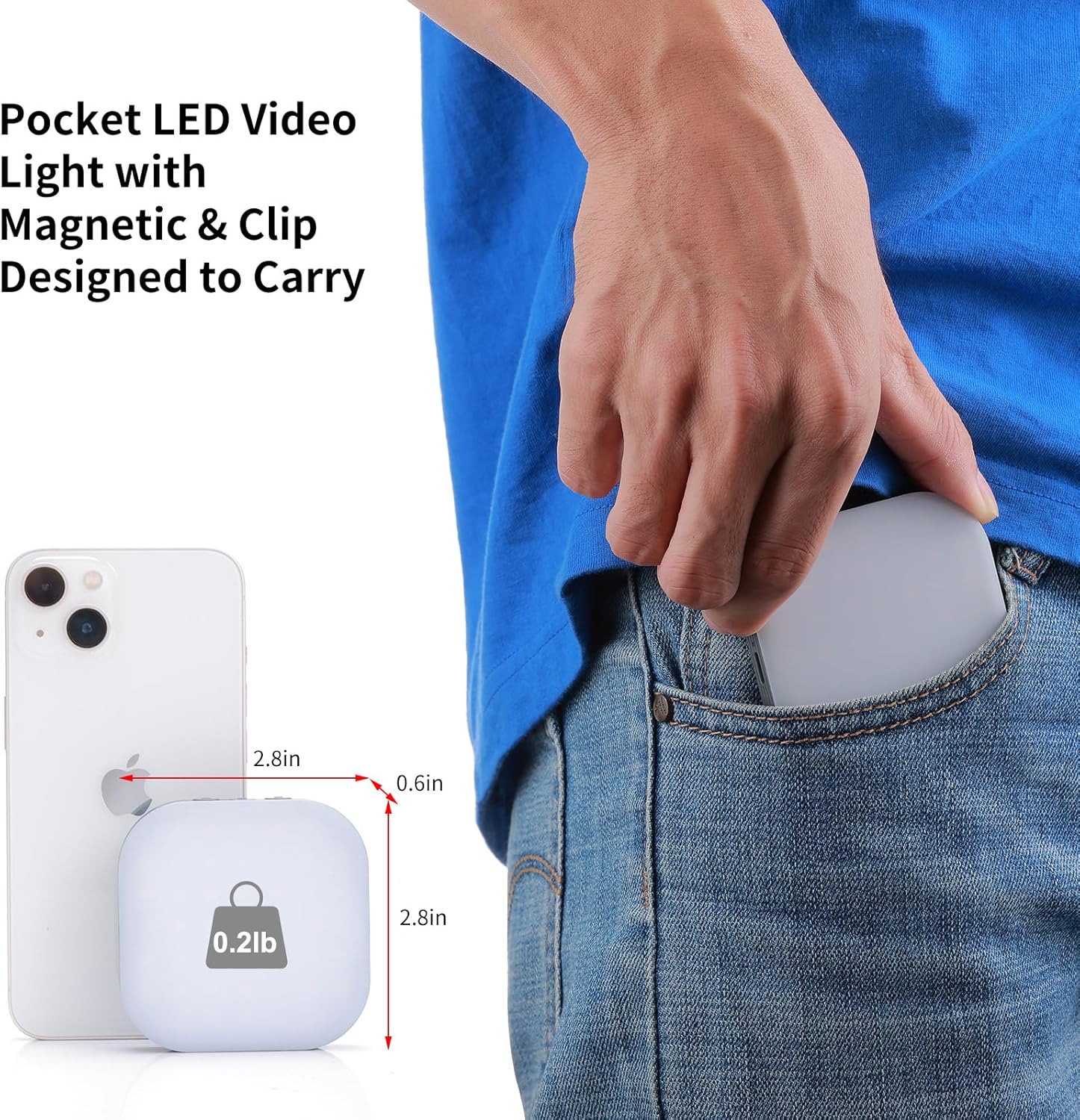
Image: The Newmowa Magnetic Fill Light connected via its Type-C port to a USB charger, demonstrating the charging process and indicating compatibility with various USB power sources.
Attaching the Light:
- Magnetic Attachment (for iPhone 12/13/14/15 series): The light has a built-in magnetic core. Simply align and attach it directly to the back of your bare iPhone 12 series or newer.
- Magnetic Attachment (for Android phones, iPhone 11 and older, or non-MagSafe cases): Use the included metal ring. Peel off the adhesive backing from the metal ring and firmly attach it to the back of your phone or phone case. Once the ring is secured, the selfie light can be magnetically attached to the ring.
- Clip-on Attachment: Attach the provided phone clip to the 1/4" screw hole on the side of the selfie light. The clip can then be securely fastened to your phone, tablet, laptop, or other compatible devices.
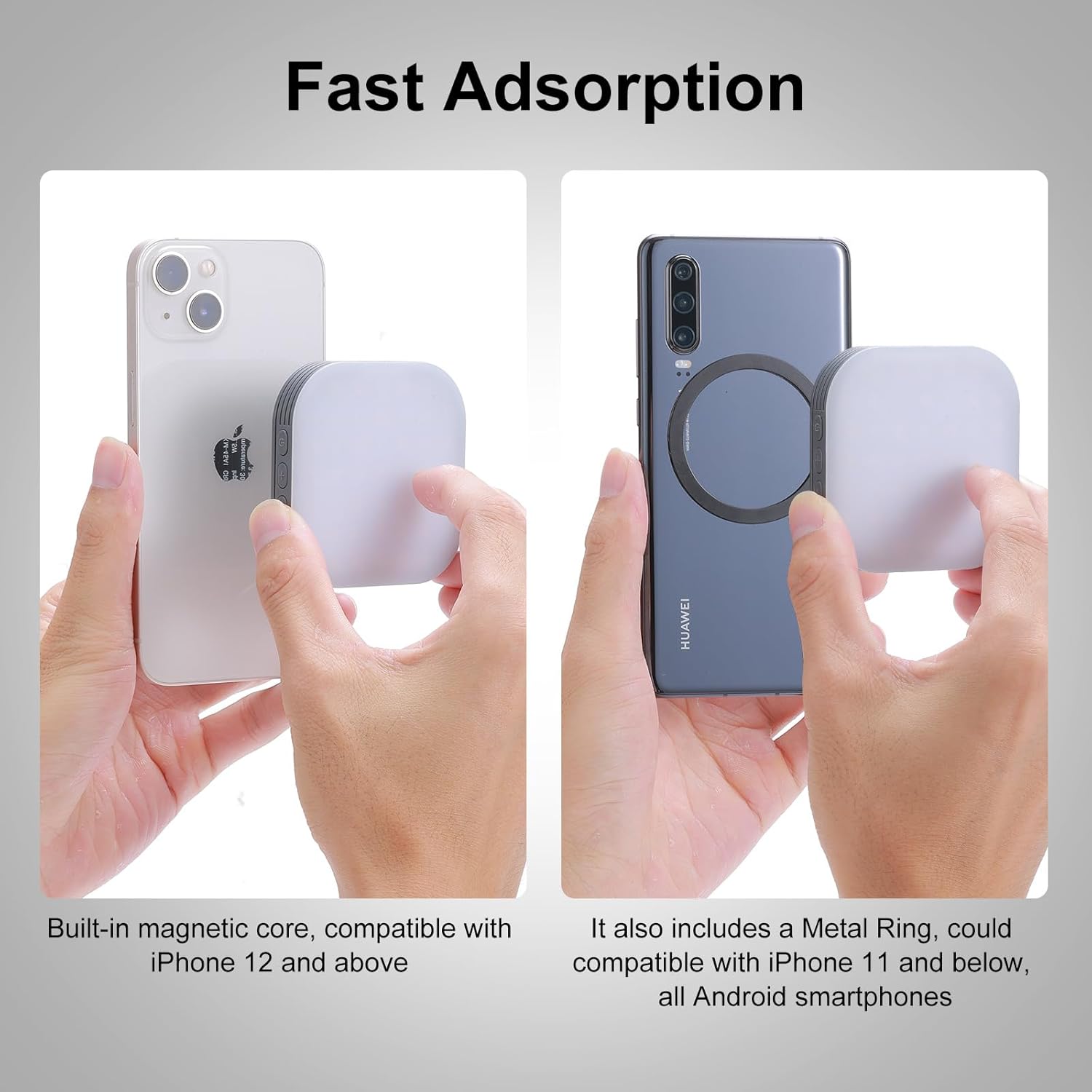
Image: Two hands demonstrating the magnetic attachment of the Newmowa light. One shows direct attachment to an iPhone 12 or above, and the other shows attachment to an Android phone using the included metal ring.
Operating Instructions
Power ON/OFF and Mode Switching:
Locate the power button on the side of the light. Press and hold the power button for a few seconds to turn the light ON or OFF. Short press the power button to cycle through the three light modes: 6500K White Light, 4700K Natural Light, and 3000K Warm Light.
Adjusting Brightness:
Use the '+' and '-' buttons adjacent to the power button to adjust the brightness. There are 5 brightness levels available, allowing you to fine-tune the illumination to your preference.
Angle Adjustment:
When using the clip attachment, the light can be rotated 360° horizontally and 120° vertically. This flexibility allows you to direct the light precisely where needed for optimal results.
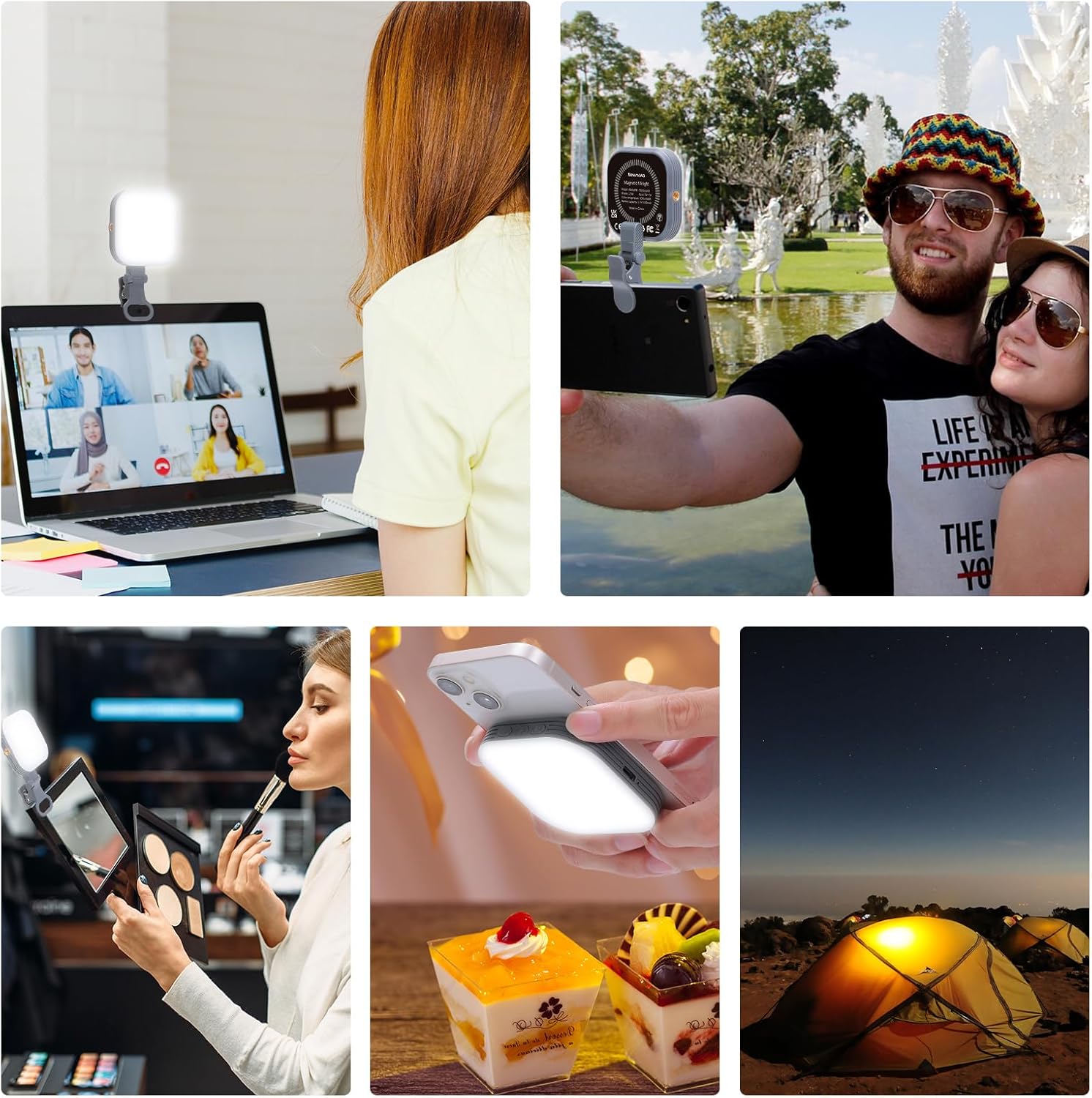
Image: A visual representation of the Newmowa light's adjustable angles, showing 120-degree vertical rotation and 360-degree horizontal rotation when attached via the clip.
Versatile Usage:
The Newmowa selfie light is suitable for a wide range of applications:
- Selfies & Photography: Provides fill light for clearer, brighter photos.
- Video Conferencing: Improves your appearance during online meetings on laptops or monitors.
- Makeup Application: Offers consistent lighting for detailed makeup work.
- Live Streaming & TikTok: Enhances video quality for content creation.
- Outdoor Lighting: Can be magnetically attached to metal objects for temporary illumination.
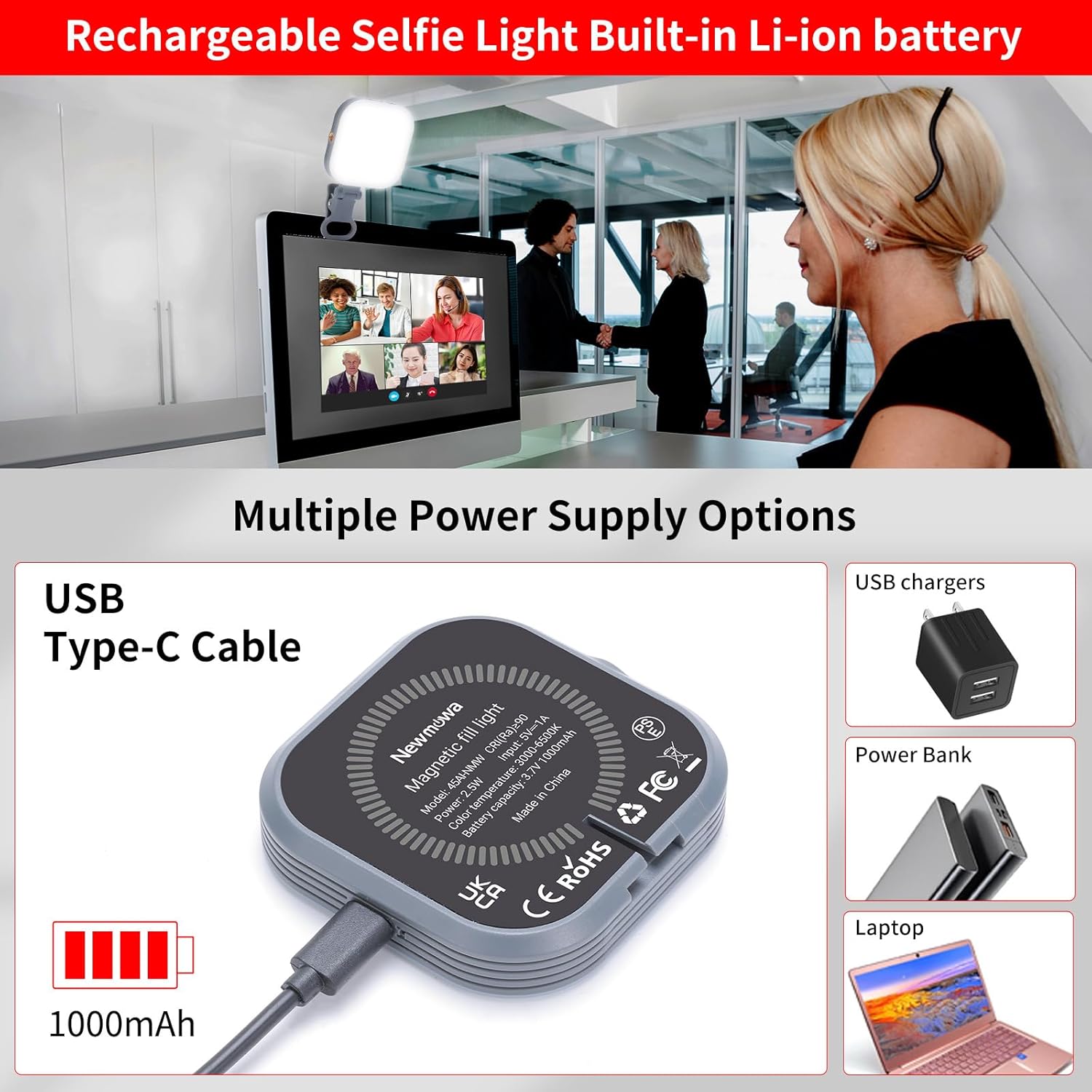
Image: A collage showcasing diverse applications of the Newmowa selfie light, including enhancing video calls on a laptop, taking selfies, assisting with makeup, illuminating food photography, and providing light in an outdoor camping setting.
Maintenance
Cleaning:
Wipe the light with a soft, dry cloth. Do not use abrasive cleaners or solvents, as they may damage the surface or internal components. Ensure the device is powered off before cleaning.
Battery Care:
To prolong battery life, avoid fully discharging the battery frequently. Recharge the device when the low battery indicator appears. If storing the device for an extended period, charge it to approximately 50% every few months.
Troubleshooting
| Problem | Possible Cause | Solution |
|---|---|---|
| Light does not turn on. | Battery is depleted. | Charge the device using the provided Type-C cable. |
| Light is dim or flickers. | Low battery or brightness setting is too low. | Recharge the device. Increase brightness using the '+' button. |
| Magnetic attachment is weak. | Incorrect phone model for direct magnetic attachment, or metal ring not properly installed/used. | Ensure you are using an iPhone 12 series or newer for direct attachment. For other phones, ensure the metal ring is securely attached to the phone or case. Avoid thick cases that may interfere with magnetic strength. |
| Clip attachment is unstable. | Clip not fully secured or device surface is too thin/thick. | Ensure the clip is firmly attached to the device. The clip is designed for surfaces up to 0.8 inches thick. |
Specifications
| Feature | Detail |
|---|---|
| Model Number | 45AI-NMW-US |
| Product Dimensions | 2.8 x 2.8 x 0.6 inches |
| Item Weight | 4.6 ounces |
| Battery Type | 1 Lithium Ion battery (included) |
| Battery Capacity | 1000mAh |
| Input Voltage | 5V 1A |
| Power | 2.5W |
| Color Temperature | 3000K-6500K (3 modes) |
| Brightness Levels | 5 levels |
| Charging Port | Type-C |
| Connectivity Technology | Magnetic Phone Light |
| Water Resistance Level | Not Water Resistant |
Safety Information
- Do not expose the device to water or excessive moisture.
- Avoid dropping or subjecting the device to strong impacts.
- Do not attempt to disassemble or repair the device yourself. Contact customer support for assistance.
- Keep out of reach of children.
- Dispose of the battery according to local regulations.
Warranty and Support
For warranty information and customer support, please refer to the official Newmowa website or contact the retailer from whom you purchased the product. Please retain your proof of purchase for warranty claims.

