Introduction
Thank you for choosing the Soaiy i&i SR 10 TWS Wireless Bluetooth Earphones. This manual provides instructions for setup, operation, and maintenance to ensure optimal performance and longevity of your device.
Package Contents
- Soaiy i&i SR 10 TWS Earbuds (Left and Right)
- Charging Case
- USB Type-C Charging Cable
- User Manual (This document)
Product Overview
Components
Identify the main parts of your Soaiy i&i SR 10 earphones:
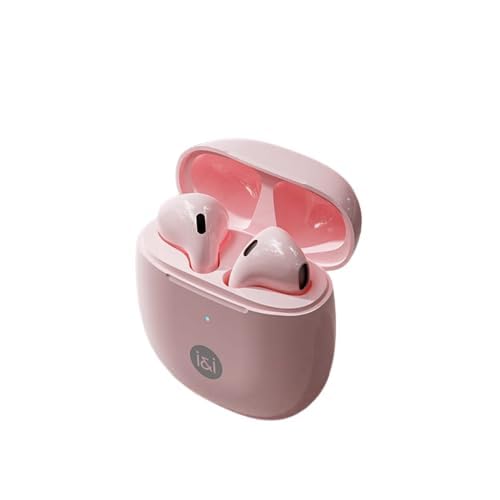
Image Description: A pink charging case with two pink earbuds inside. The case is open, showing the earbuds nestled in their charging slots. The 'i&i' logo is visible on the front of the case.
- Earbuds (Left and Right)
- Charging Case (with Type-C charging port)
- Touch Control Area (on each earbud)
- LED Indicator (on earbuds and case)
- Built-in Microphone
Key Features
- Bluetooth 5.3: Provides a stable and fast wireless connection.
- Lightweight Design: Each earbud weighs approximately 3.2g for comfortable wear.
- Extended Playtime: Up to 40 hours of total playtime with the charging case.
- Fast Charging: Quick charging for earbuds and case.
- Environmental Noise Cancellation (ENC): Enhances call clarity by reducing background noise.
- Touch Control: Intuitive control for music playback and calls.
- IPX4 Water Resistance: Protects against splashes and sweat.
Setup
Initial Charging
- Place both earbuds into the charging case.
- Connect the USB Type-C charging cable to the charging port on the case and to a power source.
- The LED indicator on the charging case will show charging status. A full charge for the case takes approximately 2 hours. Earbuds charge in about 30 minutes.
Pairing with a Device
- Ensure the earbuds are charged.
- Open the charging case. The earbuds will automatically enter pairing mode, indicated by a flashing LED on the earbuds.
- On your device (smartphone, tablet, laptop), enable Bluetooth.
- Search for "Soaiy SR10" in the list of available Bluetooth devices and select it to connect.
- Once connected, the earbud LED indicators will turn off or show a steady light (refer to specific LED behavior in the product's quick start guide if available).
- The earbuds will automatically reconnect to the last paired device when taken out of the case, if Bluetooth is enabled on the device.
Operating Instructions
Touch Controls
The Soaiy i&i SR 10 earphones feature touch-sensitive controls on each earbud:
| Function | Action | Earbud |
|---|---|---|
| Play/Pause | Single tap | Left or Right |
| Next Track | Double tap | Right |
| Previous Track | Double tap | Left |
| Answer/End Call | Single tap | Left or Right |
| Reject Call | Press and hold for 2 seconds | Left or Right |
| Activate Voice Assistant | Triple tap | Left or Right |
| Volume Up | Press and hold Right | Right |
| Volume Down | Press and hold Left | Left |
Wearing the Earbuds
Insert the earbuds gently into your ears. Adjust them for a comfortable and secure fit to optimize sound quality and noise cancellation.
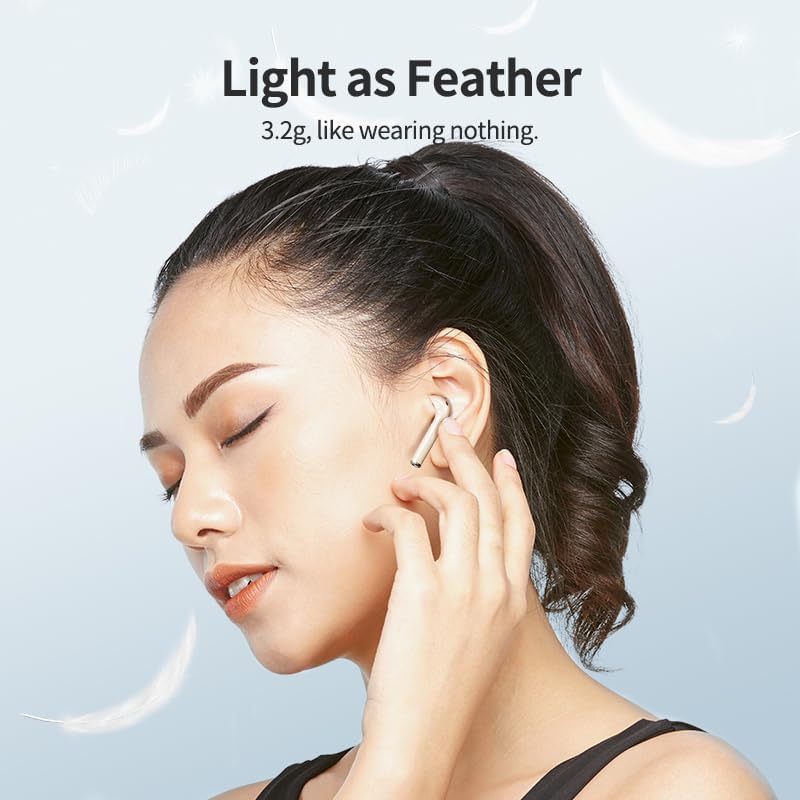
Image Description: A person wearing a Soaiy i&i SR 10 earbud in their ear, demonstrating the lightweight and comfortable fit.
Maintenance
Cleaning
- Use a soft, dry, lint-free cloth to clean the earbuds and charging case.
- Do not use abrasive cleaners, alcohol, or chemical solvents.
- Regularly clean the charging contacts on both the earbuds and the case to ensure proper charging.
Storage
- When not in use, always store the earbuds in their charging case to protect them and keep them charged.
- Store in a cool, dry place, away from extreme temperatures and direct sunlight.
Water Resistance
The earbuds are IPX4 water-resistant, meaning they are protected against splashing water from any direction. They are not designed for submersion in water. Avoid exposing them to heavy rain or swimming.

Image Description: A person exercising, highlighting the IPX4 water and dust resistance feature of the earbuds, suitable for active use.
Troubleshooting
Common Issues and Solutions
- Earbuds not pairing:
- Ensure both earbuds are charged.
- Place them back in the case, close the lid, then open it again to re-enter pairing mode.
- Turn off and on Bluetooth on your device.
- Forget "Soaiy SR10" from your device's Bluetooth list and try pairing again.
- Only one earbud working:
- Ensure both earbuds are charged.
- Try placing both earbuds back in the charging case, closing the lid, and then taking them out again simultaneously.
- Reset the earbuds (refer to specific reset instructions if available, otherwise suggest re-pairing).
- No sound:
- Check the volume level on your device and on the earbuds.
- Ensure the earbuds are properly connected to your device.
- Try playing audio from a different application or source.
- Charging case not charging:
- Ensure the USB Type-C cable is securely connected to both the case and the power source.
- Try a different charging cable or power adapter.
- Clean the charging port on the case.
Specifications
Technical Details
| Feature | Detail |
|---|---|
| Model | SR10 |
| Bluetooth Version | 5.3 |
| Operating Range | Up to 10 meters |
| Earbud Battery Capacity | 25mAh |
| Charging Case Battery Capacity | 300mAh |
| Earbud Charging Time | Approx. 30 minutes |
| Case Charging Time | Approx. 2 hours |
| Total Playtime | Up to 40 hours (with charging case) |
| Charging Interface | USB Type-C |
| Earbud Weight | Approx. 3.2g |
| Water Resistance | IPX4 |
| Material | ABS Plastic |
| Dimensions (Case) | 55mm (H) x 48mm (W) x 24.5mm (D) |
Image Description: A close-up of a microchip labeled "Bluetooth 5.3", illustrating the advanced connectivity technology of the earbuds.
Safety Information
Important Safety Precautions
- Do not disassemble or modify the product.
- Keep away from extreme temperatures, direct sunlight, and open flames.
- Avoid exposing to strong magnetic fields.
- Do not use the earbuds at excessively high volumes for prolonged periods to prevent hearing damage.
- Keep out of reach of children and pets.
- Dispose of the product and its battery responsibly according to local regulations.
Warranty and Support
Warranty Information
Soaiy products are designed and manufactured to the highest quality standards. For detailed warranty terms and conditions, please refer to the warranty card included with your purchase or visit the official Soaiy website.
Customer Support
If you encounter any issues or have questions regarding your Soaiy i&i SR 10 earphones, please contact Soaiy customer support through the retailer where you purchased the product or via the official Soaiy support channels.


