
1. Introduction
Thank you for choosing the EPICKA Universal Travel Adapter. This all-in-one adapter is designed to provide convenient and efficient power solutions for your electronic devices while traveling worldwide. With its advanced GaN technology, multiple USB-C and USB-A ports, and broad compatibility, it ensures your devices stay charged wherever you go.

Figure 1: EPICKA Universal Travel Adapter (TA-105 Max)
2. What's in the Box
- 1 x EPICKA Universal Travel Adapter
- 1 x User Manual
- 1 x Carry Bag
- 2 x Extra Fuses
3. Key Features
- Worldwide Compatibility: Equipped with Type C, Type G, Type I, and Type A plugs, compatible with over 200 countries and regions. (Note: Does not work with Type D (India) or Type M (South Africa) sockets.)
- 6-in-1 Charging: Features 1 AC outlet, 3 USB-C ports, and 2 USB-A ports for simultaneous charging of multiple devices.
- 70W PD Fast Charging: USB-C1 port supports Power Delivery 3.0 for up to 70W fast charging, ideal for laptops, tablets, and smartphones.
- Universal AC Outlet: Accepts plugs from US, EU, UK, AU, and China.
- Safety Features: Built-in 10A fuse, safety shutters to prevent accidental insertion, and a separate plug lock system. RoHS, CE, and FCC certified.

Figure 2: All-in-one design with various plug types (EU/KR, UK, US/JP, AUS/CN).

Figure 3: Illustration of 70W PD Max Charging capability, showing fast charging for a laptop.

Figure 4: Safety features including 10A overload protection fuse, spare fuse, and safety shutter.
4. Setup and Usage
4.1 Selecting the Correct Plug Type
The EPICKA Universal Travel Adapter features retractable pins for different regions. To select the appropriate plug:
- Identify the required plug type for your destination (e.g., Type C for Europe, Type G for UK, Type I for Australia/China, Type A for USA/Japan).
- Slide the corresponding lever on the side of the adapter to extend the pins. Ensure the pins are fully extended and locked into place.
- To retract the pins, press the release button (if applicable for the specific plug type) and slide the lever back.
4.2 Connecting Devices
- AC Outlet: Plug your AC-powered device into the universal AC socket on the adapter. Ensure your device supports dual voltage (100-240V, 50/60Hz) if using in a country with a different voltage than its origin. This adapter does NOT convert voltage.
- USB Ports: Connect your USB-C or USB-A charging cables to the corresponding ports on the adapter. The USB-C1 port provides up to 70W PD fast charging.

Figure 5: The adapter charging a laptop, tablet, and smartphone simultaneously.
5. Important Safety Information
- This adapter does NOT convert voltage. Always check the voltage requirements of your devices before plugging them in. Look for "100-240V, 50/60Hz" on your device's power adapter.
- Do not use with high-power appliances over 2000W (e.g., hair dryers, irons, electric kettles) even if they support dual voltage, due to potential hazards. The built-in 10A fuse may pop to prevent damage.
- Do not expose the adapter to liquids or extreme temperatures.
- Keep out of reach of children.
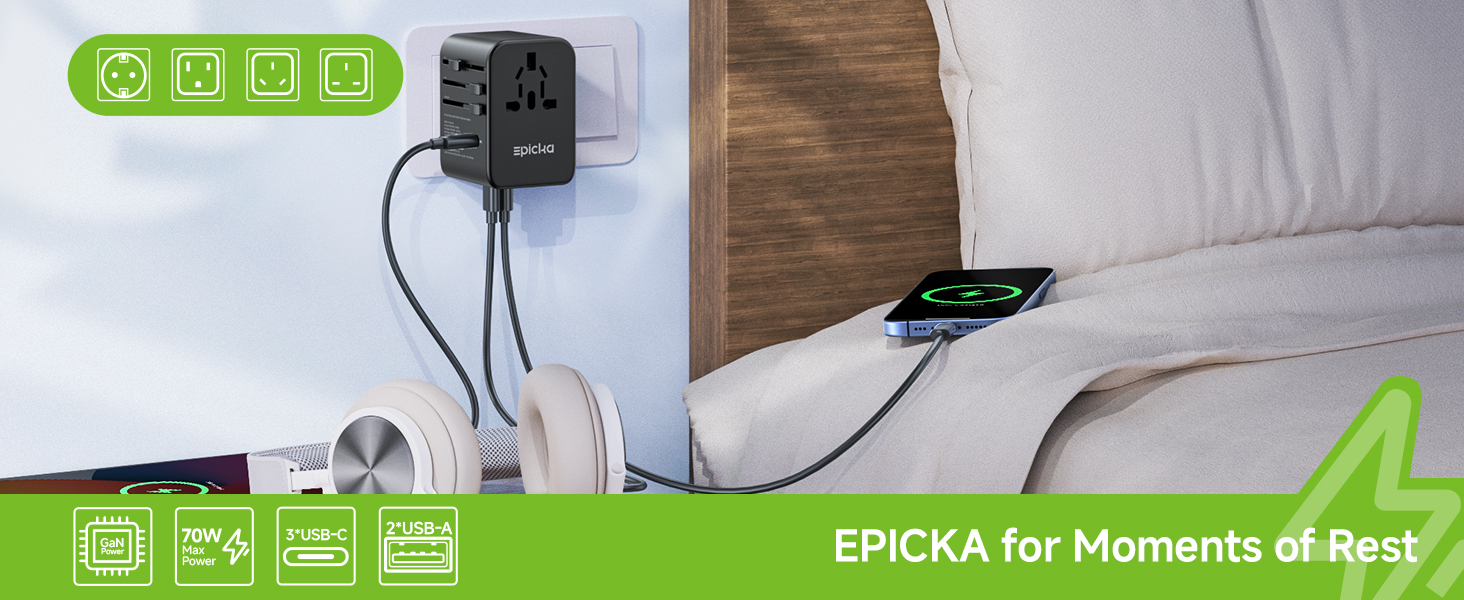
Figure 6: Visual reminder that the adapter is not a voltage converter.
6. Maintenance and Troubleshooting
6.1 Cleaning
Wipe the adapter with a dry, soft cloth. Do not use abrasive cleaners or solvents.
6.2 Fuse Replacement
The adapter includes a built-in 10A fuse for overload protection. If the adapter stops working, the fuse may have blown. To replace:
- Unplug the adapter from the wall outlet and disconnect all devices.
- Locate the fuse compartment (refer to Figure 4 for location).
- Carefully open the compartment and replace the blown fuse with one of the provided 10A spare fuses.
- Close the compartment securely.
If you need more fuses, search for "Epicka 10A Replacement Fuses" on Amazon. Ensure you use only 10A fuses.
6.3 Common Issues
| Issue | Possible Cause | Solution |
|---|---|---|
| Adapter not powering on. | Blown fuse, loose connection, incompatible outlet. | Check/replace fuse. Ensure adapter is fully plugged in. Verify outlet type. |
| Device not charging. | Incompatible voltage, faulty cable, device issue. | Verify device voltage (100-240V). Try a different cable/device. |
| Adapter feels warm. | Normal operation, especially during fast charging. | This is normal. If it becomes excessively hot or emits smoke/smell, unplug immediately. |
7. Specifications
| Feature | Detail |
|---|---|
| Model Number | TA-105 Max |
| Product Dimensions | 2.05 x 1.97 x 2.8 inches |
| Item Weight | 8.3 ounces |
| Input Voltage | 100-240V AC, 50/60Hz |
| AC Power Rating | 10A Max, 1000W at 100V, 2400W at 240V |
| USB-C1 Output | PD 70W Max (5V/3A, 9V/3A, 12V/3A, 15V/3A, 20V/3.5A) |
| USB-C2/C3 Output | 5V/3A (15W Max) |
| USB-A1/A2 Output | 5V/2.4A (12W Max) |
| Total USB Output | 70W Max |
| Plug Formats | Type C, Type G, Type I, Type A |
| Certifications | RoHS, CE, FCC |
8. Warranty and Support
For warranty information and customer support, please refer to the official EPICKA website or contact their customer service directly. Keep your purchase receipt for warranty claims.
You can also find additional support and product information on the EPICKA Store on Amazon.