
1. Introduction
This instruction manual provides essential information for the safe and efficient operation of your new Bosch WAN24272ES Series 4 washing machine. Please read this manual thoroughly before using the appliance for the first time and keep it for future reference. Your washing machine features an 8 kg capacity, 1200 RPM spin speed, EcoSilence Motor for quiet operation, and Active Water Plus technology for optimized water consumption.

Image 1.1: Front view of the Bosch WAN24272ES Series 4 washing machine, white in color, with the control panel and detergent drawer visible above the main drum door.
2. Safety Information
Always prioritize safety when operating electrical appliances. Failure to follow these instructions may result in injury or damage to the appliance.
- Electrical Safety: Ensure the appliance is properly grounded and connected to a suitable power supply. Do not use extension cords.
- Water Connections: Connect the water inlet and drain hoses securely to prevent leaks.
- Child Safety: This appliance is equipped with a child safety lock. Activate it to prevent unintended operation by children.
- Installation: During installation, it is critical to remove all transit bolts from the rear of the machine. Failure to do so will cause severe vibration and damage to the appliance during operation.
- Vibration Reduction: The machine is designed with vibration reduction features. Ensure it is level on a stable surface to maximize these benefits.
- Maintenance: Disconnect the appliance from the power supply before performing any cleaning or maintenance.
3. Product Overview
Familiarize yourself with the main components of your washing machine.
3.1 Control Panel

Image 3.1: Detailed view of the control panel, showing the program selector dial, LED display, and various function buttons.
The control panel features a central program selector dial, an LED display showing program status and time, and buttons for additional functions such as SpeedPerfect, Pause + Load, and Start Delay.
3.2 Detergent Drawer
Located on the upper left, the detergent drawer is where you add detergent and fabric softener. It typically has compartments for pre-wash, main wash, and softener.
3.3 Drum

Image 3.2: Interior view of the washing machine drum, highlighting its textured surface designed for gentle and effective washing.
The stainless steel drum is designed to handle up to 8 kg of laundry. Its unique structure ensures thorough cleaning while protecting your garments.
4. Setup and Installation
Proper installation is crucial for the performance and longevity of your washing machine.
4.1 Unpacking and Transit Bolt Removal
Carefully unpack the appliance. Before use, you must remove the transit bolts located at the rear of the machine. These bolts secure the drum during transport and must be removed to prevent damage during operation. Refer to the detailed diagrams in the full manual for precise locations.
4.2 Positioning and Leveling
Place the washing machine on a firm, level surface. Use a spirit level and adjust the feet to ensure the machine is perfectly stable. This minimizes vibration and noise during cycles.

Image 4.1: Side view diagram illustrating the washing machine's dimensions, including height, depth, and door clearance.

Image 4.2: Top-down view diagram showing the washing machine's width dimension.
4.3 Water and Electrical Connections
- Connect the supplied fill hose to the water tap and the appliance.
- Securely attach the drain hose to a suitable drain point.
- Plug the power cable into a grounded electrical outlet.
5. Operating Instructions
Follow these steps for a typical wash cycle.
5.1 Loading Laundry
Open the door and load laundry into the drum, ensuring not to overload. The maximum capacity is 8 kg. Close the door firmly.
5.2 Adding Detergent and Softener
Pull out the detergent drawer and add the appropriate amount of detergent to the main wash compartment. Add fabric softener to its designated compartment if desired.
5.3 Selecting a Program
Turn the program selector dial to choose your desired wash program. Available programs include:
- Cotton
- Synthetics
- Delicates
- Wool / Hand wash
- Quick wash (e.g., 15/30 min)
- Water Plus
- Drum Clean
5.4 Selecting Additional Functions
Use the buttons on the control panel to select additional functions:
- SpeedPerfect: Reduces wash time by up to 65% while maintaining wash quality.
- Pause + Load: Allows you to add or remove items even after the cycle has started. Press the Start/Pause button, wait for the door to unlock, add/remove items, then close the door and press Start/Pause again.
- Start Delay: Program the machine to start at a later time, useful for taking advantage of off-peak electricity rates.
5.5 Starting the Wash Cycle
Press the Start/Pause button to begin the selected program. The LED display will show the remaining time.
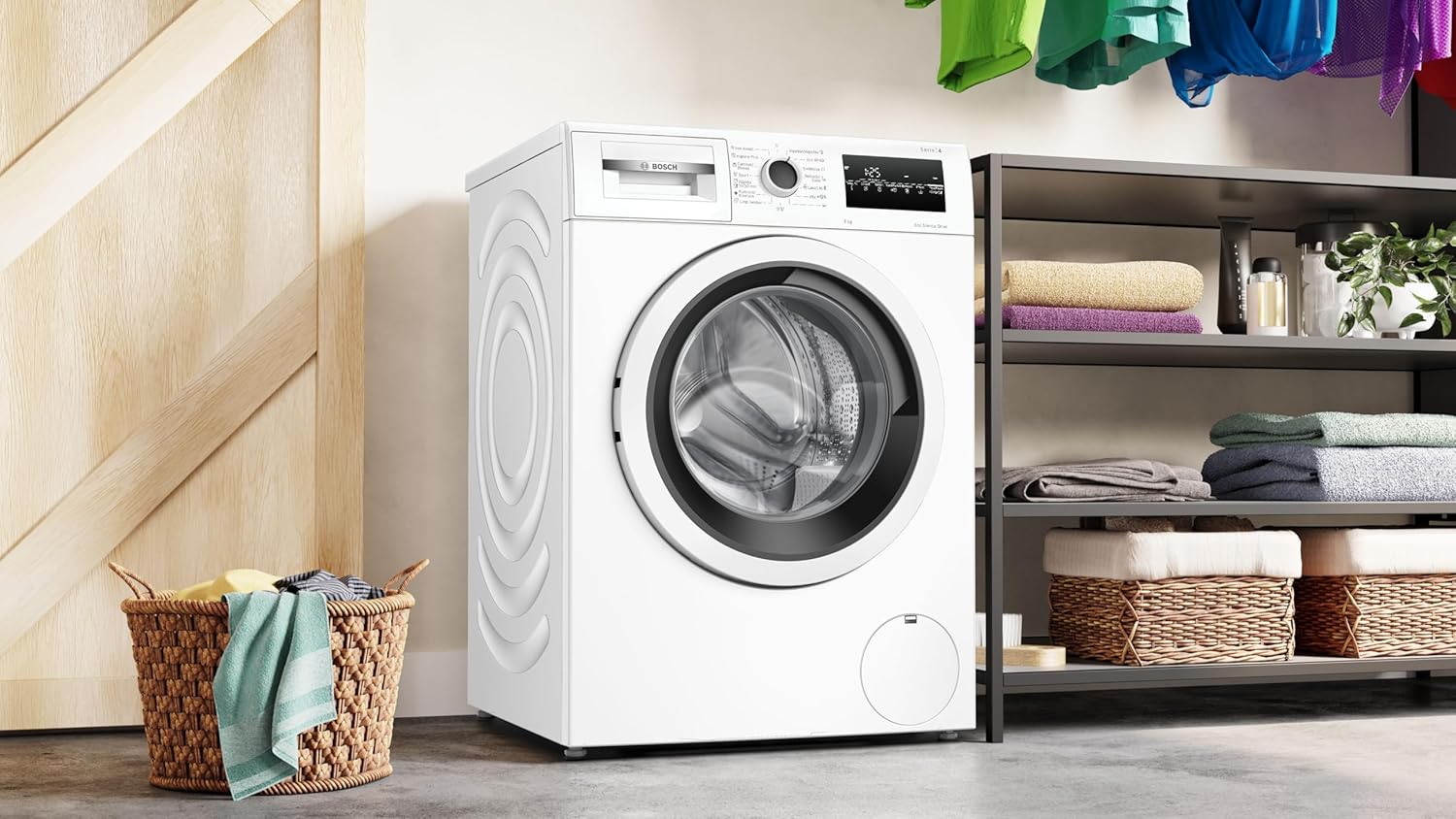
Image 5.1: The Bosch washing machine positioned in a laundry area, ready for operation.
6. Maintenance and Care
Regular maintenance ensures optimal performance and extends the life of your appliance.
6.1 Cleaning the Detergent Drawer
Periodically remove and clean the detergent drawer to prevent residue buildup. Rinse it under running water and use a brush if necessary.
6.2 Cleaning the Drum
Use the dedicated 'Drum Clean' program (if available) or run an empty cycle with a washing machine cleaner at a high temperature to remove odors and residue.
6.3 Cleaning the Drain Filter
Locate the drain filter, usually at the bottom front of the machine. Open the cover, drain any residual water, and remove the filter. Clean it of lint and debris, then reinsert it securely.
6.4 Exterior Cleaning
Wipe the exterior surfaces with a soft, damp cloth. Do not use abrasive cleaners or solvents.
7. Troubleshooting
Before contacting service, check the following common issues:
- Machine does not start: Ensure the power cable is plugged in, the door is closed properly, and the Start/Pause button has been pressed. Check the circuit breaker.
- Excessive vibration/noise: Verify that the transit bolts were removed during installation. Ensure the machine is level and all four feet are firmly on the floor. Check for any foreign objects in the drum.
- Water not draining: Check if the drain hose is kinked or blocked. Clean the drain filter.
- Water leaks: Check all hose connections for tightness. Ensure the detergent drawer is not overflowing.
- Error codes: Refer to the full user manual for a list of error codes and their solutions.
8. Specifications
| Feature | Specification |
|---|---|
| Model Number | WAN24272ES |
| Brand | Bosch |
| Capacity | 8 kg |
| Maximum Spin Speed | 1200 RPM |
| Energy Efficiency Class | A |
| Noise Level (Spin) | 71 dB |
| Water Consumption (Eco 40-60) | 47 Liters/cycle |
| Energy Consumption (Eco 40-60) | 46 kWh/100 cycles |
| Dimensions (H x W x D) | 84.5 x 59.8 x 59 cm |
| Weight | 69.9 kg |
| Control Type | Push button |
| Loading Type | Front load |
| Color | White |
| Special Features | High efficiency, Child safety lock, Vibration reduction |

Image 8.1: Energy label for the Bosch WAN24272ES, indicating its 'A' energy efficiency rating and other performance metrics.

Image 8.2: Detailed specification sheet providing comprehensive technical data for the appliance.
9. What's in the Box
Upon unboxing, you should find the following components:
- Bosch WAN24272ES Washing Machine
- Power Cable
- Drain Hose
- Fill Hose
- User Manual (this document)
10. Warranty and Support
Your Bosch WAN24272ES washing machine comes with a standard 24-month manufacturer's warranty. For warranty claims, technical support, or service requests, please contact Bosch customer service. Keep your proof of purchase for warranty validation.
For further assistance, visit the official Bosch website or contact their customer support line.