1. Introduction
This manual provides instructions for the setup, operation, and maintenance of your GENGQIANSI NIU25 replacement remote control. This remote is designed to function as a direct replacement for various Clarion car receiver audio systems without requiring any programming.
1.1. Compatibility
The GENGQIANSI NIU25 remote control is compatible with the following Clarion car receiver audio system models:
- Clarion FZ-709
- Clarion M-309
- Clarion M-109
- Clarion FZ-709E
- Clarion CZ702A
- Clarion CZ702E
- Clarion CZ703A
- Clarion CZ703E
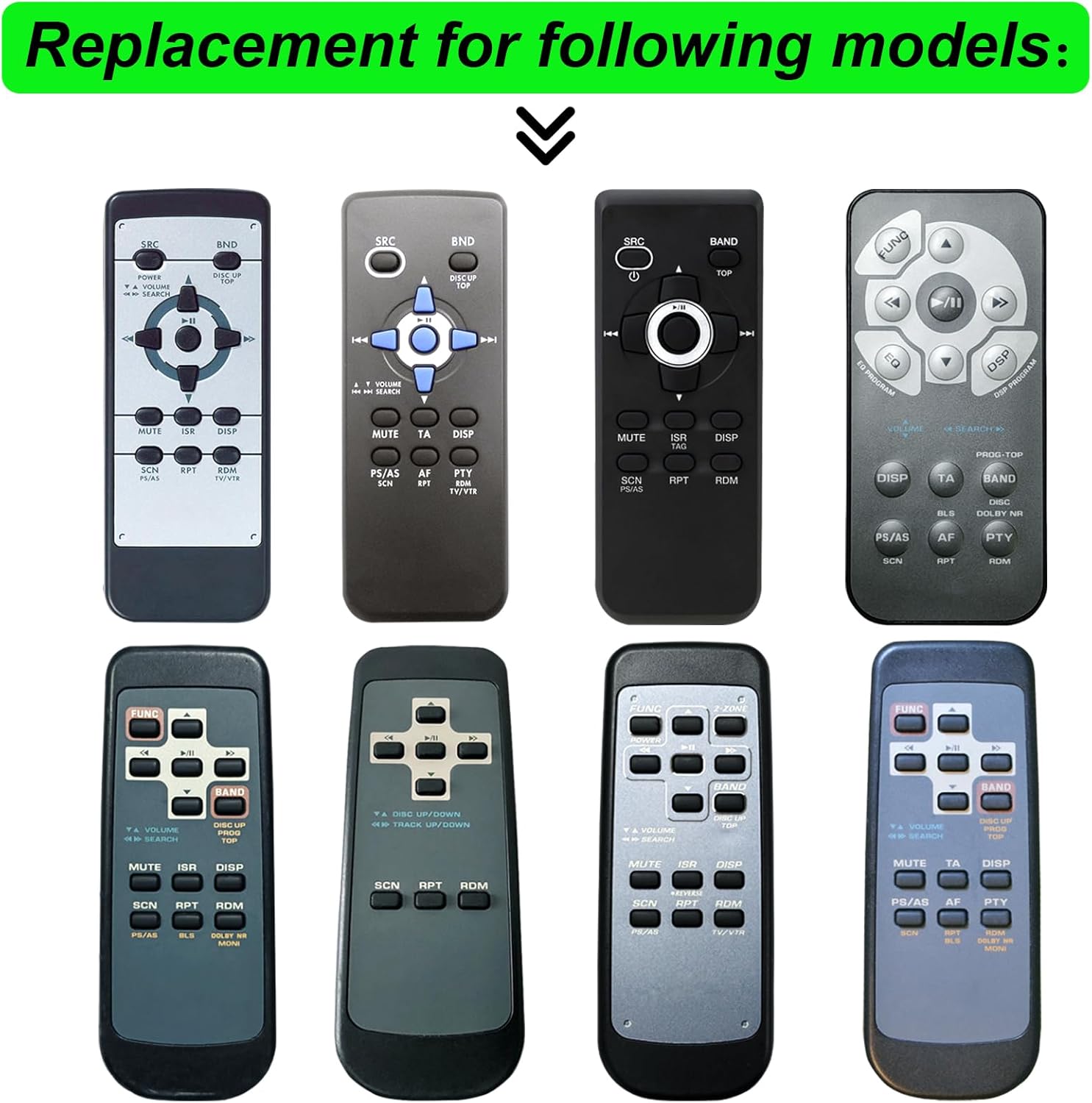
Figure 1: Examples of original remote controls compatible with this replacement unit.
2. Package Contents
Please check the package contents upon receipt to ensure all items are present:
- 1x GENGQIANSI NIU25 Replacement Remote Control
- 1x Wall Mounting Bracket
Note: AAA 1.5V batteries (x2) are not included and must be purchased separately.

Figure 2: Remote control and wall mounting bracket included in the package.
3. Setup
3.1. Battery Installation
The remote control requires two AAA 1.5V batteries (not included) for operation. Follow these steps to install the batteries:
- Locate the battery compartment on the back of the remote control.
- Slide the battery compartment cover downwards to open it.
- Insert two AAA 1.5V batteries, ensuring the positive (+) and negative (-) terminals match the indicators inside the compartment.
- Slide the battery compartment cover back into place until it clicks securely.
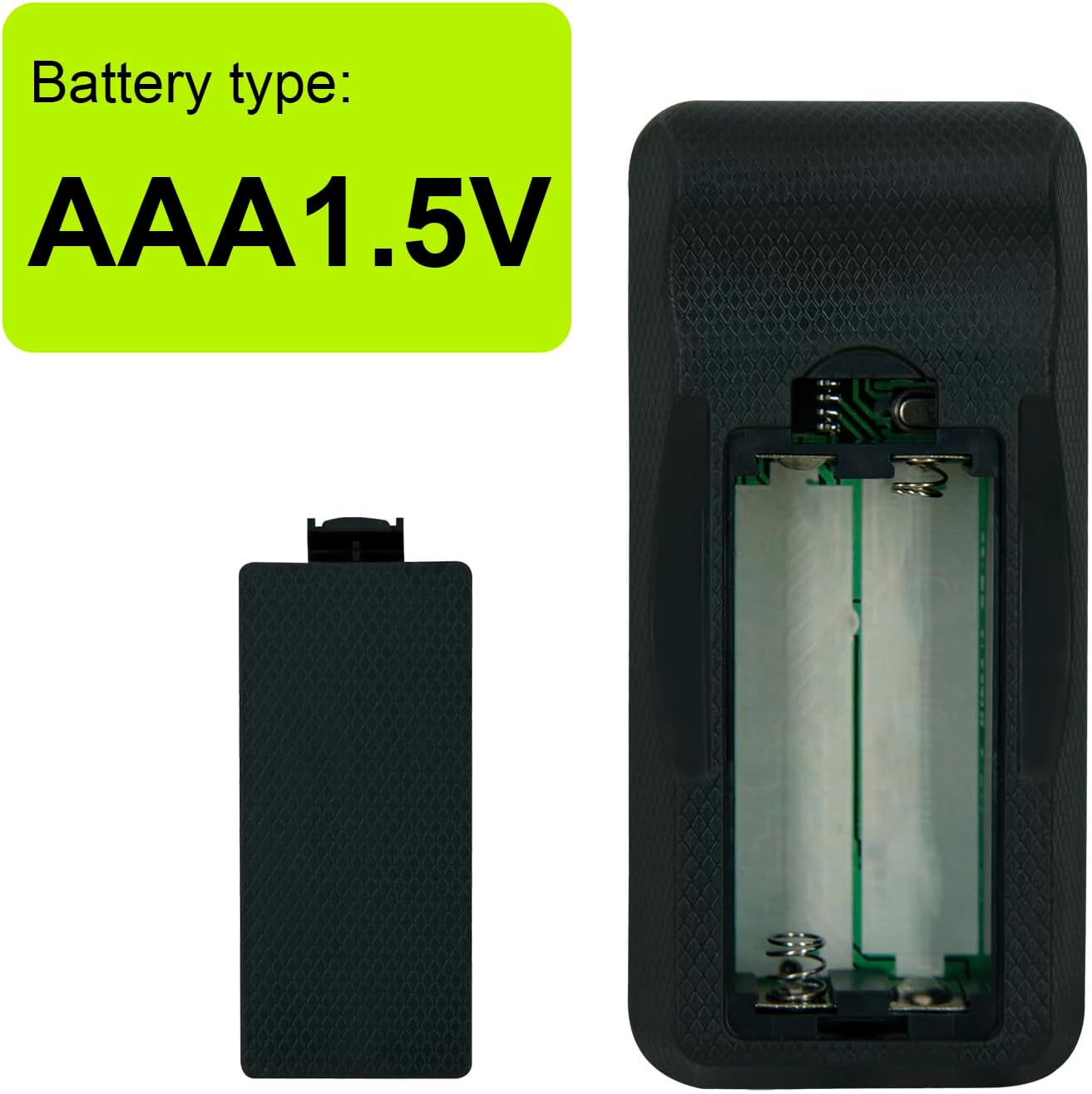
Figure 3: Required battery type: AAA 1.5V.

Figure 4: Rear view of the remote control, highlighting the battery compartment.

Figure 5: The remote uses standard AAA batteries for extended life.
3.2. Wall Mounting Bracket Installation
The included wall mounting bracket allows for convenient storage of your remote control. To install:
- Choose a suitable location near your car receiver audio system.
- Use screws (not included) to secure the bracket to the wall or a flat surface.
- Slide the remote control into the bracket for storage.

Figure 6: Remote control inserted into the wall mounting bracket.

Figure 7: Example of the remote control and bracket installed in a living space.
4. Operating Instructions
This replacement remote control operates identically to your original Clarion remote. No programming is required; simply insert batteries and point the remote towards your car receiver audio system.

Figure 8: Layout of the GENGQIANSI NIU25 remote control buttons.
4.1. Button Functions
| Button | Function |
|---|---|
| POWER | Turns the audio system on or off. |
| FUNC / SRC | Selects the audio source (e.g., Radio, CD, USB, AUX). |
| DSP | Activates or adjusts Digital Sound Processing modes. |
| BAND | Switches between radio bands (e.g., FM1, FM2, AM). |
| DISC UP / PROG TOP | For CD changers, selects the next disc. For programming, navigates to the top level. |
| VOLUME Up/Down | Adjusts the audio volume level. |
| SEARCH Left/Right | Searches for radio stations or navigates tracks/chapters. |
| Play/Pause | Plays or pauses current audio playback. |
| Skip Forward/Backward | Skips to the next or previous track/chapter. |
| MUTE | Mutes or unmutes the audio output. |
| ISR / TA | Activates or deactivates Traffic Announcement (TA) or other Intelligent Sound Retrieval functions. |
| DISP | Changes the display information on the audio system. |
| EQ | Accesses or adjusts equalizer settings. |
| SCN | Initiates a scan function (e.g., radio station scan). |
| RDM | Activates or deactivates random/shuffle playback. |
| RPT | Activates or deactivates repeat playback. |
5. Maintenance
5.1. Battery Replacement
When the remote control's performance degrades or it stops responding, it is likely time to replace the batteries. Refer to Section 3.1 for detailed battery installation instructions. Always use two fresh AAA 1.5V batteries.
5.2. Cleaning
To clean the remote control, gently wipe its surface with a soft, dry cloth. Avoid using liquid cleaners, abrasive materials, or solvents, as these can damage the remote's finish or internal components.
6. Troubleshooting
If you experience issues with your remote control, please refer to the following common solutions:
- Remote not responding:
- Check if the batteries are installed correctly with the correct polarity (+/-).
- Replace old batteries with new AAA 1.5V batteries.
- Ensure there are no obstructions between the remote control and the car receiver's infrared sensor.
- Make sure you are within the effective operating range of the receiver.
- Specific buttons not working:
- Clean the remote control surface, especially around the unresponsive buttons, to remove any dirt or debris that might be interfering.
- If only certain buttons fail, and battery replacement does not help, the remote may be faulty.
- Intermittent operation:
- This often indicates low battery power. Replace the batteries.
- Ensure a clear line of sight to the receiver.
If troubleshooting steps do not resolve the issue, please contact customer support for further assistance.
7. Specifications
| Feature | Detail |
|---|---|
| Model | NIU25 |
| Brand | GENGQIANSI |
| Compatibility | Clarion FZ-709, M-309, M-109, FZ-709E, CZ702A, CZ702E, CZ703A, CZ703E Car Receiver Audio Systems |
| Battery Type | 2 x AAA 1.5V (not included) |
| Item Weight | 1.06 ounces (approximately 30 grams) |
| Package Dimensions | 5 x 2 x 1 inches (approximately 12.7 x 5.1 x 2.5 cm) |
| Special Feature | No programming required |
8. Warranty and Support
For any questions, concerns, or technical support regarding your GENGQIANSI NIU25 replacement remote control, please contact the seller or manufacturer through your purchase platform. Please retain your proof of purchase for warranty claims, if applicable.