
1. Introduction
Welcome to the Positive Grid Spark GO, an ultra-portable smart guitar amplifier and Bluetooth speaker designed for electric, acoustic, and bass guitars. This compact device delivers powerful, detailed tone and integrates seamlessly with the Spark app for an enhanced playing and learning experience. This manual provides essential information for setting up, operating, and maintaining your Spark GO.

The Positive Grid Spark GO amplifier alongside its custom carry case.
2. Key Features
- Compact and Portable: 5W ultra-portable design with a durable exterior and soft padded interior carry case for protection on the go.
- Advanced Tone Engine: Features boundary-pushing computational audio for full, detailed tone that can fill a room.
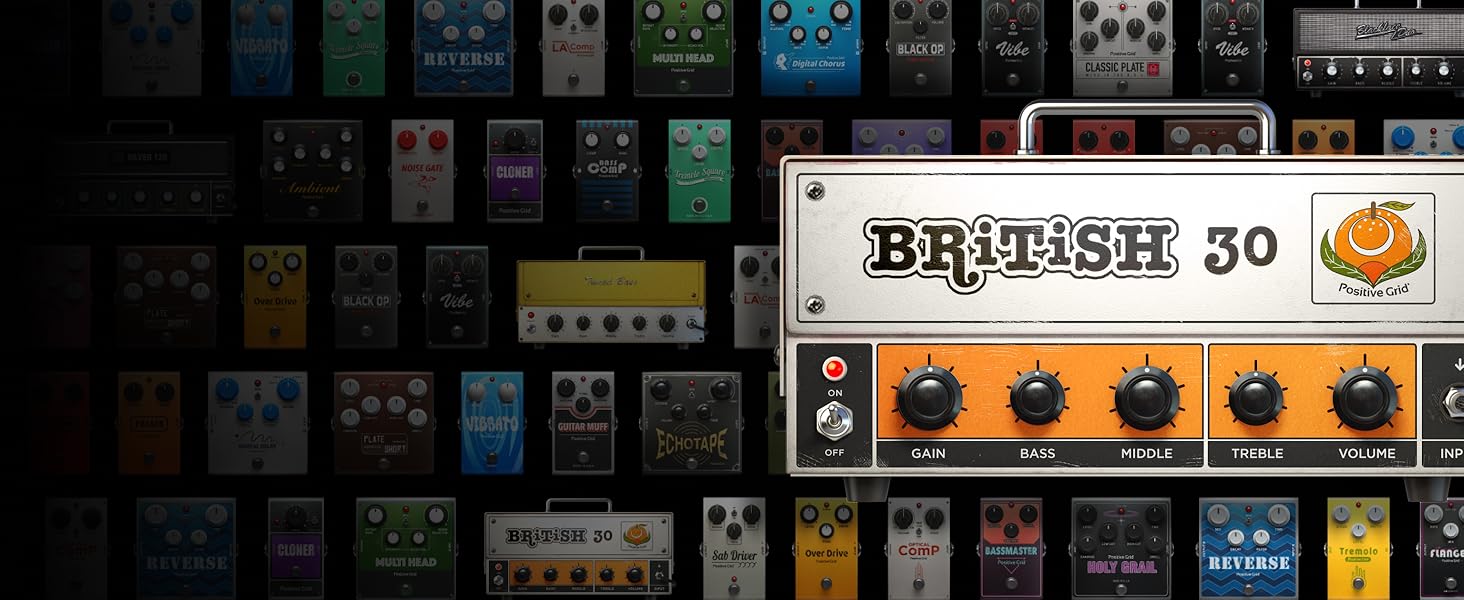
- Extensive Tone Library: Stocked with 33 amps and 43 effects, allowing users to create custom presets or download over 50,000 tones from the ToneCloud community.
- Smart Jam AI: An AI-powered bandmate that listens and learns your playing style, then jams along with you.
- Long Battery Life: USB-C rechargeable battery provides up to 8 hours of continuous play, jam, and music listening.
- Versatile Connectivity: Functions as a smart guitar amp, headphone amp, and Bluetooth speaker.
3. Setup
3.1. Unboxing and Initial Inspection
Upon receiving your Spark GO, carefully remove all components from the packaging. Ensure the amplifier, carry case, USB-C charging cable, and any included straps are present and undamaged.

The Spark GO and its included accessories, including the carry case and charging cable.
3.2. Charging the Device
Before first use, fully charge your Spark GO using the provided USB-C cable. Connect the cable to the USB-C port on the device and plug the other end into a compatible USB power adapter (not included) or a computer USB port. The battery indicator lights will show charging status.
3.3. Physical Connections
To connect your guitar, insert a standard 1/4-inch instrument cable into the input jack located on the top of the Spark GO. Adjust the input volume knob to your desired level. For private practice, connect headphones to the 3.5mm headphone jack.

Connecting an instrument cable to the Spark GO's input jack.
3.4. App Download and Bluetooth Pairing
The full potential of your Spark GO is unlocked through the Spark app. Download the 'Spark: Chords, Backing Tracks' app from your device's app store (Google Play Store or Apple App Store). Once installed, open the app and follow the on-screen instructions to pair your Spark GO via Bluetooth. Ensure Bluetooth is enabled on your mobile device.
The Spark app interface, showing various tone and effect options.
4. Operating Your Spark GO
4.1. Basic Operation (Without App)
You can use the Spark GO directly without the app. The device features a preset button and volume controls. Press the 'Preset' button to cycle through the four onboard presets. Use the '+' and '-' buttons for music volume control when connected via Bluetooth for audio playback.
4.2. Using the Spark App
The Spark app provides extensive control over your amplifier's tones and features:
- Tone Customization: Access a vast library of amps and effects. Drag and drop virtual pedals and amps to create your unique sound. Adjust parameters like gain, bass, mid, treble, and volume directly from the app.
- ToneCloud: Explore and download over 50,000 tones created by other Spark users and artists.
- Smart Jam: Play a riff, and the Smart Jam AI will generate a bass and drum track that complements your playing style.
- Backing Tracks & Auto Chords: Learn songs by accessing millions of songs with auto-generated chords. You can slow down tempo, loop sections, and transpose keys.
- Tuner & Metronome: Integrated tools for accurate tuning and rhythm practice.
- Video Recording: Record your playing directly within the app, combining your guitar tone with backing tracks.

Various features of the Spark app, including Smart Jam and backing tracks.
5. Maintenance
To ensure the longevity and optimal performance of your Positive Grid Spark GO, follow these maintenance guidelines:
- Cleaning: Use a soft, dry cloth to clean the exterior of the amplifier. Avoid using abrasive cleaners, solvents, or waxes, as these can damage the finish.
- Storage: Store the Spark GO in a cool, dry place away from direct sunlight and extreme temperatures. When not in use, it is recommended to store it in its official carry case to protect it from dust and physical damage.
- Battery Care: For optimal battery life, avoid fully discharging the battery frequently. Recharge the device regularly, even if not in constant use. If storing for an extended period, charge the battery to about 50% before storage.
- Handle with Care: While durable, avoid dropping the device or subjecting it to strong impacts.

Protecting your Spark GO with the included official carry case.
6. Troubleshooting
If you encounter issues with your Spark GO, refer to the following common problems and solutions:
| Problem | Possible Cause | Solution |
|---|---|---|
| No sound from guitar | Low input volume, incorrect cable connection, device off. | Increase input volume. Ensure cable is fully inserted. Power on the device. Check guitar volume. |
| Bluetooth not connecting | Bluetooth off on device/phone, out of range, interference. | Ensure Bluetooth is enabled on both devices. Move closer to the Spark GO. Restart both devices. |
| App not recognizing Spark GO | App permissions, outdated app version, device not in pairing mode. | Check app permissions. Update the Spark app. Ensure Spark GO is powered on and ready for pairing. |
| Short battery life | Partial charging, old battery. | Ensure full charge cycles. If battery life significantly degrades, contact Positive Grid support. |
If the problem persists after trying these solutions, please refer to the official Positive Grid support resources or contact customer service.
7. Specifications
| Attribute | Detail |
|---|---|
| Model Name | Spark GO |
| Brand | Positive Grid |
| Output Wattage | 5 Watts |
| Power Source | Battery Powered |
| Connector Type | USB |
| Compatible Devices | Guitar |
| Color | Black |
| ASIN | B0CLY45SYZ |
8. Warranty and Support
For warranty information and detailed support, please refer to the official Positive Grid website or contact their customer service directly. Keep your proof of purchase for any warranty claims.
Online Resources: Visit the Positive Grid Store on Amazon for additional product information and support.