
FSQWUR B0CLY367QZ
6V Power Supply AC Adapter User Manual
Model: B0CLY367QZ | Brand: FSQWUR
1. Product Overview
The FSQWUR 6V Power Supply AC Adapter is a versatile power solution designed for a wide range of 6V electronic devices. It features a universal input voltage and comes with 8 interchangeable DC plugs, ensuring compatibility with various equipment requiring 6V power up to 2A. This adapter incorporates multiple safety features to protect your devices.
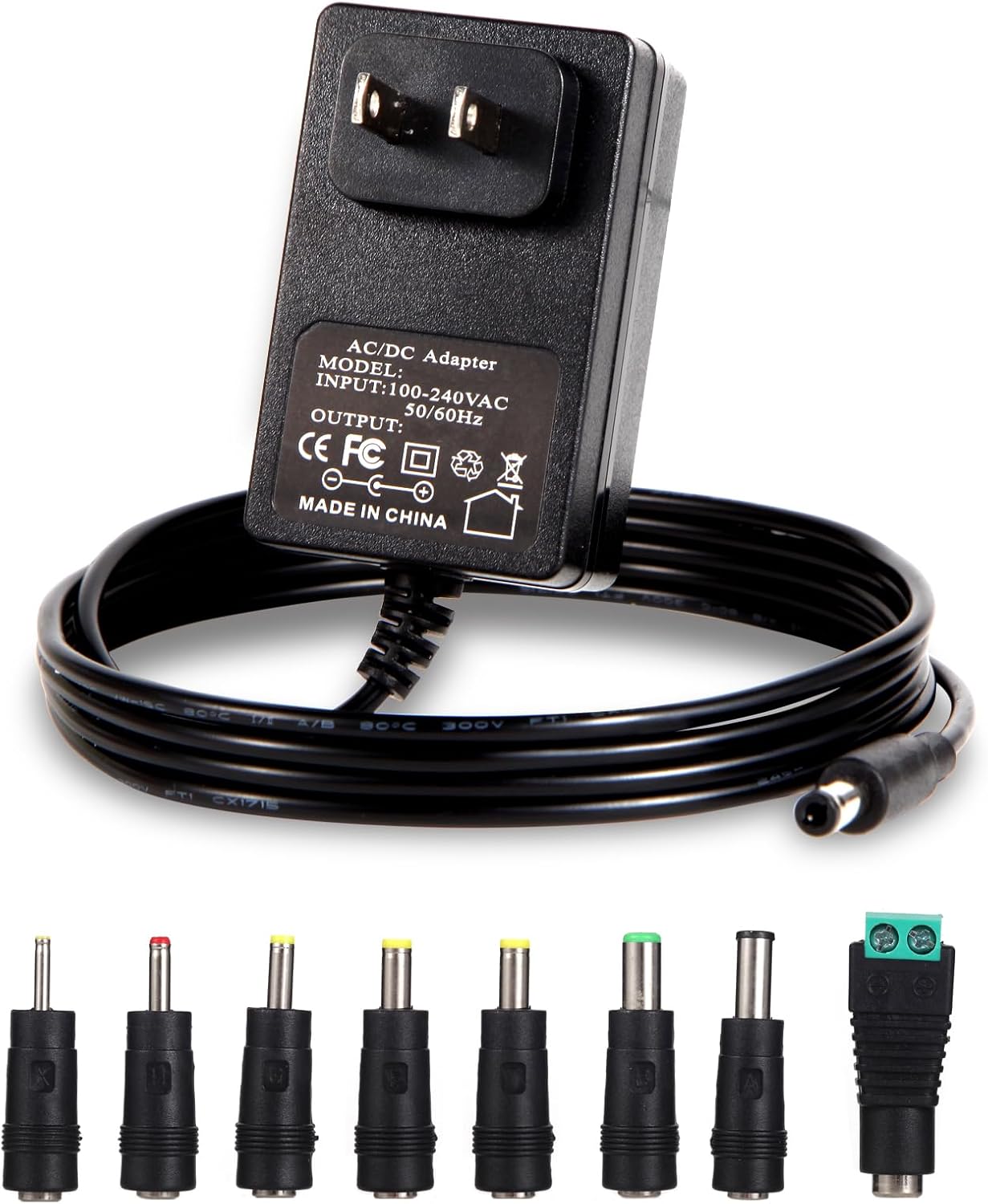
Image: The FSQWUR 6V Power Supply AC Adapter shown with its main unit and the eight included interchangeable DC plugs.
Video: An overview of the 6V Power Supply, highlighting its features and interchangeable plugs.
2. Safety Information
To ensure safe operation and prevent damage to the adapter or connected devices, please observe the following safety precautions:
- Do not expose the adapter to water or excessive moisture. It is not waterproof and should not be used outdoors without proper waterproof protection.
- Ensure the voltage and current requirements of your device match the adapter's output (6V, up to 2A).
- Always confirm the DC jack size and polarity (center positive) before connecting to a device. Incorrect polarity can cause damage.
- Avoid placing the adapter in direct sunlight or near heat sources.
- Do not disassemble or attempt to repair the adapter. Refer to qualified service personnel for any repairs.
- Keep out of reach of children.

Image: Visual representation of the adapter's built-in safety features, including Over Current, Over Voltage, Temperature, Over Charge, Short Circuit, and Over Load Protection.
3. Product Features
- Input: 100-240V AC, 50/60Hz (Universal Input)
- Output: 6V DC, 2A (Max 12W)
- DC Plug Polarity: Inner positive (+), Outer negative (-)
- Standard Plug Size: 5.5mm x 2.1mm (also applicable for 2.5mm)
- Cable Length: 4.9 feet (150 cm)
- Interchangeable DC Plugs: Includes 8 different sizes for broad compatibility:
- 4.0*1.7mm
- 4.8*1.7mm
- 5.5*1.7mm
- 6.0*3.0mm
- 6.0*4.4mm (with pin inside)
- 3.5*1.35mm
- 2.5*0.7mm
- LED Terminal Connector
- Safety Protections: Short Circuit Protection, Temperature Protection, Over Load Protection, Over Voltage Protection, Over Current Protection, Over Charge Protection.
- Durable Construction: Features pure copper core for stable transmission, nickel plating for oxidation resistance, and an anti-bending design for longevity.

Image: A detailed view of the eight interchangeable DC plugs and a diagram illustrating the center positive polarity.
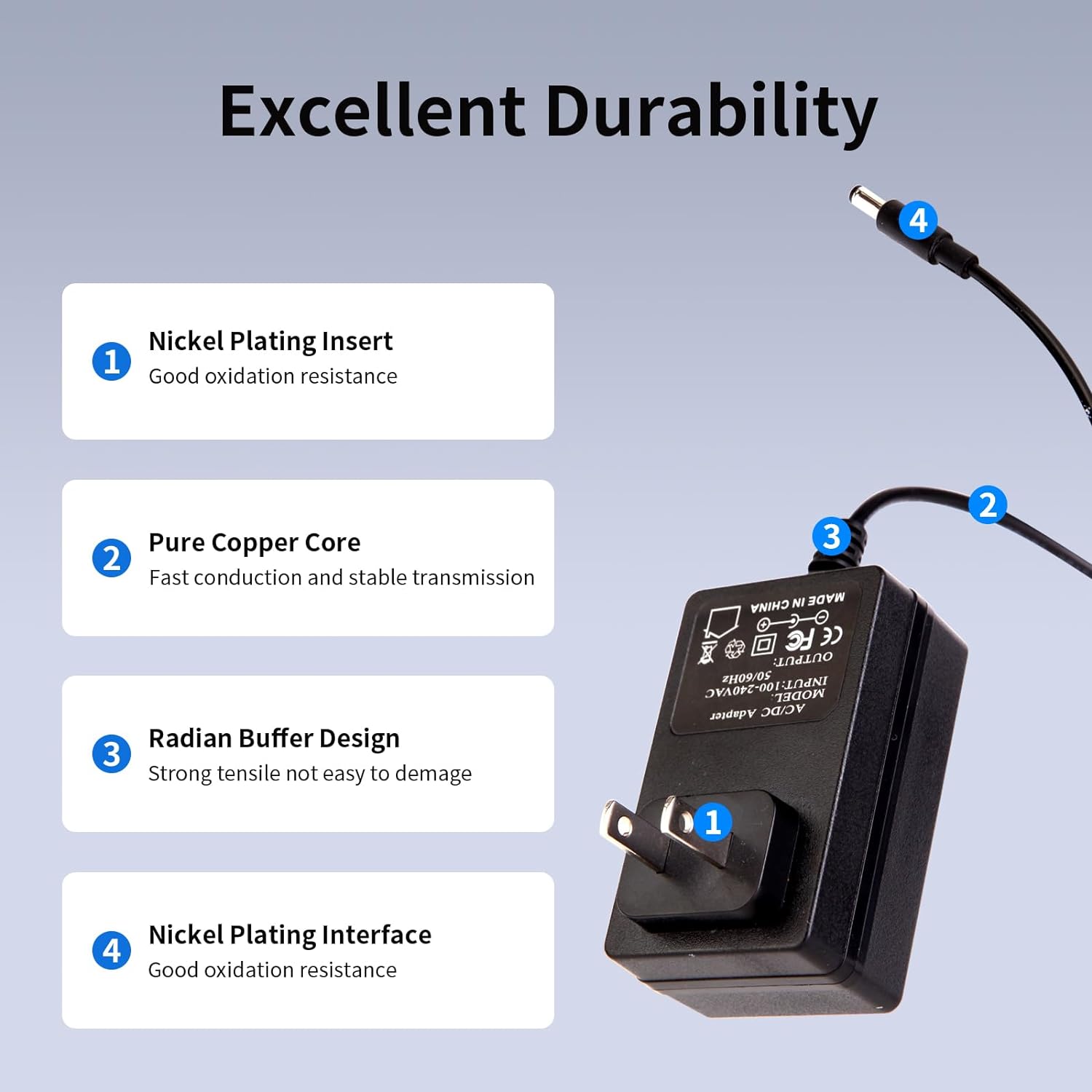
Image: An illustration pointing out the internal components contributing to the adapter's durability, such as nickel plating, pure copper core, and radian buffer design.
4. Package Contents
The package includes:
- 1 x FSQWUR 6V AC Power Adapter
- 8 x Interchangeable DC Plugs
5. Setup Instructions
- Verify Device Requirements: Before connecting, confirm that your electronic device requires a 6V DC input and that its current draw is 2A or less. Also, verify that the device's DC jack requires a center positive polarity.
- Select the Correct DC Plug: Identify the appropriate interchangeable DC plug from the provided set that fits your device's power input port. Refer to the "Product Features" section for a list of included plug sizes.
- Attach the DC Plug: Firmly attach the selected DC plug to the end of the adapter's output cable. Ensure it is securely seated.
- Connect to Device: Insert the attached DC plug into your electronic device's power input port.
- Connect to Power Outlet: Plug the AC adapter into a standard 100-240V wall socket.
- Power On Device: Once connected, you can power on your device.

Image: The 6V power adapter plugged into a power strip, demonstrating a typical setup scenario with a laptop and smartphone nearby.
6. Operating Instructions
The FSQWUR 6V Power Supply is designed for simple plug-and-play operation. Once properly set up as described in the "Setup Instructions" section, the adapter will provide stable 6V DC power to your connected device.
This adapter is widely compatible with various 6V devices that require less than 2A current, including but not limited to:
- Exercise Bikes
- Ellipticals
- Routers
- Sensor Trash Cans
- Household Appliances
- Humidifiers
- Scanners
- Speakers
- Home Security Cameras
- LED Lights
- CCTV Cameras
- Web Cameras
- Infrared Cameras
- Arduino Projects
- Mini Fans

Image: A visual guide demonstrating the adapter's universal compatibility with common 6V devices such as baby monitors, security cameras, routers, Bluetooth speakers, external batteries, CD players, clocks, and TV boxes.
7. Maintenance
Proper maintenance ensures the longevity and optimal performance of your power adapter:
- Cleaning: Disconnect the adapter from the power outlet and device before cleaning. Use a soft, dry cloth to wipe the surface. Do not use liquid cleaners or abrasive materials.
- Storage: When not in use, store the adapter in a cool, dry place away from direct sunlight and extreme temperatures. Avoid tightly coiling the cable to prevent damage.
- Inspection: Periodically inspect the cable and adapter housing for any signs of damage, such as cuts, fraying, or cracks. If damage is found, discontinue use and replace the adapter.
8. Troubleshooting
| Problem | Possible Cause | Solution |
|---|---|---|
| Device not powering on. |
|
|
| Adapter feels hot. |
|
|
| Intermittent power. |
|
|
9. Specifications
| Attribute | Value |
|---|---|
| Brand | FSQWUR |
| Model | B0CLY367QZ |
| Input Voltage | 100-240V AC, 50/60Hz |
| Output Voltage | 6V DC |
| Output Current | 2A (Max) |
| Max Power | 12W |
| DC Plug Polarity | Center Positive (+) |
| Standard DC Plug Size | 5.5mm x 2.1mm (applicable 2.5mm) |
| Cable Length | 4.9 feet (150 cm) |
| Item Weight | 5 ounces |
| Package Dimensions | 4.33 x 2.4 x 2.05 inches |
| Included Components | AC adapter, 8 interchangeable DC plugs |
| Special Features | Short Circuit Protection, Temperature Protection, Over Load Protection, Over Voltage Protection, Over Current Protection, Over Charge Protection |
10. Warranty and Support
For warranty information or technical support, please contact FSQWUR customer service through the retailer where the product was purchased. Please have your product model number (B0CLY367QZ) and purchase date available when contacting support.
You can also visit the official FSQWUR store for more information: FSQWUR Store on Amazon.
Related documentsB0CLY367QZ


Ask a question about this manual
Ask about setup, troubleshooting, compatibility, parts, safety, or missing instructions. Manuals+ will review the question and use this page’s manual context to help answer it.