1. Safety Information
Please read all instructions carefully before assembly and use. Retain this manual for future reference.
- Ensure correct product assembly.
- Do not exceed the maximum weight limit of 150 kg.
- Ensure the chair is stable before use, especially when reclining or using the rocking function.
- Keep children and pets away from the chair's moving parts.
- Unplug the chair from the power outlet before cleaning or if it will not be used for an extended period.
- Do not use the chair if any part is damaged or malfunctioning. Contact customer support for assistance.
2. Product Overview
The HOMCOM Massage Recliner Chair is designed for comfort and relaxation, featuring multiple functions to enhance your experience.
Key Features:
- Reclining Function: Manually reclines up to 150° for optimal relaxation. Features a retractable footrest.
- Swivel & Rocking: Offers 360° swivel and a rocking function for added comfort and versatility.
- Vibrating Massage: Equipped with 8 motors targeting the back, thighs, and legs. Includes a lumbar heating function.
- Comfortable Design: Upholstered in soft, easy-to-clean synthetic leather with high-density foam and integrated springs. Thick cushions, armrests, and headrest provide full body support.
- Convenience: Includes a remote control for massage and heating functions, and integrated cup holders.
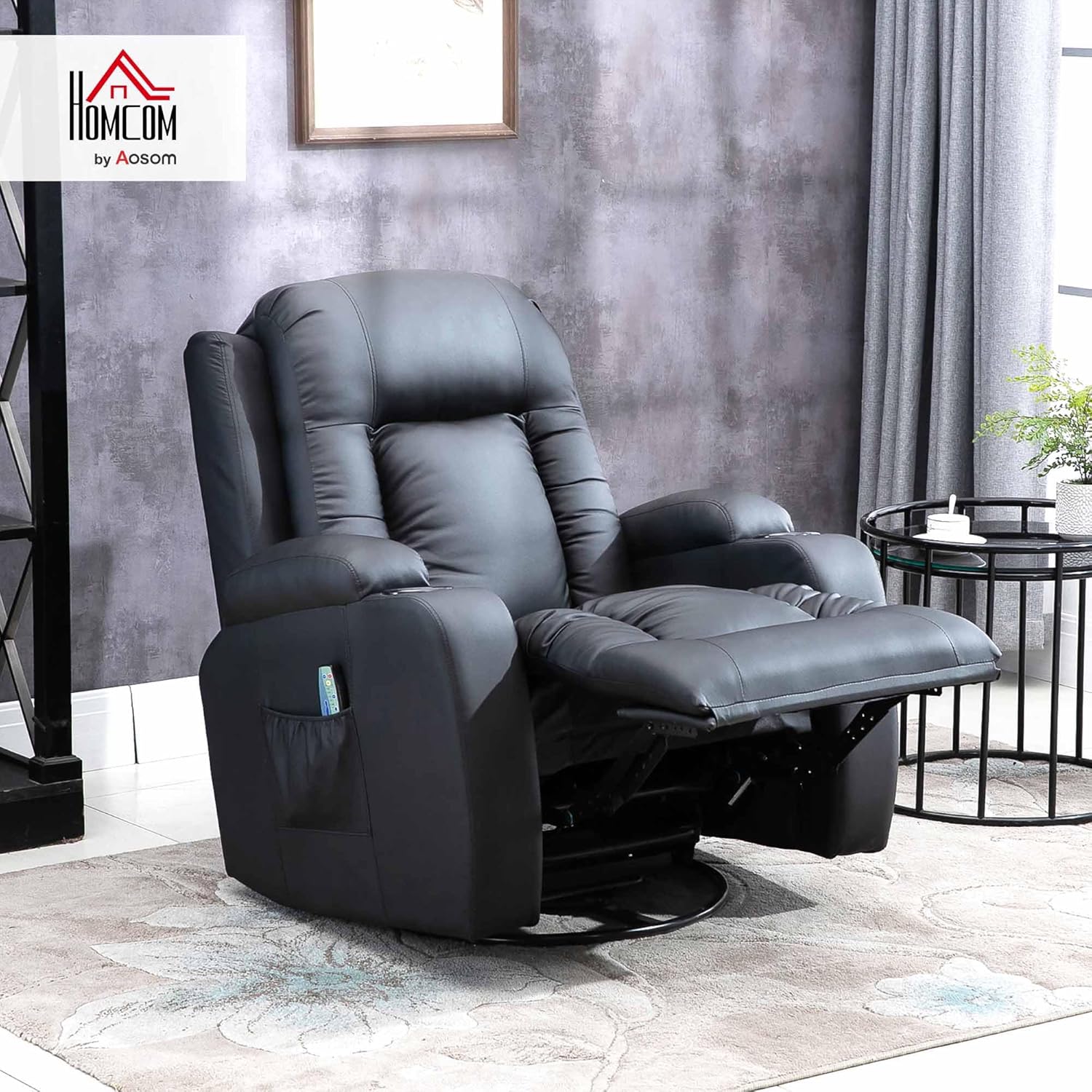
Image: The HOMCOM Massage Recliner Chair in a living room, showcasing its design and features.
3. Setup and Assembly
Assembly is required. Please follow the included assembly instructions carefully. Ensure all parts are present and undamaged before beginning assembly.
- Unpack all components and lay them out on a clean, soft surface to prevent scratches.
- Attach the backrest to the seat base, ensuring all connections are secure.
- Connect the armrests to the main body of the chair.
- Attach the base mechanism, ensuring it is correctly aligned for the swivel and rocking functions.
- Connect the power cable for the massage and heating functions.
- Verify all screws and bolts are tightened. Do not overtighten.

Image: Detailed dimensions of the recliner chair, including height, width, and depth in both upright and reclined positions.
4. Operating Instructions
Reclining Function:
To recline the chair, pull the lever located on the side of the chair. Lean back gently to extend the footrest and recline the backrest. To return to the upright position, push the lever again and lean forward, allowing the footrest to retract and the backrest to return to its original position.
Massage and Heating Functions:
Use the included remote control to operate the massage and heating features.
- Power Button: Press to turn the massage and heating functions ON/OFF.
- Mode Selection: Cycle through different massage modes (e.g., pulse, press, wave, auto, normal) to find your preferred setting.
- Intensity Adjustment: Adjust the massage intensity to your comfort level.
- Zone Selection: Select specific massage zones (back, lumbar, thighs, legs) to target areas.
- Heat Function: Activate the lumbar heating function for added warmth and relaxation.
- Timer: Set a timer for the duration of your massage session.

Image: A person using the remote control to activate the vibrating massage function, with visual indicators of massage points on the chair.
Video: An official HOMCOM video demonstrating the massage chair's features, including reclining, massage, and heating functions, and the use of the remote control.
5. Maintenance and Care
- Cleaning: Wipe the synthetic leather upholstery with a soft, damp cloth. Avoid harsh chemicals or abrasive cleaners.
- Spills: Blot spills immediately with a clean, dry cloth.
- Inspection: Regularly check all fasteners to ensure they are tight. Retighten as necessary.
- Storage: If storing the chair, ensure it is clean and dry. Store in a cool, dry place away from direct sunlight.
6. Troubleshooting
- Chair not reclining: Ensure the recline lever is fully engaged and there are no obstructions.
- Massage/Heating not working:
- Check if the power cord is securely plugged into a working outlet.
- Ensure the remote control is properly connected and its batteries (if applicable) are functional.
- Verify the power button on the remote is pressed.
- Unusual noises: Check for loose fasteners or obstructions in the mechanism. If the noise persists, discontinue use and contact customer support.
7. Specifications
| Feature | Detail |
|---|---|
| Brand | HOMCOM |
| Model Number | ES700-050V92BK0731 |
| Color | Black |
| Overall Dimensions (Upright) | 85x94x104 cm (LxWxH) |
| Reclined Dimensions | 85x162x80 cm (LxWxH) |
| Seat Dimensions | 56x53 cm (LxW) |
| Seat Height to Floor | 49 cm |
| Weight Capacity | 150 kg |
| Material | Steel, PP, Foam, PU |
| Special Features | Heating, Comfort, Swivel, Remote Control, Reclinable |

Image: Cross-section view illustrating the chair's construction with synthetic leather, high-density foam, and elastic springs for durability and comfort.
8. Warranty and Support
For warranty information, please refer to the purchase documentation or contact HOMCOM customer support directly. Keep your proof of purchase for any warranty claims.
If you encounter any issues or have questions not covered in this manual, please visit the HOMCOM store or contact their customer service for assistance.
You can visit the official HOMCOM store for more products and support: HOMCOM Store


