
1. Product Overview
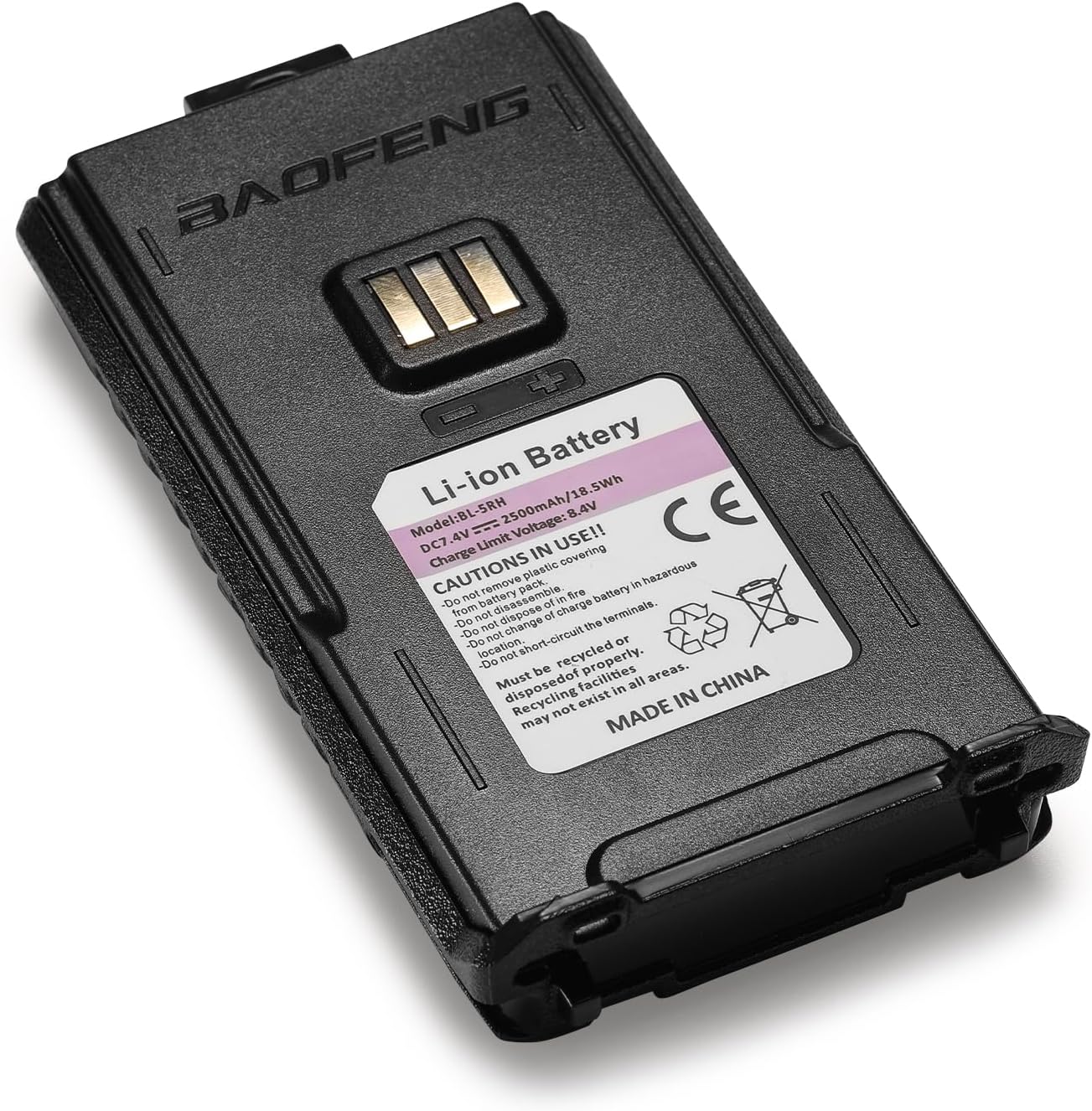
The BAOFENG BL-5RH is a high-capacity 7.4V 2500mAh Lithium-ion battery designed as a replacement and upgrade for various BAOFENG two-way radios. It offers extended operational time and features modern USB-C charging capabilities, along with built-in safety protections.
- High-Capacity Performance: Provides 2500mAh for long-lasting use in critical situations or outdoor activities.
- Modern Convenience with Type-C: Supports fast and efficient USB-C charging, reducing downtime.
- Safety First Technology: Equipped with overcharge, overheating, and over-discharge protection to ensure device safety and prolong battery lifespan.
- Tailored Compatibility: Perfectly fits BAOFENG UV-5G Plus, UV-5RM Plus, 5RM, UV-5RM GPS, 5RM PRO, and K5PLUS walkie-talkies, maintaining original performance.
- Guaranteed Authenticity: 100% brand new and original, meeting quality and reliability standards.


2. Safety Information
Please read and understand all safety precautions before using the battery. Failure to follow these instructions may result in fire, electric shock, or other injuries.
- Do not remove plastic covering.
- Do not disassemble.
- Do not dispose of in fire.
- Do not change or charge battery in hazardous areas.
- Do not short-circuit the terminals.
- Must be recycled or disposed of properly. Recycling facilities may not exist in all areas.
3. Setup
3.1 Attaching the Battery to the Radio
- Ensure the radio is powered off before attaching the battery.
- Align the battery with the back of the radio, ensuring the metal contacts on the battery match the contacts on the radio.
- Slide the battery upwards into the radio until it clicks securely into place. A firm click indicates proper installation.

3.2 Initial Charging
For optimal performance, fully charge the battery before its first use.
- Connect a USB-C cable to the Type-C port on the bottom of the battery.
- Connect the other end of the USB-C cable to a compatible USB power source (e.g., wall adapter, car charger, power bank, PC).
- The charging indicator light will illuminate (typically red) during charging and change color (typically green or off) when fully charged.
Video 1: Demonstrates the installation of an extended battery (3800mAh, similar to BL-5RH) onto a Baofeng radio and highlights the USB-C charging port. Note: The video features a 3800mAh battery, but the installation and charging method are identical for the 2500mAh BL-5RH.
4. Operating
4.1 Powering On/Off
With the battery securely attached, turn the radio's power/volume knob clockwise to power on and counter-clockwise to power off.
4.2 Regular Charging
The BL-5RH battery can be charged while attached to the radio or separately. Use the USB-C port for convenient charging from various power sources.

5. Maintenance
- Storage: Store the battery in a cool, dry place away from direct sunlight and extreme temperatures. For long-term storage, charge the battery to about 50% capacity.
- Cleaning: Use a dry, soft cloth to clean the battery contacts and the battery surface. Do not use harsh chemicals or solvents.
- Disposal: Dispose of old or damaged batteries according to local regulations. Do not throw them in household waste.
6. Troubleshooting
| Problem | Possible Cause | Solution |
|---|---|---|
| Battery not charging | Loose cable connection, faulty cable/adapter, battery too hot/cold. | Check cable connections. Try a different USB-C cable or power adapter. Allow battery to reach room temperature before charging. |
| Short battery life | High power transmission, frequent use, aging battery. | Reduce transmit power if possible. Limit continuous transmission. Consider replacing the battery if it's old. |
| Battery not fitting radio | Incorrect battery model, improper alignment. | Verify battery model (BL-5RH) is compatible with your radio model. Ensure correct alignment and firm push until it clicks. |
7. Specifications
| Feature | Detail |
|---|---|
| Model | BL-5RH |
| Battery Type | Lithium-ion (Li-ion) |
| Voltage | 7.4V |
| Capacity | 2500mAh |
| Charging Port | USB-C |
| Compatibility | BAOFENG UV-5G Plus, UV-5RM Plus, 5RM, UV-5RM GPS, 5RM PRO, K5PLUS |
| Item Weight | 4.2 ounces |
| Package Dimensions | 5.31 x 2.28 x 1.34 inches |
8. Warranty and Support
This BAOFENG BL-5RH battery is a 100% brand new and original product, designed to meet high standards of quality and reliability. For any product-related inquiries, technical support, or warranty claims, please refer to the seller's return policy or contact BAOFENG customer service directly through their official channels or the platform where the product was purchased.