
1. Introduction
Welcome to your MUMUWIND MMF-307B Mini Portable Bluetooth Karaoke Machine. This manual provides essential information for setup, operation, and maintenance to ensure optimal performance and enjoyment of your device. Please read this manual thoroughly before use and retain it for future reference.
2. Package Contents
Verify that all items are present in your package:
- 1 x Karaoke Speaker Unit
- 2 x Wireless Microphones
- 2 x USB-C Charging Cables (for microphones)
- 1 x Auxiliary Cable
- 1 x User Manual

Image description: An illustration showing the karaoke speaker, two wireless microphones, two charging cables, and the user manual, indicating the complete package contents.
3. Product Overview
Familiarize yourself with the components of your karaoke machine.
3.1 Speaker Unit

Image description: The MUMUWIND MMF-307B Mini Portable Bluetooth Karaoke Machine with two wireless microphones, showcasing its compact design and colorful LED light ring.

Image description: A close-up view of the speaker's rear panel, highlighting the AUX, TF card, USB, and Type-C charging ports for various connectivity options.
3.2 Wireless Microphones
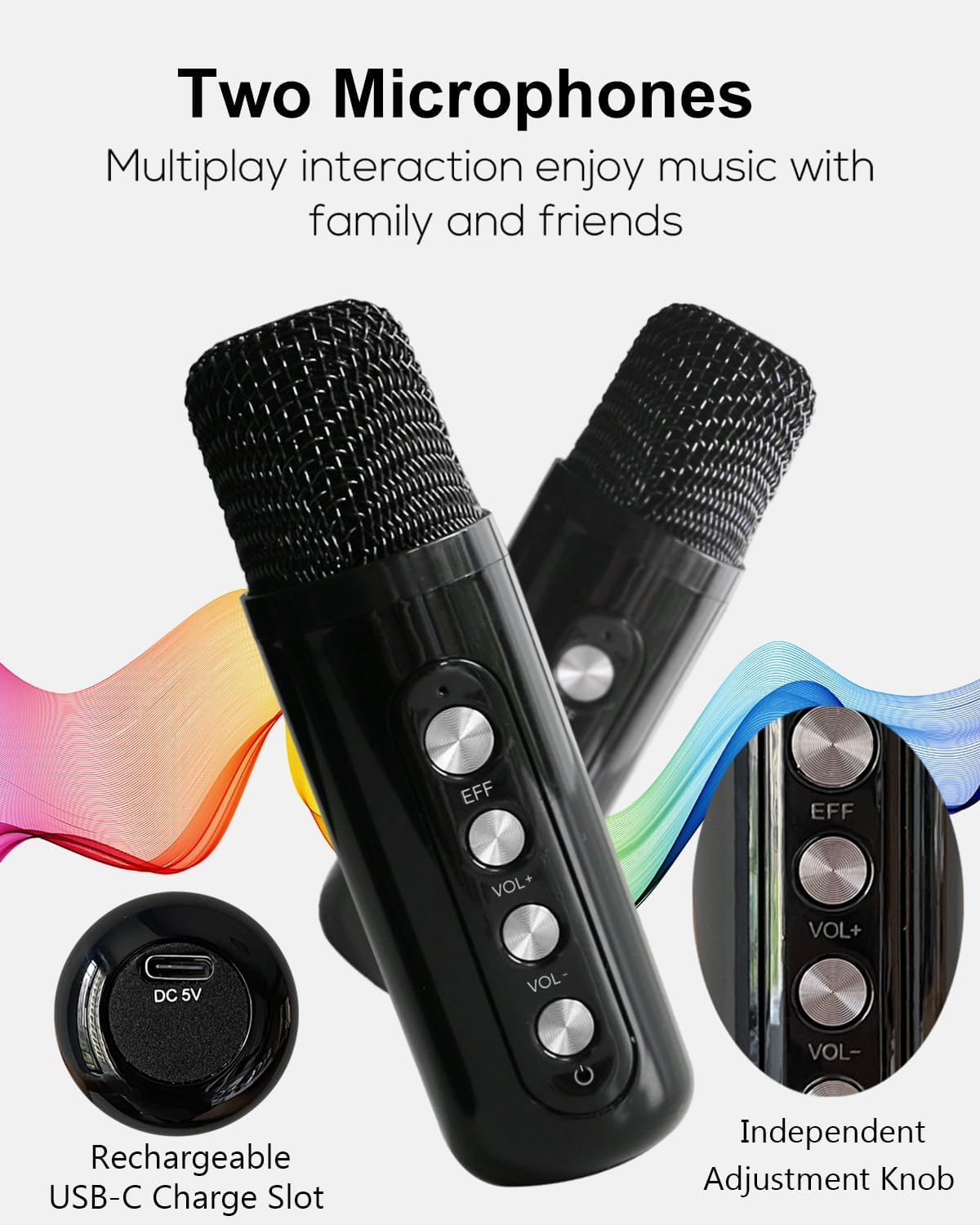
Image description: A detailed view of the two wireless microphones, showing their control buttons for effect (EFF), volume up (VOL+), volume down (VOL-), and power.
Each microphone features:
- Power Button: Press and hold to turn on/off.
- Volume Up (VOL+): Increases microphone volume.
- Volume Down (VOL-): Decreases microphone volume.
- Effect (EFF) Button: Short press to cycle through voice effects (Magic, Baby, Female, Male, Original). Long press to quickly return to original voice.
- USB-C Charging Port: (DC 5V) For charging the microphone.
3.3 Speaker Control Panel

Image description: A close-up of the speaker's top control panel, displaying buttons for play/pause, track navigation, LED light control, mode selection, and vocal cut.
- Play/Pause: Press to play or pause audio.
- Previous Track / Volume Down: Short press for previous track, long press for volume down.
- Next Track / Volume Up: Short press for next track, long press for volume up.
- LED Button: Short press to cycle through LED light modes. Long press to turn off LED lights.
- Mode (M) Button: Press to switch between input modes (Bluetooth, USB, TF Card, AUX).
- Vocal Cut: Press to reduce or remove vocals from a song (functionality may vary depending on the audio track).
4. Setup
4.1 Charging the Device
The karaoke speaker and microphones come with built-in rechargeable Lithium-Ion batteries.
- Connect the provided USB-C charging cables to the microphones and a compatible USB power adapter (not included).
- Connect the speaker unit to a compatible USB power adapter using a USB-C cable (not included).
- The charging indicator light will illuminate during charging and turn off when fully charged.
- For safety, fast charging is not supported.
4.2 Initial Power On
- To power on the speaker, press and hold the power button located on the control panel.
- To power on each microphone, press and hold the power button on the microphone.
4.3 Microphone Pairing
The wireless microphones are pre-paired with the speaker unit. Simply power on both the speaker and the microphones, and they should connect automatically.
5. Operating Instructions
5.1 Bluetooth Connection
- Power on the karaoke speaker. The LED light will flash, indicating it is in Bluetooth pairing mode.
- On your mobile device (smartphone, tablet, etc.), enable Bluetooth and search for available devices.
- Select "MMF-307B" (or similar name) from the list of devices to pair.
- Once connected, a confirmation sound will be heard, and the LED light will stop flashing.
- You can now play audio from your device through the karaoke speaker.

Image description: A visual representation of the Bluetooth 5.0 connectivity, showing the karaoke machine wirelessly connected to a mobile device in an outdoor setting.
5.2 Using the Microphones
- Ensure both microphones are powered on and connected to the speaker.
- Adjust microphone volume using the VOL+ and VOL- buttons on each microphone.
- To change voice effects, short press the EFF button on the microphone. Long press to return to the original voice.
- Avoid placing microphones too close to the speaker to prevent feedback (howling).
5.3 LED Light Modes
The speaker features dynamic LED lights with multiple modes:
- Course
- Running Light
- Rhythm (changes with music)
- Breathing
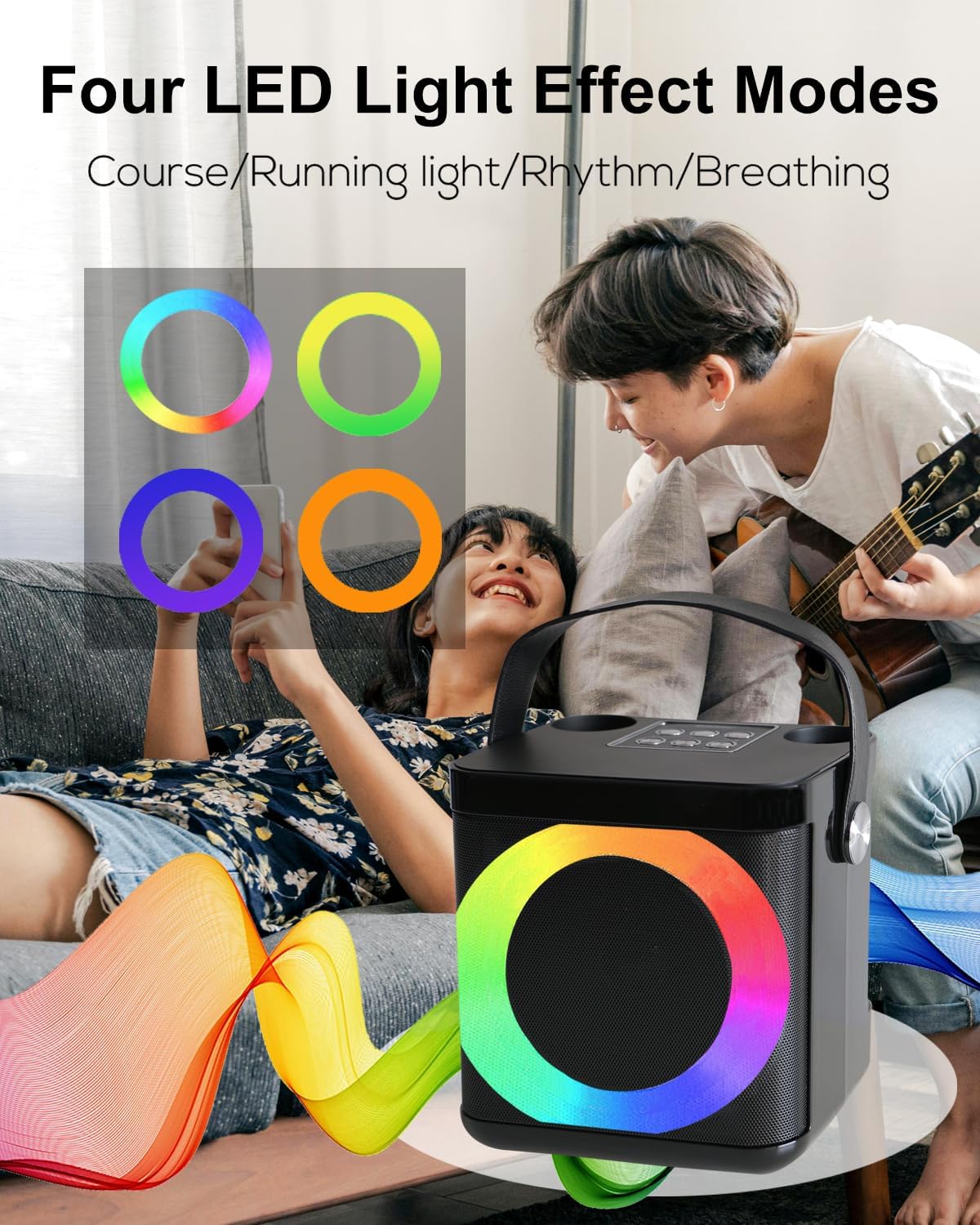
Image description: An image illustrating the four different LED light effect modes available on the karaoke speaker, shown as colored circles.
5.4 Other Connectivity Options
- USB Playback: Insert a USB flash drive with MP3 audio files into the USB port. The speaker will automatically switch to USB mode and begin playback.
- TF Card Playback: Insert a TF (MicroSD) card with MP3 audio files into the TF card slot. The speaker will automatically switch to TF card mode and begin playback.
- AUX Input: Connect an external audio device using the provided 3.5mm auxiliary cable. The speaker will switch to AUX mode.
Image description: A visual guide to the various input ports on the karaoke machine, including AUX, TF Card, USB, and Type-C, demonstrating its versatility.
6. Maintenance
- Keep the device away from water and excessive moisture.
- Clean the speaker and microphones with a soft, dry cloth. Do not use abrasive cleaners or solvents.
- Store the device in a cool, dry place when not in use.
- Avoid dropping or subjecting the device to strong impacts.
- Fully charge the batteries before long periods of storage to maintain battery health.
7. Troubleshooting
| Problem | Solution |
|---|---|
| No power | Ensure the device is charged. Connect to a power source and allow it to charge for at least 30 minutes before attempting to power on. |
| No sound from speaker | Check the volume levels on both the speaker and your connected device. Ensure the correct input mode is selected (Bluetooth, AUX, USB, TF Card). |
| Microphones not working | Ensure microphones are powered on and charged. They should automatically pair with the speaker. If not, power cycle both the speaker and microphones. |
| Feedback/Howling sound | Move the microphones further away from the speaker. Reduce the microphone volume. |
| Bluetooth connection issues | Ensure the speaker is in pairing mode. Turn off and on Bluetooth on your device. Forget the device from your Bluetooth list and try pairing again. Ensure no other devices are connected to the speaker. |
8. Specifications
- Brand: MUMUWIND
- Model: MMF-307B
- Speaker Output Power: 10W
- Connectivity: Bluetooth 5.0, AUX, USB, TF Card
- Power Source: Battery Powered (Built-in Lithium Ion batteries)
- Item Weight: 2.4 Pounds
- Product Dimensions: 7.09 x 7.09 x 5.12 inches
- Material: Plastic
- Color: Black
- Compatible Devices: Android Phone, PC, Television, iPad, iPhone
9. Warranty and Support
For warranty information or technical support, please refer to the contact details provided with your purchase or visit the official MUMUWIND website.
If you have any questions or encounter issues, please contact customer service through your order platform for assistance.