
TOZO T13120
TOZO OpenReal Headphones User Manual
Model: T13120 | Brand: TOZO
Introduction
The TOZO OpenReal headphones feature an innovative open-ear design, providing a comfortable listening experience without entering the ear canal. This design allows for real-time situational awareness, making them ideal for various activities while staying connected to your surroundings. Utilizing air conduction technology, these headphones deliver clear and concentrated sound, minimizing sound leakage. They are equipped with Bluetooth 5.3 for stable connectivity and dual microphones with noise reduction for crystal-clear calls.
What's in the Box
- TOZO OpenReal Open Ear Headphones
- USB-C (A to C) cable (20")
- User Manual
Product Overview

Figure 1: TOZO OpenReal Headphones in Khaki. These headphones feature an open-ear design with a flexible band connecting the two earpieces.
The TOZO OpenReal headphones are designed for comfort and stability. The main unit consists of two earpieces connected by a flexible band that rests behind the head. Each earpiece houses the audio drivers and control components.

Figure 2: User demonstrating the comfortable fit and accessible controls of the TOZO OpenReal headphones. The controls are located on the side of the earpiece for easy access.
Key components include the open-ear speakers, the flexible neckband, and integrated control buttons. The design ensures a secure fit for various activities while maintaining awareness of your surroundings.
Setup
Initial Charging
Before first use, fully charge your TOZO OpenReal headphones. Connect the provided USB-C (A to C) cable to the magnetic charging port on the headphones and a compatible USB power source. Ensure the magnetic connector is properly aligned to initiate charging.

Figure 3: Magnetic charging connection for the TOZO OpenReal headphones. A full charge provides up to 16 hours of playtime.
A 10-minute charge can provide up to 2 hours of playtime. A full charge typically takes approximately 1.5 hours.
Bluetooth Pairing
- Ensure the headphones are powered off.
- Press and hold the power button until the indicator light flashes, indicating pairing mode.
- On your device (smartphone, tablet, etc.), enable Bluetooth and search for "TOZO OpenReal" in the list of available devices.
- Select "TOZO OpenReal" to connect. Once connected, the indicator light will change, and you may hear an audible confirmation.
The headphones utilize Bluetooth 5.3 for a stable and low-latency connection.
Operating Instructions
Button Controls

Figure 4: Detailed diagram of the easy button controls on the TOZO OpenReal headphones.
| Action | Control |
|---|---|
| Play/Pause | Press 1 time |
| Next Song | Hold 2 seconds |
| Previous Song | Hold 2 seconds |
| Volume Up | Press 1 time |
| Volume Down | Press 1 time |
| Answer Call | Press 1 time |
| Hang Up Call | Hold 3 seconds |
| Reject Call | Hold 2 seconds |
| Activate Voice Assistant | Hold 2 seconds |
| Cancel Outgoing Call | Hold 2 seconds |
TOZO App Integration
Enhance your listening experience by downloading the official TOZO App. The app provides access to 32 preset EQ sound modes, allowing you to customize the audio profile to your preference. It also offers additional features for managing your headphones.

Figure 5: The TOZO App interface, demonstrating the wide range of EQ sound modes available for personalized audio tuning.
Maintenance
Cleaning
Regularly clean your headphones with a soft, dry, lint-free cloth. Avoid using abrasive materials, alcohol, or chemical cleaners. Gently wipe the earpieces and the neckband to remove any dust or debris.
Water Resistance (IPX8)
The TOZO OpenReal headphones are rated IPX8 waterproof, meaning they are protected against prolonged immersion in water. This makes them suitable for workouts and outdoor activities, providing resistance against sweat and rain. However, it is not recommended for swimming or prolonged submersion.
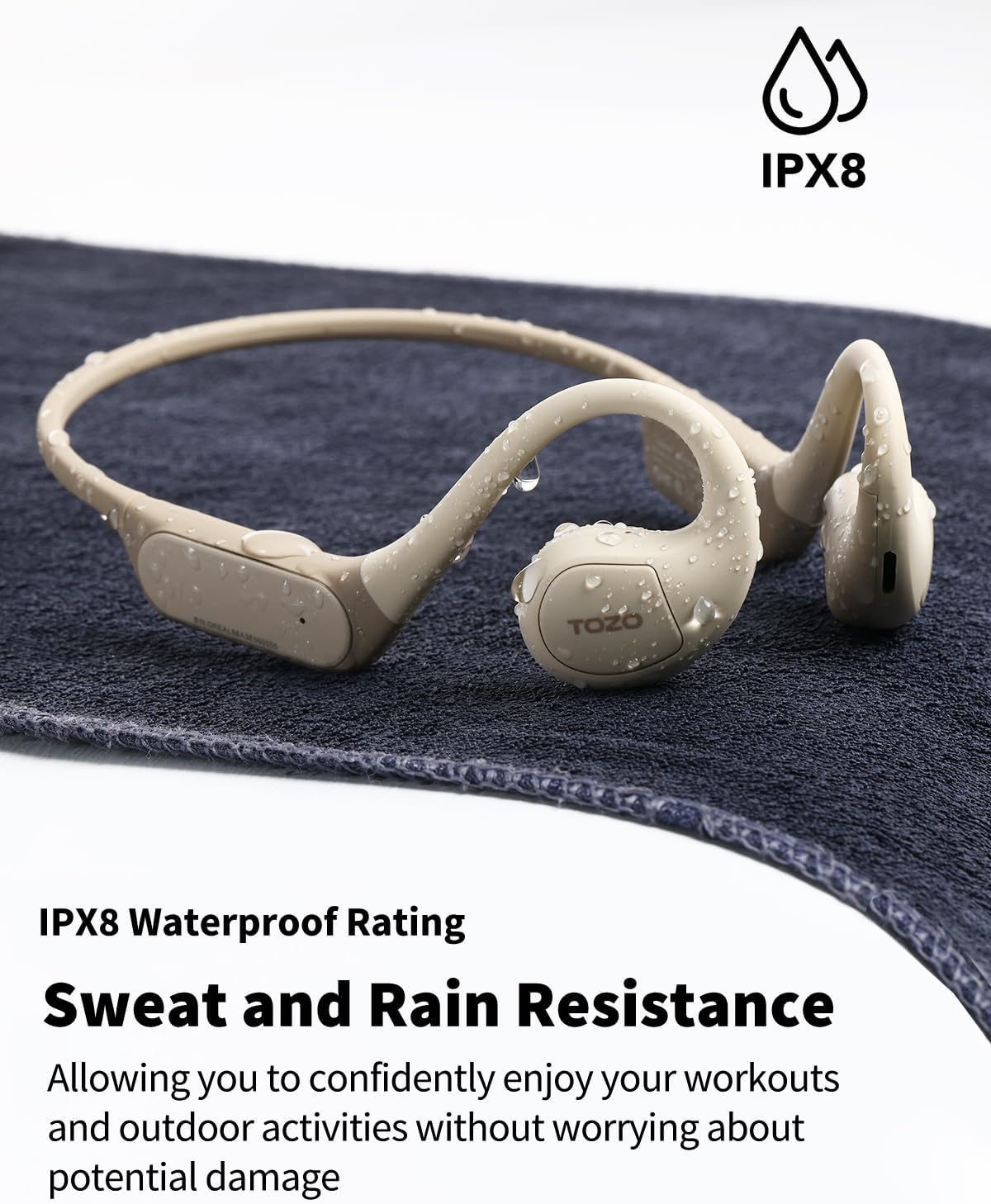
Figure 6: The TOZO OpenReal headphones showing their IPX8 water resistance, capable of withstanding splashes and sweat.
Storage
Store the headphones in a cool, dry place away from direct sunlight and extreme temperatures. When not in use for extended periods, ensure they are fully charged before storage to preserve battery life.
Troubleshooting
| Problem | Solution |
|---|---|
| Cannot power on | Ensure the headphones are fully charged. Press and hold the power button for a few seconds. |
| Cannot pair with device |
|
| No sound or low volume |
|
| Charging issues |
|
Specifications
| Feature | Detail |
|---|---|
| Model Name | TOZO Openreal |
| Connectivity Technology | Wireless (Bluetooth 5.3) |
| Earpiece Shape | Open ear |
| Audio Driver Type | Dynamic Driver |
| Audio Driver Size | 16.2 Millimeters |
| Battery Life | Up to 16 Hours |
| Charging Time | Approx. 1.5 hours (10 min charge for 2 hours playtime) |
| Water Resistance Level | IPX8 Waterproof |
| Control Type | App Control, Button |
| Microphone | Dual-Mic with Noise Reduction |
| Material | Acrylonitrile Butadiene Styrene (ABS) |
| Product Dimensions | 5.67 x 3.62 x 2.01 inches |
| Item Weight | 0.02 Grams (0.001 ounces) |
| Frequency Range | 20 Hz - 20,000 Hz |
Warranty and Support
For detailed warranty information and customer support, please refer to the warranty card included in your product packaging or visit the official TOZO website. You can also find additional resources and contact information on the TOZO store page on Amazon.
Official TOZO Store: https://www.amazon.com/stores/TOZO/page/71763562-B03C-49A4-986C-306EC684FD90
Related documentsT13120


Ask a question about this manual
Ask about setup, troubleshooting, compatibility, parts, safety, or missing instructions. Manuals+ will review the question and use this page’s manual context to help answer it.