
Introduction
The Nobsound T8 PRO is an advanced 7-band EQ vacuum tube preamplifier designed to enhance your audio experience. It features independent frequency band control, real balanced XLR and RCA inputs/outputs, and classic 6H1N-BN vacuum tubes for a warm, detailed, and dynamic sound. This manual provides essential information for setting up, operating, and maintaining your T8 PRO preamplifier.
Safety Instructions
- Ensure the power supply voltage matches the requirements of the unit.
- Do not expose the unit to water, moisture, or extreme temperatures.
- Avoid placing the unit in direct sunlight or near heat sources.
- Do not open the casing; refer all servicing to qualified personnel.
- Handle vacuum tubes with care as they can be fragile and become hot during operation.
- Disconnect power before making any connections or performing maintenance.
Package Contents
Please check that all items are included in your package:
- 1 x Nobsound T8 PRO Preamplifier
- 2 x 6H1N-BN Vacuum Tubes
- 1 x DC 12V Power Adapter
- 1 x User Manual

Image: Contents of the Nobsound T8 PRO package, showing the preamplifier unit, two 6H1N-BN vacuum tubes, and the DC 12V power adapter.
Product Overview
Front Panel Controls

Image: Detailed view of the T8 PRO front panel, indicating the function of each knob and switch.
- Input Selector Switch: Toggles between CH1 (XLR/RCA) and CH2 (RCA) inputs, or OFF.
- Power Indicator: Illuminates when the unit is powered on.
- 50Hz Adjustment Knob: Controls the gain for the 50Hz frequency band.
- 125Hz Adjustment Knob: Controls the gain for the 125Hz frequency band.
- 315Hz Adjustment Knob: Controls the gain for the 315Hz frequency band.
- 750Hz Adjustment Knob: Controls the gain for the 750Hz frequency band.
- 2KHz Adjustment Knob: Controls the gain for the 2KHz frequency band.
- 6KHz Adjustment Knob: Controls the gain for the 6KHz frequency band.
- 16KHz Adjustment Knob: Controls the gain for the 16KHz frequency band.
- Volume Control: Adjusts the overall output volume.
- Balance Adjustment: Fine-tunes the left/right channel balance.
Rear Panel Connections

Image: Detailed view of the T8 PRO rear panel, showing the balanced XLR and RCA input/output ports, and the DC 12V power input.
- CH1 Input (XLR): Balanced XLR input for audio sources.
- CH2 Input (RCA): Unbalanced RCA input for audio sources.
- Output (XLR): Balanced XLR output to power amplifier or active speakers.
- Output (RCA): Unbalanced RCA output to power amplifier or active speakers.
- DC 12V Input: Power connection port for the included DC 12V adapter.
Setup
1. Vacuum Tube Installation
Carefully insert the two 6H1N-BN vacuum tubes into their respective sockets on the top of the preamplifier. Ensure they are seated firmly and correctly oriented. Avoid forcing them.
2. Connecting Audio Sources
The T8 PRO supports two input channels:
- XLR Input (CH1): Connect your balanced audio source (e.g., DAC, CD player) to the XLR input ports on the rear panel.
- RCA Input (CH2): Connect your unbalanced audio source to the RCA input ports on the rear panel.
3. Connecting to Amplifier/Speakers
Connect the T8 PRO to your power amplifier or active speakers using either the XLR or RCA output ports:
- XLR Output: For balanced connections, use XLR cables to connect the T8 PRO's XLR output to your power amplifier or active speakers.
- RCA Output: For unbalanced connections, use RCA cables to connect the T8 PRO's RCA output to your power amplifier or active speakers.

Image: The T8 PRO preamplifier connected to a pair of active speakers, illustrating typical audio connections.
4. Power Connection
Connect the included DC 12V power adapter to the DC 12V input port on the rear panel of the T8 PRO, then plug the adapter into a suitable power outlet.

Image: An internal view of the T8 PRO preamplifier, showing the circuit board and connected audio cables, demonstrating the unit's design and connectivity.
Operating Instructions
1. Power On/Off
Use the input selector switch on the front panel to turn the unit ON (CH1 or CH2) or OFF. The power indicator will light up when the unit is on.
2. Input Selection
Select the desired audio input (CH1 for XLR, CH2 for RCA) using the input selector switch.
3. Adjusting EQ Bands
The T8 PRO features seven independent EQ adjustment knobs for precise sound shaping:
- 50Hz, 125Hz, 315Hz, 750Hz, 2KHz, 6KHz, 16KHz: Rotate these knobs to boost or cut the gain for each specific frequency band. Adjusting these can compensate for room acoustics or tailor the sound to your preference.

Image: The T8 PRO preamplifier in an audio setup, highlighting the 7-band EQ controls for sound customization.
4. Volume Control
Use the 'VOL' knob to adjust the overall output volume to your desired listening level.
5. Balance Adjustment
The 'BAL' knob allows for fine adjustment of the left and right channel balance, ensuring a centered soundstage.
6. Tube Rolling (Optional)
The T8 PRO features a pluggable socket design, allowing users to experiment with different compatible vacuum tubes (e.g., 12AU7, ECC85, 6SN7GT, 6N1, 6AQ8) to achieve various sound signatures. Ensure the unit is powered off and cooled down before replacing tubes. Refer to compatible tube types for safe replacement.
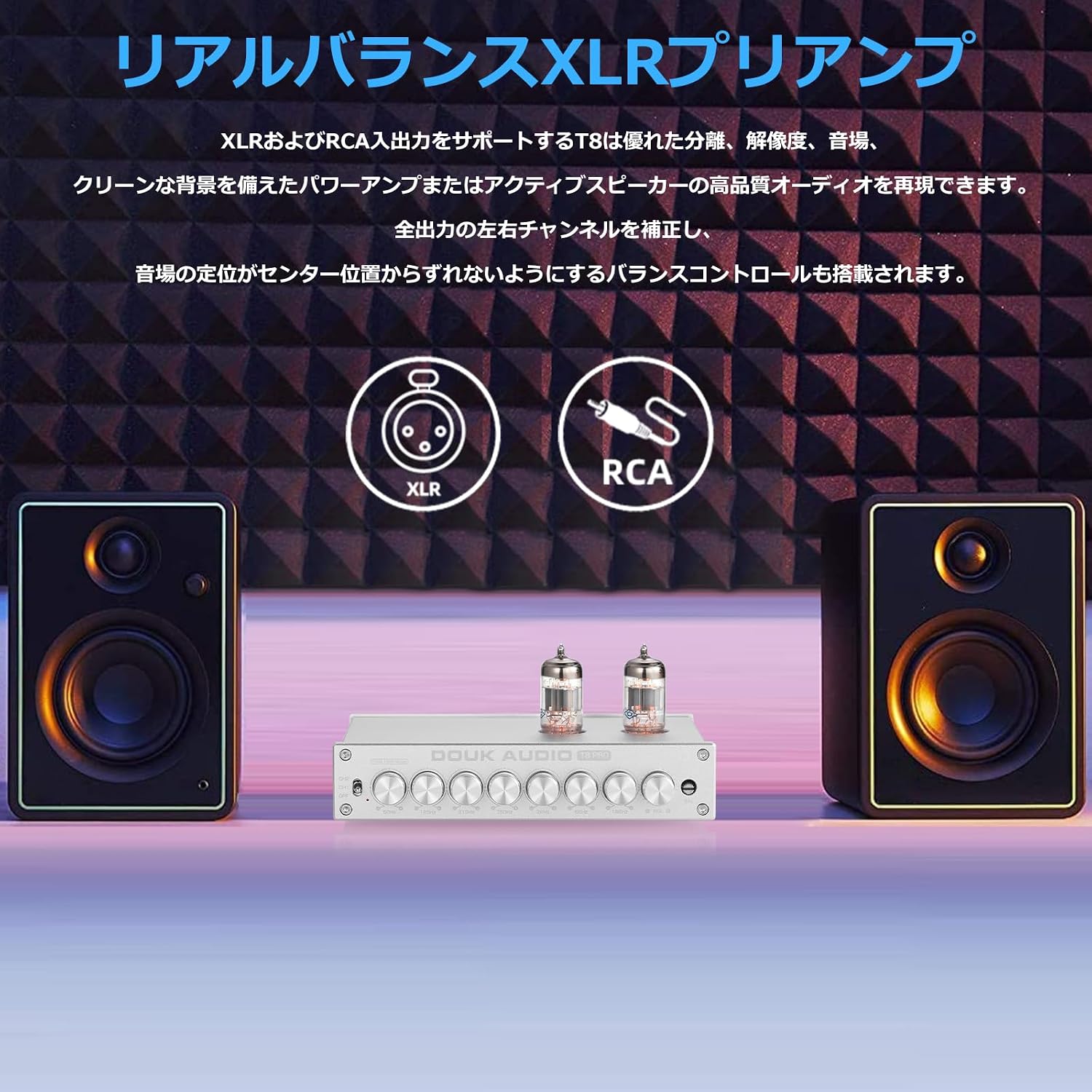
Image: A close-up of the 6H1N-BN vacuum tubes glowing on the T8 PRO, illustrating the tube-based audio enhancement feature.
Maintenance
- Cleaning: Use a soft, dry cloth to clean the unit. Do not use liquid cleaners or abrasive materials.
- Tube Care: Vacuum tubes have a finite lifespan. If you notice a degradation in sound quality or tube failure, replace them with compatible tubes. Ensure the unit is off and cool before handling tubes.
- Ventilation: Ensure adequate ventilation around the unit to prevent overheating, especially around the vacuum tubes.
Troubleshooting
| Problem | Possible Cause | Solution |
|---|---|---|
| No sound output |
|
|
| Distorted sound |
|
|
| Hum or noise |
|
|
| Uneven channels |
|
|
Specifications
| Feature | Specification |
|---|---|
| Brand | Nobsound |
| Model Number | T8 PRO |
| Color | Silver |
| Vacuum Tubes | 6H1N-BN (pluggable) |
| EQ Bands | 7-band (50Hz, 125Hz, 315Hz, 750Hz, 2KHz, 6KHz, 16KHz) |
| Inputs | XLR (balanced), RCA (unbalanced) |
| Outputs | XLR (balanced), RCA (unbalanced) |
| Power Supply | DC 12V |
| Product Dimensions (D x W x H) | 12.8 cm x 18.6 cm x 3.8 cm |
| Product Weight | 685g / 1.51lb (Net Weight) |
| Country of Origin | China |
Warranty Information
The Nobsound T8 PRO preamplifier comes with a warranty period:
- Vacuum Tubes: 3 months
- Main Unit: 1 year
Please retain your proof of purchase for warranty claims. The warranty covers manufacturing defects and malfunctions under normal use. It does not cover damage caused by misuse, accidents, unauthorized modifications, or natural disasters.
Support
If you encounter any issues or have questions regarding your Nobsound T8 PRO preamplifier that are not addressed in this manual, please contact the seller or Nobsound customer support for assistance. Provide your product model number and a detailed description of the issue for efficient support.
