
GoSports AIRHOCKEY-48-BLACK
GoSports 48 Inch Air Hockey Arcade Table - Black
Instruction Manual
Introduction
Thank you for choosing the GoSports 48 Inch Air Hockey Arcade Table. This manual provides essential information for the safe assembly, operation, maintenance, and troubleshooting of your new air hockey table. Please read all instructions carefully before use and retain this manual for future reference.
Safety Information
- Adult Supervision: Always ensure adult supervision, especially when children are playing.
- Electrical Safety: Connect the AC adapter only to a grounded outlet. Do not use if the cord is damaged. Keep liquids away from the electrical components.
- Choking Hazard: Small parts (pucks) may pose a choking hazard for young children. Keep them out of reach of children under 3 years old.
- Stable Surface: Place the table on a flat, stable surface to prevent tipping and ensure proper airflow.
- Weight Limit: Do not sit or stand on the table. It is designed for playing air hockey only.
- Ventilation: Ensure adequate ventilation around the table to prevent overheating of the AC motor.
What's in the Box
Verify that all components are present before beginning assembly:
- GoSports 48 Inch Air Hockey Arcade Table (main unit)
- 2 Pushers
- 3 Pucks
- AC Motor (pre-installed)
- LED Scoreboard (requires AAA batteries, not included)
- Assembly Hardware
- Instruction Manual

Image: The GoSports 48 Inch Air Hockey Arcade Table in black, showcasing its full assembly and the included accessories like pushers and pucks.
Setup and Assembly
The GoSports 48 Inch Air Hockey Arcade Table comes largely preassembled for simplified setup. Follow these steps to complete the assembly:
- Unpack Components: Carefully remove all parts from the packaging. Lay them out on a clean, soft surface to prevent scratches.
- Attach Legs: Securely attach the four sturdy wooden legs to the underside of the table using the provided hardware. Ensure all screws are tightened for stability.
- Install Goals: Attach the goal assemblies to each end of the table.
- Insert Batteries for Scoreboard: Open the battery compartment on the LED scoreboard and insert the required AAA batteries (not included).
- Connect Power: Plug the AC adapter into the table's power port and then into a standard electrical outlet.
- Level the Table: Use the leg levelers to ensure the table is perfectly level on your playing surface. This is crucial for optimal puck movement.
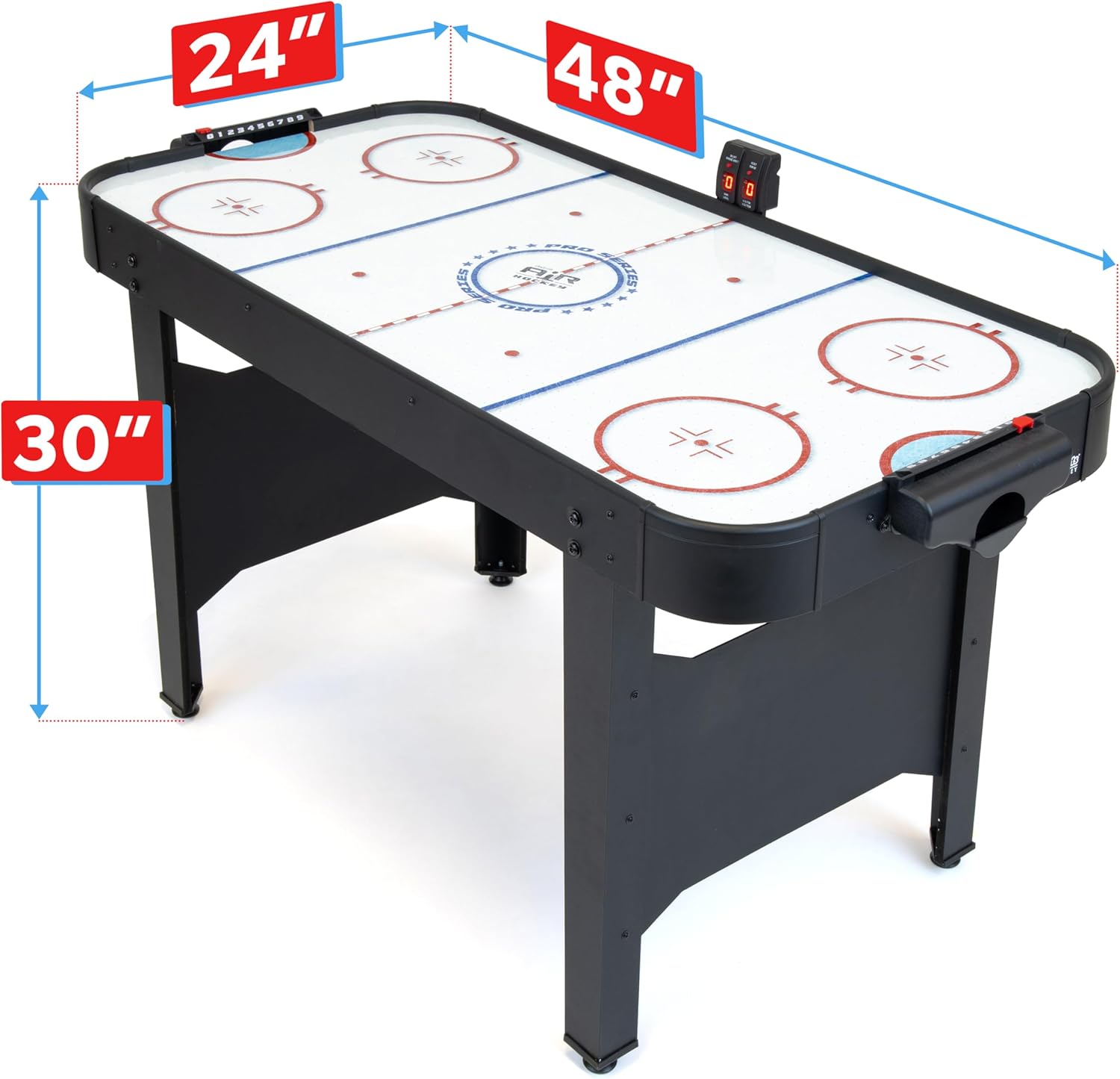
Image: A visual representation of the table's dimensions (48"L x 24"W x 30"H) to assist with placement and setup.
Operating Instructions
Once assembled and powered, your GoSports Air Hockey Table is ready for play:
- Power On: Locate the power switch, usually near the AC adapter connection or on the scoreboard unit, and turn it on. You should hear the AC motor activate, creating airflow across the playing surface.
- Scoreboard Operation: The LED scoreboard will automatically track goals. Familiarize yourself with the 'ON/OFF' and 'RESET' buttons on the scoreboard. If the automatic scoring is too sensitive, you may opt to use the manual scoring sliders often located on the side rails.
- Gameplay: Each player uses a pusher to strike the puck across the low-friction surface, aiming to score in the opponent's goal. The high-power AC blower ensures effortless gliding of the puck.

Image: A close-up view demonstrating the smooth puck movement facilitated by the AC-powered air blower, with arrows indicating airflow.

Image: Two individuals playing air hockey, with an inset showing the digital LED scoreboard displaying scores for 'Home' and 'Visitor'.
Maintenance
Proper care will extend the life and performance of your air hockey table:
- Cleaning the Surface: Regularly wipe the playing surface with a soft, damp cloth to remove dust and debris. Avoid abrasive cleaners or solvents that could damage the UV printed artwork.
- Check Air Holes: Periodically inspect the air holes on the playing surface for any obstructions. Use a small, soft brush or compressed air to clear them if necessary.
- Electrical Components: Keep the AC adapter and scoreboard free from dust and moisture.
- Storage: When not in use for extended periods, store the table in a dry, temperate environment.
Troubleshooting
| Problem | Possible Cause | Solution |
|---|---|---|
| No airflow from the table surface. | Power not connected, power switch off, or motor malfunction. | Ensure AC adapter is securely plugged into the table and a working outlet. Check if the power switch is in the 'ON' position. If the issue persists, contact customer support. |
| Puck does not glide smoothly. | Obstructed air holes, dirty playing surface, or uneven table. | Clean the playing surface and clear any debris from air holes. Adjust leg levelers to ensure the table is flat. |
| LED scoreboard not displaying or inaccurate. | Dead batteries, loose battery connection, or sensor issue. | Replace AAA batteries in the scoreboard. Ensure batteries are inserted correctly. If automatic scoring is inconsistent, use the manual scoring sliders. |
| Table is wobbly. | Loose leg connections or uneven floor. | Tighten all leg assembly hardware. Adjust leg levelers to stabilize the table on uneven surfaces. |
Specifications
- Brand: GoSports
- Model Number: AIRHOCKEY-48-BLACK
- Color: Black
- Material: Engineered Wood, Composite Wood (Top)
- Product Dimensions (L x W x H): 48" x 24" x 30"
- Item Weight: 30.4 Pounds
- Assembly Required: Yes (Simplified)
- Number of Players: 2
- Power Source: AC Motor
- Scoreboard: LED (requires AAA batteries, not included)
- UPC: 815898029824
Warranty and Support
Warranty Information
P&P IMPORTS, LLC warrants its Products to be free from defects in material and workmanship for a period of six (6) months from the date of delivery to the consumer. Please retain your original delivery receipt, as it is required for any warranty claim. This warranty is not transferable and does not apply to merchandise purchased "as is" (e.g., floor samples or clearance items), nor does it apply to products purchased from non-authorized P&P IMPORTS, LLC dealers or resellers. Failure to follow all instructions regarding your product will void this warranty.
All claims must be directed to the retail dealer from whom the merchandise was originally purchased, along with the original delivery receipt.
Customer Support
For further assistance, missing parts, or warranty claims, please contact the retailer where you purchased the GoSports 48 Inch Air Hockey Arcade Table. You may also visit the official GoSports website for additional support resources.
Ask a question about this manual
Ask about setup, troubleshooting, compatibility, parts, safety, or missing instructions. Manuals+ will review the question and use this page’s manual context to help answer it.