1. Introduction and Overview
Thank you for choosing the QUOLIX Q-268 Walkie Talkies. These devices are designed to provide clear and reliable communication for children, fostering imaginative play and outdoor adventure. With features like a built-in LED flashlight, VOX function, and a durable design, the Q-268 offers a fun and safe way for kids to stay connected.
This manual provides essential information on setting up, operating, maintaining, and troubleshooting your walkie talkies to ensure optimal performance and longevity.
2. Package Contents
Please check the box to ensure all items are present:
- 4 x QUOLIX Q-268 Walkie Talkies
- 4 x USB Charging Cables (Type-C)
- 4 x Belt Clips
- 4 x Lanyards
- 1 x English User's Manual

Image: The complete set of QUOLIX Q-268 Walkie Talkies, showcasing the four vibrant colors and included accessories.
3. Product Features
- Rechargeable Battery: Built-in lithium-ion battery with convenient USB-C charging.
- Crystal-Clear Sound: Equipped with noise cancellation technology for clear voice communication.
- VOX Function: Voice-activated transmission allows for hands-free communication without pressing the PTT button.
- LED Flashlight: Integrated flashlight for use in low-light conditions or during nighttime play.
- Easy to Use: Simple interface with intuitive buttons, suitable for young users.
- Compact & Lightweight: Designed with rounded corners for comfortable and safe handling by children.
- 22 Channels: Multiple channels available to ensure private and clear communication.
- Key Lock: Prevents accidental channel changes during use.
- Portable & Wearable: Includes belt clips and lanyards for easy carrying during outdoor activities.
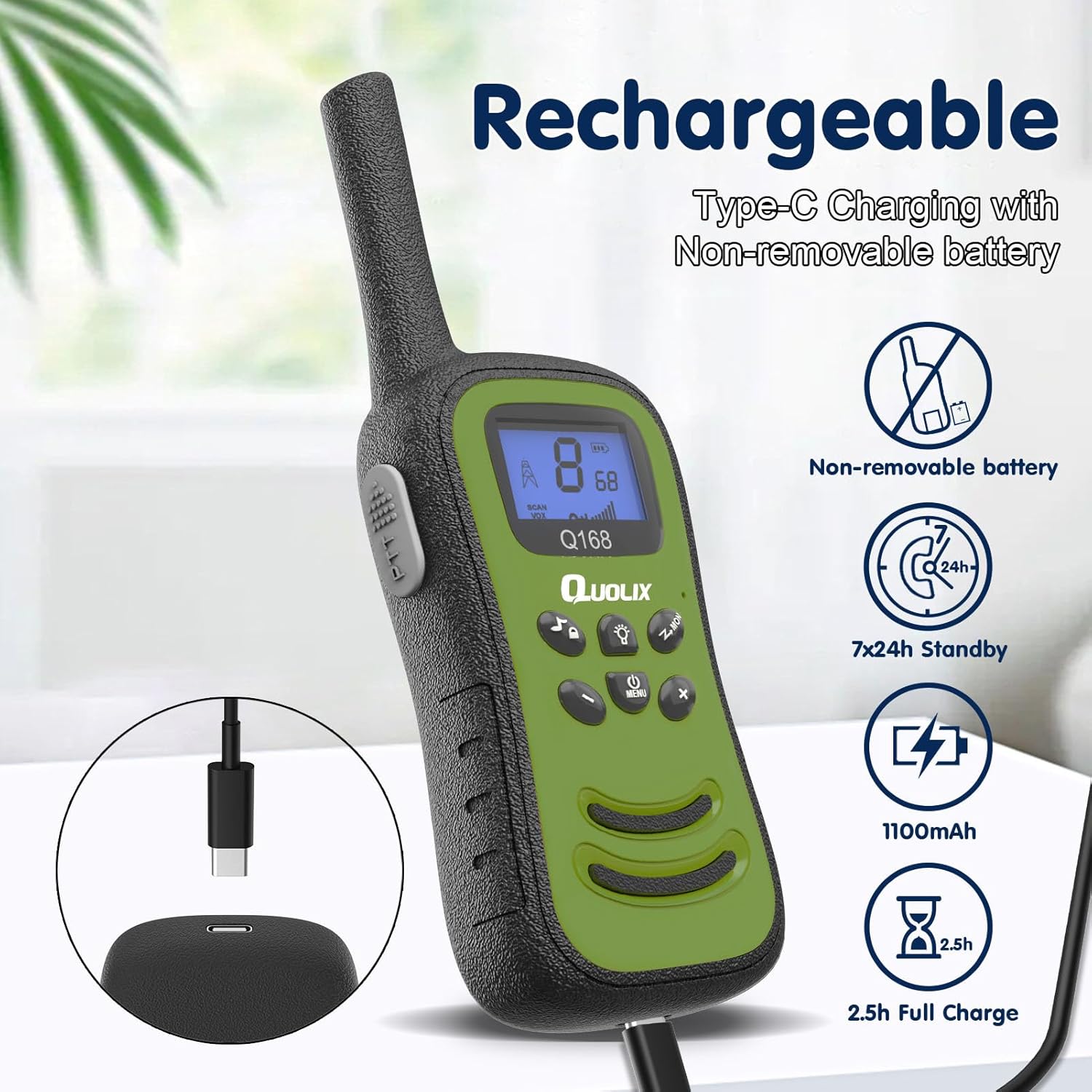
Image: Illustration of the rechargeable feature, showing the USB-C charging port and battery specifications.
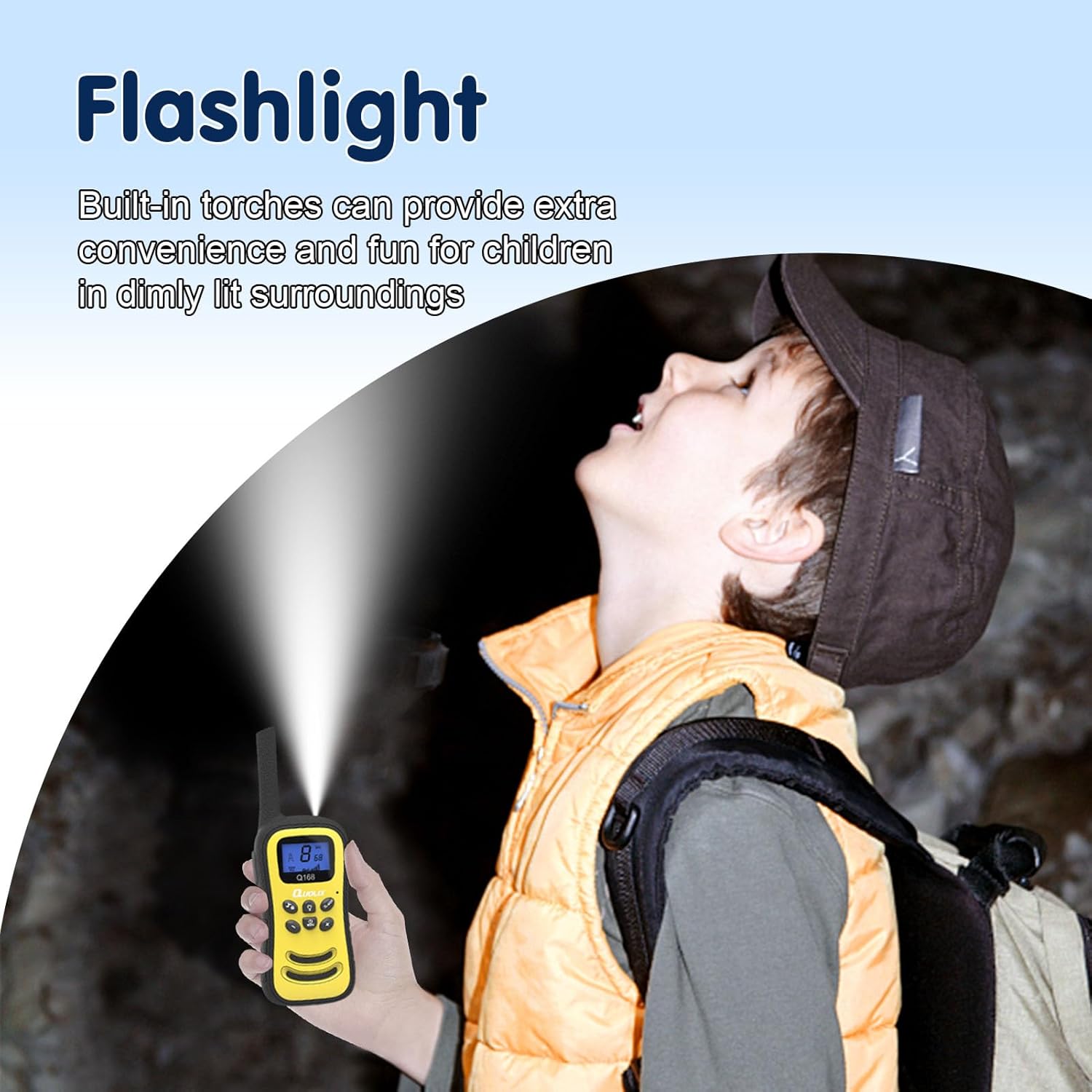
Image: A child using the integrated LED flashlight feature of the walkie talkie in a dimly lit setting.

Image: The walkie talkies are shown to be perfectly sized for children's hands, making them light and easy to handle.
4. Setup
4.1 Charging the Walkie Talkies
The QUOLIX Q-268 Walkie Talkies come with a built-in rechargeable lithium-ion battery. Before first use, or when the battery indicator is low, charge the devices fully.
- Connect the included USB-C charging cable to the charging port on the walkie talkie.
- Plug the other end of the USB-C cable into a compatible USB power adapter (not included) or a computer USB port.
- The charging indicator on the walkie talkie will illuminate during charging and turn off or change color when fully charged. A full charge typically takes approximately 2.5 hours.
4.2 Powering On/Off
To power on or off the walkie talkie, press and hold the Power/Menu button until the screen illuminates or turns off.
4.3 Channel Selection
The walkie talkies operate on 22 channels. To communicate, all walkie talkies must be set to the same channel.
- With the walkie talkie powered on, press the Menu button once. The channel number on the display will flash.
- Use the UP or DOWN buttons to select your desired channel (1-22).
- Press the Menu button again or wait a few seconds for the selection to be confirmed.
5. Operating Instructions
5.1 Basic Communication (Push-to-Talk)
To speak to another walkie talkie:
- Ensure all walkie talkies are on the same channel.
- Press and hold the PTT (Push-to-Talk) button located on the side of the walkie talkie.
- Speak clearly into the microphone (MIC) located at the bottom of the device.
- Release the PTT button when you finish speaking to allow the other party to respond.
5.2 VOX Function (Voice-Activated Transmission)
The VOX function allows you to transmit your voice without pressing the PTT button.
- Press the Menu button multiple times until the VOX setting appears on the display.
- Use the UP or DOWN buttons to select the VOX sensitivity level (e.g., 1-3, with 3 being most sensitive) or to turn VOX off.
- Press the Menu button again to confirm.
When VOX is active, the walkie talkie will automatically transmit when it detects your voice.
5.3 Adjusting Volume
Use the UP and DOWN buttons to adjust the speaker volume during normal operation.
5.4 Using the LED Flashlight
To activate the built-in LED flashlight, press the Flashlight button (often indicated by a light bulb icon). Press it again to turn off the flashlight.
5.5 Key Lock Function
To prevent accidental changes to settings (like channel selection), activate the key lock.
- Press and hold the Key Lock button (often indicated by a lock icon) for a few seconds.
- An icon will appear on the display indicating the keys are locked.
- Repeat the process to unlock the keys.
5.6 Channel Scanning
The scanning feature allows you to quickly scan all 22 channels for active conversations.
- Press the Scan/Monitor button (often indicated by a scan icon).
- The walkie talkie will cycle through channels and stop on any active channel.
- Press the Scan/Monitor button again to stop scanning.

Image: Depiction of the communication range, illustrating seamless interaction between users.

Image: The walkie talkies are shown to improve language, communication, and creativity potential in children.
6. Maintenance
6.1 Cleaning
To clean your walkie talkies, use a soft, dry cloth. Do not use abrasive cleaners or solvents, as they may damage the surface.
6.2 Battery Care
To prolong battery life:
- Avoid fully discharging the battery frequently.
- Charge the walkie talkies regularly, even if not in frequent use.
- Do not expose the devices to extreme temperatures.
6.3 Storage
When storing the walkie talkies for extended periods, ensure they are fully charged and stored in a cool, dry place away from direct sunlight and moisture.
7. Troubleshooting
| Problem | Possible Cause | Solution |
|---|---|---|
| No power/Won't turn on | Battery is depleted. | Charge the walkie talkie fully using the USB-C cable. |
| Cannot communicate with another walkie talkie | Different channels selected. | Ensure all walkie talkies are set to the same channel. |
| Short communication range or static | Obstructions (buildings, hills) or interference. | Move to an open area. Reduce distance between devices. Ensure clear line of sight. |
| Voice is unclear or distorted | Volume too low/high, or microphone too far. | Adjust volume. Speak clearly into the microphone. Ensure noise cancellation is active if applicable. |
| Keys are unresponsive | Key lock is activated. | Deactivate the key lock by pressing and holding the Key Lock button. |
8. Specifications
| Feature | Specification |
|---|---|
| Model Number | Q-268 |
| Item Weight | 1.28 pounds |
| Package Dimensions | 10 x 7.91 x 1.61 inches |
| Country of Origin | China |
| Batteries | 1 Lithium Ion battery required (included) |
| Display Type | LED |
| Number of Channels | 22 |
| Frequency Range | 462.5625MHz ~ 462.7125MHz |
| Talking Range Maximum | 500 Feet (approx. 150 meters) |
| Tuner Technology | UHF |
| Voltage | 3.6 Volts |
| Water Resistance Level | Not Water Resistant |
| Special Features | Rechargeable, Integrated Flashlight, Lightweight, Noise Reduction, Shockproof |
9. Warranty and Support
QUOLIX walkie talkies come with a 1-Year Warranty from the date of purchase, as specified in the product details. Additionally, QUOLIX provides a 45-day money-back guarantee.
All QUOLIX walkie talkies are FCC certified, ensuring they meet safety and quality standards.
If you encounter any issues or require assistance with your QUOLIX Q-268 Walkie Talkies, please do not hesitate to contact QUOLIX customer support. We aim to respond to inquiries within 16 hours.
For further support, please refer to the contact information provided on the product packaging or the official QUOLIX website.


