1. Introduction
Welcome to the user manual for your new THE G-LAB Keyz Hydrogen 60% Semi-Mechanical Gaming Keyboard. This manual provides essential information for setting up, operating, maintaining, and troubleshooting your device. Please read it carefully to ensure optimal performance and longevity of your keyboard.
2. Product Overview
The THE G-LAB Keyz Hydrogen is a compact 60% semi-mechanical gaming keyboard designed for performance and efficiency. Its space-saving TKL (Tenkeyless) format provides more room for mouse movement, while its responsive and silent keys ensure a comfortable gaming experience. The keyboard features a fixed multicolored backlight and advanced anti-ghosting technology for precise input.

Image 1: THE G-LAB Keyz Hydrogen 60% Semi-Mechanical Gaming Keyboard. This image shows the full keyboard with its compact layout and multicolored backlighting.
3. Setup Instructions
- Unpack the Keyboard: Carefully remove the Keyz Hydrogen keyboard from its packaging.
- Connect to Device: Locate an available USB port on your computer (PC, Mac, Linux) or gaming console (PS4, PS5, Xbox One, Xbox Series X). Insert the keyboard's USB cable into the port.
- Plug and Play: The Keyz Hydrogen is a plug-and-play device and does not require any additional drivers or software installation. Your operating system should automatically detect and configure the keyboard.
- Verify Functionality: Once connected, test the keyboard by typing in a text editor or navigating your system to ensure all keys are responsive.

Image 2: Multi-platform compatibility. This image illustrates the keyboard's compatibility with PC, PlayStation, and Xbox consoles.
4. Operating Instructions
4.1 Basic Typing
The Keyz Hydrogen functions as a standard AZERTY keyboard. Simply press the desired keys to input text or commands.
4.2 Shortcut Keys
This keyboard includes integrated shortcut keys for efficient use without the need for additional software. These functions are typically accessed by holding down the Fn key and pressing a corresponding function key (F1-F12) or other designated keys. Refer to the keycaps for specific shortcut icons and their functions (e.g., media control, volume adjustment).
4.3 Backlight Control
The keyboard features a fixed multicolored (rainbow) backlight. Specific keys or key combinations may be available to adjust brightness or toggle the backlight on/off. Consult the keyboard's keycap legends for these controls.
5. Key Features
- Semi-Mechanical Design: Experience a tactile and responsive keystroke feel, combining the best aspects of membrane and mechanical switches for gaming performance.
- 60% Compact Format: Optimize your desk space with this ultra-compact keyboard, providing more room for mouse movements and a minimalist setup.
- Multicolored Backlight: Enjoy a vibrant, fixed rainbow backlight that illuminates each key, enhancing visibility in low-light conditions and adding to the gaming aesthetic.
- Responsive and Silent Keystrokes: Designed for intense gaming sessions, the keys offer quick response times while maintaining a quiet operation, minimizing disturbance.
- Anti-Ghosting (19 Keys): The advanced anti-ghosting technology ensures that up to 19 simultaneous key presses are registered accurately, preventing missed commands during critical gaming moments.
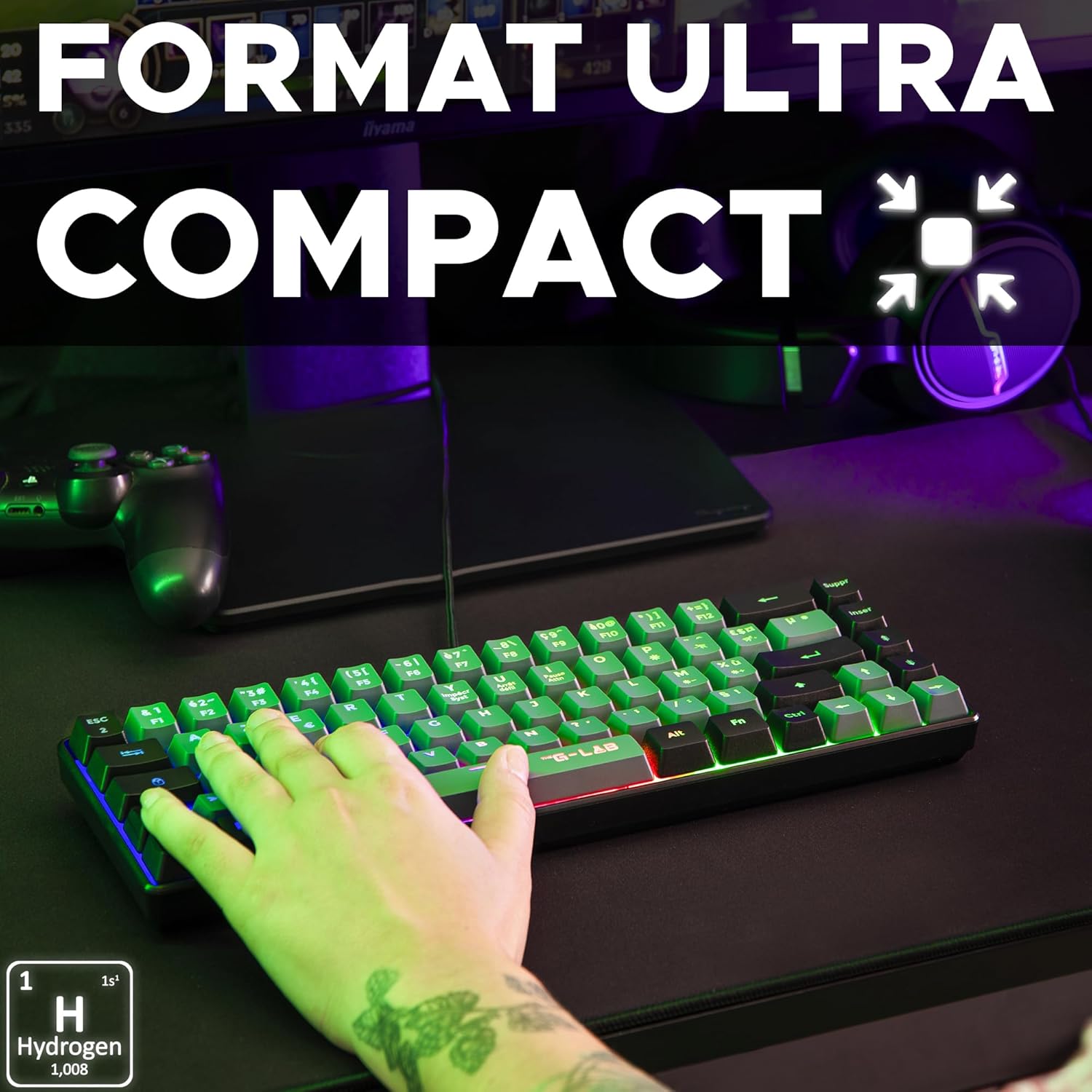
Image 3: Ultra-compact format. This image highlights the small footprint of the keyboard, ideal for gaming setups.

Image 4: Multicolored rainbow backlight. This image displays the keyboard's vibrant, fixed rainbow lighting effect.

Image 5: Precise and silent keystrokes. A close-up view emphasizing the quiet and accurate key presses.

Image 6: Anti-ghosting for 19 keys. This image highlights the anti-ghosting capability, showing multiple keys being pressed simultaneously.
6. Maintenance
- Cleaning: Use a soft, dry cloth to wipe the surface of the keyboard. For dust between keys, use compressed air. Avoid using harsh chemicals or abrasive materials.
- Liquid Exposure: Do not expose the keyboard to liquids. In case of accidental spills, immediately disconnect the keyboard and allow it to dry completely before reconnecting.
- Storage: Store the keyboard in a cool, dry place away from direct sunlight and extreme temperatures.
7. Troubleshooting
7.1 Keyboard Not Responding
- Ensure the USB cable is securely connected to both the keyboard and your device.
- Try connecting the keyboard to a different USB port.
- Test the keyboard on another computer or console to rule out device-specific issues.
- Restart your computer or console.
7.2 Backlight Not Working
- Check if the backlight has been accidentally turned off using a shortcut key (refer to Operating Instructions).
- Ensure the keyboard is properly connected and receiving power.
7.3 Keys Not Registering Correctly
- Clean the keyboard to remove any debris that might be obstructing key mechanisms.
- Verify that the issue is not related to software or game settings.
8. Specifications
| Brand | THE G-LAB |
| Model Number | KEYZ-HYDROGEN-GRB/FR |
| Color / Style | Black / Grey & Black |
| Connectivity Technology | USB Wired |
| Operating System Compatibility | Linux, macOS, Windows |
| Compatible Devices | PC, PS4, PS5, Xbox One, Xbox Series X |
| Special Features | Lightweight, Portable, Multicolored Backlight, Anti-Ghosting (19 keys) |
| Product Dimensions (L x W x H) | 31.6 x 10.4 x 4 cm |
| Weight | 430g |
| Keystroke Lifespan | 12 Million Keystrokes |
9. Warranty and Support
THE G-LAB offers a 2-year manufacturer's warranty on the Keyz Hydrogen keyboard, ensuring peace of mind regarding product quality.
For any questions, issues, or technical support, please contact THE G-LAB customer service. Our team is committed to responding within 24 hours to assist you.
Contact information (e.g., website, email) can typically be found on the product packaging or the official THE G-LAB website.


